
Voice to Text App: Best Apps for Phone & Desktop 2026
Most people speak faster than they type, yet still thumb out every message by hand. A voice to text app closes that gap: you talk, text appears in whatever field you're in, and the good ones tidy it up before you read it.
Key Takeaways
- A voice to text app turns speech into typed text in any app. "Talk to text", "speech to text", "dictation" and "voice typing" all describe the same need.
- Built-in tools (Apple Dictation, Gboard, Windows voice typing) are free and fine for short messages, but they mostly give you raw transcription.
- AI-enhanced apps remove filler words, fix grammar and punctuation, and format text for the app you're in, so the output is closer to send-ready.
- BossAI works on iOS, Android, macOS and Windows. Its free plan gives 500 words a day, and Pro is $9.99/month, $69.99/year or $149.99 lifetime.
- Pick by device first, then by how much cleanup you want, then by price.
Contents
- What Is a Voice to Text App?
- How Does a Voice to Text App Work?
- Why Use a Voice to Text App Instead of Typing?
- Which Voice to Text App Is Best?
- Are Free Voice to Text Apps Good Enough?
- How Accurate Are Voice to Text Apps?
- Which Voice to Text App Works Best on a Phone?
- What Is the Best Voice to Text App for Windows and Mac?
- Is Speech to Text the Same as Dictation or Voice Typing?
- How Much Do Voice to Text Apps Cost?
- Get Started with BossAI
- Frequently Asked Questions
What Is a Voice to Text App?
A voice to text app is software that converts your spoken words into written text in real time. You speak into the microphone and the text lands in emails, chats, documents or any other text field on your phone or computer, with no keyboard needed.
Early tools transcribed everything verbatim, "um" included. Newer AI-enhanced apps strip filler words, add punctuation and adjust formatting before the text reaches your screen.
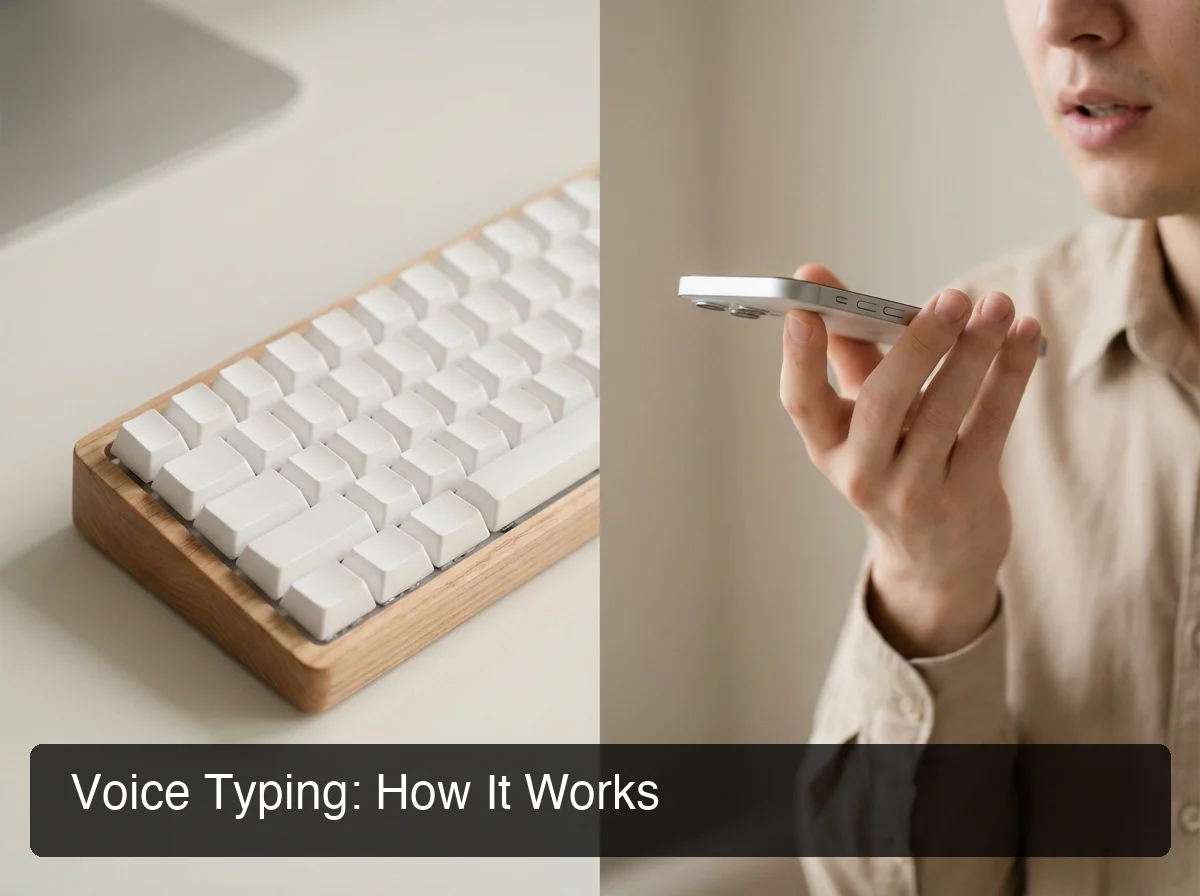 A voice to text app sits between your voice and the text field, whichever device you're on.
Typical uses are everyday ones:
- Email replies and long text messages
- Slack, Teams and other chat
- Drafting documents and notes
- Social posts and comments
The short version: the transcription engine matters less than what happens after it. Raw text and send-ready text are different products.
How Does a Voice to Text App Work?
A voice to text app records audio through your microphone, passes it to a speech recognition engine, and inserts the transcript into the active text field. AI-enhanced apps add a second step that cleans the transcript, removing fillers and fixing grammar before you see it.
The pipeline is short: audio, then speech recognition, then optional AI cleanup, then text in your cursor position.
On a phone, the app is usually a keyboard you switch to. On a computer, it is usually a background app that inserts text wherever your cursor is.
Why the cleanup step decides the experience
Raw transcription of natural speech reads badly: restarts, "like", "you know", missing punctuation. Cleanup is what turns "so um I wanted to confirm the thing on Friday" into a sentence you would actually send.
For a setup walkthrough on any device, our beginner's guide to voice typing covers the steps.
Why Use a Voice to Text App Instead of Typing?
Most people speak noticeably faster than they type, especially on a phone screen. A voice to text app also removes repetitive keystrokes, lets you draft while moving, and gives people with RSI or limited hand mobility a way to write without a keyboard.
The benefits show up in different places:
- Speed on mobile: thumbs are the bottleneck; speech isn't.
- Strain: dictating cuts out the repetitive keystrokes behind wrist and hand pain.
- Flow: you say the thought as it forms, then edit.
- Access: for anyone who finds typing painful or impossible, voice is the way in.
Speaking at a steady pace is the habit that makes the speed gain real.
Which Voice to Text App Is Best?
The best voice to text app is the one that works on every device you write on and cleans up the transcript for you. For AI-enhanced dictation across iPhone, Android, Mac and Windows, BossAI is built for that. For occasional short messages, your built-in dictation is enough.
Here is how the main apps compare, using each vendor's published platform and pricing details:
| App | Platforms | Free tier | Paid price | Notable |
|---|---|---|---|---|
| BossAI | iOS, Android, macOS, Windows | 500 words/day | $9.99/mo ($69.99/yr) | Boss Mode reads your screen; Clips; one-tap tone Rewrite |
| WisprFlow | macOS, Windows, iOS (limited keyboard) | 2,000 words/week | $15/mo | Command Mode edits selected text |
| Superwhisper | macOS, Windows, iOS | Unlimited with local models | ~$8/mo | Local/offline mode; more setup |
| Typeless | macOS, Windows, iOS, Android | 4,000 words/week | $30/mo ($12 annual) | 6-minute session cap |
| Spokenly | macOS, iOS | Unlimited with local models | $9.99/mo | Offline option; no Windows or Android |
| AquaVoice | macOS, Windows | 1,000 words total | $8/mo | No iOS app |
| Apple Dictation / Gboard / Windows voice typing | Built into each OS | Free | Free | Mostly raw transcription |
BossAI's difference is Boss Mode. Say "Boss, reply to this email confirming Friday delivery" and it reads what's on your screen, then writes the reply into the field. Of the apps above, none of the others reads your screen.
Bottom line: if you only dictate a sentence now and then, the free built-ins win on price. If you write all day across phone and laptop, cleanup and cross-device coverage start to matter more than cost.
 The field runs from built-in dictation to AI apps with screen reading and tone rewriting.
Are Free Voice to Text Apps Good Enough?
For short messages and quick notes, yes. Apple Dictation, Gboard voice typing and Windows voice typing cost nothing and are already installed. They generally return raw transcription, so longer or professional writing needs a manual cleanup pass.
The free options split into two groups. Built-in OS tools are unlimited but basic. Free tiers from AI apps include the cleanup but cap your volume.
BossAI's free plan gives 500 words a day with full AI quality, resets daily, and also includes one Boss Mode reply and one Rewrite per day. That is enough to judge the output before you pay anything. Pro adds unlimited use and a 7-day full trial needs no account.
How Accurate Are Voice to Text Apps?
Accuracy depends more on your conditions than on the app: a quiet room, a decent microphone and clear speech help every engine. Beyond raw recognition, what separates apps is vocabulary handling and post-processing that fixes grammar and punctuation.
 Accuracy comes from the environment, the vocabulary and the cleanup step together.
What affects accuracy most
- Background noise: the same app can feel flawless at a desk and weak on a street.
- Names and jargon: product names, people and technical terms trip every engine unless you teach it.
- Accent and language: pick the language you actually speak instead of leaving a default.
- Speaking pace: steady, clear phrasing beats rushing.
BossAI's Custom Dictionary lets you add names, brand names and technical terms so they come out right each time. Its free plan holds 10 words; Pro is unlimited. We don't publish a headline accuracy percentage because it varies with the factors above.
Reality check: any app that quotes a single accuracy figure is describing its best-case audio, not your commute.
Which Voice to Text App Works Best on a Phone?
On a phone, the best voice to text app is one that lives in your keyboard, so dictation works in every app without switching. BossAI is a full keyboard replacement on both iPhone and Android with the same feature set, including Boss Mode, Rewrite and Clips.
iPhone
You enable BossAI in Settings → Keyboards and switch to it in any app. Dictation can start straight from the iPhone Action Button, or with Back Tap on older iPhones, so you don't open the app first. Our best voice to text iPhone app guide goes deeper on setup.
Android
BossAI installs from Google Play as a keyboard, and every iOS feature is there too, plus a floating button. For setup steps and other options, see our talk to text Android guide. Typeless is the other major AI dictation keyboard on Android.
Mobile is where voice pays off most for texting, so voice texting is worth a read if long messages are your main use.
What Is the Best Voice to Text App for Windows and Mac?
On desktop, look for a hotkey-activated app that types into whatever app has focus. BossAI runs from the menu bar on Mac and the system tray on Windows, with push-to-talk or hands-free activation and a shortcut you can change in Settings.
Desktop BossAI offers two modes:
- Push-to-talk: hold the shortcut, release to process. Good for short phrases and commands.
- Hands-free: press once to start, again to stop. Better for longer dictation.
Both modes work for normal dictation and "Boss" commands. The default Mac hotkey is Fn, and Windows needs Windows 10 (17763.0 or higher) or Windows 11.
Windows also ships a free voice typing tool, so you can start there. If you want AI cleanup on top, our voice to text on Windows and voice to text app for Mac guides compare the options. For a cross-device overview, see the complete guide to typing with voice.
Is Speech to Text the Same as Dictation or Voice Typing?
Yes, for everyday use. "Speech to text", "talk to text", "dictation" and "voice typing" all mean speaking and getting written text. The real split is between live dictation into any field and transcribing a finished audio recording.
Live dictation is what a voice to text app does: you speak, the cursor fills in. Recording transcription takes a saved meeting or interview file and returns a transcript afterward.
BossAI is built for the first kind. If you mainly need long recorded files transcribed, tools such as Otter or MacWhisper fit better. For quick capture, our speak to text guide covers that ground.
How Much Do Voice to Text Apps Cost?
Built-in dictation is free. AI-enhanced apps typically run $8 to $15 a month, with Typeless at $30 monthly as the outlier. BossAI is $9.99/month, $69.99/year (about $5.83/month) or $149.99 once for lifetime.
| Plan | BossAI price | What you get |
|---|---|---|
| Free | $0 | 500 words/day, 1 Boss Mode and 1 Rewrite a day, 2 Clips, 1 language |
| Monthly | $9.99 | Everything unlimited |
| Annual | $69.99 | Same as monthly, billed yearly |
| Lifetime | $149.99 | One payment, no renewals |
One Pro subscription covers iOS, Android, macOS and Windows. Pro also unlocks all tones, all languages and all themes.
If subscriptions annoy you, Superwhisper and Spokenly offer free local models, and BossAI offers a lifetime plan.
Get Started with BossAI
If you dictate a lot, a voice to text app that cleans up your words and works on every device you own saves real effort. BossAI covers iPhone, Android, Mac and Windows, and the free plan lets you test it before paying.
Frequently Asked Questions
What is the best voice to text app?
It depends on your device and how much cleanup you want. For AI-enhanced dictation on iPhone, Android, Mac and Windows, BossAI covers all four platforms and adds screen-aware replies through Boss Mode. For short, occasional messages, the free built-in dictation on your phone or computer is enough.
Is there a free voice to text app?
Yes. Apple Dictation, Gboard voice typing and Windows voice typing are free and built in. Among AI apps, BossAI's free plan includes 500 words of dictation a day, resetting daily, plus one Boss Mode reply and one Rewrite. A 7-day full Pro trial needs no account.
How do I use voice to text on my phone?
Enable a voice keyboard in your phone's keyboard settings, switch to it inside any app, and tap the microphone. On iPhone, BossAI can also start dictating from the Action Button or Back Tap. On Android, it installs from Google Play as a full keyboard.
What is the difference between speech to text and voice typing?
In practice, none. Both describe speaking to produce written text, as do talk to text and dictation. The meaningful difference is live dictation into a text field versus transcribing a recorded audio file after the fact.
Does BossAI work on Android?
Yes. BossAI is a full keyboard on Android with the same features as iOS, including Boss Mode, Rewrite, Clips, Custom Dictionary and Knowledge Base, plus a floating button. Install it from Google Play and enable it in your keyboard settings.
Which voice to text app reads my screen?
BossAI's Boss Mode does. Say "Boss, reply to this professionally" and it reads what's on your screen, understands the email or chat, and writes a response into the text field. None of WisprFlow, Superwhisper, Willow, AquaVoice, Typeless or Spokenly reads the screen.