
Voice Texting: Best Apps, Cost & How It Works
3,600 people search for voice texting every month, and the phones in most of their pockets already have a free answer built in. The real split is what happens next — stick with the plain microphone key on the default keyboard, or switch to one of a handful of AI keyboards now cleaning up filler words and formatting texts in real time.
Key Takeaways
- Voice texting sends a message by speaking into your phone's microphone — every word gets transcribed as you talk and lands directly in the message field to your contact.
- Leading voice texting apps include BossAI (iOS, Android, macOS, Windows), WisprFlow (Mac, Windows), Superwhisper (macOS, Windows, iOS), and the native dictation built into iOS and Android — accuracy and platform reach vary widely.
- Busy professionals save real time with voice texting, hand-strain sufferers get a keyboard-free option, and drivers or multitaskers get a legal, hands-free way to reply.
- Most AI voice texting apps strip filler words and fix grammar automatically; BossAI removes "um," "uh," "like," and "you know" as you speak and adjusts formatting to match the app you're in.
- Free options exist (iOS Dictation, Android voice typing, BossAI's daily-reset free tier), but paid plans ($8–$15/month) add unlimited dictation, screen-aware replies, and features like custom dictionaries.
What Is Voice Texting?
Voice texting is sending a text message by speaking instead of typing — a phone's microphone captures your voice, converts it to text in real time, and drops the result straight into the message field for you to review and send. No dial pad, no thumbs required.
Every modern phone ships with a baseline version of this. iOS Dictation and Google's Gboard microphone both do raw speech-to-text, word for word, with no cleanup. Newer AI keyboards go a step further, editing that raw transcript into something you'd actually want to send.
People who speak to text messages instead of typing usually aren't chasing novelty — they want to send a text with voice because their hands are full, their wrists hurt, or typing on a small screen is slower than talking.
For a broader look at voice input across every app — not just messaging threads — our guide to typing with your voice covers the full picture, from email to voice typing in Microsoft Word for longer documents.
What Are the Best Apps for Voice Texting?
The strongest voice texting apps right now are BossAI, WisprFlow, Superwhisper, and Typeless, plus the free dictation already built into iOS and Android. Each trades off platform coverage, price, and how much AI polish it applies to your raw speech before the message goes out.
| App | Platforms | Free Tier | Monthly Price | Standout Feature |
|---|---|---|---|---|
| BossAI | iOS, Android, macOS, Windows | 500 words/day | $9.99 | Reads your screen to draft context-aware replies |
| WisprFlow | macOS, Windows | 2,000 words/week | $15 | Largest user base, polished desktop app |
| Superwhisper | macOS, Windows, iOS | Unlimited (local model) | ~$8 | Fully offline transcription |
| Typeless | macOS, Windows, iOS, Android | 4,000 words/week | $30 | Only other 4-platform option besides BossAI |
| Native (iOS/Gboard) | iOS, Android | Unlimited | Free | No setup, no AI cleanup |
Platform coverage narrows this list fast once texting is the use case. WisprFlow and Superwhisper skip Android entirely, which rules them out for anyone replying to texts from an Android phone. For a deeper breakdown of accuracy and pricing across the wider app category, see our voice typing app comparison.
How Does Voice Texting Work on Your Phone?
Voice texting works in three steps: your phone's microphone streams audio to a speech-to-text model, an AI layer cleans up filler words and grammar, and the finished text lands in the message field ready to send. The whole loop happens while you're still talking, not after.
Setup differs slightly by app but follows the same shape everywhere. On iOS, users enable a custom keyboard in Settings, then switch to it from any messaging app — our guide to turning on voice to text on iPhone walks through those exact steps. Windows and Android versions run the same dictation from a system tray icon or keyboard switch instead.
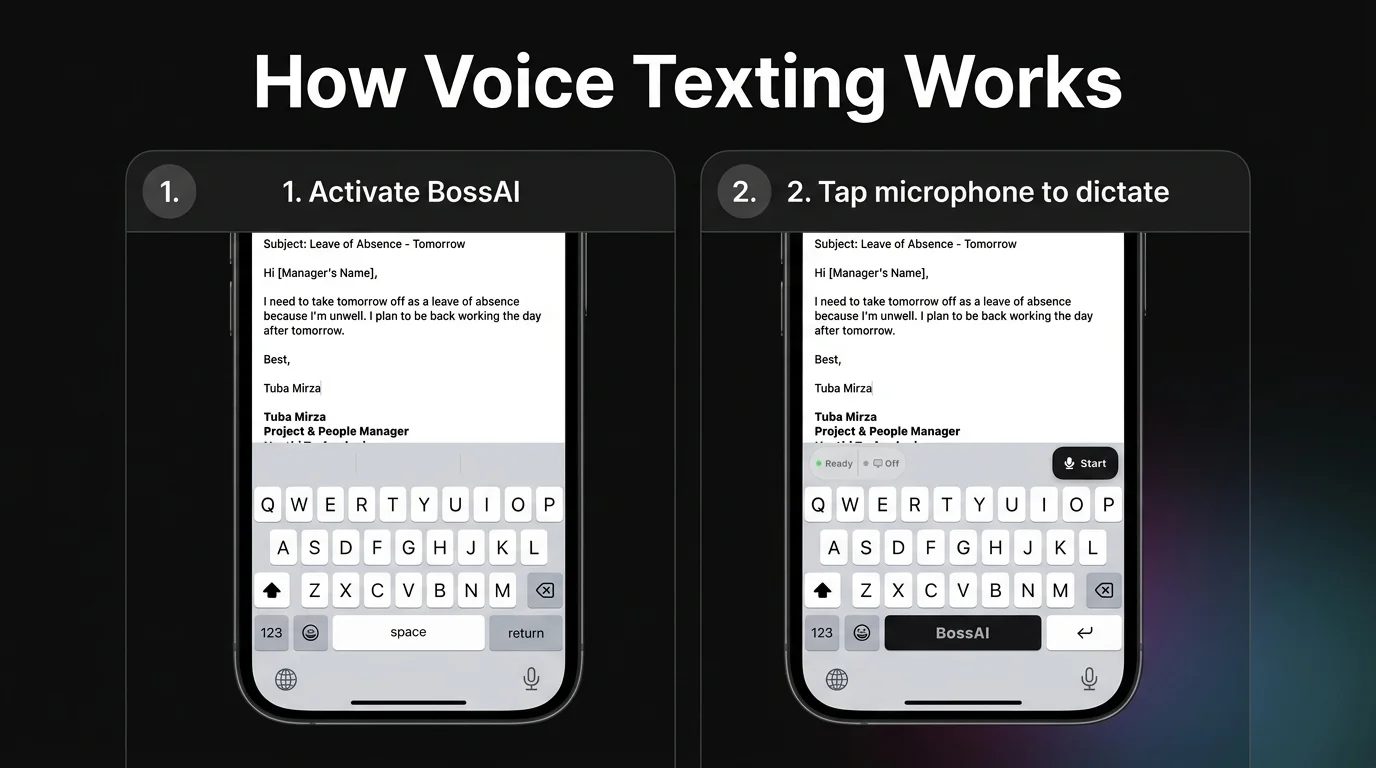 BossAI replaces the standard iOS keyboard, adding a microphone button next to the usual QWERTY layout.
By the numbers: BossAI's AI cleanup step finishes roughly 300ms after you stop talking — fast enough that the polished text is often ready before your thumb reaches the send button.
Which Apps Support Voice Texting on Android and iPhone?
BossAI and Typeless are currently the only two apps offering voice texting across both Android and iPhone with the same AI-cleanup quality on each; WisprFlow and Superwhisper are iOS-and-desktop only, and AquaVoice skips iOS entirely. Native tools cover both phones but skip the AI polish step.
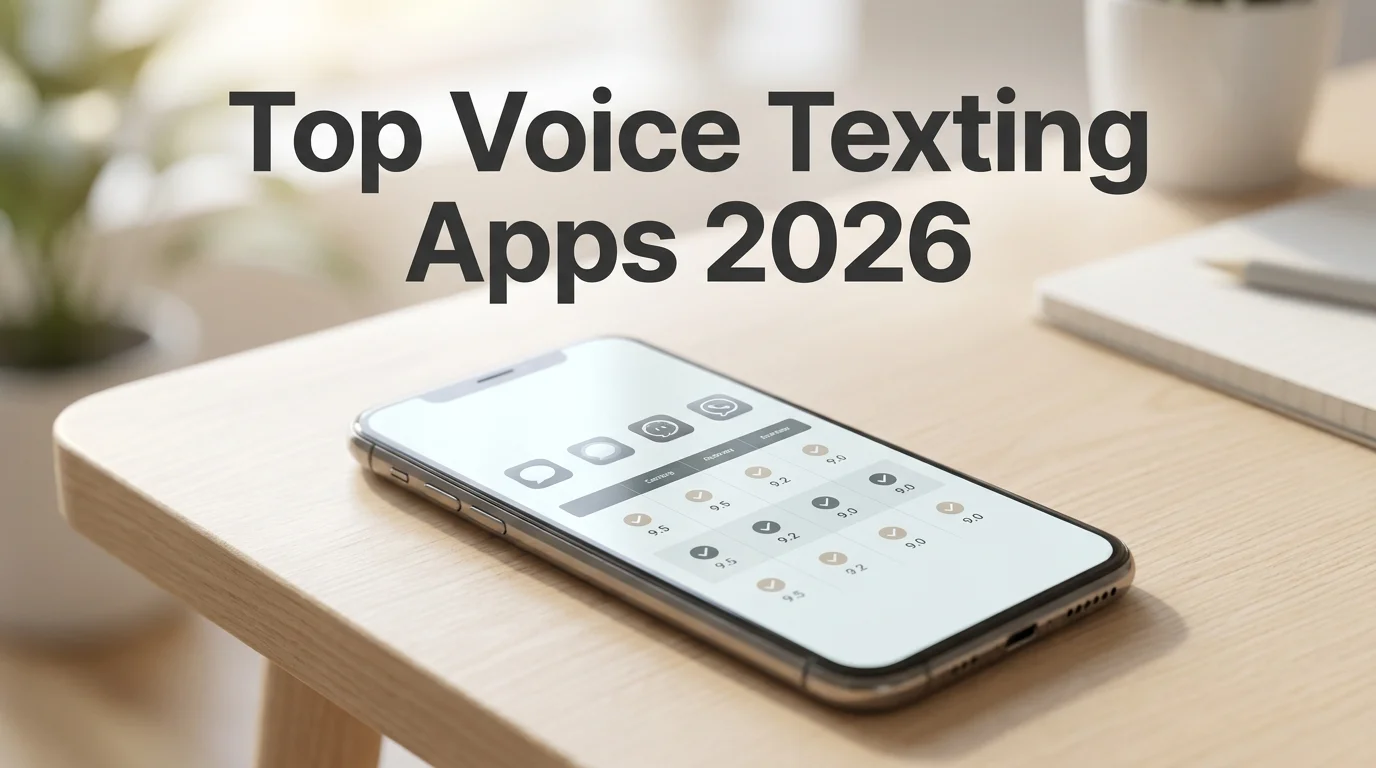 BossAI, Typeless, and native dictation are the only voice messaging app options with true Android coverage.
Android users get a full BossAI keyboard, not a cut-down version — a gap that used to separate iOS-first competitors from anyone typing (or speaking) on a Samsung or Pixel phone. Our talk to text Android guide covers setup for that platform specifically, and Windows desktop users can enable the same dictation engine from BossAI's system tray, detailed in our voice to text Windows walkthrough.
Clips Turn Repeated Texts Into a One-Tap Paste
Texting the same address, meeting link, or reply to five different people gets old fast. BossAI's Clips feature saves that text once and pastes it from the keyboard with a single tap — no switching to Notes, no clipboard manager, no retyping.
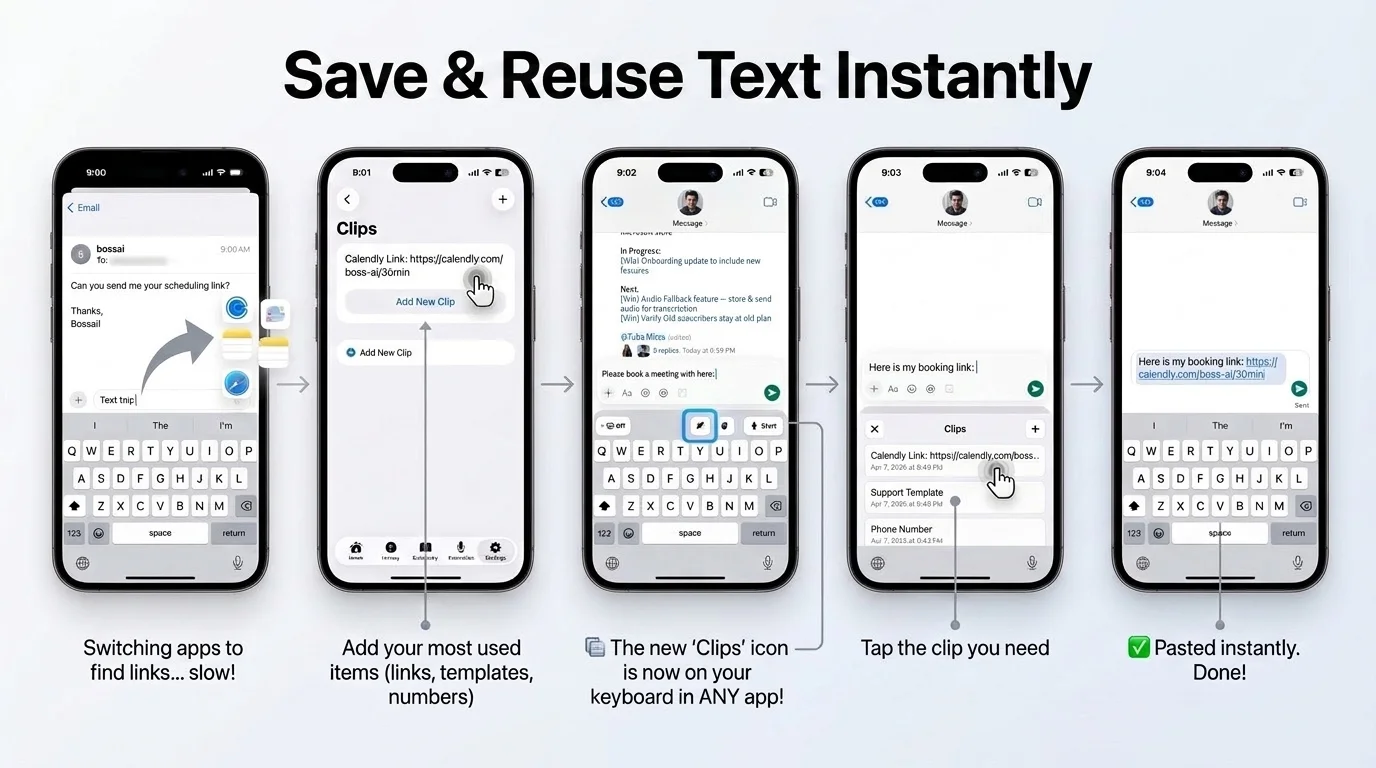 The screenshot above shows the actual five-step flow: save a link once, then tap it back in from any messaging app.
The screenshot shows a Calendly link saved once and pasted straight into a text thread from the Clips panel — the same panel handles addresses, phone numbers, or a standard "running 10 minutes late" reply. Free accounts get two saved clips; Pro unlocks unlimited storage.
Some people take this further and dictate and save quick thoughts as clips to revisit later, essentially a lightweight form of voice journaling built on top of the texting workflow.
How Accurate Is Voice Texting?
Accuracy in voice texting depends more on background noise and vocabulary than on which app you pick — a quiet room gets near-perfect results from almost any tool, while street noise or unusual names trip up even the best models. Custom dictionaries close most of that gap.
BossAI's custom dictionary lets users add names, brand terms, and jargon so the app stops mistranscribing them — a fix native dictation tools don't offer at all. That matters most for people texting the same contacts and terms daily.
- Quiet room, common vocabulary: every major app performs well
- Background noise (traffic, cafe): accuracy drops noticeably across the board
- Uncommon names or technical terms: only apps with custom dictionaries hold up
Drivers and multitaskers get the clearest win here. Replying to a text hands-free while driving is one of the more common reasons people search for this in the first place — our hands-free texting on Android guide covers the setup for exactly that scenario.
How Much Does Voice Texting Cost?
Voice texting can cost nothing — iOS Dictation, Android voice typing, and BossAI's free tier all handle basic texting at no charge — or $8 to $30 a month for AI-polished dictation with unlimited words and extra features. Typeless sits at the top of that range; AquaVoice and Superwhisper sit near the bottom.
Reality check: BossAI's free tier resets 500 words every day rather than once a week, which works out to roughly 3,500 words across seven days — more headroom than WisprFlow's or Willow's weekly caps.
- Free: iOS Dictation, Android voice typing, BossAI (500 words/day)
- Budget ($8–$10/month): Superwhisper, AquaVoice, BossAI Pro ($9.99)
- Premium ($12–$15/month): WisprFlow, Willow Voice
- Highest tier ($30/month): Typeless
BossAI also sells a one-time lifetime license at $149.99 for anyone who'd rather skip the subscription entirely.
Get Started with BossAI
If you're already reaching for your phone's microphone to text, BossAI adds the cleanup step most native tools skip — no filler words, correct names, and dictation that works the same way across iOS, Android, macOS, and Windows.
FAQ
Can you send text messages using your voice on any phone?
Yes. Every iPhone and Android phone has a built-in microphone key for basic voice-to-text messaging, no extra app required. AI keyboards like BossAI add a layer on top — removing filler words, fixing grammar, and formatting the message before it reaches the send button.
Is BossAI free to use for texting?
Yes. BossAI's free tier has no weekly word cap — it resets daily instead, giving roughly 3,500 words of dictation per week at full AI quality. Pro makes everything unlimited — dictation, Boss Mode, Rewrite, every tone and all Clips — and the 7-day trial needs no account.
What's the difference between voice texting and Boss Mode?
Voice texting transcribes what you say into a message. Boss Mode goes further: say "Boss, reply to this text confirming Friday" and BossAI reads the conversation on screen and writes a complete, contextual reply — no dictating the whole message yourself.
Does voice texting work while driving?
Yes, and it's one of the more common reasons people use it. Speaking a reply instead of typing keeps your eyes off the screen and your hands on the wheel, though full screen-reading features like Boss Mode still require glancing at the phone to confirm the reply before it sends.