
Speak to Text: Best Apps & Guide for 2026 | BossAI
Speak to Text: The Complete 2026 Guide
Speaking is three times faster than typing — yet most professionals still draft everything by keyboard. Speak to text closes that gap, turning voice into polished, ready-to-send text in seconds.
Key Takeaways
- Speak to text converts voice input into written text in real-time using AI-powered speech recognition, boosting productivity for professionals and students.
- Top speak to text tools like BossAI offer 95%+ accuracy with support across Windows, Mac, iOS, and web applications.
- Speak to text saves 30–50% of typing time, reduces repetitive strain injuries, and enables hands-free multitasking during work.
- Most quality speak to text apps offer free trials or freemium tiers; paid plans range from $5–$20/month for professional features.
- From note-taking and email drafting to coding and creative writing, speak to text adapts to diverse workflows and industries.
Contents
- What Is Speak to Text Technology?
- How Does Speak to Text Work and Convert Voice to Text?
- How Accurate Is Speak to Text Compared to Manual Typing?
- What Are the Best Speak to Text Apps and Tools Available?
- Can I Use Speak to Text in Professional and Work Settings?
- Is Speak to Text Free, and What Are the Pricing Options?
- Is Speak to Text Right for Your Workflow?
- Get Started with BossAI
- Frequently Asked Questions
 Speak to text lets you write as fast as you think — no keyboard required.
What Is Speak to Text Technology?
Speak to text is a voice recognition technology that converts spoken words into written text in real time. Modern speak to text apps use AI-trained speech recognition models to capture your voice, interpret natural speech, and output clean, formatted text — enabling you to dictate emails, messages, documents, and notes entirely hands-free.
The technology dates back to the 1990s (Dragon Naturally Speaking was the pioneer), but the AI era transformed it. Early dictation tools required slow speech and hours of voice training. Today's AI-powered speak to text apps handle natural conversational speech instantly, outputting polished text without any setup.
Key insight: The average person types at 40 WPM but speaks at 130 WPM — speak to text closes that 3x gap by turning speech into the primary input method for everything you write.
How Speak to Text Differs from Voice Assistants
Voice assistants like Siri or Alexa execute commands — "set a timer," "open an app." Speak to text creates text content — it transcribes what you say and delivers editable text wherever your cursor is. If you want to dictate an email or write a report hands-free, you need speak to text — not a voice assistant.
How Does Speak to Text Work and Convert Voice to Text?
Modern speak to text converts voice to text in two stages: real-time transcription captures words as you speak (appearing on screen word-by-word), then an AI enhancement layer cleans the output — removing filler words like "um" and "uh," fixing grammar, adding punctuation, and formatting text for the app context. The entire process completes in roughly 300ms after you stop speaking.
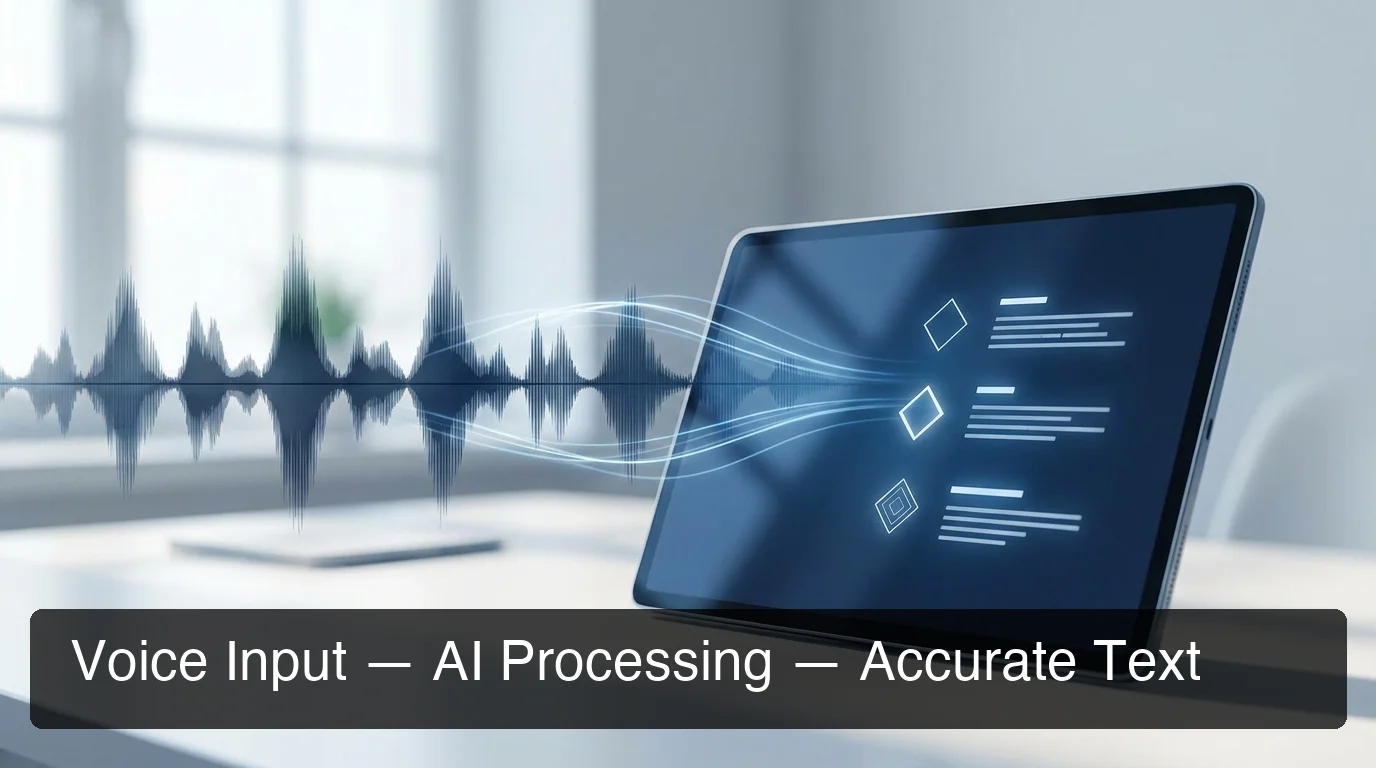 Voice input hits a speech recognition model first, then AI enhancement produces the final polished output.
The core technology is an Automatic Speech Recognition (ASR) model trained on millions of hours of human speech. It captures audio frames, converts them into acoustic features, and maps them to words. This happens in under 100ms per word — fast enough to feel instantaneous.
What AI Enhancement Adds
Raw ASR output captures exactly what you said, including every "uh," "like," and "you know." AI-enhanced speak to text tools add a second processing layer that removes these automatically. The enhancement also fixes grammar, adds punctuation, capitalizes proper nouns, and adjusts formatting based on context — shorter sentences in chat, complete sentences in email.
The result is dictation output that's cleaner than most people's typed text. This is the critical difference between modern AI speak to text apps and basic voice typing built into operating systems.
By the numbers: AI-enhanced speak to text delivers polished output in ~300ms after you finish speaking — fast enough to keep talking without waiting for text to catch up.
For a deeper look at how AI models power modern voice recognition, see our guide on AI speech to text technology.
How Accurate Is Speak to Text Compared to Manual Typing?
Top-tier speak to text software achieves 95–99% word accuracy in quiet environments. AI-enhanced tools add a second accuracy layer — correcting misheard words using grammar and context analysis, so a spoken "their" in the wrong context is fixed to "there" automatically. Combined, AI-enhanced dictation often produces cleaner output than fast typists under time pressure.
Accuracy depends on several factors:
| Factor | Impact |
|---|---|
| Background noise | High — reduces accuracy 10–30% |
| Accent strength | Medium — top tools handle diverse accents |
| Technical vocabulary | Medium — custom dictionaries solve this |
| Microphone quality | High — dedicated mic beats built-in |
| Speaking pace | Low — modern models handle fast speech |
Typing Speed vs. Speak to Text Speed
A professional typist averages 60–70 WPM. The average speaking rate is 130–150 WPM — roughly twice as fast. For emails, reports, and meeting notes, speak to text saves 30–50% of total composition time.
Beyond speed, fast typists under time pressure introduce typos that require correction. Speak to text with AI enhancement delivers cleaner first drafts.
What Are the Best Speak to Text Apps and Tools Available?
The best speak to text apps in 2026 fall into three tiers: AI-enhanced dictation tools (BossAI, WisprFlow, Superwhisper), built-in OS tools (Windows Voice Typing, Apple Dictation, Gboard), and web-based transcription tools (SpeechTexter, Speechnotes). For professional daily use, AI-enhanced tools produce significantly cleaner output than built-in alternatives.
 The best speak to text tool depends on your platform, budget, and how much you write per day.
AI-Enhanced Speak to Text Apps
BossAI — iOS, macOS, Windows. AI-enhanced dictation with filler word removal, grammar correction, and contextual formatting. Includes Boss Mode (screen-reading for contextual replies), one-tap tone rewriting, and Clips. Free tier: 500 words/day. Pro: $9.99/month.
WisprFlow — macOS and Windows only. Strong accuracy, 2,000 word/week free tier. No screen awareness, no iOS keyboard. $15/month.
Superwhisper — macOS, Windows, iOS. Powered by OpenAI Whisper with local offline processing. ~$8/month.
Willow Voice — macOS, Windows, iOS. Strong team features and custom vocabulary. $15/month.
Built-In OS Tools (Free)
Windows Voice Typing (Win+H) — Free, built into Windows 10/11. No AI enhancement or filler word removal. For a complete Windows dictation walkthrough, see the voice to text on Windows guide.
Apple Dictation — Free on Mac and iOS. Reliable but no filler word removal or grammar correction.
Google Gboard Voice Typing — Free on Android. Fast and accurate for casual mobile use.
Web-Based Tools (Free)
SpeechTexter — Browser-based, 70+ languages, no account required. Speechnotes — Browser dictation with auto-save, good for note-taking. QuillBot Speech to Text — Integrates with QuillBot's rewriting tools for student workflows.
Bottom line: Built-in and web tools are free and useful for occasional dictation. For professional daily use — drafting emails, Slack messages, documents across apps — AI-enhanced tools pay back their cost in recaptured time within the first week.
Comparison Table: Top Speak to Text Apps
| Tool | Platforms | AI Enhancement | Free Tier | Price |
|---|---|---|---|---|
| BossAI | iOS, Mac, Windows | Full + screen reading | 500 words/day | $9.99/mo |
| WisprFlow | Mac, Windows | Yes | 2,000 words/week | $15/mo |
| Superwhisper | Mac, Windows, iOS | Yes (local available) | Unlimited (local) | ~$8/mo |
| Willow Voice | Mac, Windows, iOS | Yes | 2,000 words/week | $15/mo |
| Windows Voice Typing | Windows | No | Unlimited | Free |
| Apple Dictation | Mac, iOS | No | Unlimited | Free |
For device-specific setup, the type with voice guide covers every major platform in detail.
Can I Use Speak to Text in Professional and Work Settings?
Yes — speak to text is increasingly standard in professional environments. Knowledge workers use it for email drafting, Slack and Teams messaging, meeting notes, documentation, and long-form writing. AI-enhanced tools output text clean enough to send directly, making speak to text viable for high-stakes professional communication.
Professional Use Cases by Role
Email-heavy roles (managers, salespeople, founders) — Dictating a 200-word reply takes 45 seconds vs. 3–4 minutes of typing. For professionals handling 50+ emails daily, speak to text alone saves 2+ hours per week.
Content creators and writers — Voice drafting captures ideas at full thought speed. First drafts by voice often need less editing because they flow naturally, without the pause-think-type rhythm.
Developers — Dictate code comments, README files, and PR descriptions. Custom dictionaries handle technical vocabulary without repeated corrections.
Students and researchers — Capture notes while reading without breaking focus. Dictate essay drafts, then edit rather than starting from scratch.
Mobile and Accessibility Workflows
On iOS, speak to text keyboards like BossAI make mobile dictation as productive as desktop work — draft in any app without switching context. For iPhone-specific setup, see how to turn on voice to text on iPhone.
For users with RSI, carpal tunnel, or other conditions, speak to text is essential rather than optional. Modern tools require zero keyboard interaction: dictate, review, send.
Key insight: BossAI's zero-keyboard workflow — dictate via voice, review using Boss Mode screen reading, tap to send — is purpose-built for users who can't sustain extended typing sessions.
Is Speak to Text Free, and What Are the Pricing Options?
Most speak to text apps offer a free tier, but free tiers vary significantly. Built-in OS tools (Windows Voice Typing, Apple Dictation) are unlimited and free. Web tools like SpeechTexter are also free with no account required. AI-enhanced apps use freemium models: BossAI gives 500 words/day with a daily reset, while competitors like WisprFlow and Willow cap free users at 2,000 words/week.
Free Speak to Text Options Compared
| Tool | Free Limit | AI Enhancement |
|---|---|---|
| Windows Voice Typing | Unlimited | No |
| Apple Dictation | Unlimited | No |
| BossAI | 500 words/day (daily reset) | Yes |
| WisprFlow | 2,000 words/week | Yes |
| Superwhisper | Unlimited (local models) | Yes (with setup) |
Paid Plan Pricing in 2026
AI-enhanced professional tools range from $8–$15/month. BossAI sits at $9.99/month ($5.83/month annual), WisprFlow and Willow at $15/month, Superwhisper at ~$8/month. Typeless is the outlier at $30/month.
BossAI's free tier resets daily rather than weekly — no weekly cap to hit by Tuesday, just a clean 500-word reset each morning.
Is Speak to Text Right for Your Workflow?
 Hands-free text input frees your attention for thinking — not for typing.
Speak to text delivers the highest ROI for professionals who write a lot and across multiple apps throughout the day — email-heavy roles, content creators, developers writing documentation, and anyone managing repetitive communication tasks. If you type more than 2 hours daily, speak to text recaptures measurable time from day one.
High ROI — start today: You draft 10+ emails or messages daily, write meeting notes regularly, experience RSI or typing fatigue, or find phone typing on mobile frustrating.
Moderate ROI — try the free tier first: You occasionally write long-form content, want hands-free notes during calls, or communicate across 3+ apps daily.
Lower ROI — keyboard is probably fine: Your work is primarily data entry or short formulaic inputs, or you're in consistently noisy environments without a headset.
If you're in the high-ROI group, a free-tier tool will prove the value within the first few days.
Get Started with BossAI
If you dictate across multiple apps — email, Slack, documents — you need a tool that works system-wide. BossAI runs natively on Mac, Windows, and iOS, inserting polished AI-enhanced text wherever your cursor is — with Boss Mode to read your screen and reply in context.
Not ready to try it yet? Get Our AI Productivity Guide — free tips on working faster with AI.
Frequently Asked Questions
What is the best free speak to text app in 2026? For unlimited free use without AI, Windows Voice Typing and Apple Dictation have no word limits. For free AI-enhanced dictation — filler word removal and grammar correction — BossAI offers 500 words per day on iOS, macOS, and Windows with a daily reset and no weekly cap.
How do I turn on speak to text on my device? On Windows, press Win+H. On Mac, go to System Settings → Keyboard → Dictation (shortcut: Fn twice). On iPhone, tap the microphone icon on your keyboard. For AI-enhanced dictation with automatic cleanup, download BossAI — it runs from the Mac menu bar or as an iOS keyboard replacement.
How accurate is speak to text for professional use? AI-enhanced tools achieve 95–99% word accuracy in quiet environments and automatically correct grammar and punctuation. Custom dictionaries handle technical terms and jargon. Output is typically cleaner than what a fast typist produces under time pressure, making it viable for professional communication without post-edit review.
What is BossAI? BossAI is an AI-powered voice keyboard for iOS, macOS, and Windows that replaces typing with voice dictation. It transcribes speech in real time, removes filler words automatically, rewrites text in different tones with one tap, and includes Boss Mode — a screen-reading feature that reads your screen to generate contextual replies without copy-pasting.
Is BossAI free? Yes. BossAI has a free tier with no weekly word cap — you can dictate as much as you want. The paid plan unlocks advanced features including unlimited Boss Mode screen reads, priority processing, and extended Clips storage. No credit card required to start.
Can speak to text help with RSI or repetitive strain injuries? Yes. Speak to text eliminates all keyboard input — dictate, the app transcribes, tap send. No typing required at any step. BossAI is designed for zero-keyboard workflows, making it essential for users with RSI, carpal tunnel, or other conditions where extended typing causes pain.
What makes BossAI different from other speak to text apps? Three features no competitor offers: (1) Boss Mode reads your screen and writes contextually aware replies without copy-pasting; (2) Clips saves frequently used phrases for instant one-tap insertion; (3) tone rewriting switches between casual, professional, or concise with a single tap. WisprFlow, AquaVoice, and Typeless have none of these.