
Best Voice to Text iPhone App in 2026 | Comparison
The right voice to text iPhone app can replace your keyboard entirely — but native iOS Dictation misses words, keeps filler phrases, and can't do anything smart with what you say.
Key Takeaways
- iPhone offers native voice-to-text via iOS Dictation, but third-party apps deliver higher accuracy, AI grammar correction, and pro features
- The best app depends on your use case: casual notes need basic accuracy; professional writing demands real-time filler removal and formatting
- Premium apps like Otter and Notta offer cloud transcription history; AI keyboard apps like BossAI work inside every app without switching
- Third-party voice to text apps work alongside native iOS dictation — install one and switch to it when you need more power
- Setup takes under 2 minutes: download, grant microphone permission, and start dictating in any app
Contents
- What Are the Best Voice to Text Apps for iPhone?
- How Does Voice to Text Technology Work on iPhone?
- What's the Difference Between Native iOS Dictation and Third-Party Apps?
- Which Voice to Text iPhone App Is Most Accurate?
- Can You Use Third-Party Voice to Text Apps on iPhone?
- What Are the Top Features to Look For in a Voice to Text App?
- How Do You Choose the Right Voice to Text App?
- How Much Do Premium Voice to Text Apps Cost?
- Why Does BossAI Stand Out as a Voice to Text iPhone App?
- Get Started with BossAI
- Frequently Asked Questions
What Are the Best Voice to Text Apps for iPhone?
The best voice to text apps for iPhone in 2026 include Apple Dictation (free, built-in), BossAI (AI keyboard with filler removal and screen reading), Otter.ai (meeting transcription), Notta (cloud-synced multilingual transcription), and Rev (professional audio conversion). Each serves a different use case — the right choice depends on whether you need real-time in-app dictation or recorded audio transcription.
Here's how the top options compare at a glance:
| App | Best For | Free Tier | Accuracy | Price |
|---|---|---|---|---|
| Apple Dictation | Basic in-app typing | ✅ Unlimited | Good | Free |
| BossAI | AI dictation across every app | ✅ 500 words/day | Excellent + filler removal | $9.99/mo |
| Otter.ai | Meeting & interview transcription | ✅ 600 min/mo | Very good | $8.33/mo |
| Notta | Multilingual transcription | ✅ 120 min/mo | Very good | $8.17/mo |
| Rev | Professional audio conversion | Trial only | Excellent | $0.25/min |
| Transcribe | Audio file-to-text | ✅ Limited | Good | $19.99/yr |
 Voice-to-text apps range from simple native dictation to full AI keyboard replacements that remove filler words and rewrite your text in one tap.
The decision usually comes down to intent: are you typing in real-time across multiple apps throughout the day, or transcribing recorded audio files after the fact? These are different problems requiring different tools.
How Does Voice to Text Technology Work on iPhone?
Voice to text on iPhone converts spoken audio into written text using automatic speech recognition (ASR). Native iOS Dictation sends audio to Apple's servers for processing; third-party apps route audio through their own models — often producing cleaner results by pairing transcription with AI post-processing that corrects grammar and strips filler words before the text appears.
How Native iOS Dictation Works
Apple's built-in dictation activates when you tap the microphone icon on the system keyboard. Speech is processed on-device or via Apple's servers depending on iOS version and network availability.
It handles basic transcription reasonably well — but raw accuracy is all you get. Filler words, grammar errors, and missing punctuation stay in your text exactly as spoken.
How Third-Party Apps Handle Voice Input
Third-party apps use Apple's keyboard extension API to install as replaceable keyboards. Enable them in Settings → General → Keyboard → Keyboards, then switch to them in any app using the globe icon — the same way you switch to an emoji keyboard.
Apps like BossAI go a step further: they process your audio through AI models that strip filler words, correct grammar, add punctuation, and can even read your screen to generate full contextual responses.
Key insight: The real quality gap isn't raw transcription speed — it's what happens after your words are heard. Native dictation gives you a transcript; AI-enhanced apps give you a finished, send-ready message.
For a step-by-step walkthrough of enabling dictation on iOS, see our complete guide: how to turn on voice to text on iPhone.
What's the Difference Between Native iOS Dictation and Third-Party Apps?
Native iOS Dictation is free, always available, and handles basic transcription without any setup. Third-party voice to text apps for iPhone add AI grammar correction, automatic filler word removal, custom vocabulary for names and technical terms, and advanced features like meeting transcription or screen-reading context awareness — capabilities Apple does not build into the native keyboard.
| Capability | Native iOS Dictation | Third-Party Apps |
|---|---|---|
| Filler word removal | ❌ | ✅ (AI-enhanced apps) |
| Grammar correction | ❌ | ✅ |
| Custom vocabulary | Limited | ✅ |
| Meeting transcription | ❌ | ✅ (Otter, Notta) |
| Screen reading / context awareness | ❌ | ✅ (BossAI Boss Mode) |
| One-tap tone rewriting | ❌ | ✅ (BossAI) |
| Cloud sync & history | ❌ | ✅ (most paid apps) |
| Pricing | Free | Free–$30/month |
The native option is a starting point, not a finishing line. If you're sending more than 10 messages per day by voice, the difference that AI post-processing makes becomes immediately obvious.
Related: Best Dictation App for Writing a Book (2026 Comparison)
Which Voice to Text iPhone App Is Most Accurate?
For real-time dictation accuracy on iPhone, AI-enhanced apps like BossAI consistently outperform native iOS Dictation — not because of raw recognition speed, but because AI post-processing corrects grammar, strips filler words, and adds punctuation after transcription, producing cleaner final text. For recorded audio files, Rev delivers near-professional accuracy for interviews and meetings.
 Accuracy depends on both the speech recognition engine and AI post-processing — raw transcription alone is rarely enough for professional use.
What Actually Drives Accuracy
Four factors determine how clean your transcription will be:
- Background noise — Quieter environments improve results for every app
- Accent and dialect support — Better apps train on diverse voice datasets
- Technical vocabulary — Custom dictionary support prevents names and jargon errors
- AI post-processing — Corrects grammar, removes filler words, and adds punctuation after transcription
By the numbers: Native iOS Dictation achieves roughly 92% word accuracy in quiet environments. AI-enhanced apps add filler removal and grammar correction on top of similar recognition rates — meaning your final text is noticeably cleaner even when raw accuracy scores are close.
Apps with custom dictionary support (BossAI, Otter, Notta) handle industry-specific terms, product names, and proper nouns far better than native dictation — a significant advantage for professionals in technical fields.
Can You Use Third-Party Voice to Text Apps on iPhone?
Yes. iOS fully supports third-party keyboard apps installed from the App Store. Once enabled in Settings → General → Keyboard → Keyboards, you switch between keyboards in any text field using the globe icon. Third-party voice-to-text keyboards like BossAI work in Gmail, WhatsApp, Slack, Notes, Safari, and every other app on your iPhone without any per-app setup.
The setup process takes under two minutes:
- Download the app from the App Store
- Open Settings → General → Keyboard → Keyboards → Add New Keyboard
- Select the app's keyboard from the list
- Grant microphone access when prompted
- In any text field, tap the globe icon to switch to the new keyboard
Full Access permission (required for screen-reading features like BossAI's Boss Mode) is an additional toggle during setup. iOS shows you exactly what each permission enables — you control what the keyboard can access.
The broader ecosystem of voice input methods on iPhone — including voice keyboards and hands-free navigation — is explored in our voice keyboard iPhone guide.
What Are the Top Features to Look For in a Voice to Text App?
The most important features in a voice to text iPhone app are: real-time transcription with under 500ms latency, automatic filler word removal, smart punctuation insertion, custom vocabulary for names and technical terms, and keyboard-level integration so you dictate directly inside any app. Cloud sync and transcription history matter most for meeting-heavy professional workflows.
 Match the feature set to your actual workflow — casual users need accuracy; power users need AI post-processing and in-keyboard integration.
Must-Have Features for All Users
- Low-latency transcription — Text should appear as you speak, not after a perceptible delay
- Auto punctuation — Manual punctuation by voice defeats the speed advantage of dictation
- Accessible microphone button — Must be reachable without switching apps or breaking your workflow
Pro Features for Power Users
- AI filler removal — Strips um, uh, like, and you know before text is inserted
- Custom dictionary — Teaches the app to correctly transcribe brand names, technical terms, and proper nouns
- Tone rewriting — Converts casual speech to polished professional text in a single tap
- Screen context awareness — Available exclusively in BossAI; reads what's on screen to generate fully contextual responses
For professionals managing voice input across multiple devices and platforms, the complete guide to typing by voice on every device covers how these features translate beyond iPhone.
How Do You Choose the Right Voice to Text App?
Choose your voice to text iPhone app based on your primary workflow. Real-time dictation across messages and emails calls for an AI keyboard like BossAI; recorded meeting transcription calls for Otter or Notta; audio file conversion calls for Rev or Transcribe.
Use this decision framework:
- Dictate messages, emails, and documents all day → AI keyboard app (BossAI)
- Transcribe recorded meetings or interviews → Otter.ai or Notta
- Convert uploaded audio files to editable text → Rev or Transcribe
- Occasional basic note-taking → Native iOS Dictation (free, no setup)
Bottom line: Most iPhone users need real-time dictation, not audio file transcription. If you're sending 50+ messages or emails per day, an AI keyboard that works inside every app is a faster workflow than any stand-alone transcription tool.
Don't overlook the broader context covered in our voice typing iPhone guide — it maps the full iOS voice input ecosystem before you pick an app.
How Much Do Premium Voice to Text Apps Cost?
Voice to text apps for iPhone range from free (native iOS Dictation, BossAI free tier) to $30/month for top-tier premium plans. Most paid apps cost $8–$15/month. BossAI costs $9.99/month or $69.99/year — below the category ceiling set by WisprFlow ($15/month) and includes a broader iOS feature set than any competitor at a similar price.
| App | Free Tier | Monthly | Annual (per mo) | Lifetime |
|---|---|---|---|---|
| Apple Dictation | Unlimited | Free | Free | Free |
| BossAI | 500 words/day | $9.99 | $5.83 | $149.99 |
| Otter.ai | 600 min/mo | $8.33 | $6.67 | — |
| Notta | 120 min/mo | $8.17 | $6.67 | — |
| WisprFlow | 2,000 words/wk | $15 | $12 | — |
| Typeless | 4,000 words/wk | $30 | $12 | — |
| Rev | Trial only | $0.25/min | — | — |
Annual plans cut the effective monthly cost by 30–40% across most apps. BossAI's lifetime option ($149.99) pays for itself in 15 months and removes recurring subscription costs entirely — a strong option for users committed to voice-first workflows.
Why Does BossAI Stand Out as a Voice to Text iPhone App?
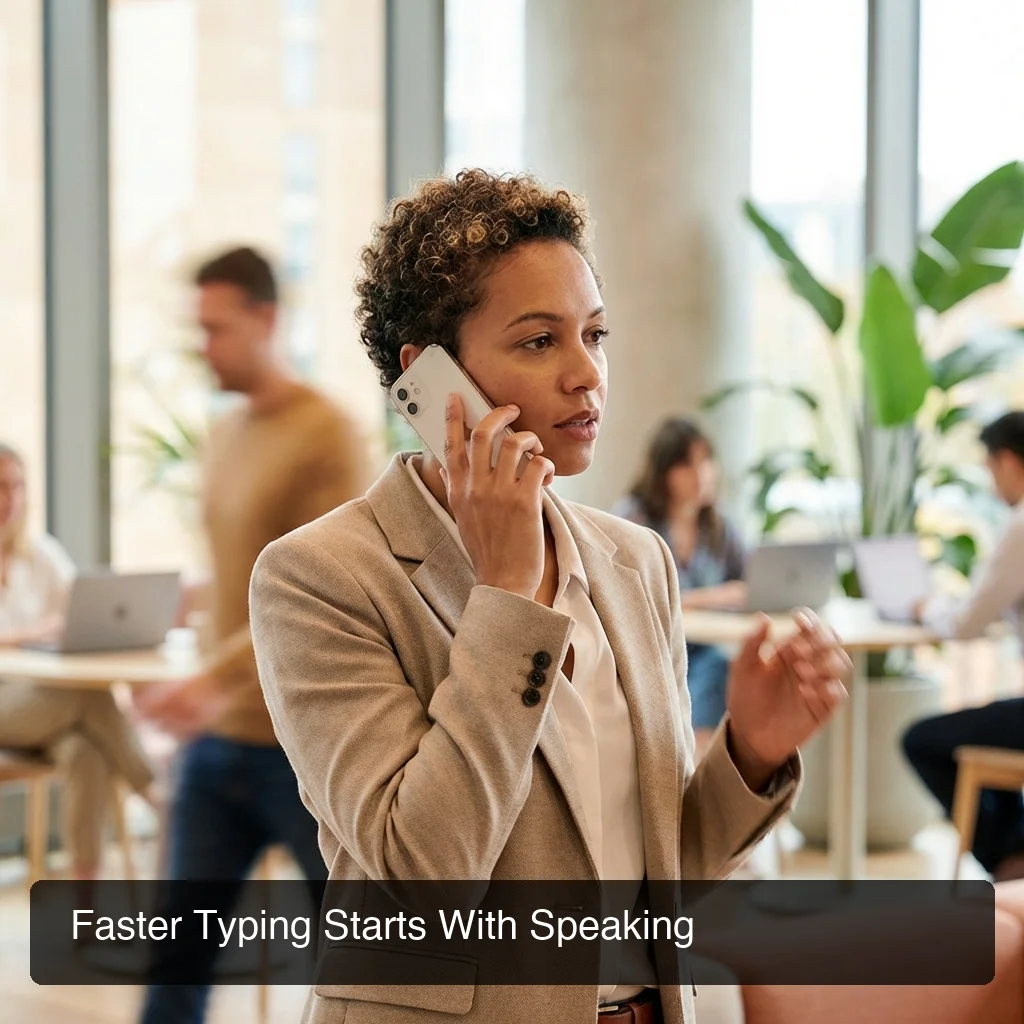 BossAI is a native iOS keyboard — it dictates in every app, removes filler words automatically, and reads your screen to write for you.
BossAI stands out from other voice to text iPhone apps because it operates as a native iOS keyboard — it dictates in any app without switching context, removes filler words in real time, rewrites text in professional or casual tone with one tap, and includes Boss Mode, which reads your screen and generates contextual replies. No other dictation app for iPhone combines all four capabilities.
Three Capabilities No Other iPhone Dictation App Offers
Boss Mode reads your screen in real time via iOS ReplayKit. Say "Boss, reply to this email professionally" — BossAI captures the email thread on screen, understands the full context, and writes a complete reply directly into your text field. No copy-pasting, no switching apps, no explaining what's on screen.
Clips stores frequently used phrases directly in the keyboard interface. Email signatures, meeting links, addresses, standard replies — paste any of them with a single tap from wherever you're typing, without leaving the app.
One-tap tone rewriting converts your dictated text from Casual to Professional to Witty or Bold in a single tap. No re-dictating, no manual editing — tap the tone and the AI rewrites instantly.
BossAI starts free: 500 words/day with no weekly word cap. The Pro plan ($9.99/month or $69.99/year) unlocks unlimited dictation, Boss Mode, all rewrite tones, and full Clips storage.
Get Started with BossAI
If you dictate more than a handful of messages per day, switching to an AI keyboard pays off in hours saved per week. BossAI gives you AI-enhanced dictation, filler word removal, tone rewriting, and screen-reading — all built directly into your iPhone keyboard.
Download BossAI for iPhone Free
Frequently Asked Questions
Does the iPhone have a built-in voice to text app?
iPhone includes native Dictation accessible from any keyboard via the microphone icon — completely free with no usage limits. However, it does not remove filler words, correct grammar, or support custom vocabulary, which is where third-party apps with AI post-processing make a real difference.
What is the best voice to text app for iPhone?
The best voice to text iPhone app depends on your use case. For real-time dictation across all apps, BossAI delivers the strongest feature set — it works as a full keyboard replacement, removes filler words, and adds AI tone rewriting. For meeting transcription, Otter.ai and Notta lead; native iOS Dictation handles basic occasional use at no cost.
Is Apple Dictation free to use?
Apple Dictation is completely free on all iPhones with iOS 10+, requiring no account or subscription — just tap the microphone icon on any keyboard. The trade-off is raw transcription without AI grammar correction, filler word removal, or custom vocabulary support.
Are there free speech-to-text apps for iPhone?
Yes. Several free options are available: Apple Dictation (unlimited, no account needed), Otter.ai (600 minutes per month free), and BossAI (500 words per day free tier). Free tiers suit light users; heavy voice typists benefit from paid plans at $8–$15/month that add accuracy improvements, custom dictionaries, and cloud storage.
What is BossAI?
BossAI is an AI voice keyboard for iPhone and Android, and a voice-to-text app for Mac and Windows, that replaces typing with voice dictation. It transcribes speech in real time, removes filler words automatically, rewrites text in different tones with one tap, and includes Boss Mode — a screen-reading feature that reads your screen to generate contextual replies without copy-pasting.
Can third-party voice to text apps work across all iPhone apps?
Yes, if the app installs as a system keyboard. Keyboard-based apps like BossAI work in every app that accepts text input — Gmail, WhatsApp, Slack, Notes, Safari, and any third-party app. Standalone transcription apps (Otter, Notta) are separate tools that require you to copy-paste text into other apps after transcription.
How accurate are voice to text apps on iPhone?
Accuracy varies by app and recording environment. Native iOS Dictation achieves roughly 92% word accuracy in quiet settings. AI-enhanced apps improve perceived accuracy further by removing filler words and correcting grammar after transcription — so your final text is cleaner than raw accuracy numbers suggest, even when the underlying speech recognition is comparable.