
Best Dictation App for Writing a Book (2026 Comparison)
Most novels run somewhere between 70,000 and 100,000 words. That is a lot of keystrokes, and for plenty of writers the typing is exactly what stalls the draft. The best dictation app for writing a book gets your scenes out of your head at speaking pace and hands back clean prose.
Key Takeaways
- The best dictation app for writing a book is the one that survives a long session: no short session cap, a custom dictionary for character names, and formatting rules that apply to every passage.
- BossAI's free plan gives 500 words a day with a 10-word custom dictionary. Drafting a manuscript realistically needs Pro at $9.99/month or $69.99/year.
- Setup decides success. Load your character and place names, save repeated phrases, and set formatting rules once, then dictate.
- Dictation is strongest for first drafts. Plan a hybrid process: speak the draft, then edit with a keyboard and your eyes.
Contents
- What's the Best Dictation App for Writing a Book?
- Can You Really Write a Full Novel by Dictating?
- How Do the Top Picks Compare as the Best Dictation App for Writing a Book?
- Which Dictation App for Writing a Book Handles Names and Formatting Best?
- What's the Difference Between a Dictation Keyboard and a Standalone App?
- How Much Does It Cost to Dictate a Manuscript?
- BossAI: Built for Long-Form Dictation
- What's the Learning Curve for Dictation-Based Writing?
- Get Started with BossAI
- FAQ
What's the Best Dictation App for Writing a Book?
For a book-length project, the best dictation app is one that never cuts you off mid-scene, learns your character and place names, and applies the same formatting rules to every passage. BossAI, WisprFlow, Willow, Superwhisper and Typeless all do AI-cleaned dictation. They differ on session limits, pricing and platforms.
Raw transcription is not the goal here. You want filler words gone, punctuation in place and names spelled right, so the draft needs less cleanup afterward. All five tools below do that to some degree.
The question is which one holds up across 80,000 words. That comes down to four things:
- Session length. Typeless caps a session at six minutes, so you restart constantly. BossAI has no session time limit.
- Vocabulary. A fantasy cast with invented names breaks any tool that cannot learn them.
- Formatting control. Spelling style, dash habits and capitalization should be set once, not corrected 500 times.
- Price at your volume. Free tiers run out fast when you write thousands of words a day.
Can You Really Write a Full Novel by Dictating?
Yes, a full novel can be dictated, because modern AI dictation turns speech into clean, punctuated prose in real time rather than producing a raw transcript to fix later. It works best for first drafts and scene-by-scene output. Revision still benefits from reading and typing.
Dictation is not the old "record audio, transcribe it next week" workflow. BossAI shows words as you speak and finishes the AI cleanup in roughly 300 milliseconds after you stop. You see the paragraph on the page before the thought has gone cold.
The honest limit is editing. Spoken sentences tend to run long and loose, and you catch that on a read-through, not while talking. So treat voice as your drafting engine and the keyboard as your revision tool.
Reality check: Dictation removes the typing bottleneck. It does not remove the need to revise.
For writers with RSI or carpal tunnel, the calculation is simpler. Voice is not a speed hack, it is how the book gets written at all.
How Do the Top Picks Compare as the Best Dictation App for Writing a Book?
Five apps cover most writers' needs: BossAI, WisprFlow, Willow, Superwhisper and Typeless. They differ most on free-tier limits, price, platforms and whether you can work offline. The table below uses each app's published pricing and the limits that matter for long sessions.
| App | Platforms | Free tier | Paid price | Manuscript note |
|---|---|---|---|---|
| BossAI | iOS, Android, macOS, Windows | 500 words/day | $9.99/mo, $69.99/yr, $149.99 lifetime | No session time limit; custom dictionary, Clips, tone Rewrite |
| WisprFlow | macOS, Windows | 2,000 words/week | $15/mo ($12/mo annual) | Strong desktop tool; pricier monthly |
| Willow | macOS, Windows, iOS | 2,000 words/week | $15/mo ($12/mo annual) | Custom vocabulary; iOS keyboard switches to its own screen |
| Superwhisper | macOS, Windows, iOS | Unlimited with local models | ~$8/mo or ~$85/yr | Offline mode; steeper setup |
| Typeless | iOS, Android, macOS, Windows | 4,000 words/week | $30/mo ($12/mo annual) | Six-minute session cap; cloud only |
If you want deeper reads on individual tools, see our Willow review and our guide to Superwhisper alternatives. For a wider field including built-in options, the Apple Dictation alternatives roundup covers the rest.
The short version: Superwhisper wins on offline and local processing. BossAI wins on session length, mobile coverage and writer-friendly controls. Typeless is the one to watch for session caps.
Which Dictation App for Writing a Book Handles Names and Formatting Best?
Look for two controls: a custom dictionary that learns invented names, and standing formatting instructions that apply to every dictation. BossAI offers both. Its Custom Dictionary handles character and place names, and Custom Instructions (a Pro feature) apply your style rules every time you speak.
Names are where dictation fails novelists. "Saoirse," "Kaelen" and "Thornwick" are not in any default vocabulary, so the engine guesses and you fix each one by hand. A dictionary entry stops the guessing.
Formatting is the second trap. BossAI's iOS Custom Instructions screen says to tell Boss how to format your dictation, and that the preferences apply every time you dictate. The example rules in our screenshot are "Never use em dashes" and "Always write in British English," with a counter showing 112 of 600 characters used.
Six hundred characters is enough for a real style sheet: spelling convention, dash habits, how to handle dialogue tags, tense. You write it once.
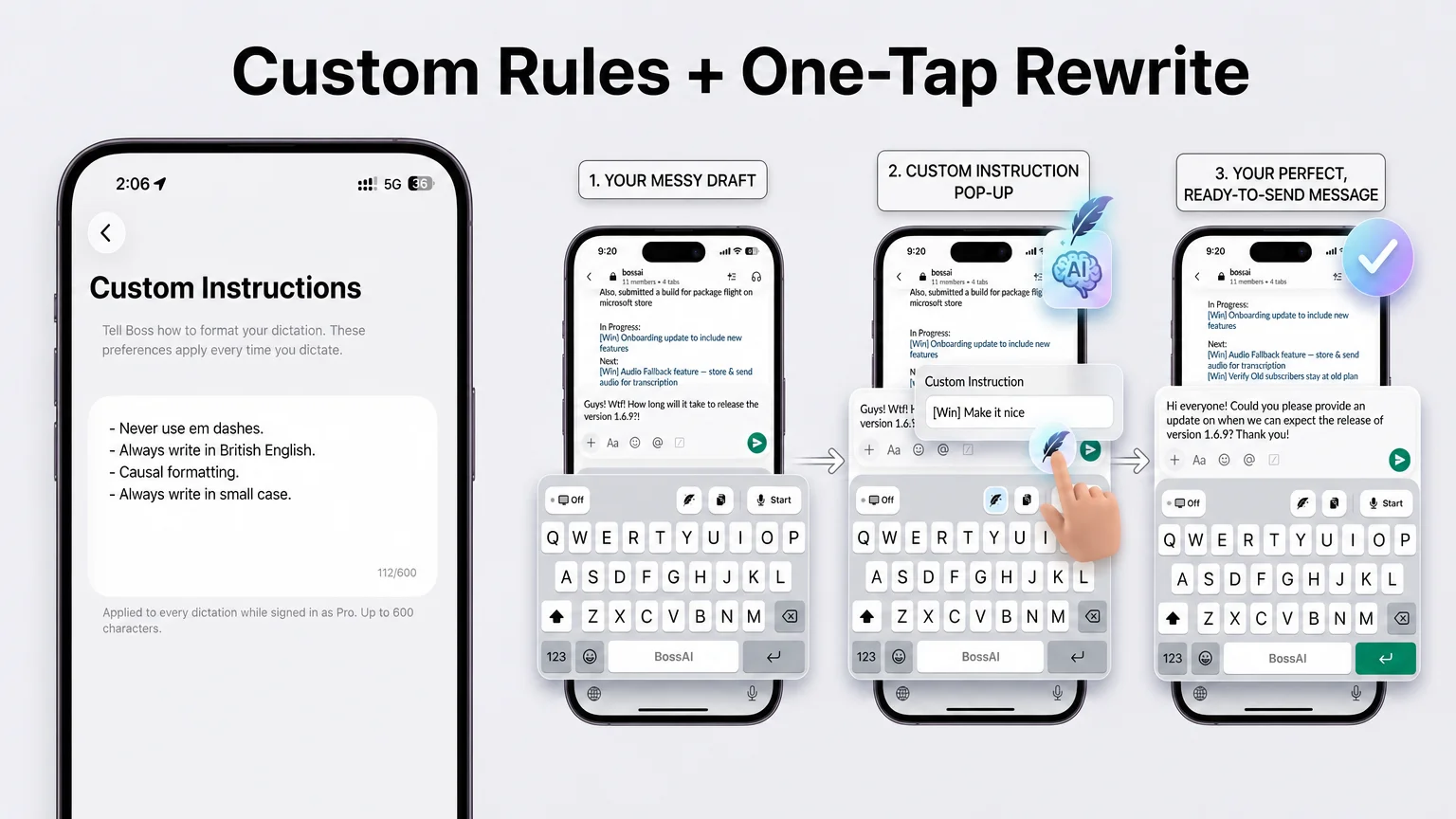 Left: standing formatting rules on iOS. Right: the Rewrite flow that turns a rough draft into a polished message.
The right side shows the Rewrite flow from another BossAI screenshot. A messy draft goes in, a custom instruction is entered, and a clean version comes back.
For fiction, that is a fast way to try a scene in a different register, then keep what works. Rewrite has six tones: Professional, Casual, Witty, Persuasive, Empathetic and Bold.
What's the Difference Between a Dictation Keyboard and a Standalone App?
A dictation keyboard replaces your phone's keyboard, so you can dictate inside any app, including your writing app. A standalone app has its own screen or hotkey. On desktop, BossAI runs as a menu bar or system tray app that types wherever your cursor sits.
This matters because writers rarely use one tool. You might draft in Scrivener on a laptop, jot scene ideas in a notes app on your phone, and answer your editor by email. A keyboard-level tool follows you into all of them.
On iPhone, BossAI is a full keyboard, and you can start dictating straight from the Action Button, or with Back Tap on older iPhones. Our voice to text iPhone app guide covers that setup. Android has the same feature set as iOS.
On Mac and Windows, BossAI is a hotkey app instead. Hold the shortcut for push-to-talk, or press once to start and again to stop in hands-free mode.
Hands-free is the mode to pick for long passages. Our Mac voice-to-text guide walks through desktop setup.
How Much Does It Cost to Dictate a Manuscript?
Dictating a manuscript costs roughly $5.83 to $30 a month depending on the app and billing cycle. BossAI Pro is $9.99/month or $69.99/year. Free tiers help you test a workflow, but none is built to carry an 80,000-word draft.
Do the arithmetic on BossAI's free plan. At 500 words a day, an 80,000-word draft would take 160 days, assuming you never miss one. That is a trial of the workflow, not a way to write a book.
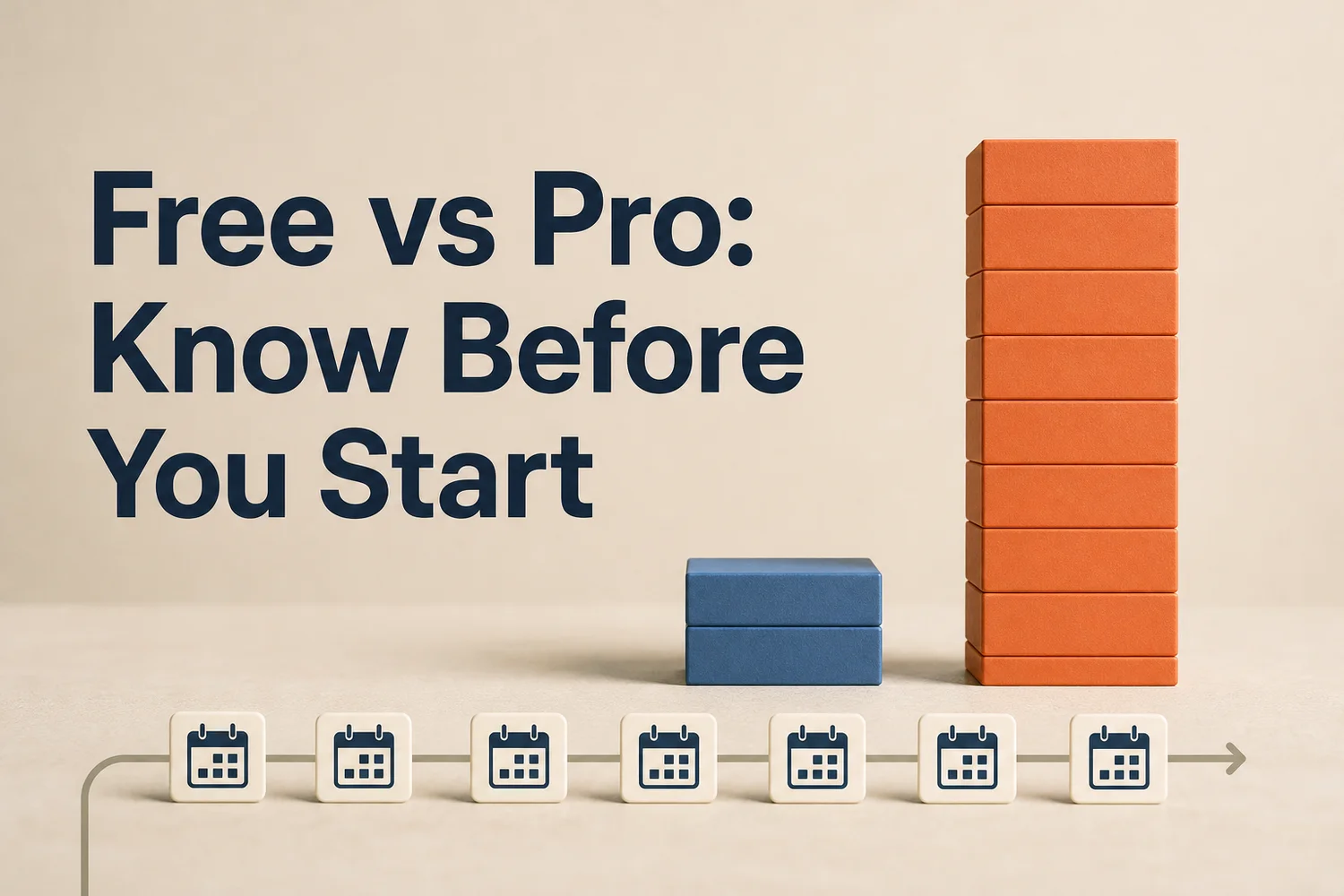 The free plan resets daily at 500 words. Pro removes the ceiling.
Here is how the paid plans stack up for a writer who dictates every day:
- BossAI Pro: $9.99/month, or $69.99/year (about $5.83/month), or $149.99 once for lifetime access. One Pro plan covers iOS, Android, macOS and Windows.
- WisprFlow and Willow: $15/month, or $12/month billed annually.
- Superwhisper: about $8/month or $85/year, and the free tier is unlimited if you run local models.
- Typeless: $30/month, or $12/month billed annually.
The free plan's other limits matter for novelists too. The custom dictionary holds 10 words on free, which a single ensemble cast can exhaust before chapter three. Free also includes two Clips and one dictation language.
By the numbers: BossAI's yearly plan works out to about $5.83 a month, the lowest effective monthly price in the table above.
A seven-day full Pro trial needs no account, so you can test a real writing session before paying.
BossAI: Built for Long-Form Dictation
 Set up names and saved phrases once, then reuse them across the whole book.
BossAI is built around the stuff that makes long dictation sustainable: a Custom Dictionary for names, Clips for repeated text, standing formatting rules, and no session time limit. Pro unlocks all of it, with one plan across iOS, Android, macOS and Windows.
Here is the workflow it supports. You dictate a scene, and BossAI strips the fillers and fixes punctuation as you go. Names come out right because they are in your dictionary.
Your Custom Instructions keep spelling and punctuation consistent.
Then you tap a tone in Rewrite if a passage reads flat. Move on to the next scene.
Clips earn their place on mobile. Save the text you paste over and over: your author bio, a query-letter opening, a chapter header format, a link to your reader newsletter.
One tap pastes it from the keyboard. Clips are not on the Mac and Windows apps yet, so plan that part of the workflow around your phone.
Your dictionary, Clips and settings sync across your devices. The Mac and Windows apps keep your names in a Keywords section, so the same vocabulary follows you to the desktop.
Privacy is a fair concern for unpublished work. BossAI processes your voice in real time and does not store your voice or text data on its servers. Boss Mode, which reads your screen to write replies, is a separate feature and you do not need it to draft a book.
What's the Learning Curve for Dictation-Based Writing?
Expect a few days of awkwardness, then a rhythm. The tool is easy to learn. The harder skill is composing out loud: speaking in full sentences, saying punctuation-heavy dialogue cleanly, and resisting the urge to stop and fix.
Most of the early struggle is mental, not technical. Typing lets you backspace mid-thought, and speaking punishes that habit. Keep going, mark rough spots, and fix them in revision.
A starter routine that keeps the friction low:
- Load your dictionary first. Add every character, place and invented term before you begin.
- Write your style rules. Put spelling, dash and formatting preferences into Custom Instructions.
- Outline in beats. Speak from a short beat list so you are not inventing structure on the fly.
- Dictate in short bursts. Do one scene at a time, then stop and read it back.
- Edit with the keyboard. Treat the voice draft as raw material.
Common mistake: Trying to dictate and edit at the same time. Draft by voice, revise by keyboard, and keep the two passes separate.
If you work on a Mac, set a comfortable hotkey and use hands-free mode for passages longer than a few sentences.
Get Started with BossAI
Drafting a book by voice comes down to a tool that keeps up for hours and remembers your cast. BossAI gives you a custom dictionary, standing formatting rules and tone Rewrite on a keyboard that follows you from phone to desktop.
FAQ
What is the best dictation app for writing a book?
For long manuscripts, pick an app with no short session cap, a custom dictionary for names and standing formatting rules. BossAI, Willow, WisprFlow, Superwhisper and Typeless all qualify as AI dictation tools. BossAI stands out for session length, mobile keyboards and Pro pricing at $9.99/month.
Is BossAI free for writing?
BossAI's free plan includes 500 words of dictation a day, resetting daily, plus one Rewrite, two Clips and a 10-word dictionary. That suits testing the workflow. Drafting a full manuscript calls for Pro at $9.99/month or $69.99/year, and a seven-day Pro trial needs no account.
What platforms does BossAI run on?
BossAI works on iPhone and Android as a full keyboard and on Mac and Windows as a hotkey voice-to-text app. You can dictate into any writing app without switching. On iPhone, dictation starts instantly from the Action Button or Back Tap, so you do not open the app first.
How do I stop dictation from misspelling character names?
Add every character, place and invented term to the app's custom dictionary before you start. BossAI's Custom Dictionary stores names and jargon so they come out right each time. Free accounts hold 10 words, while Pro removes that limit for larger casts.
Is dictation good for editing a novel?
Not especially. Dictation shines at first drafts and scene-by-scene output, where speed beats polish. Revision benefits from reading closely and typing precise changes, so a hybrid process works best: speak the draft, then edit by keyboard.