
Typing After Carpal Tunnel Surgery: Work Without Typing
Your hand is in a bandage, your inbox is not. Typing after carpal tunnel surgery is a question your surgeon answers for your specific hand, and the gap between the operation and that answer is where most people get stuck.
This guide covers what to ask, what a splint changes, and how to keep writing by voice in the meantime. It is not medical advice, and nothing here replaces your surgeon or hand therapist.
Key Takeaways
- Your surgeon decides when typing is safe again. Follow your own splint and therapy instructions, not a timeline from a website.
- Dictation lets you draft emails, documents and messages by voice while you wait. BossAI runs as a keyboard on iPhone and Android, and as a hotkey app on Mac (menu bar) and Windows (system tray).
- Boss Mode can draft a reply to the email on screen from a spoken command, so you can answer work email without typing it out.
- BossAI's free plan includes 500 words a day. Pro ($9.99/month) removes the daily cap for longer work sessions.
Contents
- When Can You Start Typing After Carpal Tunnel Surgery?
- Is Typing After Carpal Tunnel Surgery Possible With a Splint?
- Can You Keep Working After Carpal Tunnel Surgery Without Typing?
- What Does Dictation Let You Do During Carpal Tunnel Recovery?
- How Do You Dictate Emails and Documents While Your Hand Recovers?
- What Should You Ask Your Surgeon About Typing and Work?
- Get Started with BossAI
- FAQ
When Can You Start Typing After Carpal Tunnel Surgery?
Your surgeon sets the date for typing again, and it varies with the procedure, your job and how the hand feels. Some surgeons allow light keyboard use early; others ask for a longer break. Treat any timeline you read online as a general range and follow your own discharge instructions.
Pages that rank for this question are mostly surgeon and clinic write-ups, and they disagree with each other for a good reason. Open release and endoscopic release, a dominant versus non-dominant hand, and a desk job versus a manual one all change the advice. We are deliberately not quoting a number of days here.
What stays constant is the order of events. First comes rest and the dressing or splint, then guided use of the hand, and only then a return to full keyboard work. Each step is your surgeon's call.
If you want background on why the nerve gets compressed in the first place, the causes and recovery overview in carpal tunnel from typing covers it without the surgical detail.
Reality check: "I feel fine" is not clearance. Ask for the typing date before you leave the clinic, not after a bad afternoon at the keyboard.
Is Typing After Carpal Tunnel Surgery Possible With a Splint?
Whether you can type in a splint depends on your surgeon's instructions, because the splint exists to hold the wrist still while it heals. Some people are cleared for light typing with the fingers free; others are told to wait. Ask before you try it, and stop if anything hurts.
A splint changes more than comfort. It limits wrist movement, so the hand cannot sit in its usual keyboard position, and it tempts you to compensate with your shoulder or forearm. That is another reason not to improvise.
Two practical points apply whatever your surgeon says:
- Do not remove the splint to type unless you have been told you can.
- If you are cleared for short sessions, keep them short and take your surgeon's advice on breaks.
Once typing is allowed again, setup matters. The keyboard position for carpal tunnel guide covers desk height and wrist angle, and the keyboard wrist rest for carpal tunnel piece covers support. Neither is a medical instruction, so check them against what your therapist tells you.
Can You Keep Working After Carpal Tunnel Surgery Without Typing?
Yes, many people keep working by changing how text gets into the computer rather than whether they work. Dictation covers email, chat and documents, while a colleague or your employer can cover tasks that need a keyboard and mouse. Tell your manager early, and ask your surgeon what restrictions to share.
The honest version of "work after carpal tunnel surgery" is a split. Some of your job is text: emails, Slack replies, meeting notes, first drafts. That part can move to your voice.
The rest, such as spreadsheet formulas or design tools, may need to wait or be handed off.
 Work after carpal tunnel surgery often becomes a voice-first routine for a while.
A workable first week looks like this:
- Move your recurring replies into saved text so you reuse them rather than rewrite them.
- Pick one or two tasks a day that must be written, and dictate them.
- Batch email into short blocks instead of staying in your inbox all day.
- Ask for deadline flexibility on anything that cannot be dictated.
This is a workflow suggestion, not a recovery plan. If you are also dealing with wrist pain from the keyboard itself, wrist hurts when typing covers causes and hands-free alternatives.
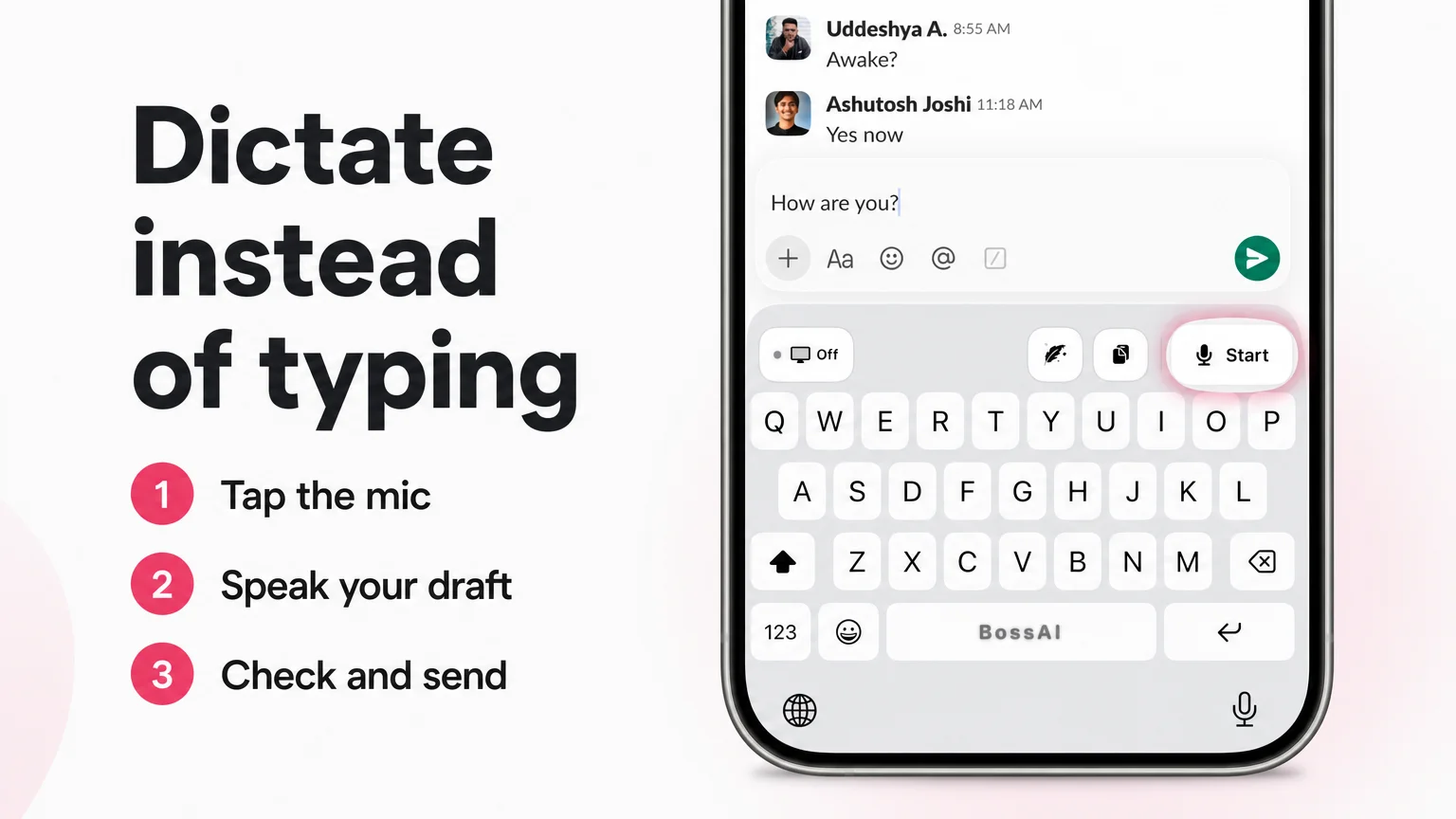 Dictate instead of typing: tap the mic, speak your draft, check and send.
What Does Dictation Let You Do During Carpal Tunnel Recovery?
Dictation turns speech into text in any app, so you can write emails, chat replies and documents without a keyboard. BossAI adds filler-word removal, grammar fixes and punctuation automatically, and runs as a keyboard on iPhone and Android and as a hotkey app on Mac and Windows.
The screenshot above is the BossAI keyboard in Slack on iPhone. The white Start button with the mic is the whole entry point: tap it, speak, and the text lands in the message box. The small "Off" chip on the left is the screen-sharing indicator that Boss Mode uses, which we cover below.
Three features matter most when your typing is limited:
- Dictation with cleanup. You say "um" and "like"; the text arrives without them, with punctuation and capitals added.
- Boss Mode. Say "Boss, reply to this email confirming Friday delivery" and BossAI reads the email on screen and drafts the reply. No copy-pasting between apps.
- Clips. Save a signature, a standard "I'm out of the office" line or a meeting link, then paste it with one tap from the keyboard. Clips are on iPhone and Android, not yet on Mac or Windows.
To be straight about it: tapping Start still takes a finger. If your surgeon has told you to avoid using the hand at all, ask whether a tap or a hotkey press is allowed, or whether someone else should handle your device for now. On iPhone, dictation can also be started from the Action Button or Back Tap.
What this means for you: the goal is fewer keystrokes, not zero hand use. Your surgeon decides which touches are fine.
How Do You Dictate Emails and Documents While Your Hand Recovers?
Open a new message, start dictation, say what you want to send, then read it back before you hit send. On a phone you tap the Start mic; on a Mac or PC you use a hotkey. Always proofread, because dictation can mishear names and numbers.
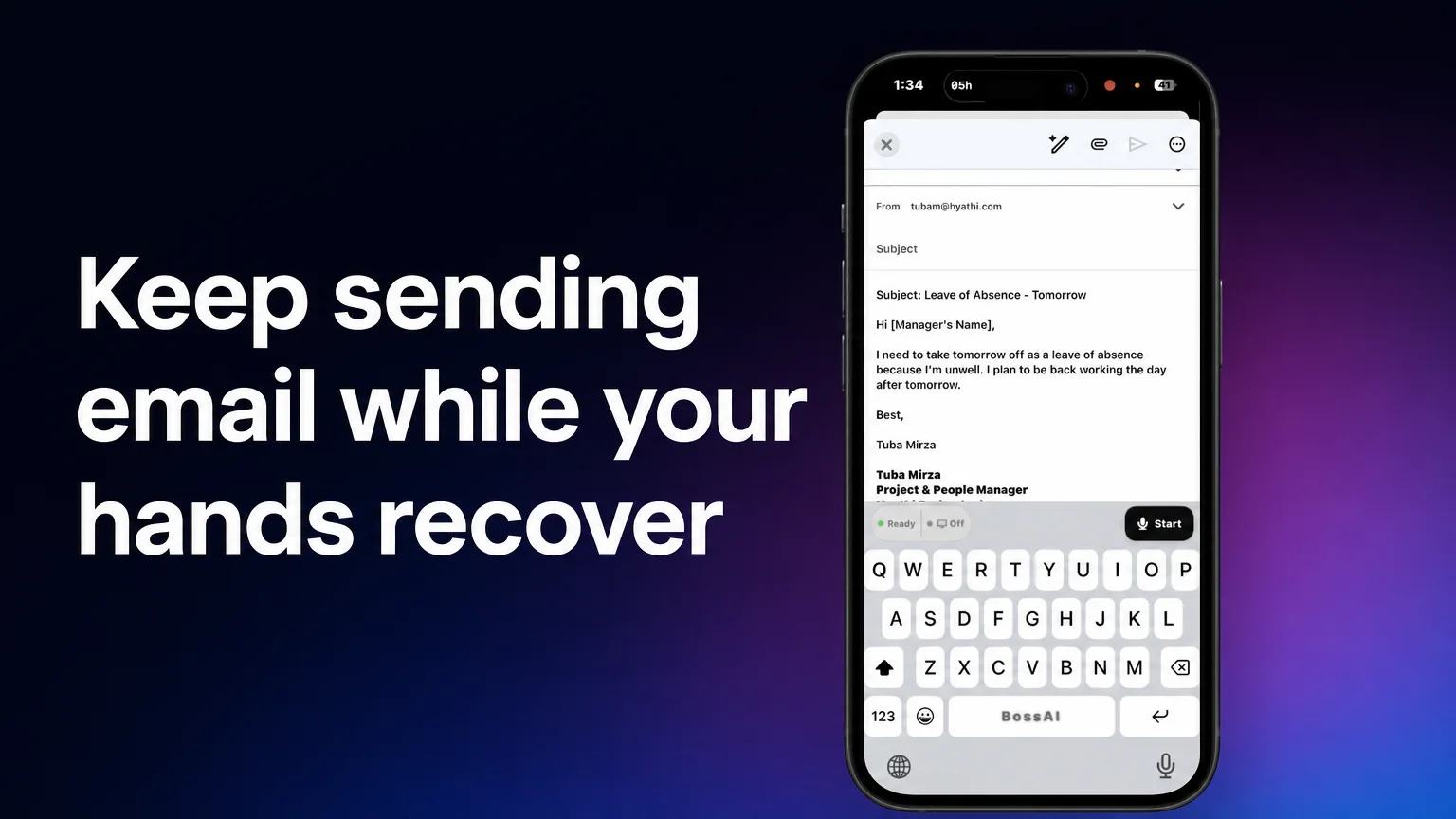
Here is the flow in the hero image: an iPhone mail draft with the BossAI keyboard open. The keyboard shows a "Ready" status, a Start button for the mic and, on the left, the screen-sharing chip set to Off. The draft above it, a short note asking for a day off, was written by voice rather than typed.
Email on your phone
Open the mail app, tap into the body, switch to the BossAI keyboard and tap Start. Speak the message as you would say it to a colleague. For a reply, you can turn screen sharing on and use Boss Mode so BossAI reads the incoming message and writes the response.
If you use Gmail, how to dictate in Gmail compares the native voice typing option with the AI upgrade. For the phone-side basics, see voice dictation for iPhone.
Documents at your desk
On a Mac, BossAI sits in the menu bar. You hold a hotkey (Fn by default) to dictate, or use hands-free mode where one press starts and a second press stops, which suits longer passages. Text goes in wherever your cursor is.
Voice to text app for Mac covers the options in more depth. Windows works the same way from the system tray.
For longer sessions, dictate in short paragraphs and check each one. Add names and technical terms to the custom dictionary so they come out right the second time.
What it costs
The free plan covers 500 words a day, which resets daily. That is enough for a handful of emails.
Pro is $9.99 a month, or $69.99 a year, and removes the daily cap, which is what you want if you are drafting reports. There is also a 7-day full Pro trial with no account needed.
What Should You Ask Your Surgeon About Typing and Work?
Ask your surgeon when typing and mouse use are allowed, whether to wear the splint while doing them, and how long each session should be. Also ask who to call if pain increases. Write the answers down before you leave, because the details are easy to forget.
 Bring a written list to the appointment and write the answers on the same page.
A short list worth taking to your appointment:
- When can I start light typing, and when can I do a full workday at a keyboard?
- Do I wear the splint while typing, or only at other times?
- Is using a mouse or touchscreen different from typing?
- How long should sessions be, and how many breaks should I take?
- Can I use voice dictation now, and is tapping a button on a phone okay?
- What would count as a warning sign, and who do I call?
- Do you need to write a note for my employer about restrictions?
On gear: people often ask about gloves and supports during recovery. Carpal tunnel gloves for typing covers types and costs, but check with your surgeon before wearing anything over a healing hand.
When you are typing again, build gradually. If prevention matters to you, you can look at prevention habits for heavy typists once your surgeon has cleared you, rather than during the early days of recovery.
Bottom line: the surgeon sets the typing timeline. Dictation just keeps the work moving until then.
Get Started with BossAI
If your job lives in email and documents, dictation can keep that work moving while you follow your surgeon's plan. BossAI is free to start, with 500 words a day and a 7-day Pro trial.
FAQ
Can you type after carpal tunnel surgery?
Yes, eventually, but the timing is your surgeon's decision. It depends on your procedure, your job and how the hand is healing. Ask for a specific date and any limits on session length, and follow your discharge instructions rather than a general timeline from a website.
Can you use a computer with a splint after carpal tunnel surgery?
Only if your surgeon says so. The splint holds the wrist still, which makes normal keyboard posture hard. Some people are cleared for light use, others are told to wait. Ask before trying it, and stop if you feel pain.
Is BossAI good for people with carpal tunnel or other hand injuries?
BossAI is built for voice-first writing, so people with RSI or hand injuries use it to write emails, messages and documents by voice. You still tap or press a key to start dictation, so check with your surgeon what level of hand use is fine.
Is BossAI free?
Yes. The free plan gives you 500 words of dictation a day, resetting daily, plus one Boss Mode reply and one Rewrite a day, two Clips and one language. Pro is $9.99 a month or $69.99 a year, and a 7-day trial needs no account.
Which devices does BossAI work on?
BossAI works on iPhone, Android, Mac and Windows. On iPhone and Android it replaces your keyboard; on Mac it lives in the menu bar, and on Windows in the system tray. One Pro subscription covers all of them.