
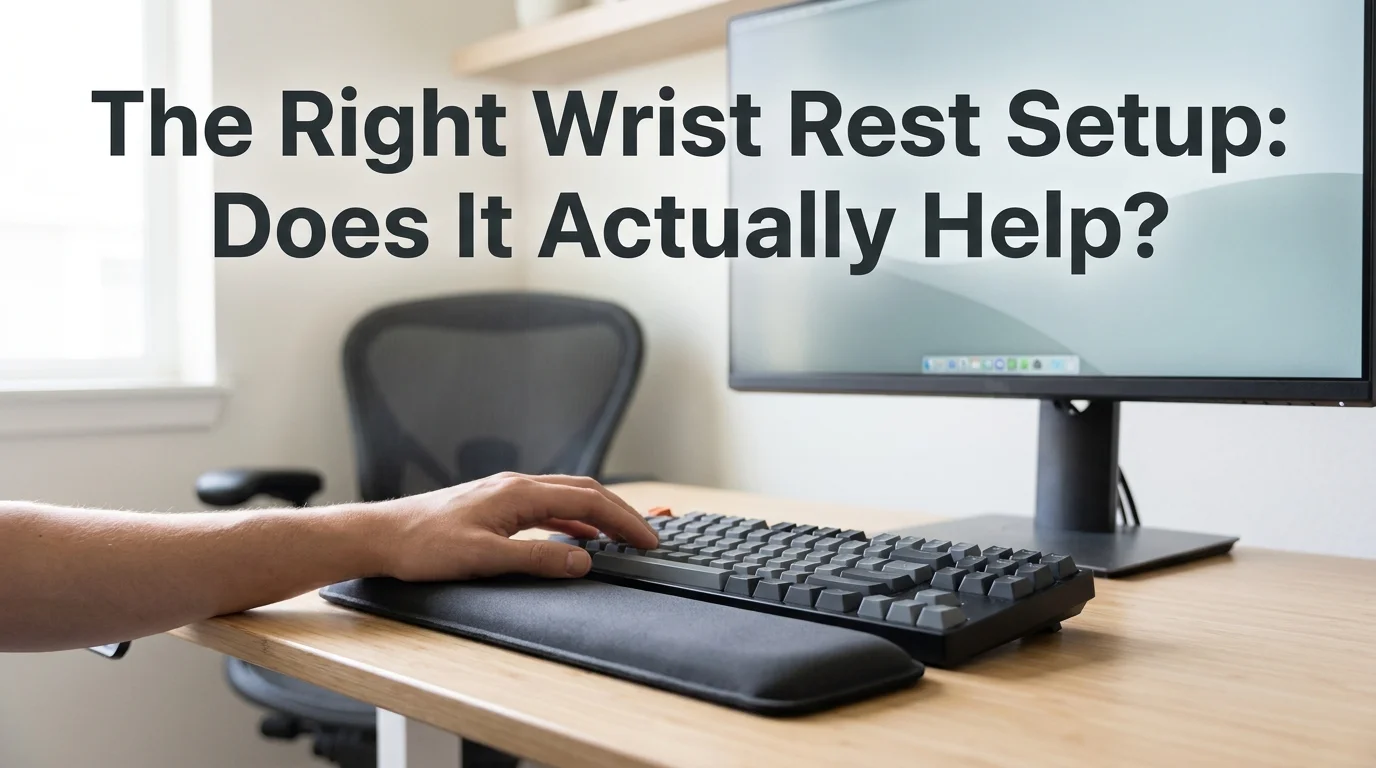
Keyboard Wrist Rest for Carpal Tunnel: What Works | BossAI
Keyboard Wrist Rest for Carpal Tunnel: What Actually Works
Your wrists ache by 2 p.m., a coworker mentioned a wrist rest, and now you're staring down forty tabs of gel pads on Amazon. Before you buy one, it's worth knowing exactly what a keyboard wrist rest for carpal tunnel can fix — and what it can't.
Key Takeaways
- Wrist rests provide ergonomic support and can reduce typing-induced carpal tunnel pain, but only when used consistently and combined with proper posture.
- Gel and memory foam rests outperform hard plastic supports for pressure relief and comfort.
- A wrist rest alone won't cure carpal tunnel syndrome — it manages symptoms while you keep typing and aggravating the injury.
- Voice dictation with BossAI eliminates typing entirely, addressing the root cause instead of just the symptom.
- Combine wrist rests with regular breaks, stretching, and voice typing for the fastest pain relief and recovery.
Contents
- What Is a Keyboard Wrist Rest for Carpal Tunnel, and Does It Actually Work?
- How Do Wrist Rests Prevent Carpal Tunnel Pain From Typing?
- How Do You Choose the Right Keyboard Wrist Rest for Carpal Tunnel?
- How Should You Position Your Wrist Rest for Maximum Relief?
- Can a Wrist Rest Alone Cure Carpal Tunnel From Typing?
- The Simplest Solution: Why Voice Dictation Beats Wrist Rests
- Do I Need a Wrist Rest If I Have Carpal Tunnel?
What Is a Keyboard Wrist Rest for Carpal Tunnel, and Does It Actually Work?
A keyboard wrist rest for carpal tunnel is a padded support placed in front of your keyboard or mouse that raises and cushions the wrist, easing pressure on the carpal tunnel — the narrow passage that houses the median nerve running into your hand. Used correctly, it keeps the wrist closer to a neutral, flat position instead of bent upward against a hard desk edge.
The honest answer to "does it work" is: partially, and only under specific conditions. A wrist rest reduces the contact pressure between your wrist and the desk, which can ease discomfort during long typing sessions.
It does not change how often you type, how many keystrokes your fingers make, or how much strain accumulates in your tendons over an 8-hour day. That distinction matters more than most product pages admit.
Wrist rests come from decades of standard office ergonomics research, and they remain a reasonable first step for anyone experiencing early wrist fatigue. They are not, on their own, a treatment for diagnosed carpal tunnel syndrome.
How Do Wrist Rests Prevent Carpal Tunnel Pain From Typing?
Wrist rests prevent typing-related carpal tunnel pain by supporting the heel of your hand so your wrist stays level with your forearm, reducing the upward bend (extension) that compresses the median nerve inside the carpal tunnel. Less extension means less pressure on the nerve during every single keystroke.
Without support, most people rest their wrists directly on a hard desk edge or let them float above the keyboard, bent upward at the wrist joint. Held for hours, that position squeezes the same nerve pathway carpal tunnel syndrome damages.
A properly sized rest fills the gap between your desk and the base of the keyboard, so your hand approaches the keys from a flatter angle. The wrist rest doesn't touch your wrist while you're actively typing — it supports your palm during pauses between bursts.
Common mistake: Resting your wrists on the pad while actively typing, not just between bursts, actually increases pressure on the carpal tunnel instead of relieving it — the pad should catch your palm during pauses, not anchor your wrist mid-keystroke.
Early warning signs — tingling in the thumb and first two fingers, a dull ache that fades overnight but returns by lunch — are worth taking seriously before they become chronic. Our wrist hurts when typing guide breaks down which symptoms mean "take a break" versus "see a doctor."
How Do You Choose the Right Keyboard Wrist Rest for Carpal Tunnel?
Gel and memory foam wrist rests outperform hard plastic and beaded designs for carpal tunnel because they conform to the hand and distribute pressure across a wider surface, rather than concentrating it at one point. Firmer foam holds its shape longer under daily use, while softer gel feels better initially but can flatten within months.
Four materials dominate the market, and they behave very differently under real daily typing loads:
| Type | Pressure Relief | Best For | Durability |
|---|---|---|---|
| Gel | High — contours to wrist, cool to the touch | Users with acute, active pain | Moderate — can flatten in 6-12 months |
| Memory foam | High — slow-rebound cushioning | All-day typists, mixed keyboard/mouse use | Good — retains shape 1-2+ years |
| Hard plastic/contoured | Low — rigid support, no give | Occasional typists, minimal pain | Excellent — rarely wears out |
| Inflatable | Medium — adjustable firmness | Travel, shared desks, custom height needs | Fair — vulnerable to punctures |
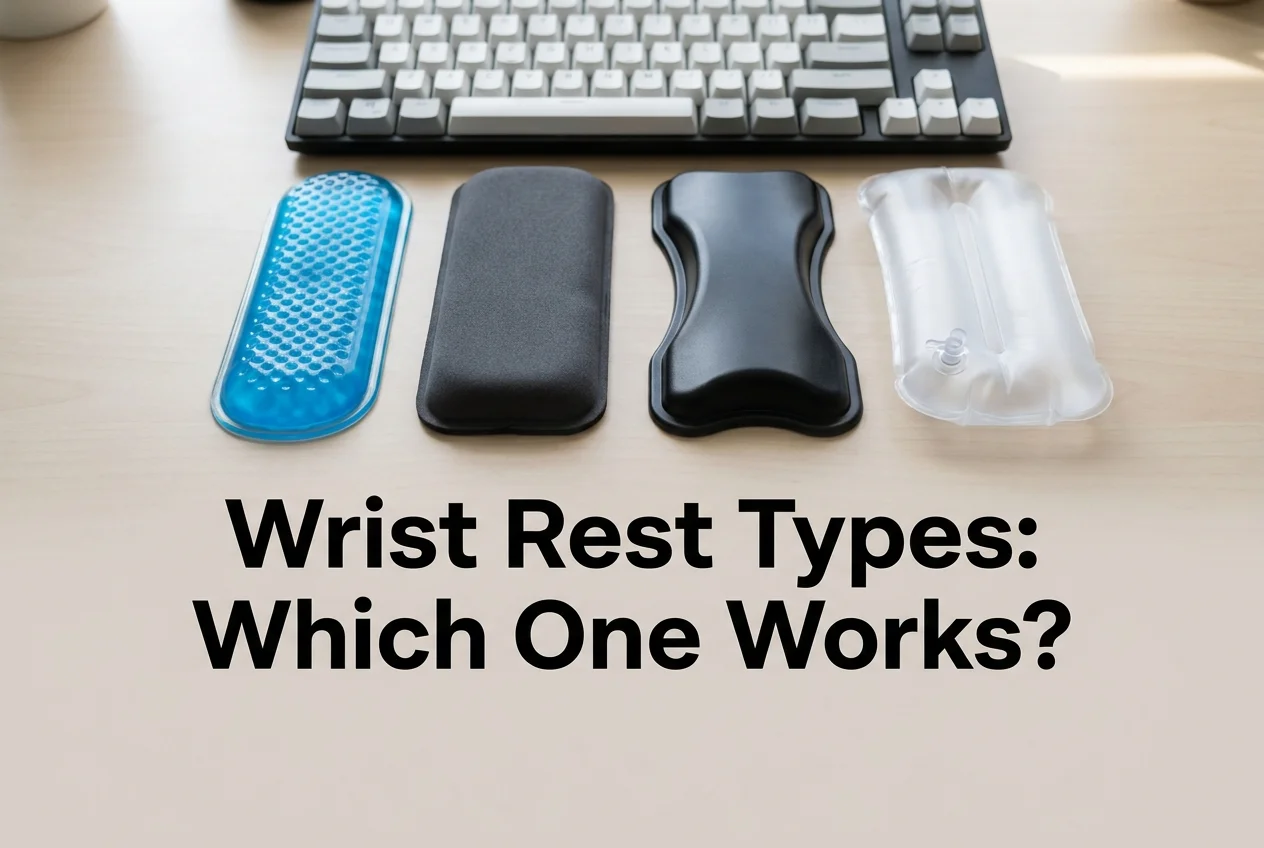 Gel and memory foam consistently score higher for pressure relief than rigid or inflatable designs.
Hard plastic and beaded rests are marketed as "supportive," but that rigidity is exactly what makes them worse for anyone already dealing with nerve compression. A rest that doesn't give under pressure just moves the pinch point somewhere else on the wrist.
How Should You Position Your Wrist Rest for Maximum Relief?
Position your wrist rest so your wrist stays at a 0-degree neutral angle — level with your forearm, not bent up or down — with the rest supporting your palm heel only during pauses between typing bursts, never while your fingers are actively pressing keys. This single adjustment matters more than which material you buy.
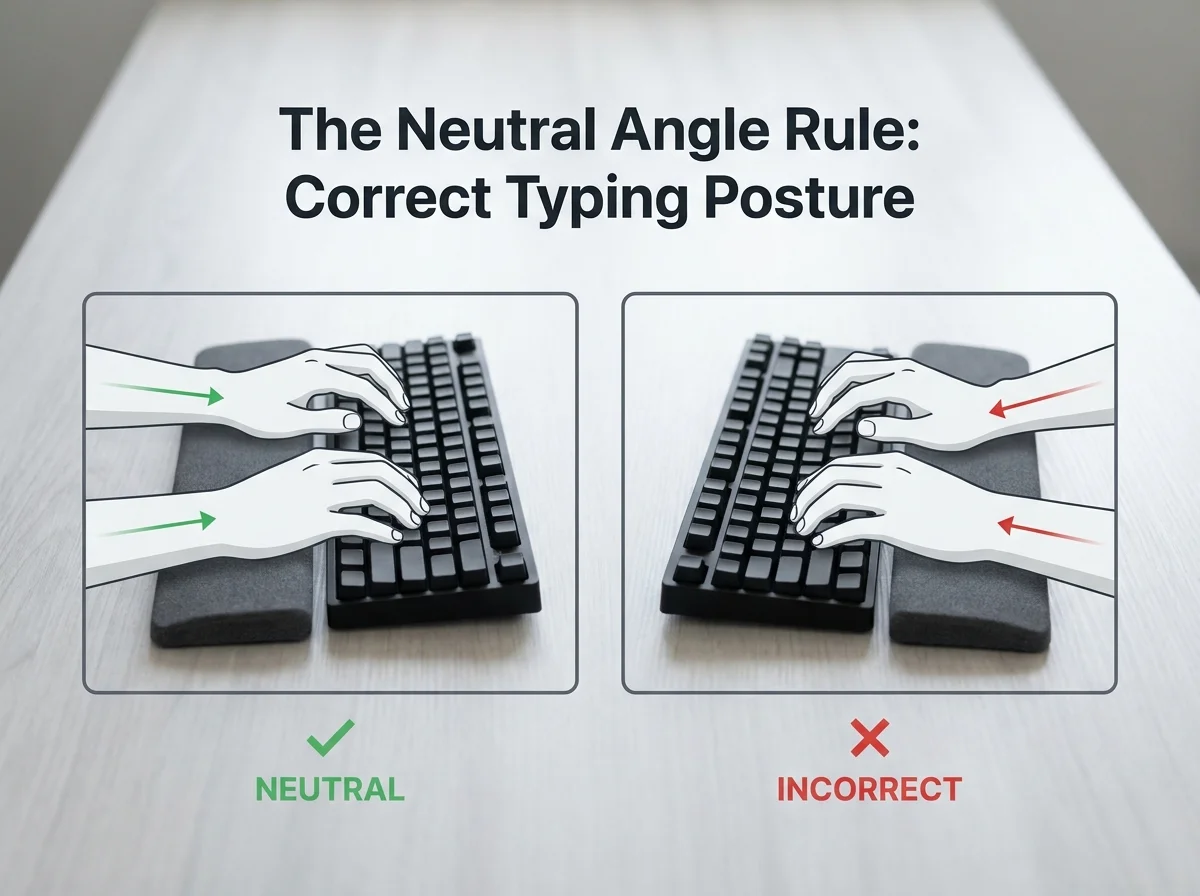 Neutral wrist position (left) keeps the carpal tunnel open; an upward bend (right) compresses the median nerve even with a rest in place.
Getting the angle right takes three adjustments:
- Set your chair height so your elbows sit at roughly 90 degrees when your hands rest on the keyboard
- Slide the wrist rest flush against the keyboard's front edge — a gap defeats the purpose
- Check that your wrist looks flat from the side, not curved upward toward the keys
Local pressure at the desk is only half the fix — a wrist rest can't correct a keyboard mounted too high or a chair set too low. Pairing the rest with the right desk setup is what our keyboard position for carpal tunnel article covers in more depth — combining proper positioning with the right wrist rest is where most people actually feel relief.
Can a Wrist Rest Alone Cure Carpal Tunnel From Typing?
No — a wrist rest manages the symptoms of typing-induced carpal tunnel pain, but it can't cure carpal tunnel syndrome because you're still making the same repetitive keystrokes that caused the compression in the first place. Reducing pressure at the desk is not the same as reducing the movement that irritates the nerve.
Think of it as changing how you sit in a chair that's already broken. The chair still doesn't support you correctly — you've just found a slightly less painful way to sit in it for a few more hours.
Actual recovery from typing-related carpal tunnel typically involves rest from the repetitive motion, targeted stretching, and — for diagnosed cases — a doctor's guidance on splinting or further treatment. Our carpal tunnel from typing guide walks through the recovery timeline and what typically speeds it up versus what prolongs it.
Preventing carpal tunnel while you type in the first place beats treating it after symptoms show up, and prevention starts with reducing total keystrokes, not just cushioning them.
The Simplest Solution: Why Voice Dictation Beats Wrist Rests
Where your wrist sits is all a wrist rest actually changes. It does nothing about how many times your fingers strike a key today, tomorrow, or next month — and that repetition is the actual mechanism behind typing-induced carpal tunnel.
 Zero keystrokes means zero carpal tunnel compression from typing — the mechanism a wrist rest can't touch.
BossAI is a voice keyboard for iOS, Android, macOS, and Windows that turns speech into polished, formatted text — removing filler words, fixing grammar, and adding punctuation automatically. You speak; your hands stay still.
That's the distinction a wrist rest can't offer. A wrist rest changes the angle of the injury-causing motion.
BossAI removes the motion entirely. For emails, chat replies, documents, and notes, dictation replaces the exact repetitive keystrokes a wrist rest is only ever cushioning.
This doesn't mean throw away your wrist rest. It means the fastest relief comes from typing less, not from typing more comfortably.
Do I Need a Wrist Rest If I Have Carpal Tunnel?
Yes, a wrist rest is still worth using if you have carpal tunnel — but pair it with fewer total keystrokes, not more comfortable ones, for it to meaningfully help. Used alone, a rest slows the rate at which symptoms worsen. Used alongside voice dictation, breaks, and stretching, it becomes one part of an actual recovery plan rather than the whole plan.
By the numbers: BossAI's free tier gives you 500 words of dictation per day with no weekly cap — enough to handle most people's email and chat replies without touching a keyboard at all.
A workable daily routine looks like this:
- Use the wrist rest during unavoidable typing (forms, spreadsheets, code)
- Switch to voice dictation for emails, messages, and longer writing
- Take a 30-second stretch break every 30-45 minutes of continuous keyboard use
- Follow proper typing posture to prevent carpal tunnel from creeping back once symptoms improve
None of these steps require special equipment beyond the wrist rest you already have and an app on the phone or laptop you already own.
Get Started with BossAI
If typing is what's aggravating your carpal tunnel, the fastest relief isn't a better cushion — it's typing less. BossAI turns your voice into clean, formatted text across every app on your phone, Mac, or PC, so your hands can rest while your work still gets done.
FAQ Section
Are keyboard wrist rests good for carpal tunnel? Yes, but only as symptom management. They reduce pressure on the median nerve by supporting a neutral wrist angle during typing pauses, which can ease discomfort. They don't reduce the repetitive keystrokes that cause carpal tunnel in the first place.
What's the best typing position to avoid carpal tunnel syndrome? Keep wrists flat and level with your forearms (0-degree neutral angle), elbows near 90 degrees, and the keyboard at a height where you don't reach up or down to type. A wrist rest supports this position during pauses between bursts.
What's the best wrist rest for carpal tunnel? Gel or memory foam rests generally work best because they contour to the wrist and spread pressure across a wider area than rigid plastic. Memory foam holds its shape longer under daily use; gel feels softer but flattens faster.
Does BossAI help with carpal tunnel or wrist pain? Yes. BossAI is built for zero-keyboard use — you dictate everything and it handles transcription, filler-word removal, and tone correction automatically. People with carpal tunnel, RSI, or wrist injuries use it to write emails and documents entirely hands-free.
How long before a wrist rest relieves carpal tunnel symptoms? Most people notice reduced desk-edge pressure within days, but that's comfort, not healing. Actual nerve irritation from repetitive typing takes weeks of reduced keystrokes and stretching to improve, regardless of which wrist rest you use.
Can carpal tunnel from typing go away completely? Mild, early-stage cases often improve significantly once repetitive strain is reduced through fewer keystrokes, proper positioning, and stretching. More advanced cases may need medical treatment, including splinting or, in persistent cases, surgery — a doctor's evaluation is the right next step.