
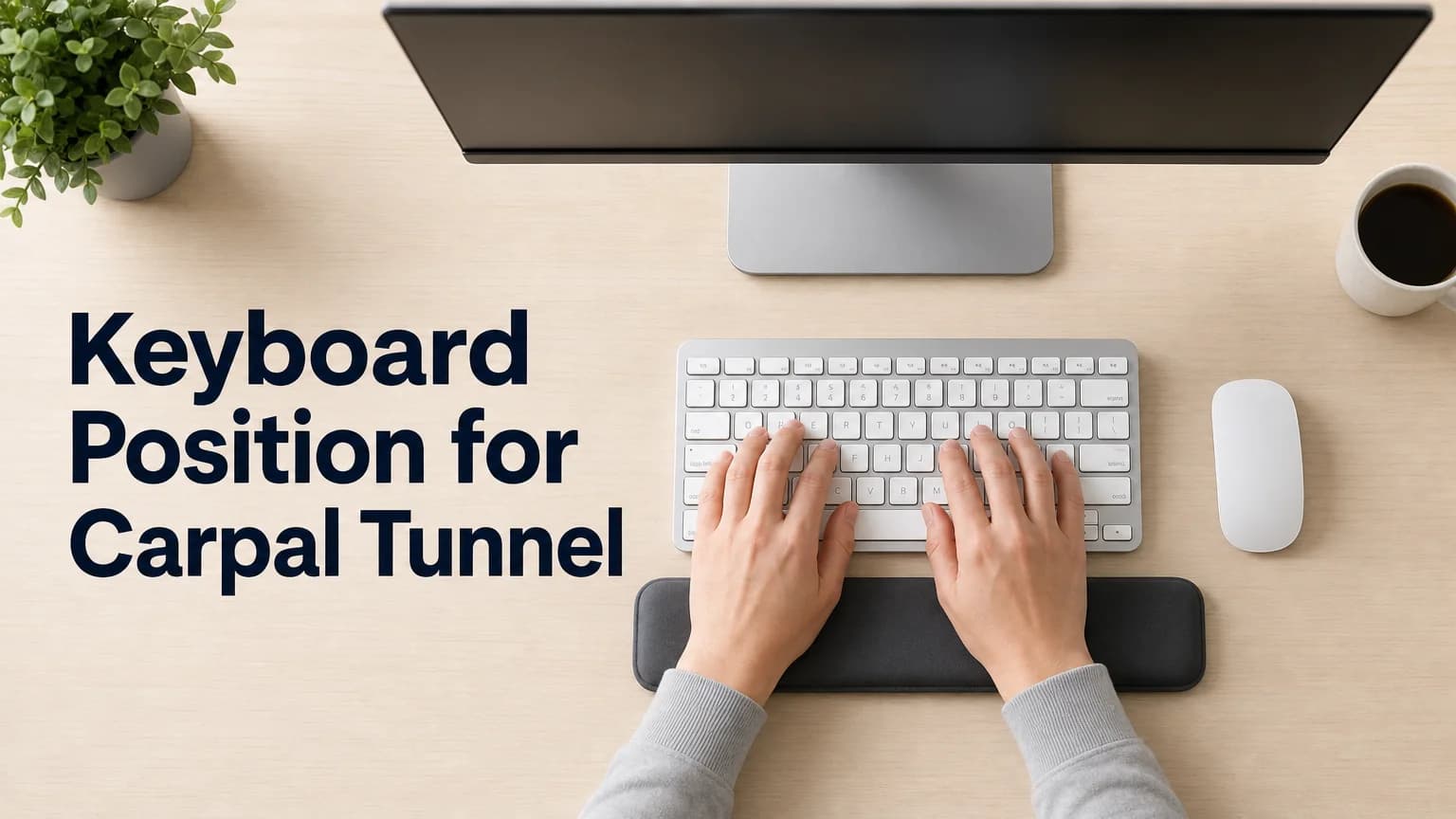
Keyboard Position for Carpal Tunnel
Your wrists don't complain about typing all at once. The strain builds session by session — a little extension here, a little pressure there — until one day your fingers are tingling before you've even finished your morning emails. Getting your keyboard position for carpal tunnel prevention right early is one of the few changes that actually moves the needle.
Key Takeaways
- Neutral wrist position — not bent up or down — is the single biggest factor in preventing carpal tunnel strain while typing.
- Keyboard height should let your elbows sit at roughly 90 degrees with your feet flat on the floor.
- Monitor height and distance affect wrist posture too — the screen should sit at or slightly below eye level, 20 to 30 inches away.
- Perfect positioning reduces risk but can't eliminate it; breaks, stretching, and lower typing volume matter just as much.
- Voice dictation removes the positioning problem at its root by cutting how often your wrists are in a typing posture at all.
Contents
- What Is the Correct Keyboard Position for Carpal Tunnel Prevention?
- How Should Your Wrists Be Positioned When Typing to Avoid Carpal Tunnel?
- Does Keyboard Height Affect Carpal Tunnel Risk?
- What Is the Ideal Elbow Angle When Typing?
- How Do You Set Up Your Desk to Reduce Carpal Tunnel Symptoms?
- Should Your Keyboard Position Change During the Day?
- Can the Right Keyboard Position for Carpal Tunnel Actually Cure It?
- How BossAI Reduces Keyboard Strain (and Keyboard-Positioning Complexity)
What Is the Correct Keyboard Position for Carpal Tunnel Prevention?
The correct keyboard position keeps your wrists straight and level — not bent up, down, or to either side — with the keyboard low enough that your hands rest slightly below or in line with your elbows. Mayo Clinic's ergonomic guidance is blunt about this: don't bend your wrists all the way up or down while typing, in either direction. That single rule underlies almost every other adjustment in this guide.
Positioning matters because the carpal tunnel — a narrow passage of bone and ligament at the base of your hand — can't expand when pressure inside it rises. Bad wrist angles raise that pressure. Good ones don't. If you want the deeper mechanics of why that happens, carpal tunnel from typing breaks down exactly what's happening at the nerve level.
A 2007 study measuring carpal tunnel pressure during active typing found that pressure increases with wrist extension — and climbs sharply once extension passes about 30 degrees, with radial deviation (bending the wrist sideways toward the thumb) adding further load past 15 degrees. Those two numbers, 30 and 15, are the practical ceiling for how far your wrist should ever bend while typing.
How Should Your Wrists Be Positioned When Typing to Avoid Carpal Tunnel?
Your wrists should stay in a neutral, straight line with your forearms — floating just above the keyboard rather than resting on its edge or a wrist pad while you type. Resting your wrists on a hard surface while your fingers move creates a pivot point that increases tendon friction with every keystroke.
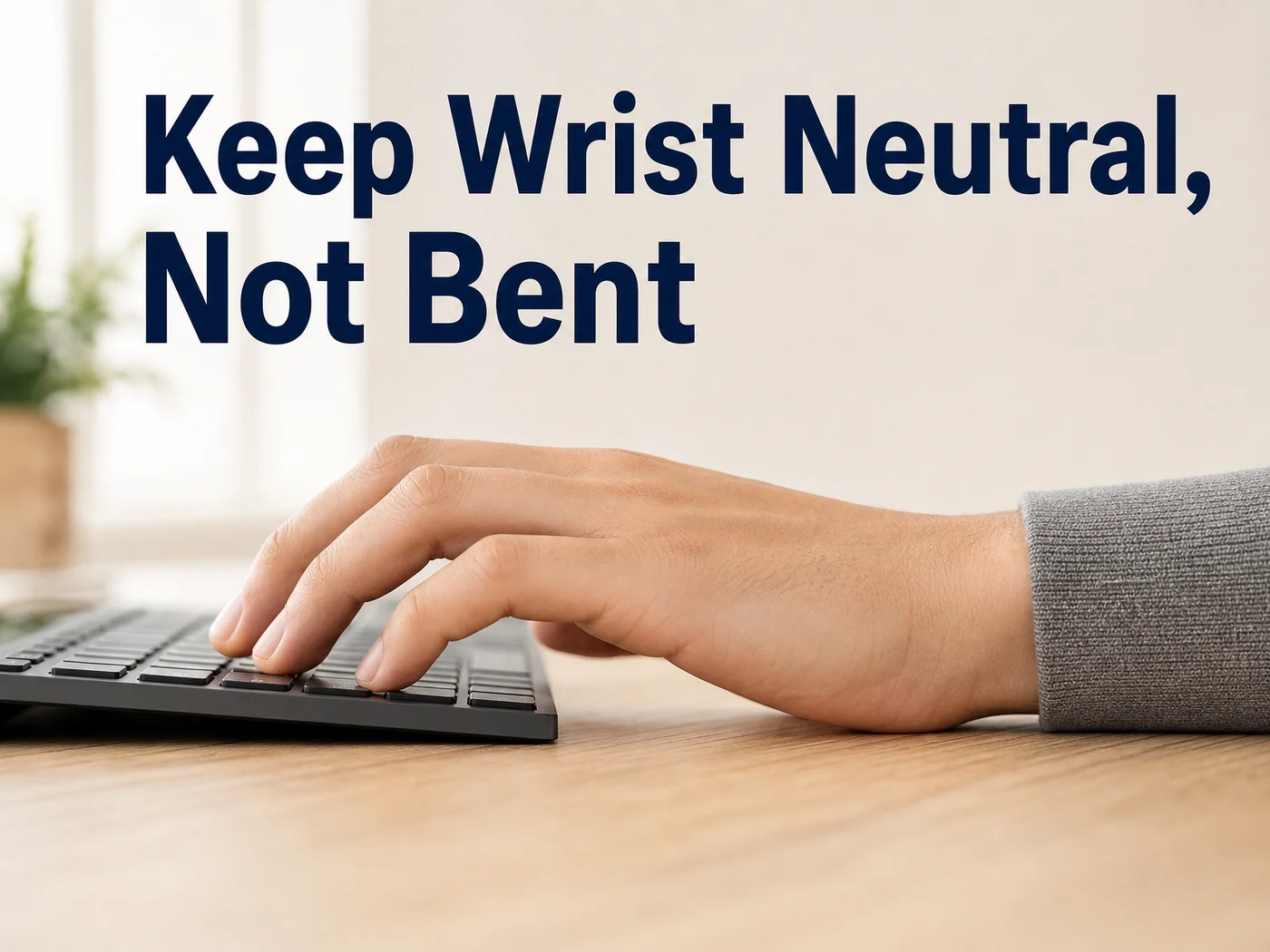 Neutral means straight — not bent up toward you, not dropped down toward the desk.
Wrist pads and gloves have a role, but only between typing bursts, not during them. If you're already managing symptoms, carpal tunnel gloves for typing covers which support products actually help versus which ones just add bulk.
A few checkpoints for neutral wrist position:
- Knuckles roughly level with your forearm, not angled up or down
- No sideways bend toward your pinky or thumb
- Fingers curved and relaxed, not stretched flat across the keys
- Wrists hovering, not braced against the desk edge while typing
Worth knowing: Merck Manuals' ergonomic imaging guide recommends the keyboard sit relatively low — hands slightly lower than the elbow — which naturally discourages the upward wrist bend most people don't notice they're doing.
Does Keyboard Height Affect Carpal Tunnel Risk?
Yes — keyboard height directly determines wrist angle, and wrist angle is the strongest predictor of carpal tunnel pressure during typing. A keyboard set too high forces your wrists into extension no matter how disciplined you are about hand placement; one set too low pushes wrists into flexion instead.
The fix isn't a single "correct" height in inches — desks and chairs vary too much for that. It's a relationship: keyboard height should match elbow height when you're seated with feet flat and shoulders relaxed. If your desk doesn't adjust, a keyboard tray usually closes the gap cheaper than a new desk.
The same height-and-angle logic applies to tendon-related pain, not just nerve compression. If your discomfort feels more like a dull ache along the forearm than tingling in the fingers, keyboard for tendonitis covers the equipment side of that closely related condition.
What Is the Ideal Elbow Angle When Typing?
The ideal elbow angle when typing is close to 90 degrees, with your upper arms relaxed at your sides rather than reaching forward or out to the sides. This keeps the whole chain — shoulder, elbow, wrist — in a position that doesn't force compensation anywhere downstream.
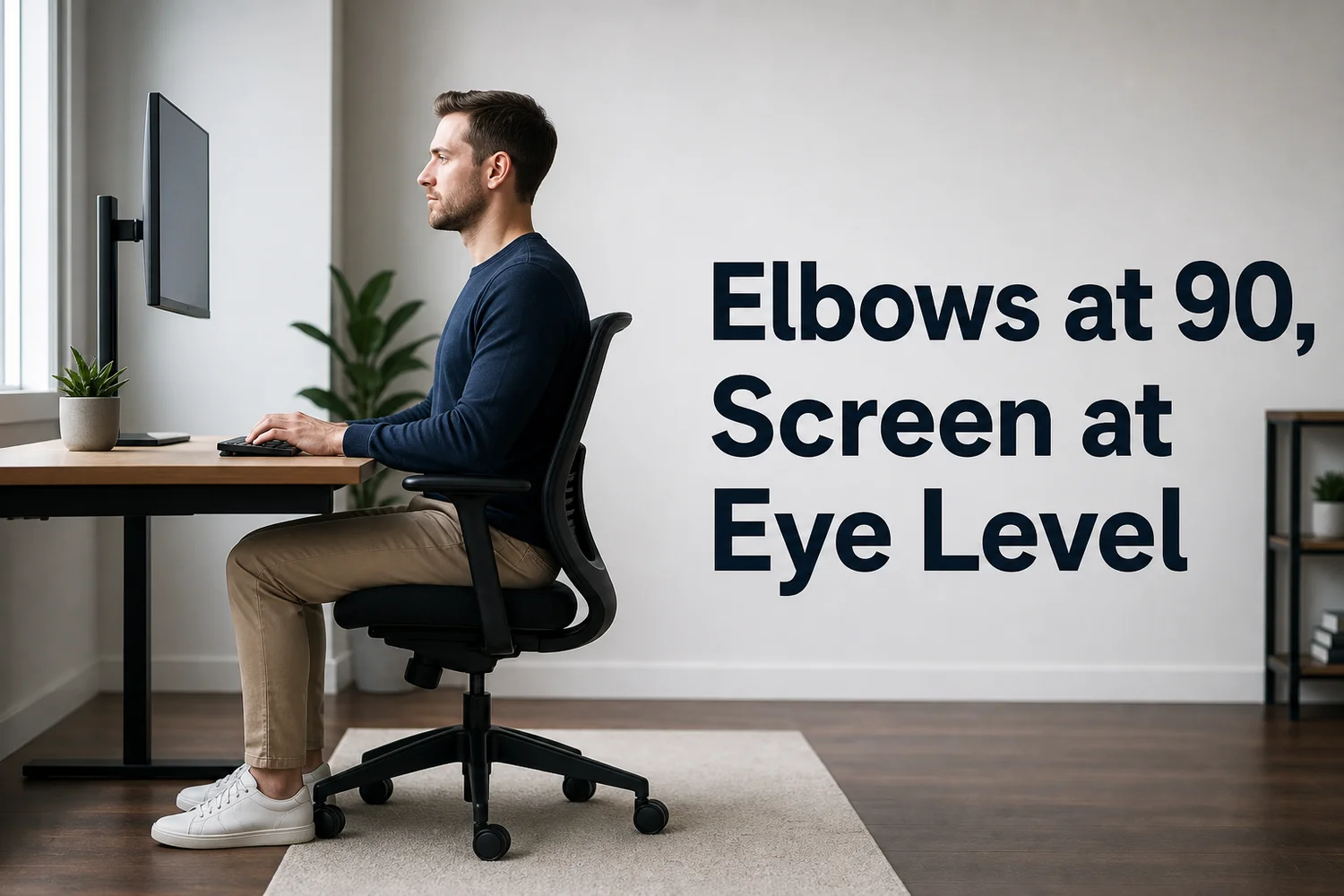 Elbows at 90 degrees, feet flat, monitor at eye level — the three anchors of a neutral typing posture.
Monitor placement feeds directly into this. If your screen sits too low, you tilt your head and shoulders forward, which drags your elbows and wrists out of position to compensate. Keep the top of the screen at or slightly below eye level and about 20 to 30 inches away — roughly an arm's length — so you're not craning to compensate for either arms or eyes.
Common mistake: Laptop users almost never hit a 90-degree elbow angle, because the screen and keyboard are locked to the same height. If a laptop is your primary setup, an external keyboard and a raised laptop stand fix more posture problems than any wrist pad will.
How Do You Set Up Your Desk to Reduce Carpal Tunnel Symptoms?
A carpal tunnel-friendly desk setup aligns four things at once: seat height, keyboard height, monitor height, and mouse placement — changing one without the others usually just shifts the strain somewhere else. Ergonomic reviews consistently point to this whole-system approach over single-product fixes.
| Setup element | Target position | Common mistake |
|---|---|---|
| Chair height | Feet flat, knees at hip level | Chair too high, feet dangling |
| Keyboard height | Elbows at ~90°, wrists neutral | Keyboard on a raised desk surface |
| Monitor height | Top of screen at/below eye level | Laptop screen too low, neck bent forward |
| Monitor distance | 20–30 inches away | Screen too close, leaning in |
| Mouse position | Level with keyboard, close to body | Mouse far right, reaching and rotating wrist |
Start with the chair, not the keyboard. Feet flat on the floor (or a footrest) sets your hip and knee height, which determines how high your desk surface needs to be relative to your elbows — everything else follows from that one adjustment.
- Set chair height so feet are flat and knees are level with hips
- Raise or lower the keyboard until elbows sit near 90 degrees
- Adjust monitor height so the top of the screen meets eye level
- Keep the mouse at the same height as the keyboard, close to your side
Should Your Keyboard Position Change During the Day?
Yes — a static "perfect" position held for hours is still a static position, and static loading is part of what causes strain in the first place. Ergonomics research increasingly favors micro-variation over one fixed ideal posture: shifting slightly every 20-30 minutes reduces sustained pressure on any single tissue.
That doesn't mean your setup should drift into bad habits. It means small, deliberate shifts — leaning back slightly, adjusting chair height half an inch, changing hand position for a few minutes — help more than staying rigidly locked into one "correct" posture all day.
Can the Right Keyboard Position for Carpal Tunnel Actually Cure It?
No. Positioning reduces the mechanical stress that contributes to carpal tunnel syndrome, but it can't undo nerve compression that's already developed, and it can't offset eight hours of daily typing volume on its own. Positioning is prevention and management, not treatment.
This is the part most guides skip. You can nail every measurement in this article and still develop symptoms if your job requires 40,000 keystrokes a day. Position changes wrist angle; it doesn't change how many times your fingers move — and the research on can typing cause carpal tunnel syndrome shows volume and posture both contribute independently.
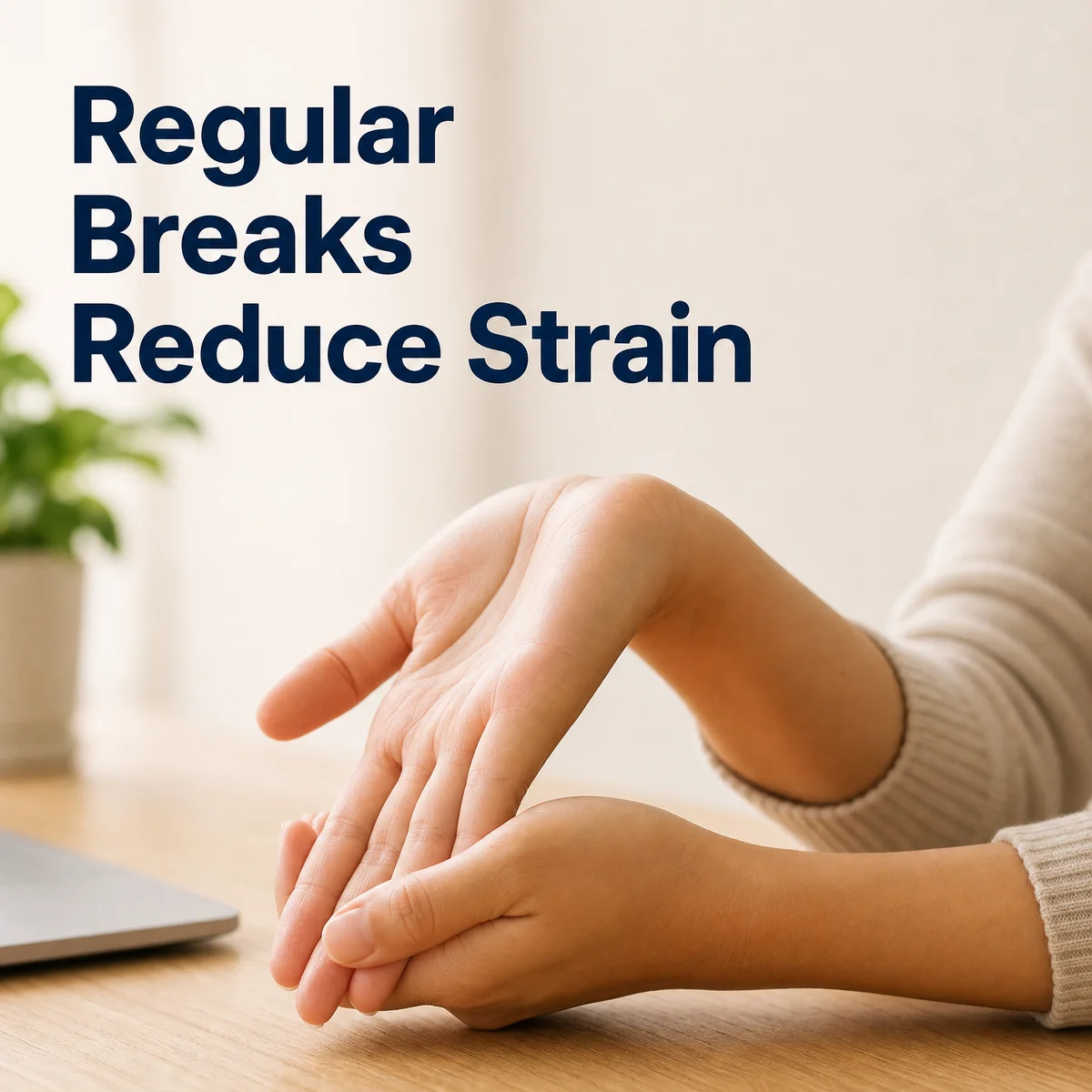 Breaks and stretching aren't optional extras — they're the other half of the equation positioning alone can't cover.
- Take a 30-second wrist stretch break every 30 to 45 minutes
- Alternate between typing tasks and non-typing tasks when possible
- Watch for early symptoms — tingling, nighttime numbness — and treat them as a volume signal, not just a posture one
- Reduce total keystrokes where you can, not just the angle at which you make them
Bottom line: If you've already dialed in wrist angle, elbow angle, and monitor height and still feel strain, the next lever isn't a better keyboard — it's fewer keystrokes.
How BossAI Reduces Keyboard Strain (and Keyboard-Positioning Complexity)
Positioning gets you most of the way there, but it's still a discipline you have to maintain for every one of the thousands of keystrokes in a workday. BossAI sidesteps that requirement instead of optimizing it: you speak, and its real-time transcription plus roughly 300-millisecond AI enhancement step turns your voice into clean, formatted text — no wrist extension, no repetitive keystrokes, no positioning to get right in the first place.
BossAI's Boss Mode goes a step further for the specific tasks that usually mean the longest typing sessions. Say "Boss, reply to this email professionally" and it reads what's on your screen and writes the response — the email, the Slack thread, the document — without you typing a word or copy-pasting anything between apps. For anyone managing carpal tunnel symptoms, that's not a convenience feature; it's fewer total keystrokes on the days that would otherwise cost you the most.
None of this replaces good desk setup. A neutral wrist position still matters for the typing you do have left. But pairing an ergonomic keyboard setup with dictation for your longest, most repetitive tasks — emails, messages, notes — cuts the volume that positioning alone can't fix.
Get Started with BossAI
If keyboard positioning has become something you think about every time you sit down to type, that's worth listening to. Cut your typing volume with voice dictation and let the positioning work you've already done handle what's left.
Not ready to try it yet? Get Our AI Productivity Guide — free tips on working faster with AI.
FAQ
How do you position your hands on the keyboard to avoid carpal tunnel?
Keep wrists straight and level with your forearms, fingers curved naturally over the home row, and avoid resting your wrists on a hard surface while actively typing. Let your hands hover just above the keys rather than anchoring at the wrist, and keep the keyboard low enough that your hands sit at or slightly below elbow height.
What type of keyboard is best for avoiding carpal tunnel syndrome?
Split or tented keyboards tend to help most because they let each hand find a more neutral angle instead of forcing both wrists inward to reach a single flat layout. That said, a standard keyboard positioned correctly — right height, right distance, wrists neutral — outperforms an ergonomic keyboard used with bad posture.
How do I know if my desk is too high or too low?
If you feel pressure or numbness in your forearms while typing, your desk or keyboard height is likely off. Elbows should rest near 90 degrees with wrists neutral; if your shoulders are hunched up or your wrists bend upward to reach the keys, the surface is too high, and vice versa.
What role does keyboard position play in carpal tunnel recovery?
Positioning limits further mechanical stress but doesn't reverse existing nerve compression on its own — it's a management tool, not a treatment. People recovering from carpal tunnel symptoms typically need positioning changes plus reduced typing volume, and sometimes medical treatment, working together rather than posture fixes alone.
Is BossAI good for people with carpal tunnel or wrist pain?
Yes. BossAI is built for zero-keyboard use — you dictate everything, and it handles transcription, filler-word removal, and tone correction automatically. People managing carpal tunnel, RSI, or wrist pain use it to write emails, messages, and documents hands-free, without typing being part of the process at all.
Is BossAI free to use for reducing typing time?
Yes. BossAI's free tier gives you 500 words of dictation a day, resetting daily, so there is no weekly cap to hit mid-week. The paid plan adds unlimited Boss Mode screen reads and extended Clips storage, but the core dictation — the part that actually reduces typing volume — is free from day one.