
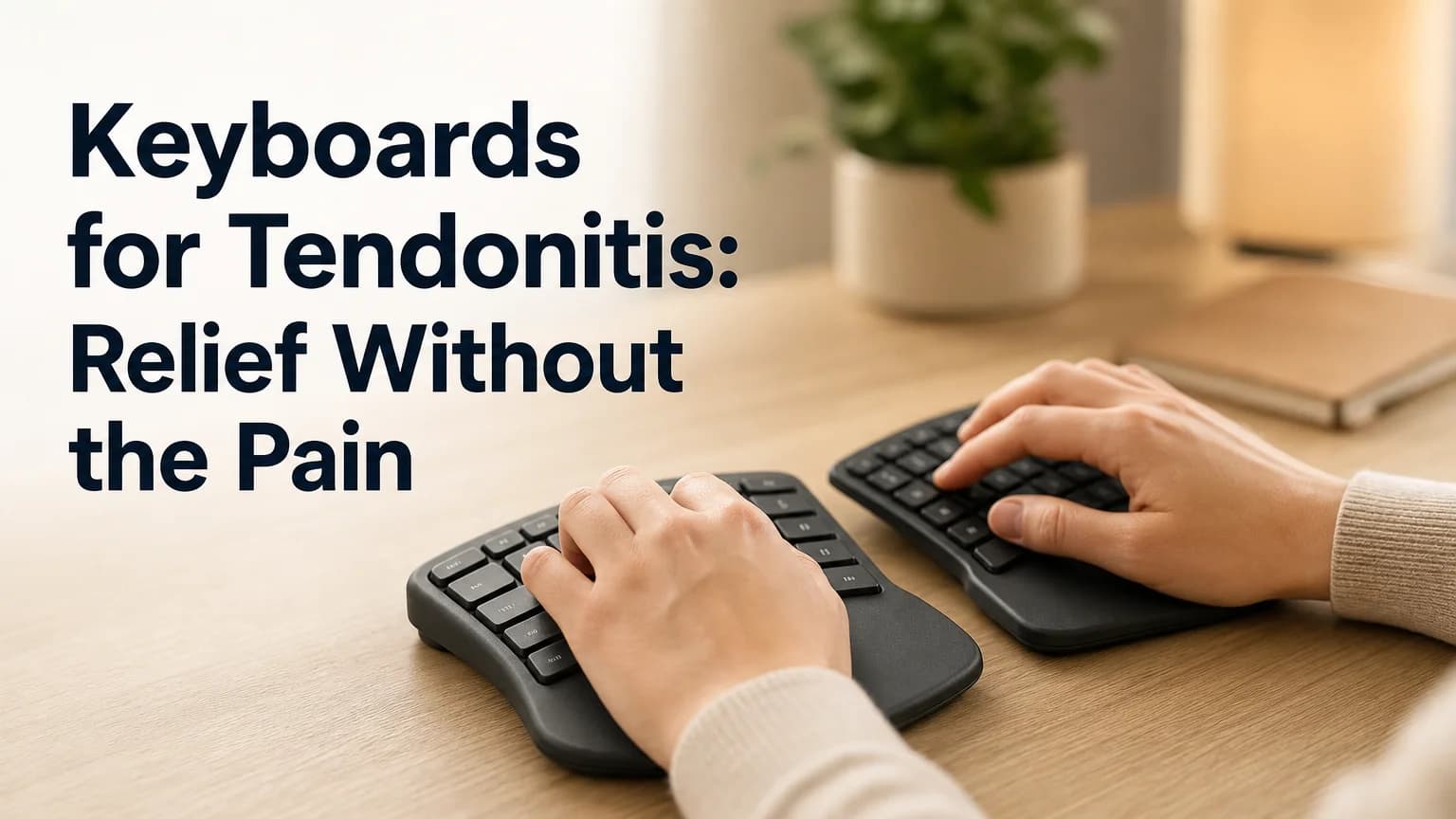
Keyboard for Tendonitis: What Actually Works
Keyboard for Tendonitis: What Actually Reduces Pain
Most people search for a keyboard for tendonitis assuming the hardware is the fix. It helps — but the real driver of typing-related tendon pain is repetitive wrist motion, and a new keyboard only changes the angle, not the motion itself.
Key Takeaways
- Ergonomic keyboards reduce tendonitis pain by improving wrist alignment, but they don't eliminate the repetitive motion that causes the strain in the first place.
- Split, vertical, and curved designs all chase the same goal — a neutral wrist position — so the "best" one depends on which movement triggers your pain.
- Voice dictation removes keyboard strain entirely, since there's no wrist extension or repetitive keystroke involved at all.
- A hybrid workflow — dictate for long messages, type for short ones when pain is manageable — works better for most people than picking one input method forever.
- Ergonomic keyboards run $40 to $250+, while dictation apps like BossAI start free, which makes voice worth testing before you spend on hardware.
Contents
- What Is a Keyboard for Tendonitis?
- Can a Keyboard for Tendonitis Really Prevent Pain?
- Which Types of Keyboards Help Tendonitis Most?
- How Much Does an Ergonomic Keyboard for Tendonitis Cost?
- Is Voice Dictation Better Than a Keyboard for Tendonitis?
- What Features Should You Look for in a Tendonitis-Friendly Keyboard?
- How Long Until Relief Actually Kicks In?
What Is a Keyboard for Tendonitis?
A keyboard for tendonitis is any keyboard designed to reduce wrist extension and forearm rotation during typing — usually through a split, tented, or curved layout that keeps the hands and wrists closer to a neutral, relaxed position. Standard flat keyboards force wrists into extension (bent upward) and pronation (rotated inward), both of which load the tendons that run through the wrist and forearm. Ergonomic keyboards change the geometry so those tendons aren't under constant tension.
Tendonitis itself is inflammation of a tendon, usually from overuse rather than a single injury. If your wrist hurts when typing, tendonitis from typing is frequently the underlying cause — it shows up as a dull ache, stiffness, or sharp pain along the forearm or wrist during and after keyboard use.
Tendonitis is one specific form of a broader category: repetitive strain injury. If you want the mechanics behind why typing causes tendon and nerve issues in the first place, can typing cause carpal tunnel syndrome breaks down what's actually happening at the joint level.
Can a Keyboard for Tendonitis Really Prevent Pain?
A well-designed ergonomic keyboard can reduce the mechanical stress that aggravates tendonitis, but it can't prevent it outright — prevention requires reducing total keystroke volume and wrist strain, not just changing wrist angle. Studies on split and tented keyboards show measurable drops in forearm muscle activity and wrist extension. That's a real, physiologically-grounded improvement.
What ergonomic keyboards don't fix is volume. A full-time typist still hits 5,000 to 10,000 keystrokes a day on a split keyboard — just at a less damaging angle. The tendon is still moving repeatedly; it's just moving with less resistance.
Reality check: Buying an ergonomic keyboard without also reducing how much you type is like switching to better running shoes while ignoring that you're running twice your usual mileage. The angle helps. The volume still matters.
This is where most keyboard-for-tendonitis searches go wrong — they treat hardware as the whole solution instead of one part of it. Pairing a better keyboard with fewer total keystrokes (via dictation, macros, or shorter sessions) gets meaningfully better results than hardware alone.
Which Types of Keyboards Help Tendonitis Most?
Split, vertical, and contoured keyboards each reduce a different kind of strain — split keyboards ease wrist extension, vertical keyboards reduce forearm pronation, and contoured keyboards combine both with a curved key well. No single design wins for everyone; the right choice depends on which motion causes your pain.
- Split keyboards (Kinesis Freestyle2, Microsoft Sculpt, ZSA Moonlander) separate the two halves so shoulders and wrists sit at a natural width instead of forcing hands together.
- Vertical keyboards (ProtoArc split-vertical designs, Kinesis Advantage360) rotate the hands to a near-handshake position, which cuts forearm rotation almost entirely — the main mechanism behind wrist tendonitis for people who type with flat wrists all day.
- Contoured/curved keyboards (Kinesis Advantage2, MoErgo Glove80) sculpt a bowl-shaped key well so fingers reach keys with less stretch.
- Standard keyboards with typing gloves or wrist rests offer the lowest-cost entry point but address symptoms more than mechanics.
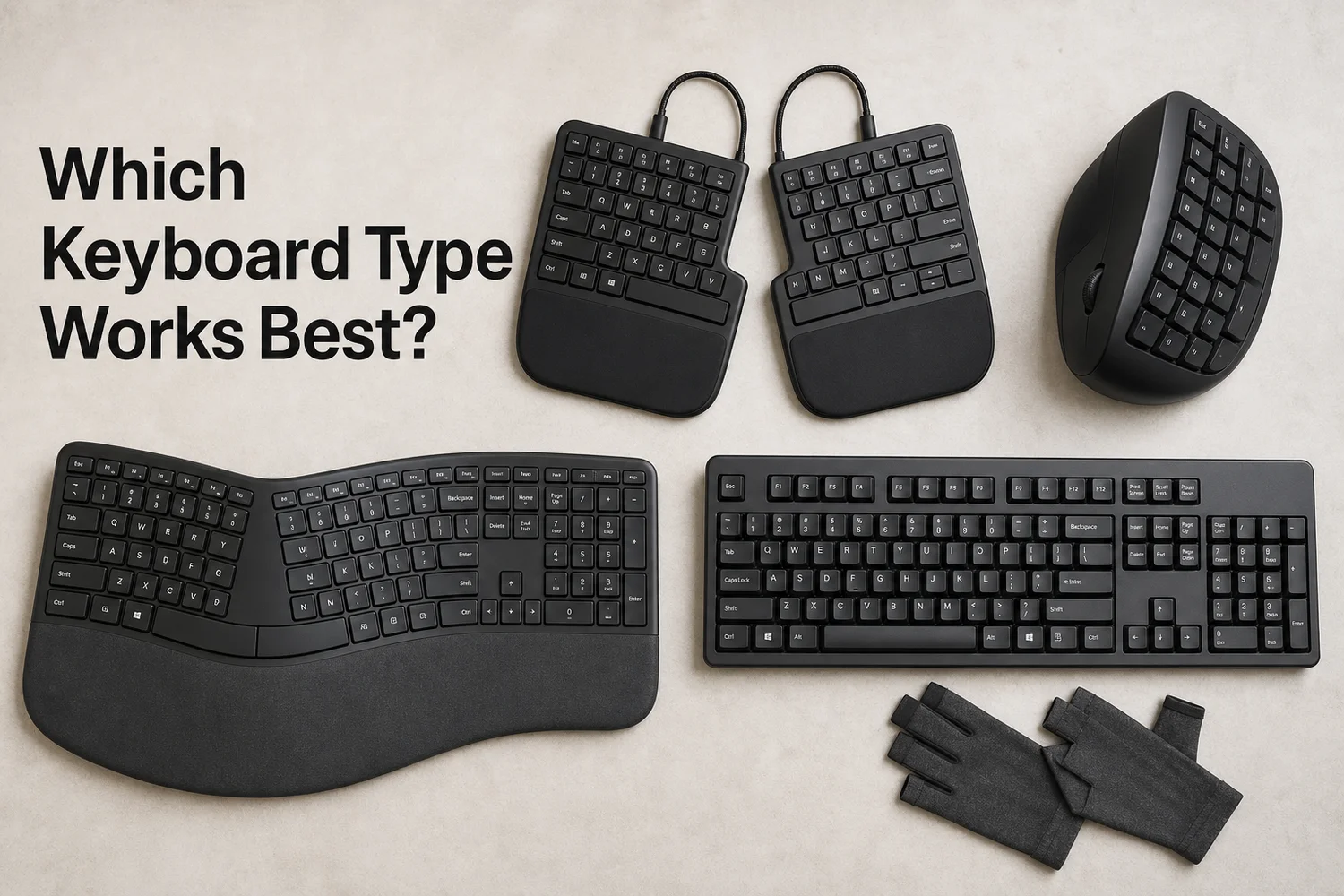 Split, vertical, curved, and standard-plus-gloves setups each target a different piece of the strain equation.
| Keyboard Type | Wrist Extension Fix | Forearm Rotation Fix | Learning Curve | Typical Price |
|---|---|---|---|---|
| Standard flat | ❌ None | ❌ None | None | $20–$60 |
| Split (Kinesis Freestyle2) | ✅ Good | ⚠️ Minimal | Low | $80–$130 |
| Tented split (ZSA Moonlander) | ✅ Good | ✅ Good | Moderate | $200–$365 |
| Vertical (Kinesis Advantage360) | ✅ Good | ✅ Excellent | High | $299–$399 |
| Contoured (Kinesis Advantage2) | ✅ Excellent | ✅ Good | Moderate–High | $349 |
People switching from arthritis-related pain face a similar decision tree — our typing with arthritis guide covers how joint inflammation changes which keyboard style helps most.
How Much Does an Ergonomic Keyboard for Tendonitis Cost?
Ergonomic keyboards for tendonitis range from about $40 for a basic split or cushioned model to $250–$400 for a fully adjustable mechanical ergo keyboard, with most people landing in the $80–$150 range for a genuinely useful upgrade. Price generally tracks with adjustability — tenting angle, key well depth, and split distance all add cost.
By the numbers: Budget split keyboards (Logitech Ergo K860, Kinesis Freestyle2) sit at $80–$130. Premium fully-split and contoured boards (ZSA Moonlander, Kinesis Advantage2) run $200–$400. Basic accessories — gel wrist rests, compression sleeves, typing gloves — cost $10–$30 and help marginally.
Before spending $300 on a top-tier ergonomic keyboard, it's worth confirming the pain is actually keyboard-driven and not related to mouse use, which research points to as an even stronger contributor to wrist strain than typing alone.
Is Voice Dictation Better Than a Keyboard for Tendonitis?
Voice dictation is a stronger fit than any keyboard for active tendonitis pain, because it removes wrist and finger movement completely instead of just reducing the strain per keystroke. An ergonomic keyboard optimizes the motion. Dictation eliminates it. For someone in an active flare, that distinction is the whole ballgame.
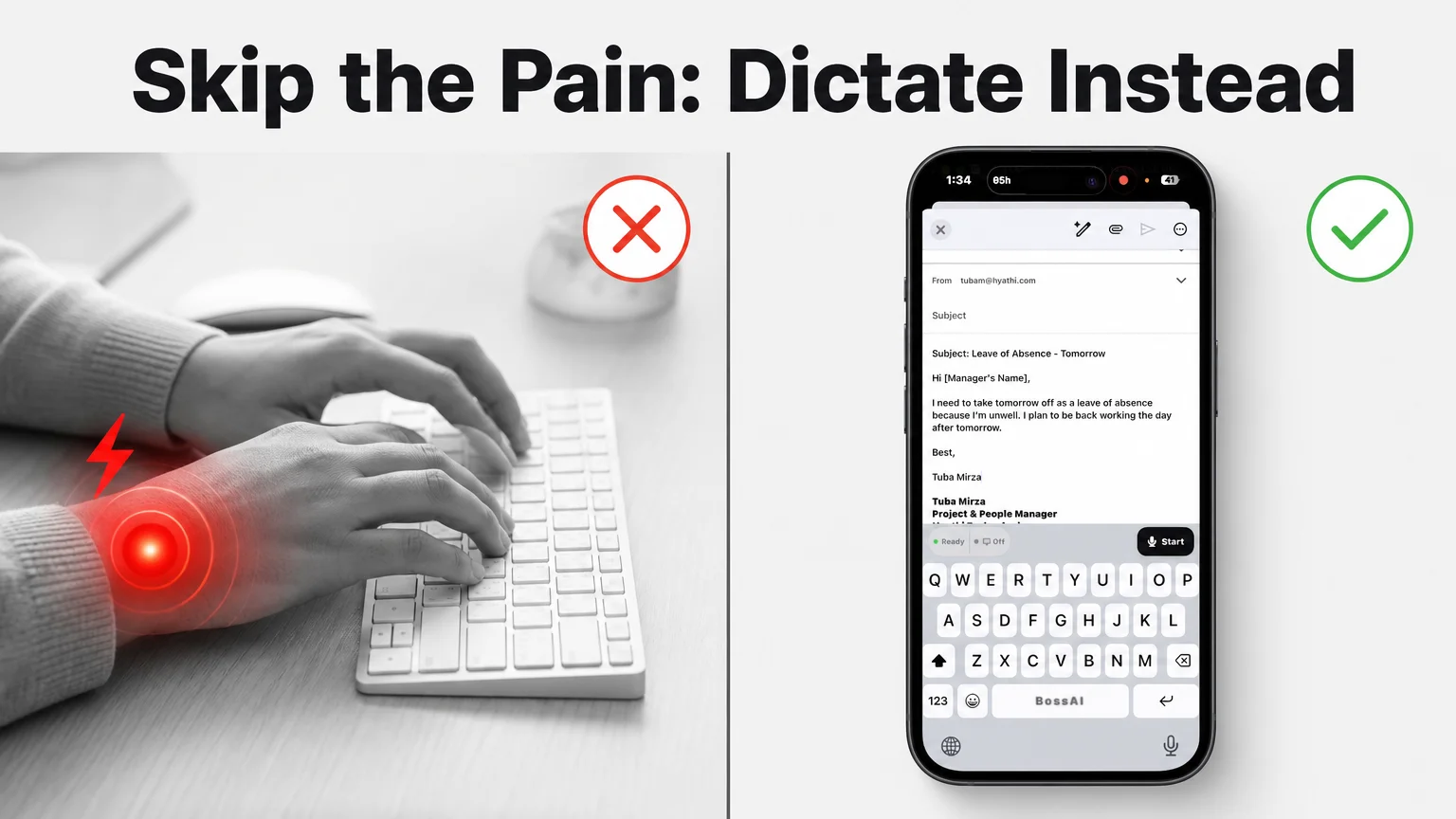 Typing keeps loading the same tendons. Dictating an email through BossAI's keyboard skips the movement entirely.
BossAI is an AI voice keyboard for iOS, Android, macOS, and Windows that replaces your default keyboard and turns speech into clean, formatted text. Tap the microphone, talk normally, and BossAI removes filler words, fixes grammar, and inserts the finished text into whatever app is open — no typing at any point. The screenshot above shows it running inside an actual iOS Mail compose screen: the BossAI keyboard sits where the standard QWERTY layout would be, with a single "Start" button to begin dictating.
A few reasons this matters specifically for tendonitis:
- Zero keystroke load. No repetitive extension, no pronation, no cumulative tendon stress — the mechanical trigger is gone, not reduced.
- Works across every app, not just a dedicated dictation window, so email, chat, and documents all get the same hands-free path.
- Free tier with 500 words/day, no account required to try it, versus $250+ for a premium ergonomic keyboard that still requires typing.
- Boss Mode reads the screen and can draft a full reply on command — "Boss, reply to this email confirming I'm out tomorrow" — so even composing isn't purely dictation-by-dictation.
Readers managing hand injuries more broadly have found the same relief pattern with BossAI for RSI, where the appeal is identical: dictation sidesteps the mechanism of injury instead of just cushioning it.
What Features Should You Look for in a Tendonitis-Friendly Keyboard?
Look for adjustable tenting, negative tilt, a split or curved layout, and low actuation force — these four features together do the most to reduce tendon load, while extras like backlighting or macro keys don't affect pain outcomes at all. Tenting angle matters most: even a moderate 10–15 degree tent measurably cuts forearm pronation.
Prioritize in this order:
- Adjustable tenting (5–90 degrees on premium models) so you can dial in the angle that stops your specific pain.
- Negative tilt — front edge higher than the back — which keeps wrists from bending upward.
- Low actuation force switches so each keystroke takes less finger tendon effort.
- Split or fully separate halves to stop shoulders and wrists from being forced together.
 Keyboard geometry only helps if the rest of the desk setup — monitor height, chair, wrist support — supports it too.
None of this replaces a proper desk setup. A physiotherapist-reviewed workstation guide will tell you the same thing an ergonomic keyboard box will: monitor at eye level, elbows near 90 degrees, wrists floating (not resting) while typing. Skipping the desk setup while buying a $300 keyboard is a common way to waste that money.
For people whose pain stems from tighter conditions like carpal tunnel rather than general tendonitis, carpal tunnel gloves for typing address a narrower version of the same compression problem.
How Long Until Relief Actually Kicks In?
Mild tendonitis symptoms typically ease within 1–2 weeks of reduced strain, moderate cases take 4–6 weeks, and switching to voice dictation for the worst-affected tasks tends to show relief faster than an ergonomic keyboard alone because it removes the aggravating motion immediately rather than gradually. An ergonomic keyboard requires an adjustment period — new muscle patterns, new finger positions — before the pain reduction shows up.
Dictation has no adjustment curve for the wrist, since there's nothing new to learn mechanically. The relief timeline mostly comes down to how much total typing volume you cut, not which specific keyboard you buy. Someone who replaces half their daily typing with voice will generally feel improvement faster than someone who buys a $400 keyboard but keeps the same typing volume.
If symptoms haven't improved after 6 weeks of reduced strain, that's worth a conversation with a doctor or physical therapist rather than another keyboard purchase — persistent tendonitis can indicate something that hardware changes alone won't resolve.
Get Started with BossAI
If typing is what's aggravating your tendonitis, the fastest relief isn't a new keyboard — it's cutting out the keystrokes that trigger the pain. BossAI lets you dictate emails, messages, and documents across iOS, Android, macOS, and Windows with zero hand movement involved.
Not ready to try it yet? Get Our AI Productivity Guide — free tips on working faster with AI.
FAQ
Does an ergonomic keyboard actually help tendonitis?
Yes, in a limited way. Split, tented, and vertical keyboards reduce wrist extension and forearm rotation, which lowers the mechanical stress on already-inflamed tendons. They don't eliminate keystroke volume, so pairing an ergonomic keyboard with fewer total keystrokes — through dictation or shorter typing sessions — produces better results than the keyboard alone.
Can typing on a keyboard cause tendonitis?
Yes. Repetitive keystrokes combined with wrist extension load the tendons running through the forearm and wrist thousands of times a day. Over weeks or months, that repeated micro-stress can trigger inflammation, especially on flat keyboards that force an unnatural upward wrist bend during every keypress.
What is BossAI?
BossAI is an AI-powered voice keyboard for iOS, Android, macOS, and Windows that replaces typing with voice dictation. It transcribes speech in real time, automatically removes filler words, rewrites text in different tones with one tap, and includes Boss Mode, a screen-reading feature that drafts contextual replies without any copy-pasting.
Is BossAI good for tendonitis or RSI?
Yes. BossAI is built for zero-keyboard use — you speak and it handles transcription, filler removal, and tone correction automatically. People managing tendonitis, RSI, and carpal tunnel use BossAI to write emails, messages, and documents entirely hands-free, with no typing required at any step.
Do ergo keyboards actually work, or is it mostly marketing?
They work, but incrementally rather than dramatically. Peer-reviewed studies on split and tented keyboards show measurable reductions in wrist extension and forearm muscle activity compared to flat keyboards. The effect is real but modest — it changes the angle of strain, not the total volume of repetitive motion.
What's the best keyboard for painful hands if I still need to type sometimes?
A tented split keyboard with adjustable angle (ZSA Moonlander, Kinesis Advantage360) gives the most flexibility for people who need to type occasionally but want to minimize strain. For anyone who can shift most of their typing to voice, that setup — occasional ergonomic typing plus daily dictation — tends to outperform either option used alone.