
Speech Recognition App: Best AI Tools 2026 | BossAI
Speech Recognition App: The 2026 Guide to AI Voice Tools
Voice-to-text has crossed a threshold. Modern speech recognition apps don't just transcribe what you say—they understand context, remove filler words, and deliver polished, publish-ready text in under a second.
Key Takeaways
- Modern speech recognition apps use advanced AI neural networks to convert spoken words into text with 95%+ accuracy across multiple languages and accents.
- Top solutions offer cross-platform support (Windows, Mac, iOS, Android), real-time transcription, and offline capability, with prices ranging from free to $30/month.
- Best use cases include hands-free note-taking, accessibility support, professional transcription, and voice-controlled document creation for knowledge workers who value speed and accuracy.
- Speech recognition has evolved beyond simple voice commands—today's apps handle technical jargon, sector-specific terminology, and complex audio environments with professional-grade precision.
Contents
- What Is a Speech Recognition App and How Does It Work?
- How Does Modern Speech Recognition Technology Achieve High Accuracy?
- What Are the Best Speech Recognition Apps in 2026?
- Which Speech Recognition App Offers the Highest Accuracy for Your Needs?
- How Much Do Speech Recognition Apps Cost—Free vs. Premium?
- Which Platforms Support Speech Recognition Apps in 2026?
- Can Speech Recognition Apps Work Offline and Protect Your Privacy?
- Frequently Asked Questions
What Is a Speech Recognition App and How Does It Work?
A speech recognition app converts spoken audio into written text using AI models trained on millions of hours of voice data. Modern apps go beyond raw transcription—they remove filler words, fix grammar, apply punctuation, and format text contextually based on where you're typing, from emails to Slack messages to long-form documents.
These apps—also called AI apps that convert voice to text—are now essential productivity tools for professionals, students, and anyone with accessibility needs. The right speech recognition app eliminates the friction between your thoughts and the screen.
 Modern speech recognition apps work across devices, converting voice to polished text in under a second.
How Does the Voice-to-Text Pipeline Work?
Most modern apps follow a three-stage process:
- Audio capture — Your device's microphone records your voice and streams audio to a transcription engine (local or cloud-based)
- Neural transcription — A deep learning model converts acoustic patterns to text in real time, word by word as you speak
- AI post-processing — A second model cleans the raw transcript: removing "um," "uh," and "like," fixing grammar, adding punctuation, and adapting formatting to the target app
The result arrives in approximately 300ms after you stop speaking—fast enough to feel instant during dictation sessions.
Key insight: The 300ms post-processing window is what separates AI-enhanced speech recognition from raw voice typing—it's the difference between a rough transcript and text you can send immediately.
How Does Modern Speech Recognition Technology Achieve High Accuracy?
Modern speech recognition achieves 95%+ accuracy by combining transformer-based language models with acoustic models fine-tuned on diverse speaker data. The technology has advanced from pattern-matching engines to context-aware neural networks that understand accents, technical vocabulary, and conversational speech at near-human levels.
Accuracy gains have been driven by two architectural shifts. First, transformer models like OpenAI Whisper replaced older hidden Markov models, dramatically improving handling of accents and noise. Second, speaker adaptation—where the app learns your voice and vocabulary—has cut error rates for specialized terminology.
What Factors Affect Speech Recognition Accuracy?
Key variables that determine how well an app transcribes your voice:
- Acoustic environment — Background noise, echo, and distance from the microphone are the top degraders. A quality headset can boost accuracy by 15-20%.
- Speaker vocabulary — Technical jargon, proper nouns, and brand names not in training data cause the highest error rates. Apps with custom dictionaries close this gap.
- Language and accent — English (US) gets the best accuracy. Non-native speakers and regional accents see 5-10% higher error rates in most apps.
- Microphone quality — Built-in laptop mics perform below external USB mics or AirPods, especially at distance.
Real-time voice dictation tools have pushed accuracy further by combining on-device acoustic processing with cloud-based language modeling to hit low-latency and high-accuracy simultaneously.
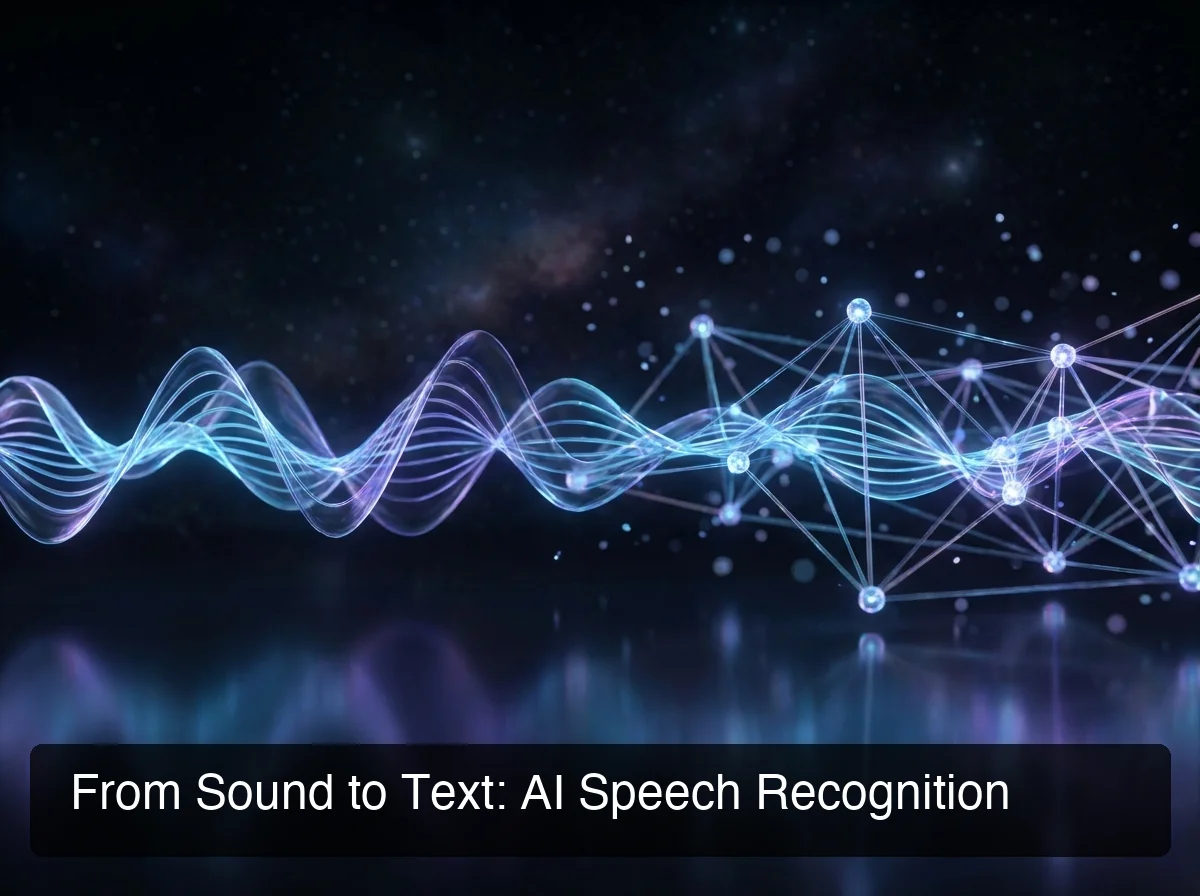 AI speech recognition uses transformer neural network layers to process raw audio into clean, punctuated text.
By the numbers: OpenAI Whisper Large-v3 achieves approximately 2.7% word error rate (WER) on standard benchmarks—meaning it gets roughly 97 out of 100 words correct in clean audio environments.
What Are the Best Speech Recognition Apps in 2026?
 The top speech recognition solutions in 2026 span iOS, Mac, Windows, and Android—with distinct strengths for each use case.
The best speech recognition apps in 2026 combine AI-enhanced transcription with productivity layers—tone rewriting, screen-aware commands, custom vocabulary, and cross-platform support. The top tier includes BossAI, WisprFlow, Superwhisper, Willow Voice, and Typeless, each suited to different workflows and platform preferences.
Here's how the leading apps compare:
| App | Platforms | Free Tier | Price/Month | Key Differentiator |
|---|---|---|---|---|
| BossAI | iOS, Mac, Windows | 500 words/day | $9.99 | Screen-reading Boss Mode + Clips |
| WisprFlow | Mac, Windows | 2,000 words/week | $15 | Market leader, strong accuracy |
| Superwhisper | iOS, Mac, Windows | Unlimited (local) | ~$8 | Offline-first, Whisper models |
| Willow Voice | iOS, Mac, Windows | 2,000 words/week | $15 | Team and enterprise features |
| Typeless | iOS, Mac, Windows, Android | 4,000 words/week | $30 | Only Android support |
| AquaVoice | Mac, Windows | 1,000 words total | $8 | Developer-focused dictation |
Why BossAI Stands Out in the 2026 Field
Three capabilities put BossAI in its own category. Boss Mode reads your screen in real time—when you say "Boss, reply to this email professionally," it sees the email, understands the full context, and writes a complete response. No other speech recognition app in 2026 does this.
Clips saves frequently used text (signatures, addresses, standard replies, links) for one-tap insertion directly from the keyboard. No app-switching, no clipboard management. One-tap Rewrite with visual tone selection (Professional, Casual, Witty, Persuasive, Empathetic, Bold) makes tone editing instant on mobile.
WisprFlow, AquaVoice, and Typeless have none of these three features.
For users comparing alternatives, this apps like WisprFlow comparison covers each competitor's approach in depth.
Bottom line: BossAI isn't just a speech recognition app—it's the only AI voice keyboard that reads your screen. For knowledge workers typing across multiple apps daily, that's not a feature add—it's a workflow shift.
Which Speech Recognition App Offers the Highest Accuracy for Your Needs?
Accuracy depends on use case more than raw benchmark scores. For technical writing with specialized vocabulary, BossAI and Superwhisper's custom dictionary features lead. For transcribing accented speech, WisprFlow's cloud models and Typeless's LLM-based processing perform well. For completely offline accuracy, Superwhisper's local Whisper models are the gold standard.
Use this decision framework to match the right app to your workflow:
- Heavy email and chat user on iOS → BossAI (native iOS keyboard, dictate in any app without switching)
- Desktop power user, Mac only → WisprFlow or Superwhisper
- Legal, medical, or technical writing → BossAI (custom dictionary + Boss Mode for document-aware drafting)
- Completely offline and privacy-first → Superwhisper (local models, no cloud)
- Team with enterprise compliance needs → Willow Voice (SOC 2, HIPAA support)
- Android user → Typeless (only major option with Android support)
If you're focused on iPhone-specific solutions, the voice to text iPhone app guide covers iOS-specific performance and keyboard options in depth. For hands-free input across other platforms, the voice typing app comparison covers cross-platform options.
Adding domain-specific vocabulary is the highest-ROI accuracy upgrade for any professional. Apps with custom dictionaries—BossAI, WisprFlow, Superwhisper—let you add medical terms, framework names, or client names and see accuracy improve 5-15 percentage points for your specific domain. BossAI's dictionary syncs instantly across iOS, macOS, and Windows.
How Much Do Speech Recognition Apps Cost—Free vs. Premium?
Speech recognition apps range from free to $30/month. Free tiers typically cap usage at 500–4,000 words per week and lock advanced features. Premium plans ($8–$15/month) unlock unlimited usage, custom vocabulary, and productivity features. The best value at the $10 tier is BossAI at $9.99/month—or $5.83/month on the annual plan.
Pricing across the major apps:
| App | Free Tier | Monthly | Annual (per month) |
|---|---|---|---|
| BossAI | 500 words/day (daily reset) | $9.99 | $5.83 |
| WisprFlow | 2,000 words/week | $15 | $12 |
| Superwhisper | Unlimited (local models) | ~$8 | ~$7 |
| Willow Voice | 2,000 words/week | $15 | $12 |
| Typeless | 4,000 words/week | $30 | $12 |
| AquaVoice | 1,000 words total (trial only) | $8 | $8 |
What Do You Actually Get on a Free Plan?
Free tiers have meaningful differences. AquaVoice's "free" is essentially a one-time trial—1,000 words and then it ends. Superwhisper's free tier is generous (unlimited with local models) but requires you to run AI models locally, which needs Apple Silicon hardware.
BossAI's free tier uses a daily reset—500 words/day—creating consistent daily access without the frustration of a weekly cap exhausted by Tuesday. The 7-day Pro trial gives full access before any payment decision, no credit card required.
For users exploring free speech-to-text AI apps before committing to a subscription, the daily reset model aligns best with how professionals actually use dictation throughout the workday.
 Speech recognition apps range from free with usage caps to $30/month—BossAI at $9.99/month sits at the sweet spot of price and feature depth.
By the numbers: WisprFlow caps free users at 2,000 words/week ($15/month to go unlimited). Typeless's $30/month plan has a 6-minute session cap. BossAI eliminates both weekly caps and session limits at $9.99/month.
Which Platforms Support Speech Recognition Apps in 2026?
All major speech recognition apps support macOS and Windows in 2026. iOS support is near-universal but quality varies dramatically—most apps require switching to a separate app screen, while BossAI works as a native iOS keyboard replacement, enabling dictation in any app without leaving it. Android remains underserved, with Typeless as the only serious option.
Platform coverage in 2026:
- iOS (full native keyboard replacement): BossAI only
- iOS (app-based, requires switching): WisprFlow, Superwhisper, Willow Voice, Typeless
- macOS: All major apps
- Windows: BossAI, WisprFlow, Superwhisper, Willow Voice, Typeless, AquaVoice
- Android: Typeless only
For Windows-specific guidance, the Windows speech recognition guide covers the native OS tools as a baseline comparison point. For iPhone-specific deep dives, the iPhone dictation app guide covers iOS-native options and third-party keyboards side by side.
Why the iOS Keyboard Architecture Matters
The difference between a dictation app and a dictation keyboard is significant in daily use. With a separate app, you dictate, copy the text, switch back to your email or Slack, and paste. With a native keyboard like BossAI, you dictate directly into the text field—zero switching, zero copying.
For mobile users sending dozens of messages and emails daily, this friction difference compounds to 15-20 minutes of recovered time per workday.
Can Speech Recognition Apps Work Offline and Protect Your Privacy?
Select speech recognition apps support fully offline processing with no internet required. Superwhisper and Spokenly use on-device AI models that run entirely locally on Apple Silicon Macs—no audio ever leaves your device. BossAI processes voice using secure API calls without storing raw audio, making it a strong choice for users who need cloud-enhanced accuracy with meaningful privacy protections.
Privacy posture varies significantly across apps:
- Willow Voice runs continuous background audio recording, raising battery and privacy concerns
- BossAI does not store raw audio; text is transcribed in transit and not used for model training
- Superwhisper (local mode) never sends data to servers—the gold standard for offline privacy
- Typeless is cloud-only; all processing requires an active internet connection
For sensitive documents—legal briefs, medical notes, financial records—the offline vs. cloud trade-off matters.
Offline models offer maximum privacy but require modern hardware. Cloud apps deliver higher accuracy at the cost of sending encrypted audio.
Key insight: BossAI's privacy model—no audio storage, no training on your data—sits in the practical middle ground: cloud-level accuracy without the data retention trade-offs that make fully cloud-only tools unsuitable for sensitive work.
Get Started with BossAI
Speech recognition has matured into a professional-grade productivity layer. BossAI combines AI-enhanced dictation with Boss Mode screen reading, Clips, and one-tap tone rewriting—in a single keyboard that lives where you type, across iOS, macOS, and Windows.
Frequently Asked Questions
What is the best speech recognition app in 2026?
The best app depends on platform and use case. BossAI leads for iOS and cross-platform productivity with its native keyboard, Boss Mode screen reading, and Clips.
WisprFlow and Superwhisper are strong Mac and Windows options. Typeless is the only major choice for Android users.
What is BossAI?
BossAI is an AI-powered voice keyboard for iOS, macOS, and Windows that replaces typing with voice dictation. It transcribes speech in real time, removes filler words automatically, rewrites text in different tones with one tap, and includes Boss Mode—a screen-reading feature that generates contextual replies without copy-pasting.
Is BossAI free?
Yes. BossAI has a free tier with no weekly word cap—you can dictate as much as you want.
The paid plan unlocks advanced features including unlimited Boss Mode screen reads, priority processing, and extended Clips storage. No credit card required to start.
Can speech recognition apps work offline?
Yes—Superwhisper and Spokenly support fully offline processing using local AI models on Apple Silicon Macs. BossAI uses secure cloud processing without storing audio. Cloud-based apps generally deliver higher accuracy and broader language support, while offline apps provide maximum privacy with no data leaving your device.
How accurate are speech recognition apps in 2026?
Modern AI speech recognition achieves 95–97% accuracy in quiet environments. Accuracy drops with background noise or heavy technical vocabulary. Apps with custom dictionaries—BossAI, WisprFlow, Superwhisper—let you add specialized terms and proper nouns to close the accuracy gap for your specific domain and use case.
What makes speech recognition apps valuable for accessibility?
Speech recognition removes the physical requirement to type, which is essential for users with RSI, carpal tunnel, broken wrists, or conditions limiting hand use. BossAI handles all stages hands-free—transcription, filler removal, tone correction—so users with mobility limitations can write emails, documents, and messages without any typing required.
Which speech recognition app supports the most languages?
Typeless and Willow Voice support 100+ languages. Superwhisper handles 100+ languages via Whisper Large with auto-detection.
BossAI supports multi-language dictation across all platforms. English (US and UK) gets the best accuracy across all apps; less-common languages see higher error rates.