
Real-Time Voice Dictation: Best Apps & How It Works in 2026
Real-Time Voice Dictation: Best Apps & How It Works in 2026
Voice dictation used to mean waiting. You'd speak, pause, and watch transcription crawl onto the screen seconds later. Real-time voice dictation changes that — your words appear instantly as you speak, with no perceptible gap between mouth and text field.
Key Takeaways
- Real-time voice dictation displays spoken words instantly as you speak — no waiting for transcription to finish.
- The fastest apps add AI enhancement (grammar, tone, formatting) within ~300ms, making them competitive with typing speed.
- Most real-time voice dictation apps combine on-market speech recognition models with proprietary AI for accuracy + speed.
- iPhone and Android now support real-time transcription in keyboards and messaging apps, making voice a practical primary input method.
- For professional use (emails, documents, coding comments), real-time voice dictation with AI enhancement eliminates traditional lag concerns.
Contents
- What Is Real-Time Voice Dictation?
- How Much Faster Is Real-Time Voice Dictation Than Traditional Apps?
- What Makes Real-Time Voice Dictation Different from Standard Voice to Text?
- How Does Real-Time Voice Dictation Work on iPhone and Android?
- How Quickly Does AI Enhancement Happen in Real-Time Voice Dictation?
- Is Real-Time Voice Dictation Accurate Enough for Professional Work?
- What Are the Best Real-Time Voice Dictation Apps in 2026?
- Can You Use Real-Time Voice to Text for Email Composition?
- Get Started with BossAI
- Frequently Asked Questions
What Is Real-Time Voice Dictation?
Real-time voice dictation is speech recognition technology that converts spoken words to text with near-zero delay — words appear on screen as you speak, not after you finish. Unlike batch transcription or delayed voice-to-text, real-time systems stream audio continuously and process each phrase within milliseconds as it leaves your mouth.
The term covers a spectrum of implementations. At the basic end, tools like Google Live Transcribe stream words to screen as you speak. At the advanced end, apps layer AI enhancement on top — removing filler words, fixing grammar, and formatting output in real time — all before the text hits your text field.
This distinction matters: transcription speed and output quality are two separate metrics. A tool can display words instantly but still deliver raw, filler-heavy text that needs heavy editing.
 Real-time transcription means your words appear on screen as you speak — no waiting, no lag.
Key insight: The phrase "real-time" is used loosely by many apps. True real-time means words appear within 300ms of being spoken — not "transcription finishes quickly after you stop talking."
How Much Faster Is Real-Time Voice Dictation Than Traditional Apps?
Real-time voice dictation is 3–5x faster than delayed transcription tools for everyday text creation. The average person speaks at 130–150 words per minute but types at only 40–60 wpm — real-time voice closes that gap entirely, while delayed transcription adds a workflow interruption that undermines the speed advantage.
Traditional voice-to-text tools work in segments: record a phrase, send to the cloud, wait for the result. This adds 1–4 seconds of latency per segment — noticeable, disruptive, and increasingly frustrating for longer dictation sessions.
Real-time systems solve this with continuous audio streaming over persistent API connections, eliminating round-trip overhead completely.
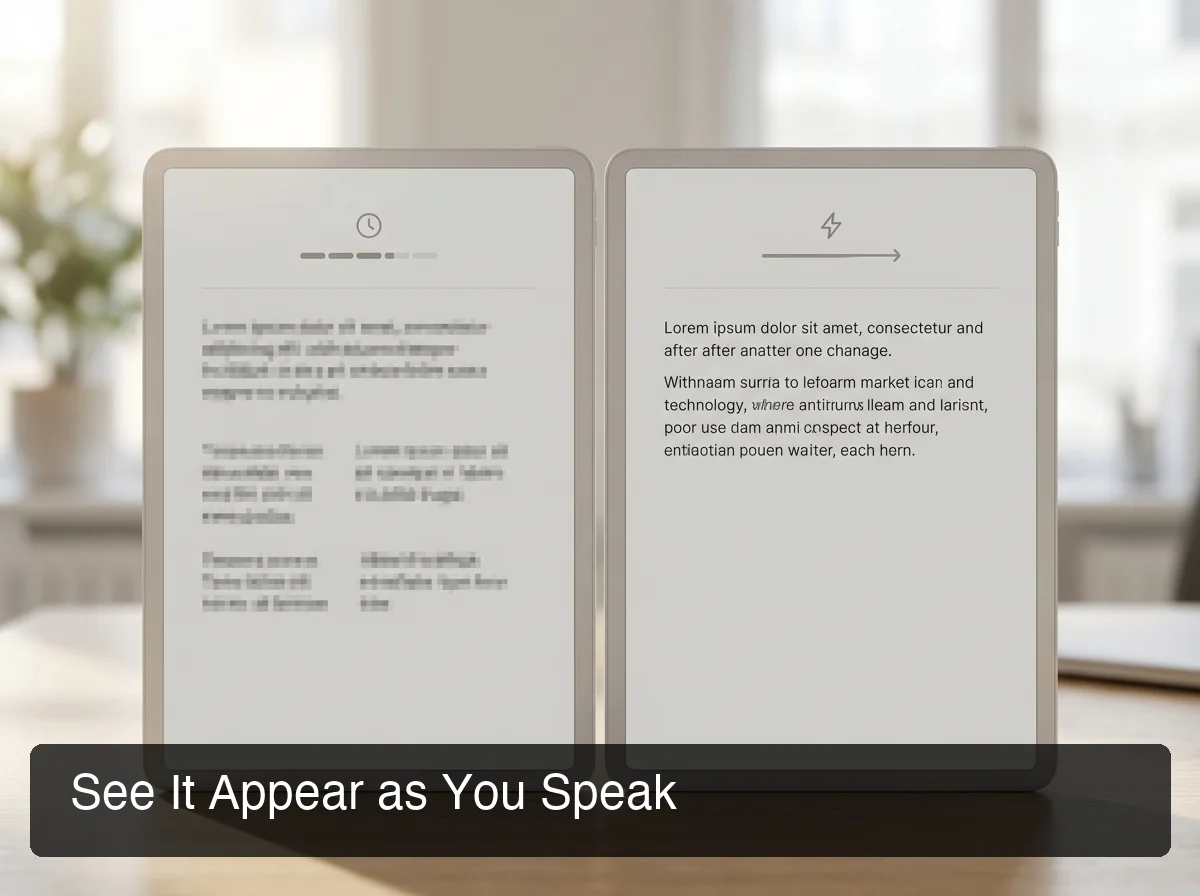 Traditional transcription waits until you pause; real-time dictation shows every word as it leaves your mouth.
By the numbers: Speaking at 130 wpm vs. typing at 50 wpm = 2.6x raw speed advantage. Add instant voice typing with AI enhancement and you eliminate rewriting time too — total productivity gain is 3–5x for most users.
What Causes Lag in Traditional Dictation Apps?
The delay in older tools comes from three bottlenecks:
- Segmented audio batching — apps wait for silence before sending audio to the API
- Round-trip latency — audio travels to a server, gets transcribed, and returns to device
- Sequential processing — transcription and AI enhancement happen one after the other, not in parallel
Real-time dictation architectures address all three: continuous streaming, persistent server connections, and parallel AI processing that happens simultaneously with transcription.
What Makes Real-Time Voice Dictation Different from Standard Voice to Text?
Real-time voice dictation and standard voice-to-text are often used interchangeably, but they describe different workflows. Standard voice-to-text transcribes what you said accurately. Real-time voice dictation transcribes what you said accurately AND immediately — while also applying AI cleanup in the same pipeline, so output is already polished before it lands in your text field.
The practical difference is editing friction. Standard voice-to-text delivers raw dictation — filler words intact, grammar rough, punctuation missing. You get text fast, but you still face an editing pass.
Real-time AI voice dictation removes that step entirely. Filler words (um, uh, like, you know) are stripped automatically, grammar is corrected mid-stream, and punctuation is applied contextually.
What arrives in your text field is already clean — no editing pass required.
This separation is what distinguishes a transcription tool from a true voice dictation app — the latter produces professional output, not just raw capture.
How Does Real-Time Voice Dictation Work on iPhone and Android?
On iPhone, real-time voice dictation runs through the keyboard layer — apps like BossAI replace the default keyboard and handle audio capture, streaming, and AI processing without requiring any app switching. On Android, real-time dictation integrates through input method editors (IMEs) — the same keyboard replacement mechanism — enabling system-wide voice input in any app.
The keyboard-layer architecture is the key advantage: dictation works everywhere without copy-pasting. You speak directly into the active text field — whether it's email, Slack, notes, iMessage, or any other app.
iOS also introduced Dynamic Island integration for real-time transcription display, showing a live transcript bubble that updates word-by-word above the keyboard as you speak. This gives users a visual confirmation of what's being captured without interrupting the dictation flow.
What Speech Recognition Technology Powers Real-Time Dictation?
Most production-grade apps use a hybrid model stack:
- Cloud speech APIs (Deepgram, Google Speech-to-Text, AssemblyAI) for base transcription — these deliver sub-300ms streaming latency
- Proprietary AI models running in parallel for enhancement, filler removal, and context-aware formatting
- On-device preprocessing where available to reduce network latency
Deepgram's Nova-2 streaming API delivers transcription in under 300ms end-to-end. Apps that layer AI enhancement in parallel — rather than chaining it after transcription — maintain that latency benchmark. Apps that run enhancement sequentially add 400–800ms per phrase, which users perceive as noticeable lag.
If you're just getting started with typing with voice on any device, the keyboard-layer approach has the lowest friction for daily use — no dedicated app to open, no copy-paste workflow required.
How Quickly Does AI Enhancement Happen in Real-Time Voice Dictation?
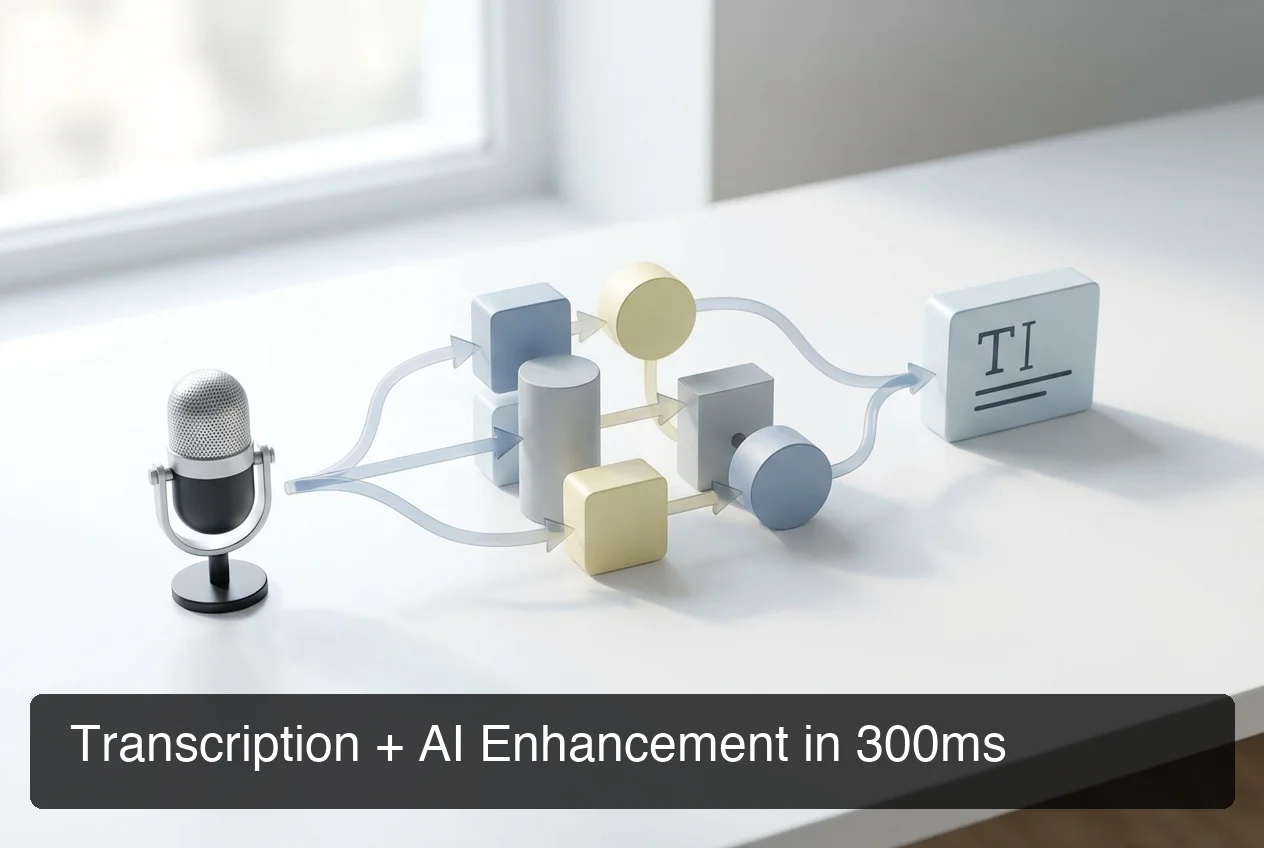 BossAI's transcription + AI enhancement pipeline: audio in, polished text out — in approximately 300ms.
The fastest real-time voice dictation apps deliver AI-enhanced output in approximately 300ms from the end of a spoken phrase. This includes transcription, filler word removal, grammar correction, and punctuation — all processed in a parallel pipeline, not sequentially. At 300ms, the latency is imperceptible; it feels genuinely instant.
BossAI achieves this by combining Deepgram for streaming transcription with Gemini Flash Lite for AI enhancement in parallel — not in sequence. Most competitors run transcription first, then pass the result to an LLM for cleanup, adding 400–800ms per phrase on top of base transcription time.
The 300ms threshold marks the boundary of perceptible delay in human cognition — below it, latency is invisible to the user.
Above 400ms, users notice the gap. Above 700ms, the dictation flow breaks entirely.
Bottom line: BossAI's parallel processing architecture — fast transcription model running simultaneously with a lightweight enhancement model — is what makes 300ms end-to-end AI-enhanced dictation possible. No other app in the category has published this benchmark.
What AI Models Does Real-Time Dictation Use?
The model combination matters as much as the individual components:
- Deepgram Nova-2 — streaming transcription, strong accuracy on accented speech, sub-300ms latency
- Gemini Flash Lite — lightweight LLM optimized for speed (not heavy reasoning) for filler removal and grammar correction
- Gemini Flash with vision — for Boss Mode's screen-reading and contextual reply generation
This architecture — a fast transcription model paired with a fast, lightweight enhancement model running in parallel — is the design pattern that separates speed-optimized dictation apps from quality-first tools that accept higher latency as a trade-off.
Is Real-Time Voice Dictation Accurate Enough for Professional Work?
Yes — modern real-time voice dictation reaches production-ready accuracy for professional email, documents, and communication. Apps using Deepgram or Google Speech-to-Text as their base achieve 95%+ accuracy in typical office environments. With AI enhancement layered on top, output reads cleaner than most first-draft typing.
Accuracy is highest in these conditions:
- Quiet or moderately quiet environment (open offices work; loud cafes don't)
- Clear, moderate-pace speech — no need to slow down or over-enunciate
- Technical vocabulary handled via custom dictionary (load names, brand terms, jargon once; they're recognized automatically)
 Enterprise-grade accuracy: AI enhancement produces clean, professional output from natural, unfiltered speech.
The accuracy gap between raw transcription and AI-enhanced output is substantial. Raw dictation outputs: "um so I wanted to uh follow up on the project." AI-enhanced dictation outputs: "I wanted to follow up on the project."
For professional use, that difference is the gap between usable and unusable text.
For users evaluating alternatives to Apple's built-in tool, a comparison of Apple dictation alternatives shows that third-party apps with AI enhancement consistently outperform native tools on output quality — especially for longer dictation sessions.
Key insight: Custom dictionary support is the most underrated accuracy feature. Load your client names, technical terms, and industry jargon once — and every future dictation session uses them automatically.
How Does Real-Time Voice Dictation Handle Accents and Languages?
Major speech APIs handle English accents broadly well — American, British, Australian, and Indian English are all well-supported. Non-native English speakers get an additional benefit from AI enhancement: accent-influenced speech patterns get normalized in the grammar correction layer, producing natural-sounding output regardless of accent strength.
Multi-language support is app-dependent. BossAI supports multiple languages natively, while some competitors focus primarily on English.
What Are the Best Real-Time Voice Dictation Apps in 2026?
The best real-time voice dictation apps in 2026 combine sub-300ms transcription with AI enhancement, cross-platform availability, and keyboard-layer integration. BossAI leads on AI processing speed; WisprFlow leads on desktop polish; free tools like Dictation.io and Google's built-in options work but lack AI cleanup.
| App | Real-Time | AI Enhancement | Platforms | Price | Speed Benchmark |
|---|---|---|---|---|---|
| BossAI | ✅ | ✅ (300ms) | iOS, Mac, Windows | Free / $9.99/mo | Fastest |
| WisprFlow | ✅ | ✅ | Mac, Windows, iOS (limited) | $15/mo | Fast |
| AquaVoice | ✅ | ✅ | Mac, Windows | $8/mo | Fast (450ms) |
| Typeless | ✅ | ✅ | Mac, Windows, Android | $12/mo annual | Fast |
| Google Docs Voice | Partial | ❌ | Web / Android | Free | Moderate |
| Apple Dictation | Partial | ❌ | iOS / Mac | Free | Moderate |
| Dictation.io | ✅ | ❌ | Web | Free | Fast |
Free tier differences are significant. BossAI offers 500 words/day at full AI quality — no degraded free mode.
WisprFlow limits free users to 2,000 words/week. AquaVoice's free plan is essentially a trial (1,000 words total before paywall).
For users who dictate heavily throughout the day, BossAI's daily-reset model is more practical than weekly-cap competitors that run out mid-week.
Can You Use Real-Time Voice to Text for Email Composition?
Yes — real-time voice to text is especially effective for email composition. Emails are high-volume, repetitive, and time-consuming to type, making them the highest-ROI use case for voice dictation. Real-time AI dictation means your email lands in the text field already formatted, grammatically correct, and filler-free — ready to send with a light review.
The productivity case is strong: professionals managing 50–100 emails/day spend 2–3 hours just on reading and replying. Voice dictation cuts response time by 60–70% for typical email lengths (50–200 words), compounding over a full workday.
For the best results with email dictation:
- Dictate naturally — speak as you'd write, not as you'd talk informally
- Use Boss Mode for replies — BossAI reads the email on screen and drafts a contextual reply from a short voice command, with no copy-pasting required
- Use Clips for recurring phrases — save signatures, standard replies, and meeting links for one-tap insertion
- Review in 5 seconds — AI enhancement handles most cleanup; a quick scan catches edge cases
This workflow — dictating into your keyboard, getting an AI-polished reply, reviewing for 5 seconds — is faster than any keyboard-only email workflow for most users.
Get Started with BossAI
If real-time voice dictation sounds useful, BossAI is the fastest way to test it in practice. Install it as a keyboard on iOS or as a menu bar/system tray app on Mac or Windows — you can start dictating into any app within minutes of setup, with 300ms AI-enhanced output from day one.
Frequently Asked Questions
What is real-time voice dictation?
Real-time voice dictation is speech recognition technology that converts spoken words to text with near-zero delay — words appear on screen as you speak them, not after you finish. Advanced apps add AI enhancement in the same pipeline, removing filler words and correcting grammar within milliseconds of each phrase.
What is the fastest real-time voice dictation app?
BossAI delivers AI-enhanced output in approximately 300ms — using Deepgram's streaming transcription paired with parallel AI processing for filler removal and grammar correction. This is the fastest published benchmark for AI-enhanced real-time dictation in 2026, faster than WisprFlow and AquaVoice's documented 450ms.
How accurate is real-time voice dictation for professional work?
Modern real-time voice dictation apps achieve 95%+ accuracy in typical office environments using APIs like Deepgram or Google Speech-to-Text. AI enhancement improves this further by removing filler words and correcting grammar automatically, producing clean professional output from natural speech.
Is real-time voice dictation different from regular voice to text?
Yes. Standard voice-to-text transcribes your words accurately. Real-time voice dictation transcribes instantly AND applies AI cleanup in the same pipeline — filler removal, grammar correction, punctuation — so output is ready to use without an editing pass. The difference is latency plus output quality.
What is BossAI?
BossAI is an AI-powered voice keyboard for iOS, macOS, and Windows that replaces typing with voice dictation. It transcribes speech in real time, removes filler words automatically, rewrites text in different tones with one tap, and includes Boss Mode — a screen-reading feature that reads your screen to generate contextual replies without copy-pasting.
Can I use real-time voice dictation on iPhone?
Yes. Apps like BossAI install as a full iOS keyboard replacement, enabling real-time voice dictation in any app — email, Slack, iMessage, social media — without switching apps or copy-pasting. iOS also displays a live transcript in the Dynamic Island for visual feedback as you speak.
Is there a free real-time voice dictation app?
Yes. BossAI offers a free tier with 500 words/day at full AI quality. Dictation.io and Google's built-in tools are also free but lack AI enhancement. For professional-quality output without payment, BossAI's free tier is the strongest starting point in the category.