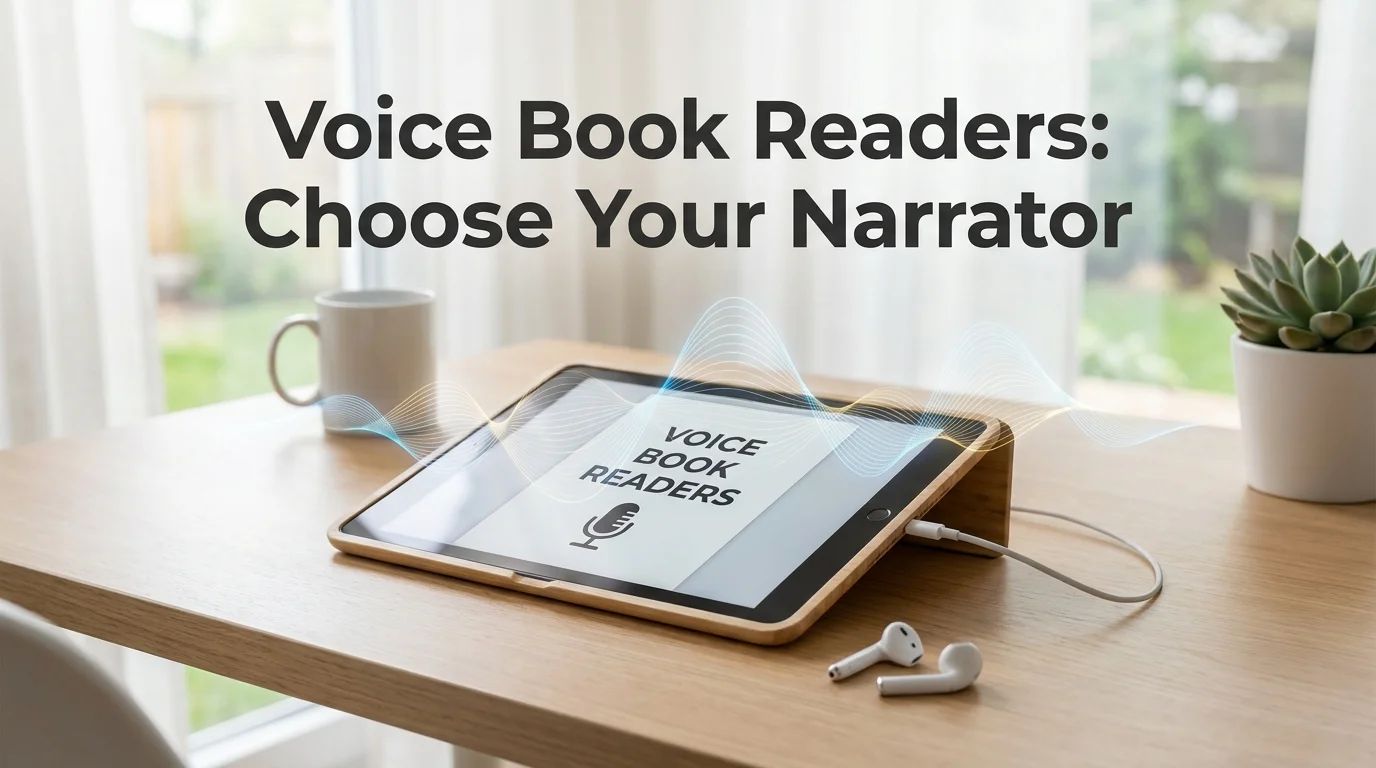
Voice Book Reader: Speed, Quality & Price Compared
A voice book reader can narrate an average 300-page novel in roughly 5-6 hours at normal speed — and under 3 hours if you push playback to 2x. Free tiers cap out at robotic-sounding default voices; paid neural TTS runs $50-100 a year for something close to human. Six platforms dominate search volume for this category, and their prices, formats, and voice quality vary more than most comparisons let on.
Key Takeaways
- Voice book readers use text-to-speech (TTS) technology to narrate written text aloud, turning reading into listening without human narration overhead.
- They ship as dedicated apps (Kindle, Google Play Books, Natural Reader), browser extensions, and built-in features inside ebook platforms.
- Voice quality ranges from robotic (free, generic engines) to near-human (premium neural TTS with cloned or studio-trained voices).
- Pricing spans free-with-limits to $50+ a year for multi-language voice packs, offline playback, and premium narrators.
- Speed, accent handling, and pronunciation accuracy vary enough between apps that testing the free tier before paying is worth the ten minutes it takes.
What Is a Voice Book Reader?
A voice book reader is software that converts written text — ebooks, PDFs, articles, or web pages — into spoken audio using text-to-speech technology, letting you listen instead of read. Unlike audiobooks, which use a human narrator recorded in a studio, a voice book reader generates narration in real time from whatever text you feed it.
Audiobooks are professionally produced, so the catalog and price are fixed per title. A voice book reader works on anything you paste, upload, or open — a research paper, a Kindle book, a PDF report — with no recording budget required.
Most people meet voice book readers as a built-in feature first: Kindle's Immersive Reading, Google Play Books' TTS toggle, or Apple Books' Spoken Content setting. Dedicated apps like Speechify, Natural Reader, and ElevenReader add faster playback, custom voices, and offline listening.
How Fast Can Voice Book Readers Narrate a Full Book?
Most voice book readers default to 150-180 words per minute — close to natural human speech — but let you push playback to 300-400+ WPM, cutting a typical novel from six hours down to under three. Speed scales linearly with comprehension loss past a point, so the ceiling that's actually useful depends on familiarity with the material.
| Platform | Default Speed | Max Speed | Time for 90,000-word novel |
|---|---|---|---|
| Kindle (Immersive Reading) | ~150 WPM | 1.5x native | ~7 hours |
| Speechify | ~150 WPM | Up to 900 WPM (claimed) | 1.5-6 hours |
| Natural Reader | ~150 WPM | Up to 4x | 2.5-6 hours |
| ElevenReader | ~160 WPM | Up to 3x | 3-5.5 hours |
| Google Play Books | ~150 WPM | 2x | ~6 hours |
By the numbers: A 90,000-word novel at the widely-used "2x comfortable comprehension" ceiling takes roughly 3 hours to finish — about half the time of listening at native speed.
Speed alone isn't the full story, though. A voice that sounds robotic at 1x becomes borderline unlistenable at 3x, which is why voice quality and speed have to be evaluated together, not as separate specs on a box.
Which Voice Book Reader App Has the Most Natural-Sounding Voice?
Neural TTS engines from ElevenReader, Speechify, and Natural Reader's premium tier currently produce the most natural-sounding narration, with intonation and pacing close to a human narrator — free built-in options from Kindle and Google Play Books sound noticeably more mechanical by comparison. The gap comes down to the underlying model: free tiers typically run older, lighter-weight TTS engines to keep costs down.
- ElevenReader — built on ElevenLabs' voice cloning tech, widely cited as the most human-sounding free option in the category.
- Speechify — a large voice library (including celebrity-licensed voices on paid plans) with consistently smooth pacing.
- Natural Reader — premium AI voices are close to studio quality; the free tier reverts to a more generic engine.
- Kindle / Google Play Books / Apple Books — functional but flatter intonation, no custom voice options.
Reality check: Voice naturalness is subjective enough that a free 5-minute trial of each app's default voice tells you more than any spec sheet comparison — including this one.
How Do Voice Book Readers Handle Accents and Pronunciation?
Most voice book readers mispronounce uncommon names, character names, and technical jargon by default, and only a handful let you correct the pronunciation once and have it stick. Reddit threads on r/audiobooks are full of readers complaining about a fantasy character's name being butchered every single chapter — a problem generic TTS engines don't solve out of the box.
Custom vocabulary controls separate the better apps from the rest. Some readers let you flag a word and pick an alternate pronunciation; fewer let you set standing rules that apply across every document, not just the one you're currently reading.
BossAI, which sits on the dictation side of the voice workflow rather than the read-aloud side, faces a related problem in reverse: its Custom Instructions field lets Pro users store up to 600 characters of standing formatting and vocabulary rules — spelling conventions, recurring names, jargon — applied automatically to every dictation. Same underlying friction, opposite direction.
How BossAI Helps Writers Draft Better Books Faster
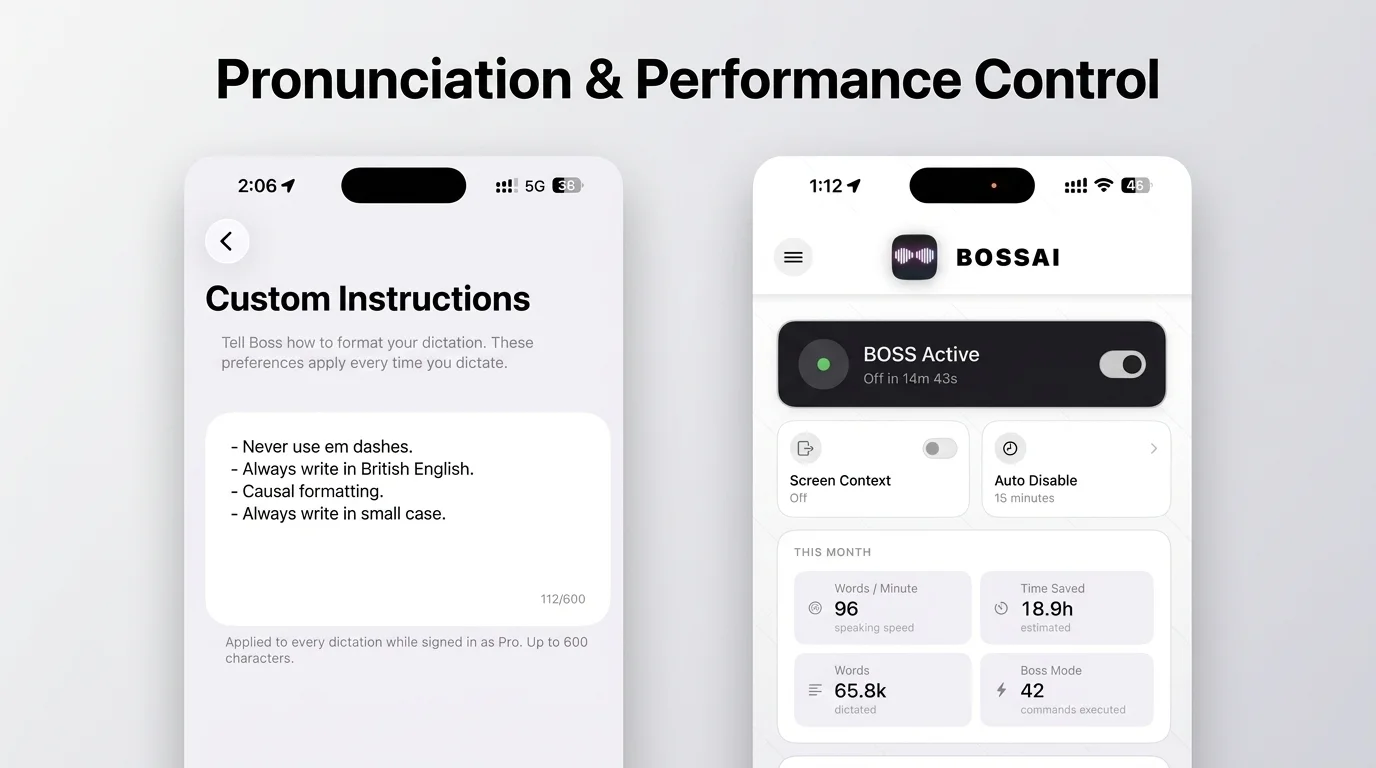 BossAI's Custom Instructions field (left) and dictation activity tracking (right) — the writing-side counterpart to a voice reader's playback controls.
Writers who use a voice book reader to proof their own manuscripts hit this problem on the way in rather than the way out. Dictating a book by speaking chapters instead of typing them drafts faster, but raw output needs cleanup before it reads naturally.
BossAI is an AI voice keyboard for iPhone and Android, and a voice-to-text app for Mac and Windows, that removes filler words, fixes grammar, and formats text as you speak. Once the draft exists, a voice book reader becomes the proofing tool — listening to your own manuscript surfaces awkward phrasing a silent read-through misses. Writers already using Google Docs voice typing for rough drafts often find the raw transcription too messy to work from directly, which is the gap BossAI's grammar layer closes.
The Best Voice Book Reader Apps for 2026
 The most-searched voice book reader apps, spanning free built-in tools and dedicated paid software.
The most widely used voice book reader apps are Kindle's Immersive Reading, Google Play Books, Apple Books, Natural Reader, and Speechify — each covering a different slice of free-versus-paid and platform-specific needs.
- Kindle (Immersive Reading) — free for titles with matching audiobook narration; not a general-purpose TTS tool.
- Google Play Books — free built-in TTS for any ebook in the library; limited voice customization.
- Apple Books — Spoken Content accessibility feature across iOS and Mac; system voices only.
- Natural Reader — free tier plus a paid tier ($99.50-149.50/year) unlocking premium AI voices.
- Speechify — browser extension, mobile, and desktop support; premium plan around $139/year.
A broader look at Speechify alternatives covers dictation and TTS options side by side, and a deeper breakdown of Speechify's voice options is worth reading before committing to a paid voice library.
What's the Price Range for Quality Voice Book Reader Software?
Voice book reader pricing runs from free (with word limits, generic voices, or ads) to roughly $150 a year for premium multi-language neural voices, offline playback, and unlimited document uploads. The jump from free to paid usually buys three things: more natural voices, higher document limits, and offline listening.
| Tier | Typical Price | What You Get |
|---|---|---|
| Free | $0 | Basic TTS, generic voice, ads or word/document caps |
| Mid-tier | $50-100/year | Premium voices, higher upload limits, offline mode |
| Premium | $100-150/year | Multi-language voice packs, custom voice cloning, priority support |
Worth knowing: Most paid tiers offer a 7-14 day free trial — enough time to test whether the premium voice actually sounds different enough from free to justify the annual cost.
How Do You Balance Voice Quality and Reading Speed?
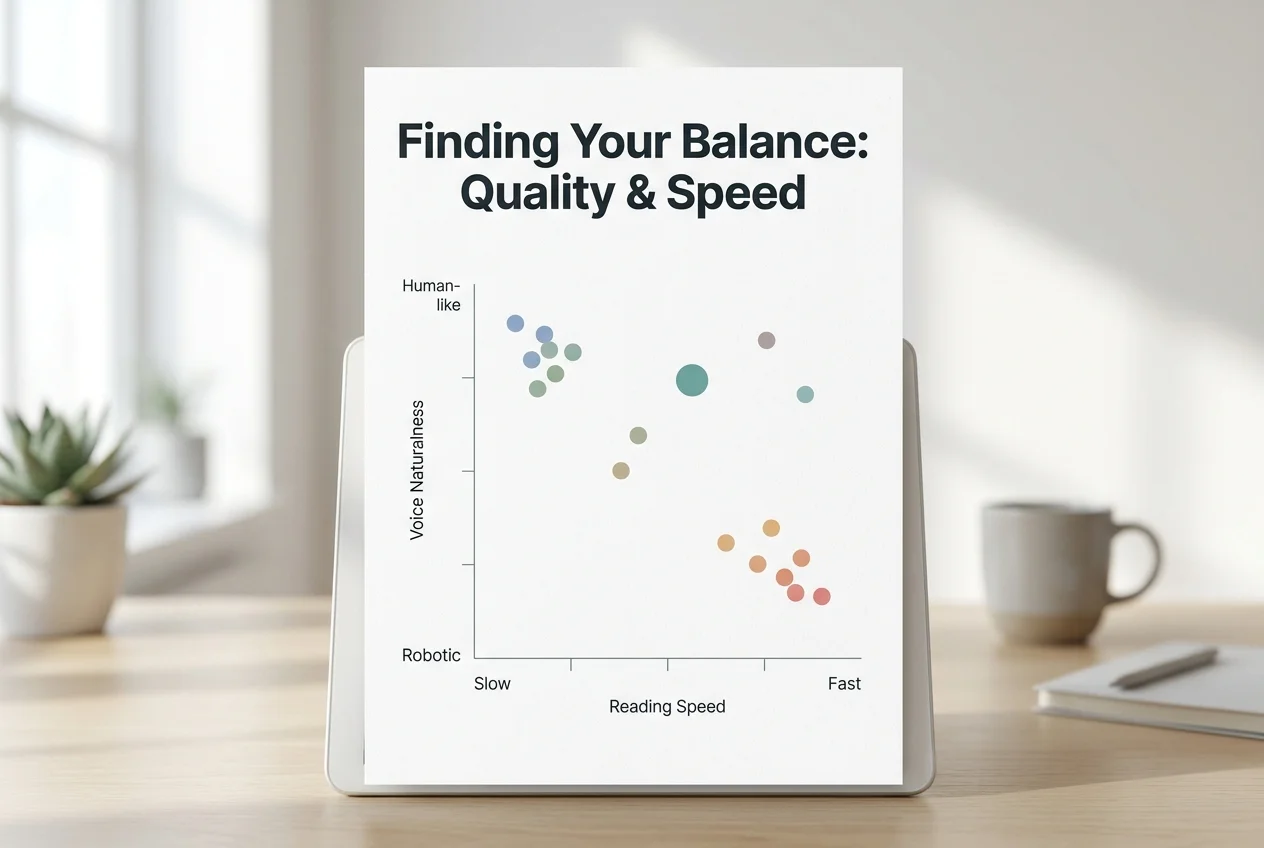 Pushing playback speed past roughly 2.5x starts to erode comprehension faster than it saves time, regardless of how natural the base voice sounds.
The best balance for most listeners sits around 1.5-2x playback speed on a premium neural voice — fast enough to save real time, slow enough that comprehension doesn't drop off. Past roughly 2.5x, even the most natural voices start to blur syllables together, and the speed advantage stops being worth the lost retention.
Familiarity with the material changes this ceiling. A second listen-through of a manuscript you wrote yourself tolerates much higher speeds than a first pass through unfamiliar technical writing — which is one reason writers proofing their own drafts often push speed higher than someone reading a new novel for pleasure.
Can You Use Voice Book Readers for Ebooks and PDFs?
Yes — most voice book readers handle EPUB, PDF, and plain text natively, though scanned PDFs (images of text rather than selectable text) need an OCR pass first before the TTS engine can read them. Native-format ebooks and web articles work out of the box in nearly every app on this list.
- EPUB and Kindle formats — supported directly by Kindle, Google Play Books, and most dedicated apps.
- Text-based PDFs — supported by Speechify, Natural Reader, ElevenReader, and Voice Dream Reader.
- Scanned/image PDFs — need OCR conversion first, offered as a paid feature by Natural Reader and Speechify.
- Web pages and articles — covered by browser extensions from Speechify, Natural Reader, and TTSReader.
Professionals juggling written and spoken formats daily — reading reports aloud, triaging Slack transcripts — increasingly treat voice reading and dictation as two halves of one workflow.
Get Started with BossAI
If you're already speaking your drafts instead of typing them, BossAI cleans up the dictation side of that workflow — filler words removed, grammar fixed, formatted for whatever app you're writing in.
Not ready to try it yet? Get Our AI Productivity Guide — free tips on working faster with AI.
FAQ
How can I get a book read aloud to me? Open the book in a voice book reader app — Kindle's Immersive Reading, Google Play Books, or a dedicated app like Speechify or Natural Reader — and toggle on text-to-speech. Most apps let you adjust voice, speed, and pitch before you start listening.
Is there a free voice book reader available? Yes. Kindle, Google Play Books, and Apple Books all include free built-in text-to-speech, and dedicated apps like ElevenReader and TTSReader offer free tiers with word or document limits. Paid tiers unlock premium voices and offline playback.
What app can I use to read books in different voices? Speechify and Natural Reader both offer voice libraries with multiple accents and tones on their paid plans; ElevenReader includes several natural-sounding voices even on its free tier. Free built-in options (Kindle, Google Play Books) typically offer only one or two system voices.
Is BossAI free? Yes. BossAI's free plan includes 500 words of dictation a day, and the allowance resets daily. Pro makes everything unlimited — dictation, Boss Mode, Rewrite, every tone and all Clips — and the 7-day trial needs no account.
What makes BossAI different from other voice tools? BossAI focuses on the input side of voice work — turning speech into polished text — rather than the output side that voice book readers cover. Its standout features are Boss Mode (reads your screen to draft contextual replies), Clips for instant paste, and one-tap tone rewriting, none of which competing dictation apps offer together.