

Voice Journaling: Speed, Accuracy & Best Apps
Voice Journaling: The Data on Speed, Accuracy, and the Best Apps
One BossAI user's dashboard tells the whole story in three numbers: 65,800 words dictated, 18.9 hours saved, and a real average speaking pace fast enough to outrun typing by more than 65% on the same content. That's not a marketing estimate — it's what shows up when you check the usage stats on your own phone.
Voice journaling turns that math into a daily habit. Instead of opening a blank page and staring at it, you talk, and the words land as clean, formatted text almost as fast as you can think them.
Key Takeaways
- Voice journaling captures thoughts 40–65% faster than typing, and AI transcription needs little to no manual cleanup afterward.
- One BossAI dashboard shows 65,800 words dictated in a single month, saving 18.9 hours compared to typing the same content by hand.
- Voice journaling is a genuine option for people managing RSI, carpal tunnel, or arthritis — it requires zero hand movement beyond tapping "start."
- The best apps split by use case: BossAI and Willow for AI-cleaned dictation, Otter for meeting-style recordings, Apple Voice Memos for a free built-in option, Day One for journal-specific organizing.
- Start with 5–10 minutes a day. Most new voice journalers say the pressure to "write well" disappears the moment they stop typing.
What Is Voice Journaling?
Voice journaling is the practice of recording spoken reflections instead of writing them, using an app that either stores the raw audio, transcribes it to text, or both. Modern tools go a step further than a plain voice memo — they use AI to clean up filler words, add punctuation, and turn a rambling two-minute recording into a readable paragraph you can search and revisit later.
The format sits between two older habits people already know. Handwritten journaling asks you to slow down and shape every sentence. A quick voice memo asks nothing of you at all, but leaves you with an audio file nobody wants to replay. Voice journaling with AI transcription gets the low friction of talking and the searchable, reviewable output of writing.
How Much Faster Is Voice Journaling Than Typing?
Speaking produces usable text roughly 40–65% faster than typing it out, largely because thinking out loud removes the pause-and-revise cycle that slows down a keyboard. The average adult types around 40–60 words per minute. Speech, even at a conversational pace, regularly clears 100+ words per minute — and AI transcription now cleans that speech into publish-ready text without a separate editing pass.
That gap compounds over a real journaling habit. Ten minutes of talking covers roughly the same ground as 20–25 minutes of typing, once you count the time typists spend backspacing and rereading.
| Metric | Typing | Voice Journaling (AI-Assisted) |
|---|---|---|
| Average output speed | ~40–60 words/min | ~100–140 words/min |
| Editing needed after draft | Manual, ongoing | Minimal — AI removes filler words automatically |
| Words per 10-minute session | ~500 | ~1,000–1,400 |
| Physical hand movement | Continuous | Near-zero |
By the numbers: A BossAI dashboard tracking one active user's month shows 65,800 words dictated and 18.9 hours saved against typing the same volume — a real, on-device figure, not a projection.
Can Voice Journaling Reduce Hand Strain and RSI?
Yes — voice journaling removes the repetitive keystroke motion that drives most typing-related hand strain, making it a practical option for people managing RSI, carpal tunnel, or arthritis. Because the entire entry is spoken, there's no sustained finger flexion, no wrist extension against a flat keyboard, and no clicking through formatting menus.
This matters more than it sounds. Journaling is supposed to be a stress-reduction habit, and for people already dealing with hand pain, a typing-heavy journal can quietly work against that goal. We've covered the underlying mechanics of typing-related strain in more depth in our breakdown of whether typing causes carpal tunnel syndrome — voice input is one of the few habit changes with real evidence behind it, not just a home remedy.
Voice journaling doesn't require you to abandon a keyboard entirely, either. Most people start by voice journaling without typing at all for the reflective entries, then switch back to a keyboard for anything that needs heavy editing.
What Are the Best Apps for Voice Journaling?
BossAI, Otter, Apple Voice Memos with Transcript, and Day One cover the four most common use cases — AI-cleaned dictation, meeting-style recording, a free built-in option, and journal-specific organization, respectively. No single app wins every category; the right pick depends on whether you want polished text, raw audio, or a dedicated journaling interface.
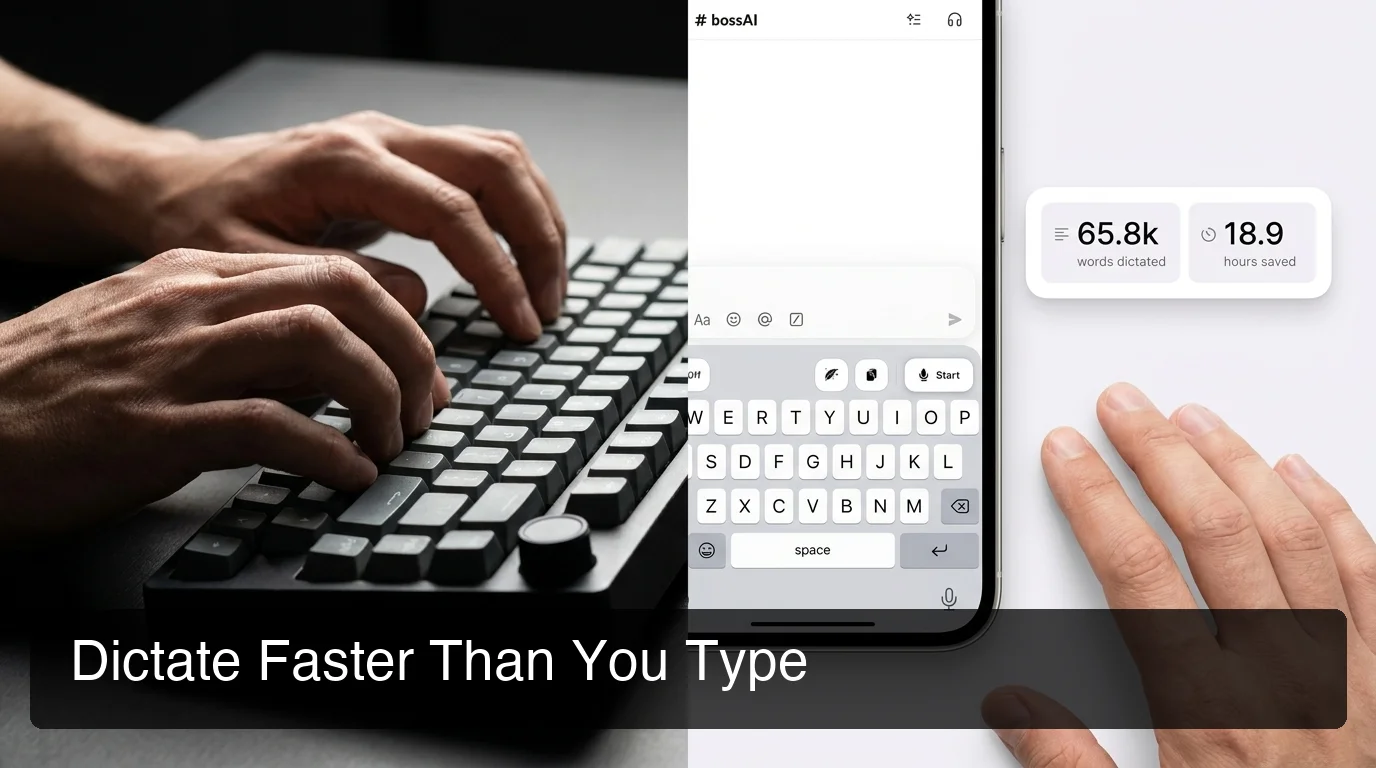 Typing requires continuous keystrokes; dictating with an AI keyboard removes that step entirely — real usage data from a BossAI dashboard.
| App | Best For | Transcription | Platforms | Free Tier |
|---|---|---|---|---|
| BossAI | Clean, hands-free journaling in any app | AI-enhanced, filler-word removal, tone rewrite | iOS, Android, macOS, Windows | 500 words/day, no weekly cap |
| Otter | Meeting-style, longer recordings | AI transcription, speaker labels | iOS, Android, Web | 300 min/month |
| Apple Voice Memos + Transcript | Free, built-in recording | On-device transcript (iOS 17+) | iOS, macOS | Free, unlimited |
| Day One | Dedicated journal organization with tags | Basic voice-to-text | iOS, Android, macOS | Limited entries |
BossAI works a little differently from the others on this list because it isn't a standalone journaling app — it's a keyboard replacement that runs inside whatever app you're already using, journal or otherwise. Open your notes app, tap the microphone, and start talking; the filler words and stumbles get cleaned up in real time before the text ever lands on the page.
Get Started with BossAI
If you've been putting off journaling because typing feels like a chore, voice is the lower-friction path in. BossAI cleans up your spoken words into publish-ready text the moment you stop talking — no separate transcription step, no editing pass.
How Accurate Is AI Transcription for Voice Journals?
Modern AI transcription handles quiet, single-speaker environments — the typical setting for personal journaling — with high accuracy, and automatically strips filler words like "um," "uh," and "like" that built-in dictation tools leave in. Accents, background noise, and unusual names still cause the occasional error, which is why a custom dictionary feature (available in tools like BossAI) matters more than raw model quality once you're journaling regularly.
The gap between "technically accurate" and "actually usable" comes down to formatting. Apple's built-in dictation transcribes words correctly but leaves punctuation and paragraph breaks up to you. AI-enhanced tools add both automatically, which is the difference between a wall of run-on text and something you'd actually want to reread. For the mechanics of how that transcription pipeline works end to end, see our guide to transcribing audio to text.
Should You Start Voice Journaling? Pros, Cons, and Getting Started
Voice journaling is worth trying if typing feels like a barrier to consistency, but it's not a full replacement for handwriting if you value the physical, tactile side of the habit. Weigh the trade-offs before committing to one format over the other.
Reasons it works well:
- Removes the blank-page freeze — talking feels more natural than staring at a cursor
- Captures thoughts during commutes, walks, or driving (hands-free)
- Reduces hand strain for people with RSI or joint pain
- AI cleanup means entries are readable without a manual editing pass
Where it falls short:
- Requires some privacy — not ideal in shared or public spaces
- Raw audio without transcription is hard to skim or search later
- Some people process thoughts differently on paper than out loud
Worth knowing: Most people who stick with voice journaling start small — a five-minute entry after waking up or before bed — rather than trying to replace a full handwritten practice on day one.
To start: pick a consistent trigger (morning coffee, commute, bedtime), open a dictation-friendly app, and talk for five minutes without editing yourself. The AI cleanup handles the rest.
What Features Should You Look for in a Voice Journaling App?
Look for automatic filler-word removal, punctuation and formatting, a searchable archive, and cross-app support — features that separate a real voice journaling tool from a basic voice memo recorder. A plain recorder captures audio; a voice journaling app turns that audio into something you'll actually revisit.
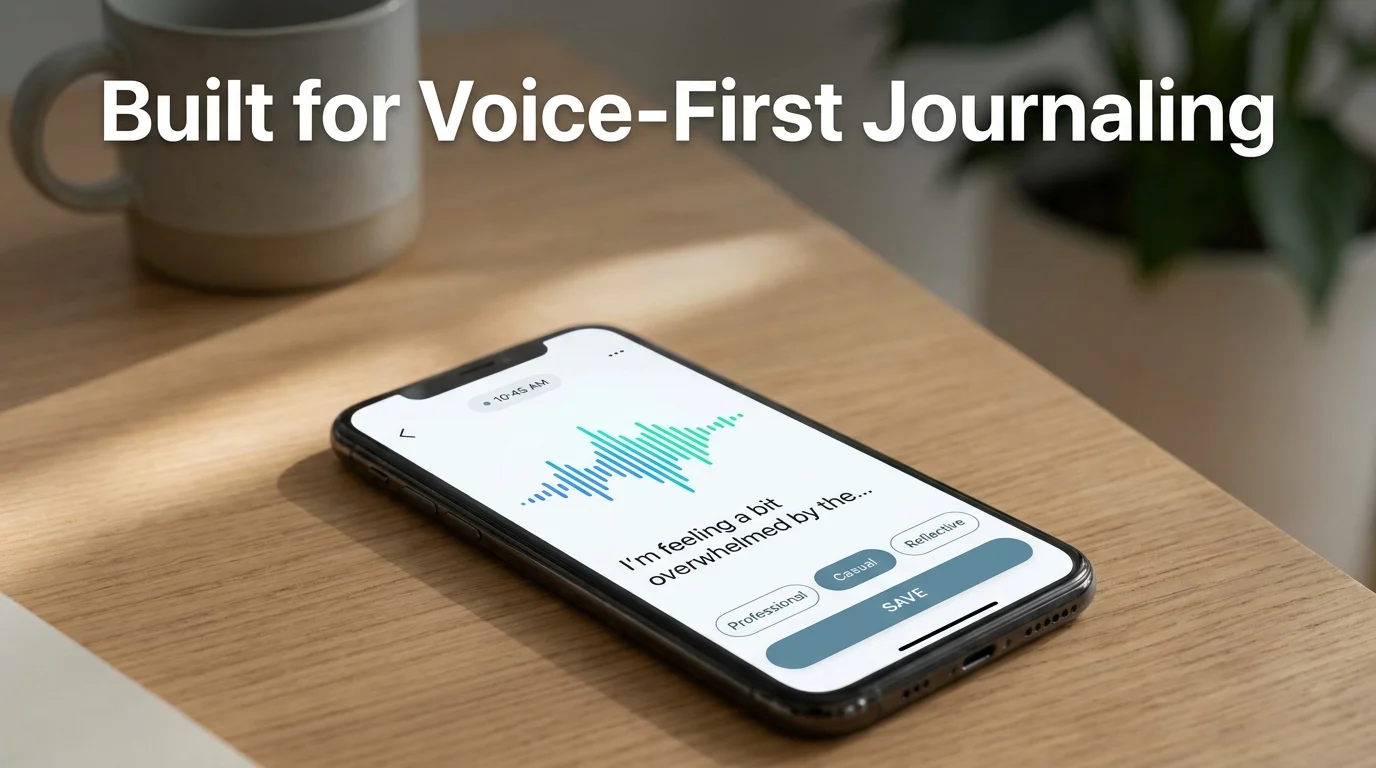 A tone selector lets the same spoken entry read differently depending on whether it's a private reflection or notes you'll share later.
Also worth checking:
- Custom vocabulary support — so names and specific terms transcribe correctly every time
- Cross-app dictation — the same voice input works in your journal, notes app, or email, not just one locked-in interface
- Privacy handling — whether audio is stored, and for how long
- Tone or formatting options — useful if you journal for both personal reflection and professional notes (voice journaling in Microsoft Word or during email replies works the same way once the underlying dictation engine is solid)
FAQ
What is voice journaling? Voice journaling is recording spoken reflections instead of writing them, typically using an app that transcribes the audio to text. AI-powered versions clean up filler words and formatting automatically, producing readable entries without a manual editing step.
Is voice journaling as effective as writing? Research on reflective writing generally supports both formats, since the cognitive benefit comes from articulating thoughts, not the specific medium. Voice journaling often produces more entries overall because it removes the friction that causes people to skip writing sessions.
Does BossAI work for journaling specifically? Yes. BossAI isn't a dedicated journal app, but its voice keyboard works inside any notes or journaling app on iOS, Android, macOS, or Windows, transcribing speech into clean text with filler words and grammar corrected automatically as you talk.
Can voice journaling help with anxiety or stress? Many users report lower "content anxiety" with voice journaling because there's no blank page or perfectionism about wording — you just talk. It doesn't replace clinical treatment, but as a low-friction reflection habit, it removes a common barrier to consistency.
Is voice journaling private and secure? It depends on the app. BossAI does not store voice or text data on its servers — processing happens in real time and is discarded immediately after. Check any app's privacy policy before journaling about sensitive topics.