
Superwhisper for Windows: Setup, Limits & Alternatives
Millions of Mac users swear by Superwhisper. But if you're on Windows — searching "Superwhisper for Windows" — you're asking a very specific question: does it actually work, and is it worth it?
Key Takeaways
- Superwhisper is available on Windows 10 and 11, but it launched as a Mac-first tool and the Windows version lags behind in some features
- Windows users get Superwhisper's core dictation and offline transcription, but miss out on deeper macOS integrations and Apple Silicon performance optimizations
- Windows built-in dictation (Win+H) is free but lacks AI enhancement, filler word removal, and custom vocabulary
- BossAI is a Windows-native alternative offering AI-enhanced dictation, screen-reading (Boss Mode), one-tap rewrite, and Clips — all at $9.99/month
- Choosing the right voice tool for Windows depends on accuracy needs, budget, and whether you need screen-aware AI features
Contents
- What Is Superwhisper for Windows?
- Is Superwhisper Available for Windows?
- How Does Superwhisper for Windows Work?
- How Does Superwhisper Compare to Windows Built-In Dictation?
- How Accurate Is Superwhisper vs Windows Dictation Tools?
- What Are the Best Superwhisper Alternatives for Windows?
- Can BossAI Replace Superwhisper on Windows?
- Download BossAI for Windows
- Frequently Asked Questions
What Is Superwhisper for Windows?
Superwhisper is an AI voice-to-text tool that lets you dictate in any app using OpenAI Whisper-powered transcription. The Windows version (released after the original Mac launch) supports offline speech recognition, 100+ languages, and context-aware AI modes via integrations with GPT, Claude, and Gemini models.
Superwhisper originated as a Mac app, built specifically to take advantage of Apple Silicon's neural engine for fast local transcription. It later expanded to Windows and iOS, bringing its core feature set to a broader audience.
The core workflow is simple: activate with a hotkey (Option+Space on Mac, configurable on Windows), speak your text, and it appears wherever your cursor sits.
What Superwhisper's Windows Version Includes
- Offline speech recognition using local Whisper models
- Cloud transcription via OpenAI Whisper Large and other providers
- 100+ language support with auto-detection
- Custom AI modes (Message, Email, Voice) powered by configurable LLMs
- Push-to-talk and clipboard integration
- FileSync for syncing config across devices (in progress on Windows)
 Superwhisper is available on Windows — but it's a Mac-first tool with a growing Windows presence.
Is Superwhisper Available for Windows?
Yes. Superwhisper is available for Windows 10 and 11. You can download it directly from superwhisper.com/windows. The Windows version supports the core dictation features, offline models, and cloud transcription that made the Mac version popular.
However, "available" and "fully equivalent" aren't the same thing. Superwhisper built its reputation on Apple Silicon performance — the M-series chip neural engine runs local Whisper models extremely fast. On Windows, local model performance depends on your hardware, and Intel or AMD CPUs don't always match that speed.
Some Windows-specific features (like FileSync across installations) are still rolling out. If you need the absolute latest Superwhisper features at launch, Mac users typically get them first.
Platform Comparison at a Glance
| Feature | Mac | Windows | iOS |
|---|---|---|---|
| Offline local models | ✅ Fast (Apple Silicon) | ✅ Hardware-dependent | ❌ |
| Cloud transcription | ✅ | ✅ | ✅ |
| Custom AI modes | ✅ | ✅ | ✅ |
| File transcription | ✅ | ✅ | Limited |
| Meeting assistant | ✅ | ✅ | ❌ |
| FileSync across devices | ✅ | 🔄 In progress | ✅ |
| Hotkey customization | ✅ | ✅ | N/A |
Key insight: Superwhisper works on Windows, but Mac users have historically received new features first. If you're evaluating it on Windows today, test the local model performance on your specific hardware before committing to the Pro plan.
How Does Superwhisper for Windows Work?
Superwhisper on Windows runs as a background app that activates via a hotkey. You speak, it transcribes using either a local Whisper model on your machine or cloud servers, and the text is pasted into any active app. The AI modes then optionally reformat the transcription using GPT or Claude before output.
Setup requires downloading the Windows installer from superwhisper.com, choosing a transcription model (local vs. cloud), and configuring your preferred AI mode.
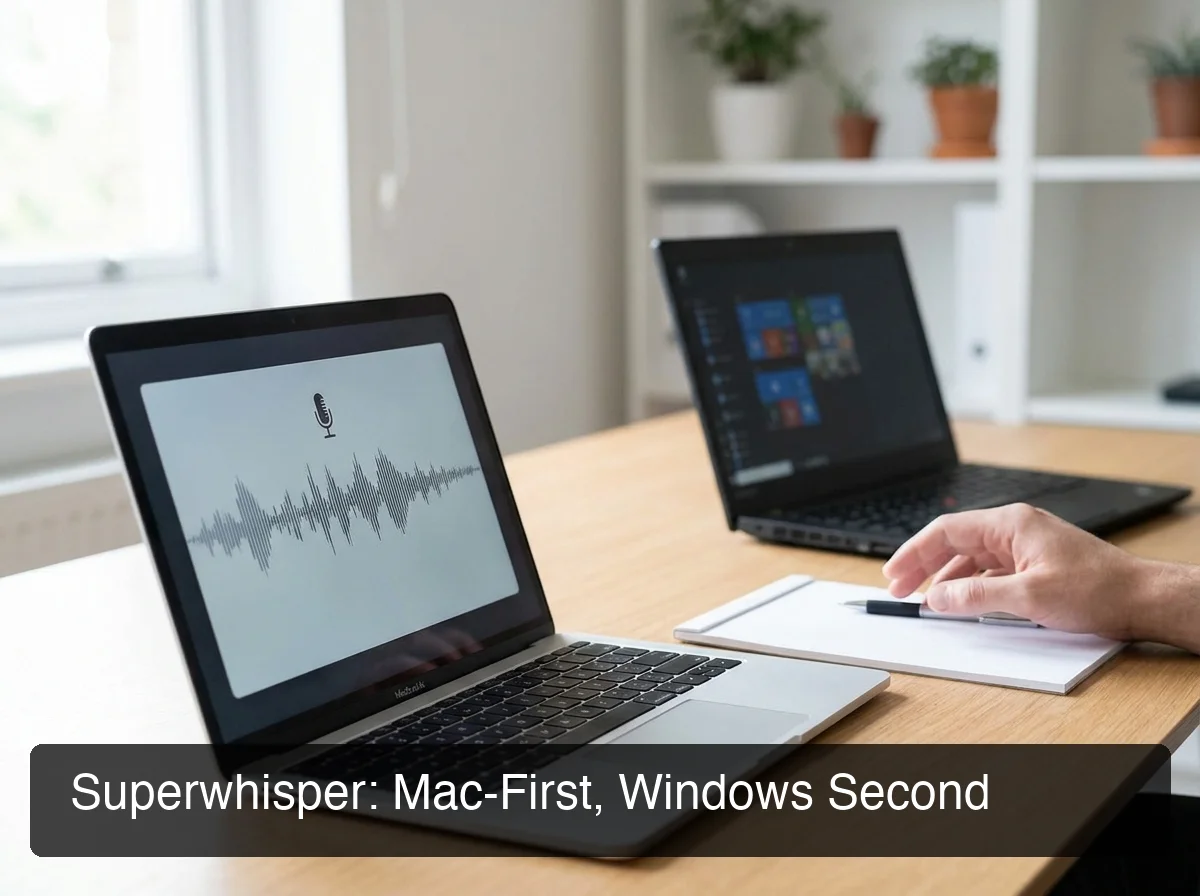 Superwhisper's Windows version maintains the core experience — but the Mac version still gets priority updates.
The Model Selection Learning Curve
This is where many Windows users hit friction. Superwhisper requires you to choose between multiple transcription backends and configure AI mode prompts manually. Options include:
- Local models — Whisper Small, Base, Large (faster on Apple Silicon; varies on Windows CPUs)
- Cloud models — OpenAI Whisper via API, with your own API key or Superwhisper's managed cloud
- AI formatting modes — Custom prompt-based reformatting using GPT-4o, Claude Haiku, Gemini Flash, Llama 4
For power users who want full control, this flexibility is a strength. For users who just want to speak and get clean text, the setup overhead feels heavy compared to alternatives that handle model selection automatically.
Bottom line: Superwhisper on Windows works well for technically-minded users who want configurability. If you want plug-and-play AI dictation with zero model configuration, look at dedicated Windows tools that handle this automatically.
How Does Superwhisper Compare to Windows Built-In Dictation?
Superwhisper significantly outperforms Windows built-in dictation (Win+H) in AI quality. Windows Voice Typing is a basic transcription tool — it converts speech to text without AI enhancement, filler word removal, or custom vocabulary. Superwhisper adds AI reformatting, 100+ languages, and context-aware output modes.
Windows 11 Voice Typing (Win+H) is useful for basic dictation and is free. But it produces raw transcription output — every "um," "uh," and false start ends up in your text.
Head-to-Head: Superwhisper vs Windows Built-In
| Capability | Superwhisper (Windows) | Windows Voice Typing |
|---|---|---|
| AI filler word removal | ✅ (via AI modes) | ❌ |
| Grammar correction | ✅ | ❌ |
| Custom vocabulary | ✅ | Limited |
| Offline support | ✅ | ✅ (online for some features) |
| Language support | 100+ | ~50 |
| App compatibility | Universal | Universal |
| Cost | Free (local) / ~$8/month Pro | Free |
| Setup complexity | Medium-High | Low |
For a full breakdown of Windows' native voice features, see our Windows Speech Recognition setup guide.
The real gap is in output quality. Windows Voice Typing gives you raw speech — every filler word intact. Superwhisper gives reformatted, AI-processed text closer to what you'd actually type, though the tradeoff is setup time and, for cloud features, a Pro subscription.
How Accurate Is Superwhisper vs Windows Dictation Tools?
Superwhisper achieves high accuracy using OpenAI's Whisper Large model — one of the most accurate speech-to-text systems available. Windows Voice Typing uses Microsoft's Azure Speech service, which is solid for everyday use but doesn't match Whisper Large for accuracy with accented speech, technical vocabulary, or low-quality audio.
Real-world accuracy comparisons show:
- Quiet environments: Both tools perform well. Whisper Large wins on punctuation and formatting.
- Accented speech: Whisper Large has stronger cross-accent training data; Windows Voice Typing can struggle with regional accents.
- Technical vocabulary: Superwhisper's custom modes can be configured for domain-specific terminology.
- Background noise: Both degrade, but Whisper-based tools generally show better noise resilience.
By the numbers: OpenAI Whisper Large achieves ~3-5% word error rate (WER) in controlled conditions — comparable to professional transcription services. Windows Voice Typing sits at 6-10% WER in comparable tests.
For more context on how voice dictation stacks up across tools, see our voice dictation Windows guide.
What Are the Best Superwhisper Alternatives for Windows?
 Windows users have strong alternatives to Superwhisper — with better Windows-native integration and simpler setup.
The best Superwhisper alternatives for Windows are BossAI, WisprFlow, Willow Voice, and AquaVoice. Each offers AI-enhanced dictation with Windows support and different tradeoffs on price, accuracy, features, and configuration complexity. BossAI stands out for screen-reading capabilities and Windows-native integration.
Here's the full comparison:
Superwhisper vs Top Windows Alternatives
| Tool | Windows | Price/Month | Free Tier | Screen Awareness | Offline |
|---|---|---|---|---|---|
| Superwhisper | ✅ | ~$8 | ✅ Unlimited (local) | ❌ | ✅ |
| BossAI | ✅ Native | $9.99 | 500 words/day | ✅ Boss Mode | ❌ |
| WisprFlow | ✅ | $15 | 2,000 words/week | ❌ | ❌ |
| Willow Voice | ✅ | $15 | 2,000 words/week | ❌ | ❌ |
| AquaVoice | ✅ | $8 | 1,000 words total | ❌ | ❌ |
| Typeless | ✅ | $30 | 4,000 words/week | ❌ | ❌ |
For a broader look at alternatives in this space, our article on apps like WisprFlow compares the top tools side by side.
What to Look For in a Windows Voice Dictation Tool
Key insight: Superwhisper's offline capability is a genuine advantage for users who want privacy or can't rely on consistent internet. For everyone else, cloud-based tools like BossAI offer simpler setup with comparable output quality.
If you're also evaluating WisprFlow, our Superwhisper vs WisprFlow comparison covers both tools in detail. And if you've already tried WisprFlow and found it lacking on Windows, see our WisprFlow alternative for Windows guide.
Can BossAI Replace Superwhisper on Windows?
Yes. BossAI is a Windows-native AI voice-to-text app that delivers AI-enhanced dictation, automatic filler word removal, grammar correction, and custom dictionary — everything Superwhisper's core offering covers. BossAI adds three features Superwhisper lacks: screen reading (Boss Mode), one-tap tone rewriting, and Clips for instant text snippets.
 BossAI runs natively on Windows as a system tray app — dictate in any app, anywhere your cursor sits.
BossAI runs as a Windows system tray app. Activate with a hotkey, speak naturally, and polished text appears in the active app in roughly 300ms after you stop speaking. No model selection. No prompt engineering. It just works.
What BossAI Does That Superwhisper Doesn't
Boss Mode — Screen Reading
Superwhisper can reformat what you say. BossAI can read your screen and write for you. Say "Boss, reply to this email professionally" and BossAI reads the email on screen, understands the context, and generates a complete, contextual reply — no copy-pasting required.
Superwhisper has no screen awareness. Neither does WisprFlow, Willow, AquaVoice, or any other competitor.
One-Tap Rewrite with Visual Tones
After dictating, tap Professional, Casual, Witty, Persuasive, Empathetic, or Bold — BossAI rewrites the text instantly. Superwhisper's reformatting requires setting up and editing LLM prompt configurations. BossAI's is one tap.
Clips
Save frequently used text — email signatures, meeting links, addresses, standard replies — and paste them instantly from the keyboard. No app switching, no clipboard manager. Superwhisper has no equivalent.
BossAI vs Superwhisper: Direct Comparison
| Capability | BossAI (Windows) | Superwhisper (Windows) |
|---|---|---|
| AI-enhanced dictation | ✅ 300ms | ✅ 500ms+ |
| Filler word removal | ✅ Automatic | ✅ Via AI modes |
| Custom dictionary | ✅ | ✅ |
| Screen reading (Boss Mode) | ✅ | ❌ |
| One-tap tone rewrite | ✅ | ❌ (prompt config) |
| Clips / snippets | ✅ | ❌ |
| Offline mode | ❌ | ✅ |
| Free tier | 500 words/day | Unlimited (local) |
| Price | $9.99/month | ~$8/month |
| Setup complexity | Low | Medium-High |
The main area where Superwhisper wins over BossAI: offline transcription. If you need fully local processing with no internet dependency, Superwhisper is your best option. For everything else — especially screen-aware AI and simpler setup — BossAI has the edge.
Download BossAI for Windows
Replying to emails, drafting Slack messages, and writing documents — all of it faster with voice and zero copy-paste friction. BossAI works in every Windows app, installs in minutes, and includes a 7-day free Pro trial.
Frequently Asked Questions
Is Superwhisper available for Windows?
Yes — Superwhisper is available for Windows 10 and 11, downloadable from superwhisper.com/windows. The Windows version includes offline transcription, cloud transcription via Whisper Large, and custom AI modes. Some features like FileSync are still rolling out, and Mac typically receives updates first.
What is the best alternative to Superwhisper for Windows?
BossAI is the strongest Superwhisper alternative for Windows users who want AI-enhanced dictation plus screen-aware features. WisprFlow and Willow Voice are solid alternatives for cloud-first simplicity, while AquaVoice matches Superwhisper's price without offline support. Superwhisper remains the only option with true offline transcription.
How much does Superwhisper cost?
Superwhisper's free tier is unlimited — it uses local Whisper models on your device at no cost. The Pro plan is approximately $8/month ($85/year), which unlocks cloud transcription, large language models (GPT-5, Claude Haiku, Gemini Flash), file transcription, and translation. A lifetime license exists for around $849.
What is BossAI?
BossAI is an AI voice keyboard for iPhone and Android, and a voice-to-text app for Mac and Windows, that replaces typing with voice dictation. It transcribes speech in real time, removes filler words automatically, rewrites text in different tones with one tap, and includes Boss Mode — a screen-reading feature that reads your screen to generate contextual replies without copy-pasting.
Is Superwhisper safe to use?
Superwhisper uses local processing for offline modes — your audio stays on-device and never reaches external servers. Cloud transcription routes audio to OpenAI's Whisper API or Superwhisper's managed cloud under standard API privacy terms; Enterprise accounts include SOC 2 Type II certification. For full privacy, the local-only free tier keeps all processing on your machine.
Can I use Windows built-in dictation instead of Superwhisper?
Yes — Windows Voice Typing (Win+H) is free and works in most apps, but produces raw transcription without AI enhancement, filler word removal, or grammar correction. It handles quick notes fine, but struggles with professional workflows. For emails, Slack, or long-form writing, AI-enhanced tools like Superwhisper or BossAI deliver far cleaner output.
Does BossAI work on Windows?
Yes — BossAI is available for Windows via the Microsoft Store and runs as a native system tray app. It works in every Windows application, from email clients and browsers to Slack, Teams, Word, and code editors. Activate via hotkey and AI-enhanced dictated text appears wherever your cursor is in approximately 300ms.