
Superwhisper vs Wispr Flow: Which Wins in 2026?
Superwhisper vs Wispr Flow: Which AI Dictation Tool Wins in 2026?
The superwhisper vs wispr flow debate has no clean winner — both are excellent AI dictation tools built for different users, and picking the wrong one will frustrate you fast.
Key Takeaways
- Superwhisper and Wispr Flow dominate the voice dictation market, each excelling in different areas — Superwhisper for offline accuracy and model flexibility, Wispr Flow for polished auto-formatting and cross-platform integration.
- Pricing differs significantly: Superwhisper has a free unlimited local tier and a Pro plan at ~$8/month, while Wispr Flow offers 2,000 words/week free and charges $15/month for Pro.
- Neither tool removes filler words, rewrites text in different tones, or reads your screen — three capabilities that define the next generation of AI dictation.
- Feature parity is rare; users must choose between best-in-class local accuracy (Superwhisper) or broadest auto-formatting polish (Wispr Flow), but not both.
- BossAI combines competitive dictation with advanced AI editing — filler removal, one-tap tone rewriting, and screen-aware Boss Mode — at $9.99/month, making it the complete voice-to-polish workflow alternative.
Contents
- What Is Superwhisper and How Does It Work?
- What Is Wispr Flow and Who Should Use It?
- How Does Superwhisper vs Wispr Flow Stack Up Feature by Feature?
- Superwhisper vs Wispr Flow: Which Costs More?
- What Features Does Wispr Flow Have That Superwhisper Lacks?
- Can You Use Superwhisper and Wispr Flow on Windows and Mac?
- Why Are Some Users Switching From Wispr Flow to Alternatives?
- What's a Better Alternative to Both Superwhisper and Wispr Flow?
- Try BossAI Free
- Frequently Asked Questions
 Two of the most popular AI dictation tools — compared head to head for 2026.
What Is Superwhisper and How Does It Work?
Superwhisper is a Mac and Windows dictation app built on OpenAI's Whisper speech recognition model. It activates via a hotkey (Option+Space), transcribes your voice, and inserts text wherever your cursor is. Its standout feature is a robust local processing mode — you can dictate entirely offline using on-device AI models, with no data sent to the cloud.
Superwhisper lets you choose between local small models (free, unlimited) and larger cloud models (Pro tier) for higher accuracy. It supports custom "modes" — essentially prompt templates you configure per use case, like Email, Slack, or Voice Journal — so the same dictation session applies different formatting rules depending on which mode you're in.
What Makes Superwhisper Unique
- Offline-first: Processes locally on Apple Silicon hardware, no internet required on the free tier
- Custom modes with LLM integration: Connects to GPT-4o, Claude Haiku, Llama 4, or Gemini Flash to apply custom formatting after transcription
- Meeting assistant: Records and transcribes meetings, generates auto-notes
- File transcription: Upload audio or video files for batch transcription
- Multi-language support: 100+ languages across free and Pro tiers
The learning curve is real — Superwhisper rewards users who invest time configuring modes and tuning model settings. Power users love it; casual users often find it overwhelming.
Key insight: Superwhisper's offline mode is the only way to get unlimited, free AI dictation in 2026 without a word cap — but it requires Apple Silicon hardware for usable performance.
What Is Wispr Flow and Who Should Use It?
Wispr Flow is a cross-platform AI dictation tool focused on auto-polished output. You speak, it transcribes, and the app automatically cleans up your words — removing filler phrases, adding punctuation, reformatting for clarity — before pasting text into any app. No configuration required; the polish happens automatically.
Wispr Flow's Command Mode lets you speak editing instructions like "make this shorter" or "rewrite this as a bullet list." It works on Mac and Windows, with an iOS app available (limited). The tool has $81M in funding and is widely considered the market leader for mainstream AI dictation.
What Makes Wispr Flow Unique
- Automatic polish by default: Filler words and formatting handled without any setup
- Context-adaptive output: Detects the app you're in, adjusts tone automatically
- Command Mode: Voice-driven text editing after dictation
- Strong cross-platform parity: Mac and Windows versions perform comparably
The tradeoff is price — at $15/month, it's the most expensive mainstream option in this category.
Bottom line: Wispr Flow is built for professionals who want zero-friction dictation. Superwhisper is built for power users who want control. Neither handles the full writing workflow from raw voice to publish-ready copy.
How Does Superwhisper vs Wispr Flow Stack Up Feature by Feature?
Superwhisper leads on local accuracy and model flexibility; Wispr Flow leads on out-of-the-box formatting polish and simplicity. For most professionals, the deciding factor isn't accuracy — it's whether you want a tool that works immediately or one you configure to work exactly how you want.
Here's the full side-by-side comparison:
 How Superwhisper and Wispr Flow stack up across key criteria — plus how BossAI compares.
| Feature | Superwhisper | Wispr Flow | BossAI |
|---|---|---|---|
| Dictation accuracy | ★★★★★ (local + cloud) | ★★★★☆ (cloud only) | ★★★★★ |
| Auto filler removal | ❌ (mode-dependent) | ✅ | ✅ |
| Context-aware formatting | Via custom modes | ✅ automatic | ✅ automatic |
| Offline/local mode | ✅ (free, unlimited) | ❌ | ❌ |
| Screen reading (reply in context) | ❌ | ❌ | ✅ Boss Mode |
| One-tap tone rewriting | ❌ | ❌ | ✅ (6 tones) |
| Clips / snippet paste | ❌ | ❌ | ✅ |
| iOS native keyboard | ✅ (limited) | ✅ (limited) | ✅ (full keyboard) |
| macOS | ✅ | ✅ | ✅ |
| Windows | ✅ | ✅ | ✅ |
| Free tier | Unlimited (local) | 2,000 words/week | 500 words/day |
| Monthly price | ~$8/month | $15/month | $9.99/month |
| Annual price | ~$7/month | $12/month | $5.83/month |
Superwhisper vs Wispr Flow: Which Costs More?
Wispr Flow is more expensive at every tier. Wispr Flow Pro costs $15/month (or $12/month annually) with a 2,000 words/week free limit. Superwhisper Pro costs ~$8/month with an unlimited local free tier — over a year, Wispr Flow costs $84 more.
 Pricing breakdown across all tiers for 2026 — annual plans save significantly.
Here's the full pricing comparison:
| Plan | Superwhisper | Wispr Flow | BossAI |
|---|---|---|---|
| Free | Unlimited (local models) | 2,000 words/week | 500 words/day |
| Monthly Pro | ~$8/month | $15/month | $9.99/month |
| Annual Pro | $144/year ($12/month) | $69.99/year ($5.83/month) | |
| Lifetime | ~$849 (one-time) | Not available | $149.99 (one-time) |
The Hidden Cost of Wispr Flow's Free Tier
Wispr Flow's 2,000 words/week cap sounds generous, but heavy users hit it by Wednesday. A 500-word email, a few Slack threads, and a meeting summary can consume half the weekly budget.
Superwhisper's unlimited local free tier sidesteps this — but local models have lower accuracy than cloud counterparts, and the quality difference shows on longer, technical dictations.
By the numbers: At annual pricing, Wispr Flow costs $144/year vs Superwhisper's $85/year — a $59 gap. BossAI at $69.99/year undercuts Wispr Flow by $74 while adding Boss Mode and one-tap tone rewriting that neither competitor offers.
What Features Does Wispr Flow Have That Superwhisper Lacks?
Wispr Flow's key advantage over Superwhisper is automatic polish with no setup. Wispr Flow removes filler words, formats output by app context, and adapts tone automatically — no custom modes required. Superwhisper can do all of this too, but only if you configure modes for each use case.
Here's where each tool pulls ahead of the other:
Wispr Flow has:
- Automatic filler word removal with no configuration
- Context-aware formatting (email vs. Slack vs. doc — auto-detected)
- Command Mode for voice-triggered text editing
- Cleaner iOS experience for basic dictation workflows
Superwhisper has:
- Full offline local processing (no internet, no cost, no caps)
- Custom LLM integration (bring your own GPT-4o or Claude API key)
- Meeting recording + auto-notes
- Audio/video file transcription
- A lifetime license option
- More granular model selection (Whisper Large v3, faster local Tiny models, etc.)
Can You Use Superwhisper and Wispr Flow on Windows and Mac?
Both Superwhisper and Wispr Flow run on macOS and Windows. Superwhisper's Windows version covers most Mac features. Wispr Flow's Windows version is well-maintained and performs comparably to the Mac app.
For users searching specifically for Superwhisper for Windows, the app works natively on Windows but leans Mac-first in its design. Keyboard shortcuts, system integration, and UI elements feel most natural on macOS. The Windows version is solid, not exceptional.
iOS Dictation Comparison
Both Superwhisper and Wispr Flow have iOS apps, but neither works as a full native keyboard replacement. The workflow on both tools requires dictating in their app, copying the result, switching to your target app, and pasting — a two-step interruption that breaks context.
For anyone who wants iOS dictation that works in any app without switching — BossAI is the only option in this category that functions as a full native keyboard replacement.
Key insight: If Windows or Android is your primary platform, neither Superwhisper nor Wispr Flow was designed with you in mind. Both are Mac-first tools with Windows support added later — performance and UX reflects that origin.
Why Are Some Users Switching From Wispr Flow to Alternatives?
The most common reasons users leave Wispr Flow: price ($15/month is the highest in the category), the 2,000 words/week cap hitting heavy users hard, limited iOS native keyboard experience, and no offline option. Once the free trial ends, some users discover the monthly cost doesn't justify the feature set compared to cheaper alternatives.
Community discussions consistently surface three pain points: price sensitivity ("$15/month is steep when Superwhisper gives me unlimited local for free"), word cap frustration ("hit my weekly cap by Wednesday"), and the iOS gap ("it's not a real keyboard replacement").
There's also a growing segment who realize they need more than transcription — they want to edit, rewrite, and reply with context. As we covered in our detailed Wispr Flow comparison, Wispr Flow's Command Mode reformats text but doesn't see your screen.
Cost-focused switchers tend to land on Superwhisper; workflow-focused switchers trend toward BossAI. For the full landscape, see apps like WisprFlow.
What's a Better Alternative to Both Superwhisper and Wispr Flow?
BossAI is the most capable voice dictation alternative for users who need more than transcription. It matches Wispr Flow's auto-formatting, adds features neither competitor offers — screen-aware Boss Mode, one-tap tone rewriting with 6 voice tones, and a Clips system for instant snippet paste — at $9.99/month, undercutting Wispr Flow by $5/month.
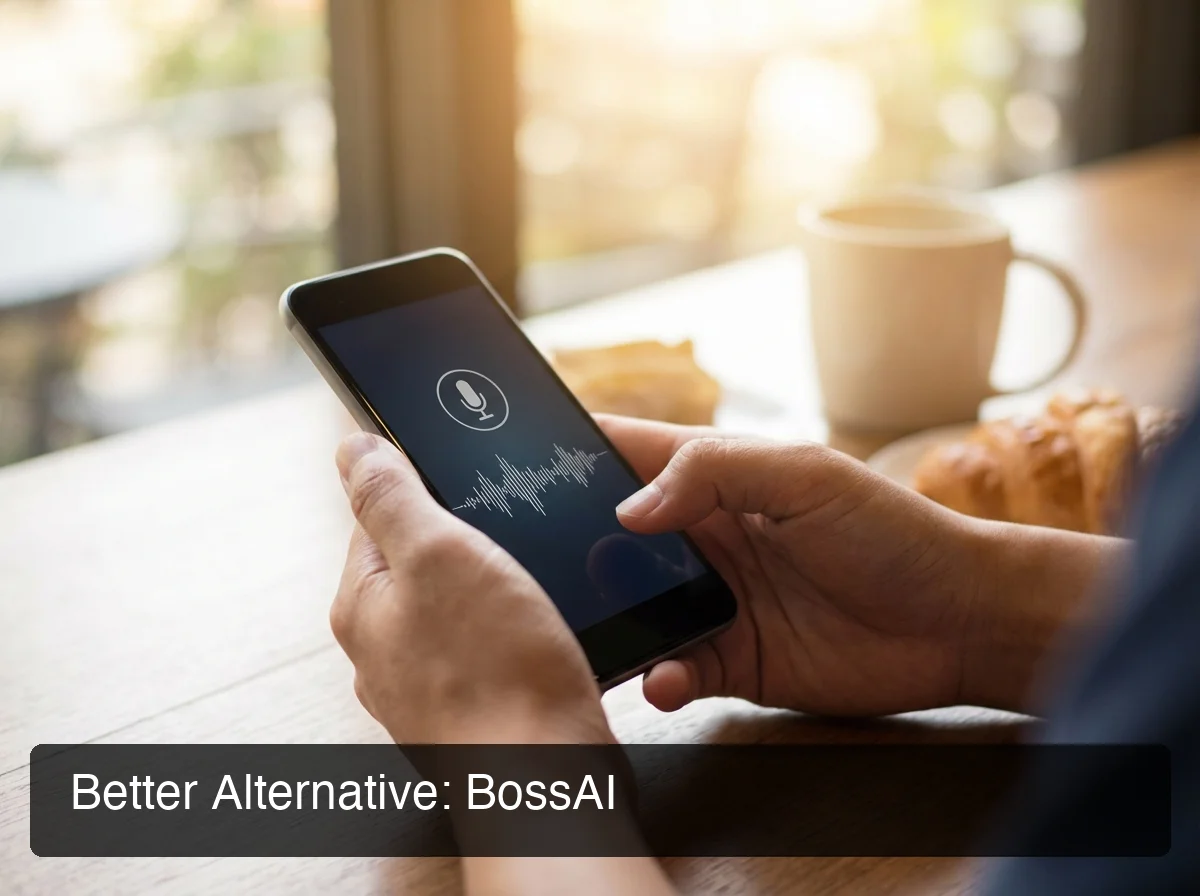 BossAI works as a full native keyboard on iOS — dictate in any app without switching.
Why BossAI Stands Out
Three capabilities that neither Superwhisper nor Wispr Flow can match:
1. Boss Mode — Screen Context Awareness
Speak "Boss, reply to this email professionally" and BossAI reads your screen, understands the conversation, and writes a complete, contextual reply — inserted directly into the active text field. No copy-pasting, no ChatGPT tab-switching, no explaining what's on screen.
This is the only dictation feature in the category that eliminates the copy-paste loop. Superwhisper and Wispr Flow both require you to explain context manually for AI-generated replies.
2. One-Tap Tone Rewriting
After dictating, tap Professional, Casual, Witty, Persuasive, Empathetic, or Bold — BossAI rewrites instantly. No voice command, no prompt engineering. Wispr Flow's Command Mode requires speaking an instruction; Superwhisper requires mode configuration.
3. Clips — Instant Paste From the Keyboard
Save your email signature, standard replies, links, and payment details as Clips. Paste any of them with one tap from the BossAI keyboard — no app switching, no clipboard managers. No competitor offers this.
Try BossAI Free
If you've outgrown raw dictation and want a tool that handles the full voice-to-polished-text workflow — BossAI is the only option in the category with screen awareness, one-tap tone rewriting, and a native iOS keyboard that works in every app.
Get Our AI Productivity Guide — free tips on working faster with AI.
Frequently Asked Questions
Is Wispr Flow better than Superwhisper?
It depends on your priority. Wispr Flow delivers polished, auto-formatted output with zero configuration. Superwhisper supports offline local models with unlimited free use at ~$8/month — $7 cheaper than Wispr Flow. Beginners lean Wispr Flow; power users lean Superwhisper.
What is the main difference between Superwhisper and Wispr Flow?
Superwhisper's defining advantage is offline local processing — unlimited free dictation on Apple Silicon, no weekly caps. Wispr Flow's defining advantage is automatic polish: filler words and formatting are handled out of the box with no configuration. Superwhisper gives control; Wispr Flow gives convenience.
Does Superwhisper work on Windows?
Yes, Superwhisper has a Windows version covering most Mac features. However, it's Mac-first — the Windows version lacks the offline local model performance that makes Superwhisper compelling on Apple Silicon. Windows users may find BossAI or Wispr Flow a better-optimized fit.
How much does Wispr Flow cost per month?
Wispr Flow charges $15/month on the monthly plan or $12/month on the annual plan ($144/year). The free tier is limited to 2,000 words/week. This makes Wispr Flow the most expensive mainstream dictation tool in the category — BossAI offers similar auto-formatting plus Boss Mode and tone rewriting at $9.99/month.
What is BossAI?
BossAI is an AI-powered voice keyboard for iOS, macOS, and Windows that replaces typing with voice dictation. It transcribes speech in real time, removes filler words automatically, rewrites text in different tones with one tap, and includes Boss Mode — a screen-reading feature that reads your screen to generate contextual replies without copy-pasting.
What are the best alternatives to Wispr Flow?
The strongest Wispr Flow alternatives are Superwhisper (better price, offline capability), BossAI (Boss Mode screen awareness, tone rewriting, native iOS keyboard, $9.99/month), and Willow Voice (team features, enterprise support). For a full breakdown, see our Best Wispr Flow Alternative in 2026 comparison.
Does BossAI work on Windows and Mac?
Yes. BossAI is available on iOS (App Store), macOS (App Store and direct download), and Windows (Microsoft Store). Desktop versions run as background system apps activated by hotkey — and the iOS version works as a full native keyboard so you can dictate in any app without switching.