Cloud Based Dictation: What It Is & How to Choose
Cloud based dictation sends your voice to a remote server, which turns it into text and returns it to whatever device you are using. You trade offline use for access from any device and no heavy software on your machine. Most of the real decisions come down to that trade.
What Is Cloud Based Dictation?
Cloud-based dictation is speech-to-text that runs on a provider's servers instead of on your device. Your phone or computer records audio, streams it over the internet, and receives finished text. Because the heavy processing happens remotely, the same account works on any phone or computer you sign in to.
That model covers a wide range of products. Philips SpeechLive and OM System's ODMS Cloud are built around recording, sharing and managing dictations for teams. Dragon Medical One is a cloud speech platform for healthcare. A newer group, AI voice keyboards such as BossAI, use cloud engines to type straight into any app.
Our earlier piece on using AI for dictation covers the AI side of this in more depth.
Key Takeaways
- Cloud-based dictation processes speech on remote servers, so it needs an internet connection but works on any signed-in device.
- Established vendors such as Philips SpeechLive and ODMS Cloud focus on dictation workflow for teams; AI keyboards focus on clean text typed into any app.
- The main trade-off versus local dictation is offline use: cloud tools give it up, tools like Superwhisper and Spokenly keep it.
- BossAI uses Deepgram Nova-3 and Gladia Solaria-1 cloud speech engines on iOS, Android, Mac and Windows, with no offline mode and no raw audio stored.
- Pick by workflow: team dictation and transcription handoff, regulated medical use, or typing by voice in everyday apps.
How Does Cloud Dictation Processing Work?
Audio is captured on your device, compressed, and streamed to a speech recognition engine in a data center. The engine returns text, usually word by word as you speak. A second step can then clean it up, removing filler words, fixing grammar and adding punctuation, before the text lands in your document.
Three things follow from that pipeline:
- Connection matters. A weak signal shows up as lag or a failed session, not as worse accuracy.
- Updates are invisible. The provider improves the engine on its servers, so you never install a new model.
- Your device barely matters. An older phone dictates as well as a new laptop, because it only records and displays.
In BossAI's case the speech step runs on Deepgram Nova-3 and Gladia Solaria-1, the engines behind its support for 99+ languages. Pick one dictation language on the free plan, or all of them on Pro. There is no offline mode: no connection, no dictation. BossAI does not store raw audio recordings.
What's the Difference Between Cloud Dictation and Local Dictation?
Cloud dictation processes audio on remote servers and needs internet; local dictation runs a speech model on your own device and can work offline. Cloud typically means easier setup and cross-device access. Local means audio never leaves your machine, at the cost of setup and device power.
The gap is clearest side by side:
| Cloud dictation | Local dictation | |
|---|---|---|
| Internet needed | Yes | No |
| Where audio is processed | Provider's servers | Your device |
| Setup | Sign in | Often download and choose a model |
| Works across devices | Yes, with one account | Per device |
| Examples | Philips SpeechLive, ODMS Cloud, Wispr Flow, Typeless, BossAI | Cloudless Voice, Spokenly (free tier), Superwhisper (free tier) |
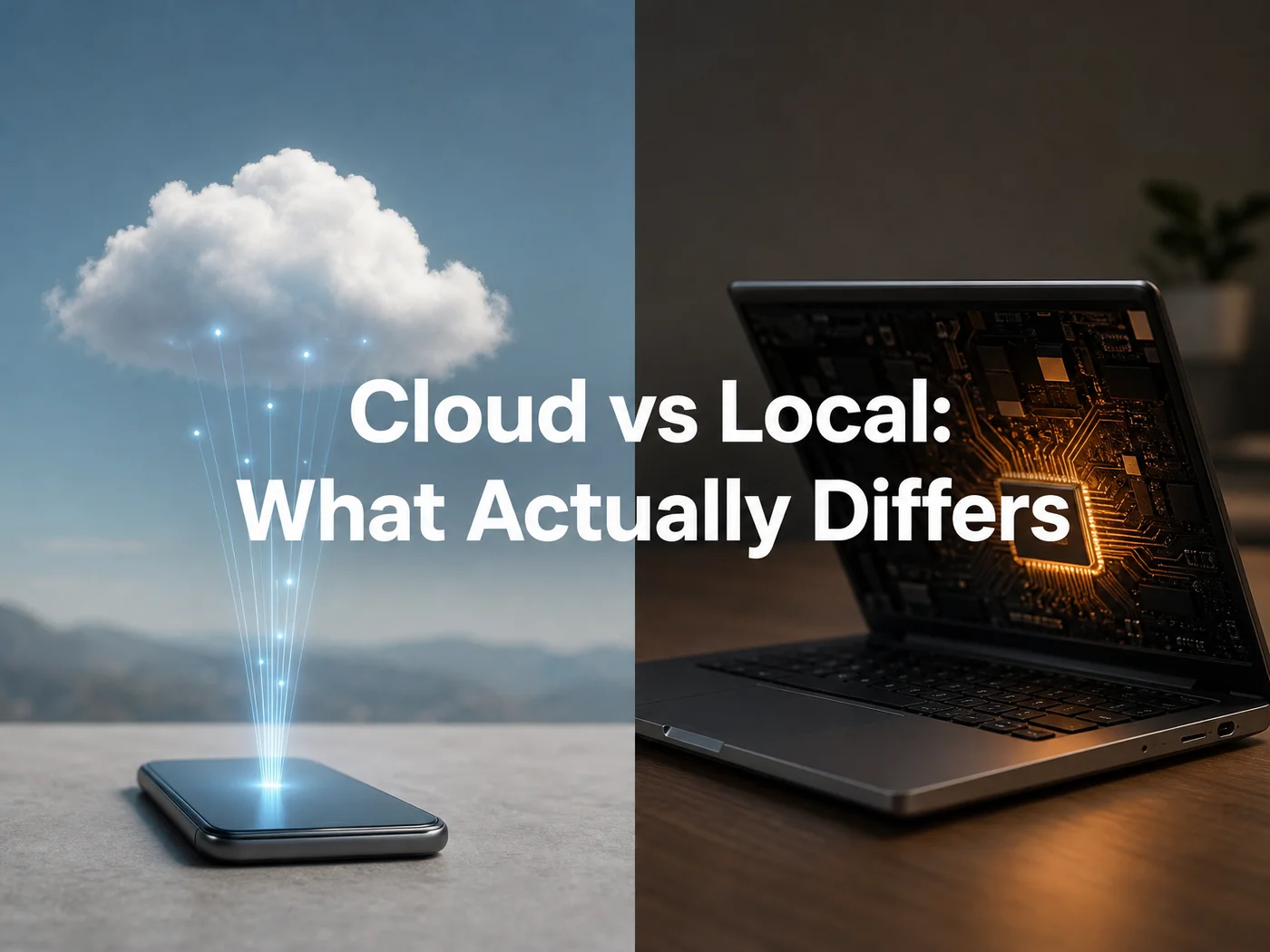 Cloud dictation sends audio out and gets text back; local dictation keeps both on the device.
Some tools blur the line. Superwhisper offers free local models and paid cloud ones, and Spokenly offers free local models plus a paid managed cloud option. Apple's built-in Dictation is its own case; see Apple Dictation alternatives for how it compares.
Reality check: "Cloud" does not mean "slower." It means your speed depends on your connection, not on your chip.
Can Cloud Based Dictation Work Offline?
No. By definition, cloud dictation needs a connection to reach the server doing the recognition. If you need to dictate on a plane or in a dead zone, choose a tool with local models. Some products offer both modes, but a purely cloud tool, BossAI included, stops when the signal does.
A few cloud tools queue recordings for later. Recorder-style workflows, such as SpeechLive's, let you capture audio first and sync afterward. Live typing into an app does not work that way, because the text has to come back while you are still speaking.
The Best Cloud Dictation Software for Professionals
There is no single winner; it depends on what you do with the text afterward.
- Team dictation with typist handoff: Philips SpeechLive and ODMS Cloud are designed around recording, sharing and managing dictations.
- Healthcare: Dragon Medical One is an established cloud speech platform with EHR integration. Cost and contract terms are a separate question; we broke them down in our Dragon Medical cost guide.
- Typing by voice into any app: AI keyboards and tools like Wispr Flow, Typeless and BossAI.
- Word processors: if you only dictate in one app, the built-in option may do. We cover dictating in Microsoft Word and voice typing in Google Docs.
For a modern alternative among the AI tools, see our Willow dictation review.
Accuracy: What to Expect From Cloud Engines
Accuracy varies by engine, microphone, accent, background noise and vocabulary, so no single percentage is trustworthy. Cloud engines retrain on servers and handle many languages, but a custom dictionary for names and jargon often does more for your results than switching vendors.
Test any tool with your own voice and your own difficult words before paying. Dictate a paragraph with a few client names and technical terms, then count the corrections. Five minutes of that tells you more than a vendor's headline figure.
Why BossAI's Cloud Dictation Approach Works Differently
Traditional cloud vendors center on the recording: capture, share, hand off for typing. BossAI centers on the keyboard. You speak, and cleaned text appears in the field you are already in, in any app.
 One cloud engine behind every device: iPhone, Android, Mac and Windows.
What that looks like in practice:
- Cleanup as you speak. Filler words (um, uh, like) are removed and punctuation added automatically.
- Four platforms, one Pro plan. iOS, Android, macOS and Windows, with your custom dictionary, Clips and settings synced.
- Boss Mode. Say "Boss, reply to this email professionally" and BossAI reads the screen and writes the reply.
- Data handling. It does not store raw audio, and your text is not used for model training.
The free plan gives you 500 words a day, resetting daily. Pro is $9.99 a month, $69.99 a year, or $149.99 once.
Worth knowing: Wispr Flow's free plan is 2,000 words a week and Pro is $15 a month; Typeless caps a session at six minutes. BossAI has no session limit.
Get Started with BossAI
If you want cloud dictation that types into any app on your phone and computer, try it on your own voice before comparing further. The free plan is enough for a real test.
FAQ
What is cloud-based dictation?
Cloud-based dictation converts speech to text on remote servers rather than on your device. Your device records audio, sends it over the internet, and receives text back. It works on any signed-in device but needs an internet connection to function.
Is cloud dictation secure?
It depends on the provider. Look for whether audio is stored, whether it trains models, and what compliance claims are documented. BossAI does not store raw audio recordings and does not use text for model training, but it has no offline mode and makes no medical compliance claims.
Does BossAI work without internet?
No. BossAI processes speech on cloud engines, Deepgram Nova-3 and Gladia Solaria-1, so it needs a connection on iOS, Android, Mac and Windows. If you need offline dictation, a tool with local models is the better fit.
What does cloud dictation cost?
Pricing ranges from free tiers to enterprise contracts. Among AI dictation apps, BossAI is free at 500 words a day, then $9.99 a month; Wispr Flow is $15 a month. Medical and legal platforms usually price per seat, so check vendors directly.