
Clipboard Manager iOS: Boost Voice Typing
iOS's native clipboard holds exactly one item at a time. A clipboard manager iOS users install fixes this instantly — your entire copy history stays searchable and pasteable, not just the last thing you copied.
Key Takeaways
- A clipboard manager on iOS stores, searches, and instantly pastes multiple copied items — eliminating the one-at-a-time limitation of the native clipboard.
- Clipboard managers integrate with iOS custom keyboards to create a faster text-entry workflow for professionals, students, and anyone who types on their phone.
- Top features to look for: clipboard history, full-text search, iCloud sync, tagging, and a keyboard extension for in-app paste access.
- Pairing a clipboard manager with voice-to-text dictation eliminates re-dictation of complex snippets (templates, signatures, links) — a major daily time-saver.
- Most premium clipboard managers cost $5–15/year; several have solid free tiers with no subscription required.
Contents
- What Is a Clipboard Manager iOS App?
- How Does a Clipboard Manager Improve Productivity on iPhone?
- What Are the Top Clipboard Manager Features to Look For?
- Which Clipboard Manager App Works Best with iOS Custom Keyboards?
- Can a Clipboard Manager App Work with Voice-to-Text on iPhone?
- Why Should BossAI Keyboard Users Adopt a Clipboard Manager?
- How Do You Organize Clipboard History on an iPhone?
- Is There a Free Clipboard Manager iOS App?
- Frequently Asked Questions
What Is a Clipboard Manager iOS App?
A clipboard manager for iOS is an app that stores every item you copy — text, links, images — in a searchable history and lets you paste any of them instantly. Unlike iOS's built-in clipboard, which overwrites itself every time you copy something new, a clipboard manager preserves your entire copy history so nothing gets lost.
Apple's native clipboard has one slot. Copy a URL, then copy a quote, and the URL is gone. Clipboard manager apps fix this by intercepting copied content and building a persistent, searchable archive you can access at any time.
Most iOS clipboard managers work in one of two ways: as a standalone app you switch to when you need to paste, or as a keyboard extension that gives you clipboard access without ever leaving your current app. The keyboard extension approach is far more useful in practice.
 A clipboard manager transforms iOS's one-slot clipboard into a searchable archive of everything you've copied.
How Does a Clipboard Manager Improve Productivity on iPhone?
A clipboard manager on iPhone saves time by eliminating the copy-paste round-trip — switching apps to re-copy something you already had. For professionals handling emails, templates, and links daily, this removes 10–20 minutes of friction per day. Over a year, that's 60–80 hours recovered from pure busywork.
Without a clipboard manager, recovering a previously copied item means: open the source app → find the content again → re-copy it → switch back to paste. Four steps, minimum. With a clipboard manager keyboard extension, it's one tap.
Who Benefits Most from iOS Clipboard Managers?
- Salespeople and account managers — paste follow-up templates, client names, and CRM links without switching apps
- Developers — store code snippets, Stack Overflow references, and API endpoint patterns
- Students and researchers — collect quotes and citations across multiple sources in one session
- Social media managers — reuse hashtag sets, standard captions, and profile URLs
- Voice-to-text users — avoid re-dictating complex snippets every time (more on this below)
By the numbers: Users who adopt clipboard managers report saving 8–15 minutes per workday on copy-paste friction — that's 40+ hours per year recovered from a single app download.
What Are the Top Clipboard Manager Features to Look For?
The best clipboard manager apps for iOS include persistent clipboard history (at least 50–100 items), full-text search, iCloud sync across iPhone/iPad/Mac, a keyboard extension for in-app access, and basic organization like tags or pinning. Privacy is critical — confirm whether clipboard data is stored locally or synced to the developer's servers.
Not every clipboard manager offers the full package. Here's how the leading iOS options compare on core features:
| Feature | Paste | PastePal | Yoink | Clipboard (Paste Keyboard) |
|---|---|---|---|---|
| Clipboard history | Unlimited | Unlimited | Unlimited | Unlimited |
| iCloud sync | ✅ | ✅ | ✅ | ✅ |
| Full-text search | ✅ | ✅ | ✅ | ✅ |
| Keyboard extension | ✅ | ✅ | ❌ | ✅ |
| Tagging / pinning | ✅ | ✅ | ✅ | ✅ |
| Expiry timers | ❌ | ✅ | ❌ | ❌ |
| Free tier | ✅ (limited) | ✅ | ❌ | ✅ (full) |
| Pricing | ~$14.99/yr | ~$9.99/yr | $5.99 one-time | Free |
What About Privacy on iOS?
Since iOS 14, users see a notification whenever any app reads the clipboard. That's a good thing — it keeps apps honest.
Prefer clipboard managers that use iCloud or local-only storage over those syncing to proprietary servers. The apps in the table above all use Apple infrastructure, making them the safest choices for sensitive content.
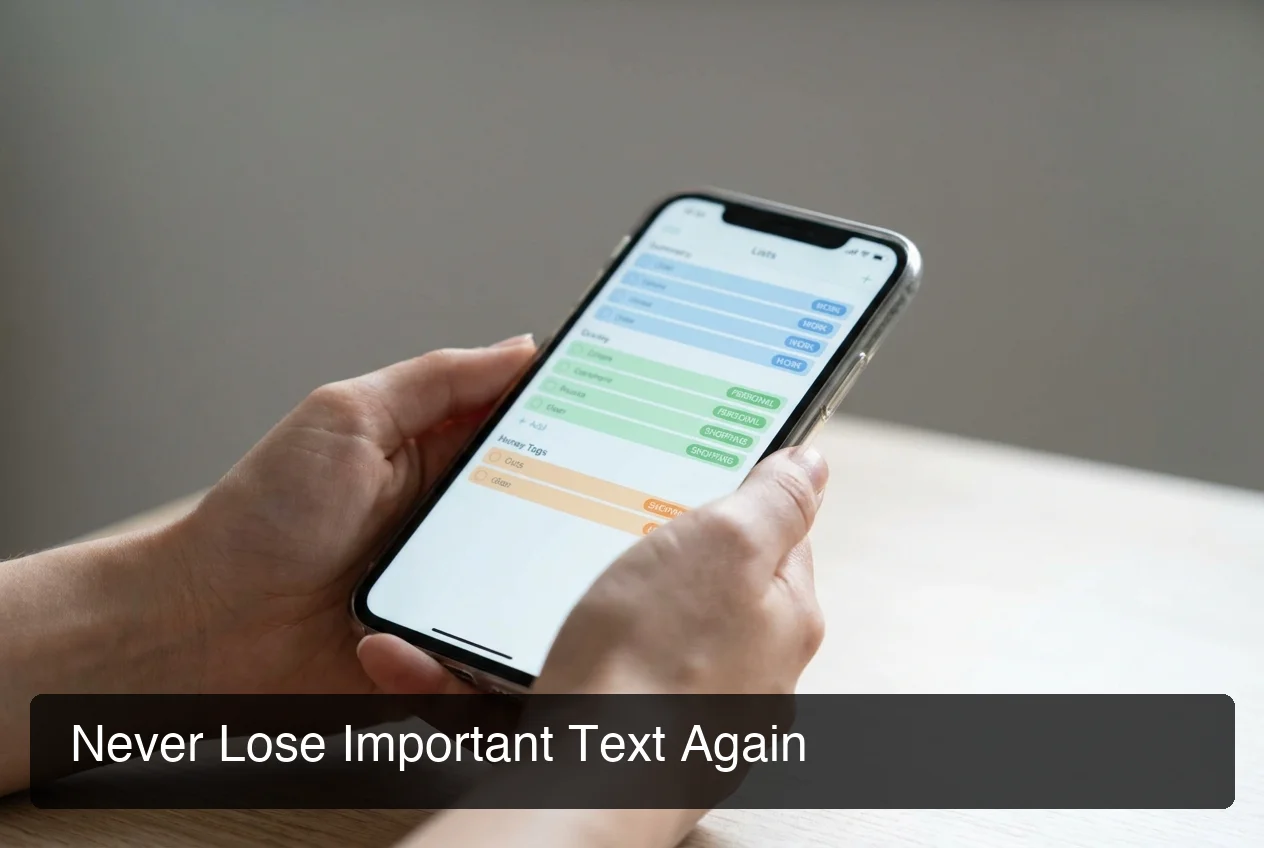 Color-coded tags and full-text search make retrieving past clipboard entries instant — even with hundreds stored.
Which Clipboard Manager App Works Best with iOS Custom Keyboards?
For iOS custom keyboard users, the only clipboard managers worth considering are those with a keyboard extension: Paste, PastePal, and Clipboard (Paste Keyboard) are the top three. These apps surface your clipboard history as a tray inside any keyboard, so you never need to leave the current app to paste previously copied content.
Custom keyboard users face a specific constraint: the clipboard manager must work inside the keyboard itself. Switching to a standalone clipboard app and back costs 4–6 taps — it defeats the purpose of having a custom keyboard in the first place.
Why the Keyboard Extension Is Non-Negotiable
When a clipboard manager includes a keyboard extension:
- You stay in the current app (email, Slack, document) the entire time
- Clipboard history appears in a scrollable tray at the keyboard level
- Paste happens in one tap — no copy step required from the clipboard app
Key insight: The keyboard extension is the single most important feature for iPhone power users. Without it, a clipboard manager is just a history viewer — useful for reference, not integrated into your actual workflow.
If you're using a custom keyboard on iOS for productivity, adding a clipboard manager with a keyboard extension completes the picture. Your keyboard handles input; the clipboard extension handles retrieval.
 Keyboard extensions surface clipboard history inline — no app-switching required to access previously copied content.
Can a Clipboard Manager App Work with Voice-to-Text on iPhone?
Yes — and this is where clipboard managers deliver their highest ROI for voice-to-text users. Voice dictation works well for dynamic content you phrase differently each time, but it's slow for static snippets: email signatures, meeting links, code blocks, formatted templates. A clipboard manager stores these once and inserts them in a single tap, bypassing re-dictation entirely.
Consider a typical voice dictation workflow without a clipboard manager:
- Dictate the email body — fast, fluid, voice works great
- Need to add your Calendly link — stop, switch to calendar, copy, switch back, paste
- Need your email signature — stop, open notes, copy, switch back, paste
- Total friction: 10–14 extra taps for two simple snippets
With a clipboard manager keyboard extension running alongside your voice keyboard:
- Dictate the email body
- Tap clipboard extension → select Calendly link → paste (2 taps)
- Tap clipboard extension → select signature → paste (2 taps)
- Total friction: 4 taps total
The workflow pairs naturally. Voice handles the unique content you'd phrase differently every time; the clipboard manager handles the static text you'd always insert verbatim. If you're looking to explore this combination further, the best speech-to-text apps for iPhone often pair with clipboard managers for complete dictation control.
Bottom line: Voice-to-text and clipboard managers solve complementary problems — and using both together produces compounding productivity gains that neither achieves alone.
Why Should BossAI Keyboard Users Adopt a Clipboard Manager?
 BossAI's AI-enhanced dictation paired with a clipboard manager creates the fastest text-entry stack available on iOS.
BossAI users who add a clipboard manager get the complete iPhone text-acceleration stack: BossAI handles voice dictation, AI rewriting, and Boss Mode screen-reading for dynamic content; the clipboard manager handles instant insertion of pre-written templates, signatures, and links. Together they eliminate virtually all typing friction on iPhone.
BossAI's built-in Clips feature already handles the most common use cases. Save up to 2 snippets on the free tier and unlimited on Pro — accessible with one tap from the keyboard, no app-switching required. For many users, Clips is enough.
For heavier workflows — managing 20+ snippets, syncing clipboard history across Mac and iPhone, or organizing content by category — pairing BossAI with a dedicated clipboard manager like Paste or PastePal adds organization depth that Clips isn't designed for.
The Core Workflow That Makes Both Tools Exceptional
- Dictate with BossAI — speak naturally; BossAI removes filler words and polishes output in ~300ms
- Use Boss Mode — "Boss, reply to this email professionally" — BossAI reads your screen and writes a contextual response
- Access clipboard history — tap the clipboard extension for pre-built templates, links, and standard snippets
- Rewrite in one tap — select Professional, Casual, Persuasive, or any tone; BossAI adjusts the text instantly
This stack replaces a significant portion of manual typing. See how it fits into the bigger picture in our keyboard app for iPhone guide.
How Do You Organize Clipboard History on an iPhone?
iOS clipboard managers organize content through three core systems: pinning (keeping top items always visible), tagging (grouping by category or workflow), and search (full-text retrieval from the entire history). The most effective approach is to pin your 5–10 highest-frequency snippets and use 2–3 tags for everything else.
Practical Organization Tips
- Pin repeating-use items first. Meeting links, email signatures, phone numbers — these should always be at the top of your tray.
- Create tags by workflow context. Labels like "Outreach", "Client-A", or "Dev snippets" map cleanly to daily habits and make retrieval fast.
- Set expiry timers for sensitive content. PastePal lets you auto-delete entries after 24 hours — useful for OTPs, temp credentials, and anything you don't want persisting.
- Enable iCloud sync. If you copy on iPhone and need it on Mac, iCloud-synced managers deliver it without AirDropping yourself.
Key insight: Most users get 80% of the productivity benefit from 5 pinned items and 2 tags. Start minimal — a complex system you don't maintain is worse than no system at all.
Is There a Free Clipboard Manager iOS App?
Yes — several iOS clipboard manager apps offer solid free tiers. The Clipboard app (Paste Keyboard) is fully free with a keyboard extension included. PastePal's free tier covers 50 clipboard items; Yoink is a $5.99 one-time purchase with no subscription required.
Here's a quick reference:
| App | Free Tier | Paid Cost | Best For |
|---|---|---|---|
| Clipboard (Paste Keyboard) | ✅ Fully free | Free | Casual users wanting keyboard extension |
| PastePal | ✅ 50 items | ~$9.99/yr | Mid-volume users, tagging features |
| Paste | ✅ Limited trial | ~$14.99/yr | Power users, best Mac integration |
| Yoink | ❌ None | $5.99 one-time | Users who prefer no subscription |
| PasteNow | ✅ Limited | ~$9.99/yr | Mac + iOS quick-paste workflows |
Recommendation by use case:
- Casual iPhone user → Clipboard (Paste Keyboard): free, keyboard extension included, easy to set up
- Voice-to-text professional → PastePal or Paste: better organization, iCloud sync, keyboard extension with tagging
- Developer or power user → Paste: deepest feature set, strongest Mac integration
Premium clipboard managers cost $5–15/year — roughly two coffees for a tool that recovers hours of weekly friction.
Get Started with BossAI
Clipboard managers handle your stored snippets. BossAI handles the rest: real-time voice dictation with AI polish, Boss Mode screen-reading, one-tap tone rewriting, and built-in Clips for your most-used text — all inside your iOS keyboard, in every app.
The fastest iPhone workflow pairs AI-enhanced dictation with instant clipboard access. Download BossAI Free and experience how much less manual typing your day actually requires.
Not ready yet? Get Our AI Productivity Guide — free tips on working faster with AI on iPhone.
Frequently Asked Questions
What is a clipboard manager for iOS?
A clipboard manager for iOS is an app that stores multiple copied items — text, links, images — in a searchable history and lets you paste any of them instantly. iOS's built-in clipboard holds only one item at a time; a clipboard manager eliminates this limitation with persistent, organized history accessible from any app.
What is the best clipboard manager app for iPhone?
For most users, Paste (pasteapp.io) is the most feature-complete option: unlimited history, iCloud sync, tagging, and a keyboard extension. Clipboard (Paste Keyboard) is the best free option. For voice-to-text users, any clipboard manager with a keyboard extension — paired with BossAI for dictation — creates the most efficient iPhone workflow available.
Is there a free clipboard manager app for iOS?
Yes — the Clipboard app (Paste Keyboard) is fully free and includes a keyboard extension for in-app pasting. PastePal offers a free tier limited to 50 clipboard items. Yoink costs $5.99 as a one-time purchase with no ongoing subscription. Paste offers a limited free trial before requiring a ~$14.99/year plan.
Can clipboard managers access my clipboard in the background on iPhone?
Most cannot — Apple restricts background clipboard access for privacy, and since iOS 14, users see a notification whenever any app reads the clipboard. Most managers only capture content when their app or extension is active. Clip by AltStore (sideload only, not on the App Store) is the rare exception that monitors continuously in the background.
What is BossAI?
BossAI is an AI voice keyboard for iPhone and Android, and a voice-to-text app for Mac and Windows, that replaces typing with voice dictation. It transcribes speech in real time, removes filler words automatically, rewrites text in different tones with one tap, and includes Boss Mode — a screen-reading feature that reads your screen to generate contextual replies without copy-pasting.
How do I organize my clipboard history on iPhone?
Pin your 5–10 most-used snippets (signature, meeting link, phone number) so they're always at the top of your clipboard tray. Create 2–3 tags matching your main workflows — "Outreach", "Dev", "Client" — and use full-text search for everything else. Enable iCloud sync so your clipboard history follows you from iPhone to Mac automatically.
Does a clipboard manager work with voice dictation on iPhone?
Yes — they complement each other directly. Voice dictation handles dynamic content you'd phrase differently each time; a clipboard manager handles static snippets you'd always insert verbatim (templates, signatures, links). Using both together — especially with an AI keyboard like BossAI for enhanced voice typing on iPhone — creates a near-typing-free workflow.