
Best Speech-to-Text Software 2026 | BossAI
Best Speech to Text Software in 2026: Ranked and Compared
The best speech to text software in 2026 does far more than transcribe — it removes filler words, corrects grammar, and integrates into every app you use. Here's how to cut through the noise and find the right tool for your workflow.
Key Takeaways
- Modern speech-to-text software achieves 95–99% accuracy; the gap between budget and premium tools shows in accented speech, technical vocabulary, and real-time editing quality
- The best solutions combine cross-platform support (Windows, Mac, iOS), custom vocabulary, and AI enhancement — not just raw transcription
- Pricing ranges from free (built-in tools) to $8–$30/month for premium SaaS; the professional sweet spot is $8–$10/month
- Integration with your existing apps (email, documents, chat) turns voice input into a daily workflow — not just an accessibility fallback
- BossAI is the only dictation tool with screen-reading capability (Boss Mode), writing contextually aware replies without any copy-pasting
Contents
- What Is the Best Speech to Text Software in 2026?
- Which Speech-to-Text Software Has the Highest Accuracy?
- What Features Should You Look for in Speech-to-Text Software?
- How Much Does the Best Speech to Text Software Cost?
- Can Speech-to-Text Software Work Across Multiple Devices?
- Why BossAI Stands Out for Professional Dictation
- How Fast Is Modern Speech-to-Text Software?
- Which Speech-to-Text Software Is Best for Professionals and Accessibility?
- Get Started with BossAI
- Frequently Asked Questions
What Is the Best Speech to Text Software in 2026?
The best speech to text software in 2026 combines real-time transcription accuracy above 95%, AI enhancement that removes filler words and fixes grammar automatically, and cross-platform support. Microsoft Dictate leads for Office users, Dragon NaturallySpeaking for medical and legal professionals, and BossAI for teams who need AI-enhanced dictation with screen awareness across iOS, Mac, and Windows.
The market has fragmented fast. AI-powered tools now offer not just transcription but intelligent output — filler word removal, grammar correction, tone rewriting, and contextual reply generation. Raw transcription tools (Apple Dictation, Google Voice Typing) remain free, but their output requires manual editing that erases the time savings. The speak to text guide covers the foundational technology across all major platforms.
 Comparing speech-to-text software in 2026 — accuracy, features, and platform support side by side.
Here's how the top options compare at a glance:
| Tool | Best For | Platforms | Price |
|---|---|---|---|
| Microsoft Dictate | Office users | Windows, Mac, Web | Free (with Office) |
| Dragon NaturallySpeaking | Medical/Legal pros | Windows | $15+/month |
| BossAI | Professional all-platform dictation | iOS, Mac, Windows | Free / $9.99/month |
| WisprFlow | Mac/Windows power users | Mac, Windows | Free / $15/month |
| Otter.ai | Meeting transcription | Web, iOS, Android | Free / $10/month |
| Superwhisper | Privacy-first (local AI) | Mac, Windows, iOS | Free / ~$8/month |
| Apple Dictation | Quick iOS/Mac input | iOS, Mac | Free |
| Google Voice Typing | Android/Docs users | Android, Web | Free |
Which Speech-to-Text Software Has the Highest Accuracy?
Microsoft Dictate and Dragon NaturallySpeaking both claim ~99% accuracy under ideal conditions. AI-enhanced tools like BossAI, WisprFlow, and Superwhisper deliver 95–97% on clear speech — but the key differentiator is what happens after transcription: filler removal, grammar correction, and contextual formatting that raw transcription tools skip entirely.
Raw accuracy numbers can mislead. A tool that scores 99% in a studio recording may drop to 92% on a phone call with background noise or when encountering technical vocabulary. The more meaningful metric is "ready-to-send accuracy" — how often you can send or publish output without manual corrections.
 High accuracy alone isn't enough — AI enhancement determines how clean your final output is.
How Does Custom Vocabulary Affect Accuracy?
Custom vocabulary (also called custom dictionary) is the single biggest accuracy lever for professionals. Tools transcribing medical terminology, brand names, legal jargon, or developer terms will struggle without it. Top tools with robust custom dictionary support: Dragon NaturallySpeaking, BossAI, WisprFlow, Willow Voice, and Superwhisper.
By the numbers: Tools with custom dictionary support reduce technical-term transcription errors by an estimated 60–80% compared to default models. If your work involves industry-specific language, this feature is non-negotiable.
For more on how AI models power these engines, see our speech recognition app guide.
What Features Should You Look for in Speech-to-Text Software?
The must-have features are real-time transcription, AI enhancement (filler word removal, grammar correction), cross-platform support, and custom vocabulary. Power users should also prioritize app-level integration — tools that insert text directly where you're working, not into a separate interface you copy from.
Here's a tiered checklist:
Tier 1 — Non-Negotiable:
- Real-time transcription (words appear as you speak)
- Automatic filler word removal (um, uh, like, you know)
- Grammar and punctuation auto-correction
- Works inside your existing apps (email, docs, chat)
Tier 2 — Strong Differentiators:
- Custom vocabulary for industry-specific terms
- Multi-language support
- Cross-platform sync (dictionary follows you across devices)
- Tone rewriting (professional, casual, concise)
Tier 3 — Power User Advantage:
- Screen reading and context awareness
- Meeting transcription and AI summaries
- Offline/local processing (for privacy-sensitive industries)
- API access for developer workflows
Key insight: Most users evaluate on Tier 1 features and pay for Tier 2 — but Tier 3 capabilities are what create long-term lock-in. A tool that reads your screen or learns your document context is exponentially harder to replace than one that just transcribes.
How Much Does the Best Speech to Text Software Cost?
Speech-to-text software ranges from completely free (Microsoft Dictate, Apple Dictation, Google Voice Typing) to $8–$30/month for premium AI tools. The professional sweet spot is $8–$15/month. Most premium tools offer free tiers limited by word count, with 7-day Pro trials standard across the category.
| Tool | Free Tier | Paid Plan |
|---|---|---|
| Microsoft Dictate | Unlimited (with Office) | — |
| Apple Dictation | Unlimited | — |
| Google Voice Typing | Unlimited | — |
| BossAI | 500 words/day | $9.99/month or $69.99/year |
| WisprFlow | 2,000 words/week | $15/month |
| Superwhisper | Unlimited (local model) | ~$8/month (cloud) |
| AquaVoice | 1,000 words total | $8/month |
| Willow Voice | 2,000 words/week | $15/month |
| Typeless | 4,000 words/week | $30/month |
| Dragon Professional | No free tier | $15+/month |
| Otter.ai | 300 min/month | $10–$20/month |
Free tools lack AI enhancement — the output is raw transcription. For professionals who dictate regularly, the gap between free and paid is significant. Our voice typing app pricing guide breaks down value-per-dollar across all major options.
Bottom line: BossAI at $9.99/month is the most competitive paid plan that includes AI enhancement, Boss Mode screen reading, cross-platform sync, and custom dictionary. Typeless at $30/month charges 3x more for fewer capabilities.
Can Speech-to-Text Software Work Across Multiple Devices?
Yes — the best speech-to-text software in 2026 works across Windows, Mac, iOS, and sometimes Android. Cross-platform support means your custom vocabulary, preferences, and history sync across devices without re-setup. BossAI, WisprFlow, Willow Voice, and Superwhisper all offer Mac + Windows + iOS coverage.
Platform gaps are a real pain point. Several otherwise strong tools are Mac-only, iOS-limited, or missing Windows entirely. Here's the platform reality:
| Tool | iOS | macOS | Windows | Android |
|---|---|---|---|---|
| BossAI | ✅ Native keyboard | ✅ | ✅ | ❌ |
| WisprFlow | ✅ (limited) | ✅ | ✅ | ❌ |
| Superwhisper | ✅ | ✅ | ✅ | ❌ |
| Willow Voice | ✅ (clunky) | ✅ | ✅ | ❌ |
| Typeless | ✅ | ✅ | ✅ | ✅ |
| AquaVoice | ❌ | ✅ | ✅ | ❌ |
| Spokenly | ✅ | ✅ (14+ only) | ❌ | ❌ |
For Mac-specific dictation workflows, our voice to text app for Mac guide covers how these tools perform natively on macOS Sequoia.
 The best tools follow you across devices — no re-configuration, no vocabulary gaps.
Why BossAI Stands Out for Professional Dictation
BossAI is the only speech-to-text tool that reads your screen to generate contextually aware replies. Boss Mode eliminates the copy-paste workflow every other tool requires — you don't explain what's on screen, BossAI sees it directly and writes your response with full context. No competitor offers this.
Three capabilities no other dictation tool matches:
Boss Mode — Screen Context Awareness
Speak "Boss, reply to this email professionally" and BossAI reads the email on your screen, understands the full context, and inserts a complete reply into your text field. WisprFlow has a "Command Mode" but it only reformats text you've already selected — it cannot see your screen.
This works in every app — email, Slack, LinkedIn, documents, code editors — without copy-pasting or app switching.
Clips — Instant Phrase Insertion
Save your email signature, meeting link, standard responses, or any frequently used text. One tap from the keyboard inserts it instantly. No clipboard manager, no app switching. No competitor offers this, and once you build a library of clips, the switching cost to any other tool becomes significant.
One-Tap Tone Rewriting
Tap Professional, Casual, Witty, Persuasive, Empathetic, or Bold — BossAI rewrites your text instantly. Competitors like WisprFlow require voice commands ("make this more formal"). Visual tone selection is faster, more reliable on mobile, and doesn't require you to remember command syntax.
Bottom line: BossAI combines enterprise-grade transcription accuracy with screen awareness, cross-platform coverage, and a native iOS keyboard. For professionals living in email, Slack, and documents, it removes friction instead of adding a new workflow step.
How Fast Is Modern Speech-to-Text Software?
Top AI dictation tools deliver final polished output in 300–500ms after you stop speaking. Real-time transcription appears word-by-word as you speak. BossAI's proprietary enhancement model processes in ~300ms — faster than AquaVoice (~450ms) and on par with WisprFlow's real-time flow.
Speed matters more than most reviews acknowledge. A 1-second lag between speaking and seeing output breaks dictation flow and forces you to slow down. The best tools feel like a natural extension of thought:
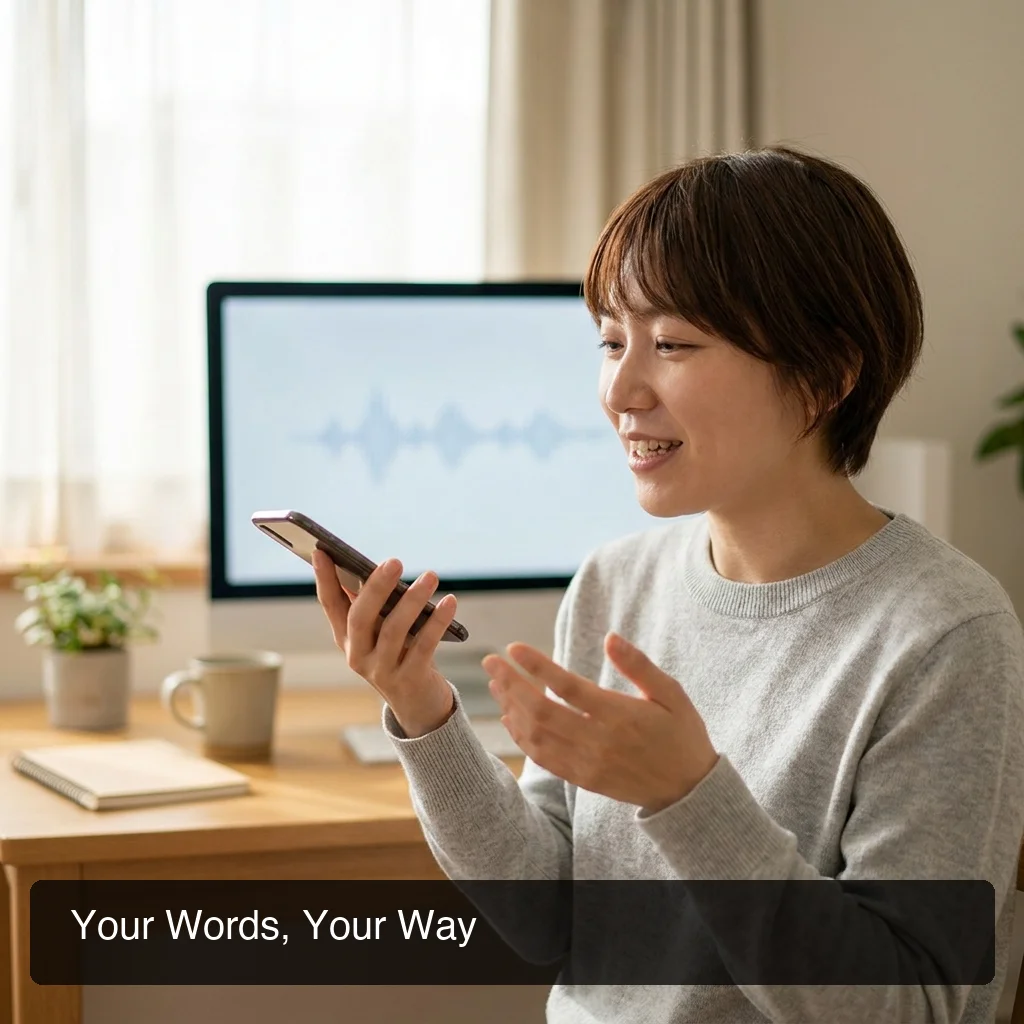 Real-time dictation with AI enhancement — words appear instantly, polished output follows in milliseconds.
- Under 300ms (BossAI): Imperceptible delay — flows like typing
- 300–500ms (AquaVoice, WisprFlow): Fast but noticeable on fast speakers
- 500ms–1s (Typeless, Otter.ai): Disrupts rhythm on long dictation sessions
- 1s+ (batch transcription tools): Not suitable for real-time workflow use
Typeless also has a 6-minute session cap — the session cuts off mid-dictation and you must restart, a significant interruption for long-form work.
Which Speech-to-Text Software Is Best for Professionals and Accessibility?
For accessibility needs (RSI, carpal tunnel, motor impairment), the best speech-to-text software provides a fully zero-keyboard workflow — dictation, screen-aware replies, and instant snippet insertion with no typing required at any step. BossAI, Dragon NaturallySpeaking, and Windows Speech Recognition are the top accessibility-grade options.
For RSI and Physical Disabilities
Dragon NaturallySpeaking remains the gold standard for medical and legal professionals requiring deep voice training. BossAI is the best mobile-first option — its native iOS keyboard means you can reply to emails, send Slack messages, and compose documents entirely hands-free across your phone, Mac, and Windows PC.
For Non-Native English Speakers
AI enhancement is especially valuable here. BossAI's correction layer produces clean, natural-sounding output regardless of accent. Superwhisper's multi-language auto-detection is strong for users who switch between languages throughout the day.
For Students
Free tools (Microsoft Dictate via Office 365 Education, Google Voice Typing) are the practical entry point. For better accuracy and note-taking workflows, Otter.ai's meeting transcription features are particularly useful for lectures. When you're ready for a tool that integrates into every app without friction, the options compared in our voice typing guide give you a clear upgrade path.
Key insight: Accessibility users who try premium AI dictation rarely go back. The combination of filler word removal and grammar correction eliminates the re-editing step that makes free tools frustrating for regular use.
Get Started with BossAI
If you need speech-to-text that goes beyond raw transcription — cleaning your words, rewriting your tone, and generating replies based on what's on screen — BossAI handles it without changing your workflow. Try it free across iOS, Mac, and Windows.
Frequently Asked Questions
What is the best software for voice to text?
The best voice-to-text software depends on your context. Microsoft Dictate is best for Office users, Dragon NaturallySpeaking for medical and legal, and BossAI for professionals who need AI-enhanced dictation with cross-platform support. For free options, Apple Dictation (iOS/Mac) and Google Voice Typing (Android/Chrome) are solid starting points with no setup required.
Is there free speech-to-text software worth using?
Yes — Microsoft Dictate (free with Office), Apple Dictation, and Google Voice Typing are genuinely useful for basic transcription. For AI enhancement without a subscription, BossAI's free tier (500 words/day) and Superwhisper's unlimited local model are both solid. If budget is the constraint, our guide to free voice-to-text conversion options covers every viable no-cost path.
What is BossAI?
BossAI is an AI-powered voice keyboard for iOS, macOS, and Windows that replaces typing with voice dictation. It transcribes speech in real time, removes filler words automatically, rewrites text in different tones with one tap, and includes Boss Mode — a screen-reading feature that reads your screen to generate contextual replies without copy-pasting.
Can ChatGPT do voice to text?
ChatGPT supports voice input in its mobile app, but it's a conversational assistant — not a dictation tool. It doesn't insert text directly into your email, Slack, or documents. For true speech-to-text that works system-wide across apps, dedicated tools like BossAI, Microsoft Dictate, or WisprFlow are better suited.
What platforms does BossAI support?
BossAI is available on iOS (App Store), macOS (App Store and direct download), and Windows (Microsoft Store). Android is not currently supported. The iOS version works as a full keyboard replacement so you can dictate in any app without switching.
How accurate is BossAI dictation?
BossAI uses advanced speech recognition models that achieve high accuracy in quiet environments and handles accented speech well. It automatically removes filler words (um, uh, like, you know) and corrects grammar in real time — so the transcribed text is cleaner than raw dictation from most built-in tools like Apple Dictation or Google voice typing.
What's the difference between Dragon NaturallySpeaking and newer AI dictation tools?
Dragon NaturallySpeaking uses deep voice training with your specific voice profile, delivering top accuracy for consistent use cases like legal and medical dictation. Newer AI tools (BossAI, WisprFlow, Superwhisper) use cloud transformer models that work immediately without training, offer better mobile support, and include tone rewriting features Dragon lacks — at a fraction of the price.