
AI Transcription App: Best Tools, Accuracy & 2026 Guide
Recording meetings and interviews is easy. Getting searchable, usable text from them without hours of manual work — that's where AI transcription changes everything.
Key Takeaways
- AI transcription apps convert audio to text automatically, saving 75-85% of manual transcription time while maintaining 95%+ accuracy
- Top apps like Otter, Fathom, and Fireflies integrate real-time transcription with AI summaries and searchable archives
- BossAI's dictation inserts text directly into Gmail, Slack, and Teams — no copy-paste required
- Most AI transcription tools cost $10-30/month for individuals; free tiers exist on Otter, Riverside, and BossAI
- Accuracy varies by conditions: single speaker with good audio reaches 95%+; crowded meetings with background noise drop to 85-90%
Contents
- What Is an AI Transcription App?
- How Accurate Are AI Transcription Apps?
- What Are the Best AI Transcription Apps in 2026?
- How Much Does AI Transcription Cost?
- How Does AI Transcription Compare to Manual Transcription?
- How Can AI Transcription Save You Time?
- Which AI Transcription App Works Best for Content Creators?
- Can AI Transcription Handle Multiple Speakers and Accents?
- Top apps like Otter, Fathom, and Fireflies integrate real-time transcription with AI summaries and searchable archives
- BossAI's dictation inserts text directly into Gmail, Slack, and Teams — no copy-paste required
- Most AI transcription tools cost $10-30/month for individuals; free tiers exist on Otter, Riverside, and BossAI
- Accuracy varies by conditions: single speaker with good audio reaches 95%+; crowded meetings with background noise drop to 85-90%
Contents
- What Is an AI Transcription App?
- How Accurate Are AI Transcription Apps?
- What Are the Best AI Transcription Apps in 2026?
- How Much Does AI Transcription Cost?
- How Does AI Transcription Compare to Manual Transcription?
- How Can AI Transcription Save You Time?
- Which AI Transcription App Works Best for Content Creators?
- Can AI Transcription Handle Multiple Speakers and Accents?
- Get Started with BossAI
- Frequently Asked Questions
What Is an AI Transcription App?
An AI transcription app converts spoken audio into written text automatically using machine learning models trained on millions of hours of speech. Unlike older voice recognition systems that required user training, modern AI transcription apps understand natural speech, accents, multiple speakers, and domain-specific vocabulary out of the box — no setup required.
AI transcription falls into two distinct categories:
- Real-time transcription — converts speech to text as you speak, used in meetings, live dictation, and captions
- Batch transcription — uploads a pre-recorded audio or video file and processes it asynchronously
The distinction matters more than most users realize. Real-time tools like BossAI and Otter operate live inside your existing apps.
Batch tools like Rev and Sonix require an upload-and-wait loop. For professionals who need results immediately, real-time is the category to focus on.
Most AI transcription tools share a common architecture: a speech recognition model converts raw audio to text, then a language model cleans up grammar, removes filler words, and applies punctuation. The quality of both layers determines the final output — and where tools diverge sharply.
How Accurate Are AI Transcription Apps?
 AI transcription accuracy ranges from 85% to 99% depending on audio conditions and speaker count.
AI transcription accuracy in 2026 ranges from 85% to 99% depending on audio conditions, speaker count, and vocabulary complexity. Single-speaker environments with a quality microphone consistently deliver 95%+ accuracy. Crowded meetings with overlapping speech and background noise typically fall between 85-90%, even on top-tier tools.
What Factors Drive Accuracy Differences?
Five variables directly determine how any AI transcription app performs in practice:
- Microphone quality — Headsets and lapel mics outperform built-in laptop microphones by 8-12 accuracy points
- Background noise — Coffee shops, open offices, and crowded rooms degrade accuracy significantly
- Speaker count — Single speaker: 95%+. Two speakers: 92-95%. Three or more: 85-92%
- Accents and dialects — Major accents are handled well; regional dialects and non-native speakers remain the biggest gap
- Technical vocabulary — Medical, legal, and brand-specific terms are where standard models struggle most
Custom dictionary support addresses the vocabulary problem directly. Tools like BossAI let you add proprietary terms, names, and jargon so the model learns your specific language.
The underlying model stack also matters. BossAI uses Deepgram for transcription paired with its own AI enhancement model — a two-stage pipeline that catches base-model errors.
The iOS AI Transcription app uses OpenAI's Whisper, which excels at offline batch processing. Knowing the model helps you predict performance edge cases.
Key insight: A 95% accurate transcript of a 1-hour meeting (~9,000 words) still contains ~450 errors. At 99%, that's 90. Every percentage point matters for legal, medical, or verbatim use cases.
For a technical breakdown of the models powering these tools, see our AI speech to text complete guide for 2026.
What Are the Best AI Transcription Apps in 2026?
 The top AI transcription apps differ significantly by workflow, pricing, and integration depth.
The best AI transcription apps in 2026 are Otter.ai for meeting notes, Rev for professional-grade accuracy with human backup, Fireflies.io for team collaboration, BossAI for native app integration without the copy-paste loop, and Riverside for content creators who record and transcribe in one step.
| App | Best For | Real-Time | Offline | Free Plan | Pricing |
|---|---|---|---|---|---|
| Otter.ai | Meetings + team notes | ✅ | ❌ | 300 mins/month | $16.99/mo |
| Rev | Professional accuracy | Batch | ❌ | Limited | $0.25/min AI |
| Fireflies.io | Team collaboration | ✅ | ❌ | 800 mins/seat | $18/mo |
| BossAI | Native app integration | ✅ | ❌ | 500 words/day | $9.99/mo |
| Riverside | Podcast and video | ✅ | ❌ | Limited | $15/mo |
| Fathom | Video calls (Zoom/Meet) | ✅ | ❌ | Yes | $19/mo |
Why Native Integration Changes the Equation
Most transcription apps follow the same workflow: record → upload → receive transcript → copy → paste into your app. BossAI eliminates that loop.
BossAI lives in your Mac menu bar, your Windows system tray, and your iOS and Android keyboard, and transcribes your voice directly into whatever text field you're in: Gmail, Slack, Teams, Notion, any app. No export step, no window switching, no clipboard management. The workflow difference alone often justifies the tool choice.
How Much Does AI Transcription Cost?
**AI transcription apps in 2026 typically cost $8-$30 per month for individual users. Free tiers exist on most platforms with meaningful limitations.
Per-minute pricing (Rev: $0.25/min) suits infrequent users; subscriptions are better value for daily use. Enterprise plans range from $30-$100/seat/month depending on team size and integrations.**
Budget tier ($8-10/month): BossAI ($9.99/month or $69.99/year), AquaVoice ($8/month) Mid-range ($15-20/month): Riverside ($15), Otter Pro ($16.99), Fathom ($19) Premium ($20-30/month): Fireflies ($18), Typeless ($30) Pay-per-minute: Rev ($0.25/min AI; $1.99/min human-edited)
Free tiers have real limits. Otter's free plan caps at 300 transcription minutes per month. BossAI's free tier gives 500 transcribed words per day with full AI quality — enough for occasional use, insufficient for power users by midday.
By the numbers: 2 hours of meetings per week — 8 hours monthly — costs roughly $2/hour for AI transcription at $16/month. Human transcription at $1.50-2.50/minute runs $720-1,200/month for the same volume. The ROI math isn't subtle.
For a broader look at real-time versus batch costs, the voice typing app guide covers pricing across the full input spectrum.
How Does AI Transcription Compare to Manual Transcription?
AI transcription is 10-20x faster than manual transcription and 80-90% cheaper at scale. Human transcription reaches 99%+ accuracy with proper review; AI peaks at 95-98% under ideal conditions. The practical recommendation: use AI for speed and initial drafts, use human review for legal, medical, or verbatim transcription where errors carry real consequences.
| Factor | AI Transcription | Manual Transcription |
|---|---|---|
| Speed | Under 5 min/hour of audio | 3-4 hours/hour of audio |
| Accuracy (ideal) | 95-99% | 99%+ |
| Accuracy (noisy/complex) | 85-90% | 95%+ |
| Cost per hour of audio | $2-15 | $60-120 |
| Speaker labeling | Automatic | Manual |
| Turnaround | Real-time to minutes | Hours to days |
The gap narrows significantly with real-time dictation. When you control the input — speaking clearly into a quality mic — AI accuracy climbs to 97-99% because you've eliminated the noise and speaker-count variables entirely.
How Can AI Transcription Save You Time?
 The real time savings come from eliminating the copy-paste loop between transcription and the tools you actually work in.
AI transcription apps save 75-85% of the time required for manual transcription. A 1-hour interview that takes 3-4 hours to transcribe manually takes AI under 5 minutes — with no playback scrubbing, no missed words, and no fatigue. For meeting notes and email drafting, real-time transcription eliminates the need to write anything at all.
Where the Time Savings Actually Stack Up
The savings compound across your entire workday — not just in obvious transcription tasks:
- Meeting documentation — 60 minutes of meeting notes that take 45 minutes to write manually are captured in real-time with zero post-meeting effort
- Email drafting — Dictating an email takes 3x less time than typing, with AI cleanup removing the proofreading step
- Interview transcription — 1-hour podcast interview: 3-4 hours manually, under 5 minutes with AI
- Research notes — Capture spoken observations instantly without disrupting your focus or stopping the conversation
BossAI eliminates the export-import bottleneck entirely. Instead of recording → uploading to Otter → copying transcript → pasting into Gmail, BossAI transcribes your voice directly into the Gmail compose window — one step, no switching.
Bottom line: The biggest time drain in transcription workflows isn't the transcription itself — it's the copy-paste loop between tools. The AI keyboard app integration is where that loop disappears.
Which AI Transcription App Works Best for Content Creators?
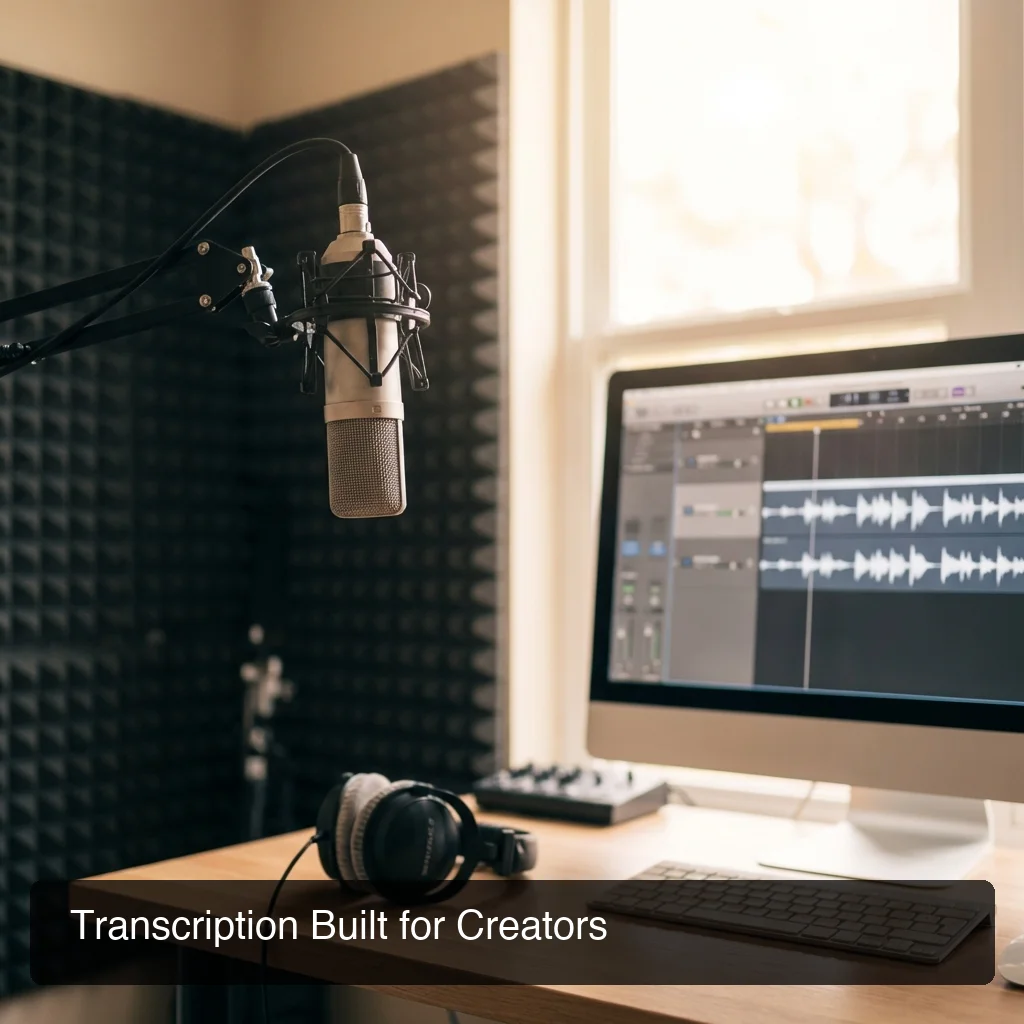 Content creators need transcription that fits their production pipeline, not a separate tool to manage.
**For content creators — podcasters, YouTubers, interviewers, and bloggers — the best AI transcription app combines speaker labeling, timestamped exports, and integration with editing tools. Riverside leads for podcast and video workflows.
Otter works well for interview transcription. BossAI serves the writing and idea-capture phase where creators draft scripts, show notes, and outlines.**
Matching the Tool to the Creator Workflow
Podcasters need speaker-labeled transcripts for show notes, SEO, and accessibility captions. Riverside's integrated recording-plus-transcription cuts the tool stack in half. Otter works as a standalone transcription layer on imported audio files.
YouTubers need timestamps aligned with video for subtitle generation. Riverside and Descript handle this natively. For videos under 30 minutes, batch tools like Rev deliver clean timestamped transcripts.
Bloggers and writers need idea capture more than file transcription. BossAI's real-time integration lets writers dictate article drafts, interview notes, and outlines directly into Notion, Obsidian, or Google Docs as they think — no separate recording required.
Customer success and sales teams need searchable call transcripts tied to CRM records. Fireflies' Salesforce integration and Otter's Zoom connector are purpose-built for this workflow. For iOS transcription solutions on the go, the voice typing app guide covers mobile-first options.
Can AI Transcription Handle Multiple Speakers and Accents?
AI transcription apps in 2026 handle multiple speakers and most major accents reliably. Speaker diarization — labeling who said what — is standard in meeting-focused tools like Otter, Fireflies, and Fathom, achieving 92-95% accuracy in two-speaker conversations. Accent support has improved significantly, though regional dialects and non-native English still produce higher error rates than standard native speech.
Speaker Diarization: What the Numbers Look Like
Diarization accuracy drops predictably as speaker count increases:
- 2 speakers: 93-96% attribution accuracy
- 3-4 speakers: 88-92% accuracy
- 5+ speakers: 82-88% accuracy
Cross-talk — where two people speak simultaneously — remains the hardest unsolved problem. No current tool reliably attributes overlapping speech.
Accent robustness varies by model. Deepgram (used in BossAI), OpenAI's Whisper, and Speechmatics lead for accent coverage.
All handle British, Australian, Indian, and major European accents well. Heavy regional dialects and some non-native speaker patterns still produce meaningful accuracy drops.
Our guide on the best speech to text app covers how to evaluate accuracy across accents and speaker profiles systematically.
Get Started with BossAI
Transcription is most useful when it lives inside the apps you already use — not as another tab to manage. BossAI runs natively on Mac, Windows, iOS, and Android, transcribing your voice directly into Gmail, Slack, Teams, Notion, or any text field.
Not ready to try it yet? Get Our AI Productivity Guide — free tips on working faster with AI.
Frequently Asked Questions
Which AI app can transcribe audio?
The top AI apps for audio transcription are Otter.ai, Rev, Fireflies.io, and Riverside. For real-time transcription directly into apps without recording or uploading, BossAI transcribes voice into Gmail, Slack, Notion, and any text field on Mac, Windows, iOS, and Android. The right choice depends on whether you need batch file transcription or live in-app dictation.
Is there a free AI to transcribe text?
Yes — most major AI transcription apps offer free tiers. Otter provides 300 transcription minutes per month free.
Riverside transcribes audio and video free with limited exports. BossAI's free tier transcribes 500 words per day with full AI enhancement.
Google Docs Voice Typing and Apple Dictation are completely free but lack AI cleanup, filler removal, and punctuation intelligence.
Can ChatGPT do audio transcription?
ChatGPT can transcribe uploaded audio files using OpenAI's Whisper model with strong accuracy on clear recordings. It is not designed for real-time transcription or native app integration. For live meeting transcription or dictation that inserts text directly into your workflow, dedicated apps like Otter, Fireflies, or BossAI are more practical.
Is AI transcription legal?
AI transcription is legal in most jurisdictions, but recording consent laws vary. In two-party consent states (California, many EU nations), all participants must consent before recording or transcribing.
Always disclose at the start of a call. Internal company meeting transcription typically requires only a company-wide disclosure policy.
How accurate is AI transcription for technical vocabulary?
Standard AI transcription achieves 95%+ on general vocabulary but drops to 80-85% on specialized medical, legal, or technical terms not in the training data. Custom dictionary features — available in BossAI and several competitors — let you add domain-specific terms and jargon without retraining the model.
What is the difference between transcription and dictation apps?
Transcription apps archive recorded audio as searchable text. Dictation apps insert transcribed speech directly into text fields in real time for active writing.
Many modern tools combine both, while BossAI focuses on real-time dictation into any app. The AI dictation app guide covers the live dictation workflow in depth.
How does real-time transcription differ from batch transcription?
Real-time transcription converts speech to text instantly as you speak — output appears within 100-500 milliseconds. Batch transcription uploads a recorded file and processes it asynchronously, returning results in 1-5 minutes per hour of audio.
Real-time suits live meetings and active dictation. Batch suits post-production like podcast editing and interview analysis.