Coding by Voice: A Developer's Guide
Try saying "for i in range parentheses ten parentheses colon" out loud, and you'll hit the exact wall every skeptic of coding by voice points to: code isn't sentences, it's syntax. That gap between spoken language and spoken syntax is what modern voice dictation has closed for developers who type all day — not by forcing you to speak punctuation, but by learning what "camelCase" and "async await" actually mean when you say them in context.
Key Takeaways
- Voice coding can be faster than typing for experienced developers on non-UI logic — function bodies, loops, and algorithm implementation — though not on markup-heavy frontend work.
- BossAI's custom dictionary learns technical terms, variable names, function names, and syntax patterns specific to your codebase, so accuracy improves the more you use it.
- Setup is quick: enable a hotkey, grant microphone access, and seed your custom dictionary with your language's most common terms.
- The same voice engine works in every IDE — VS Code, JetBrains, Vim, Sublime Text — because it types at the operating-system level, not inside the editor itself.
- Backend logic benefits most; declarative markup like HTML, CSS, and YAML still favors a keyboard.
Contents
- What Is Coding by Voice?
- How Does Voice Coding Work in VS Code, JetBrains, and Other IDEs?
- Can You Code Faster by Voice Than Typing?
- Which Voice Coding Tools Should Developers Consider?
- Which Programming Languages and Spoken Languages Work Best With Voice Dictation?
- Is Voice Coding Accurate Enough for Production Code?
- How Do You Set Up Coding by Voice on macOS, Windows, iOS, and Android?
- Can Voice Coding Help Developers With RSI or Carpal Tunnel?
What Is Coding by Voice?
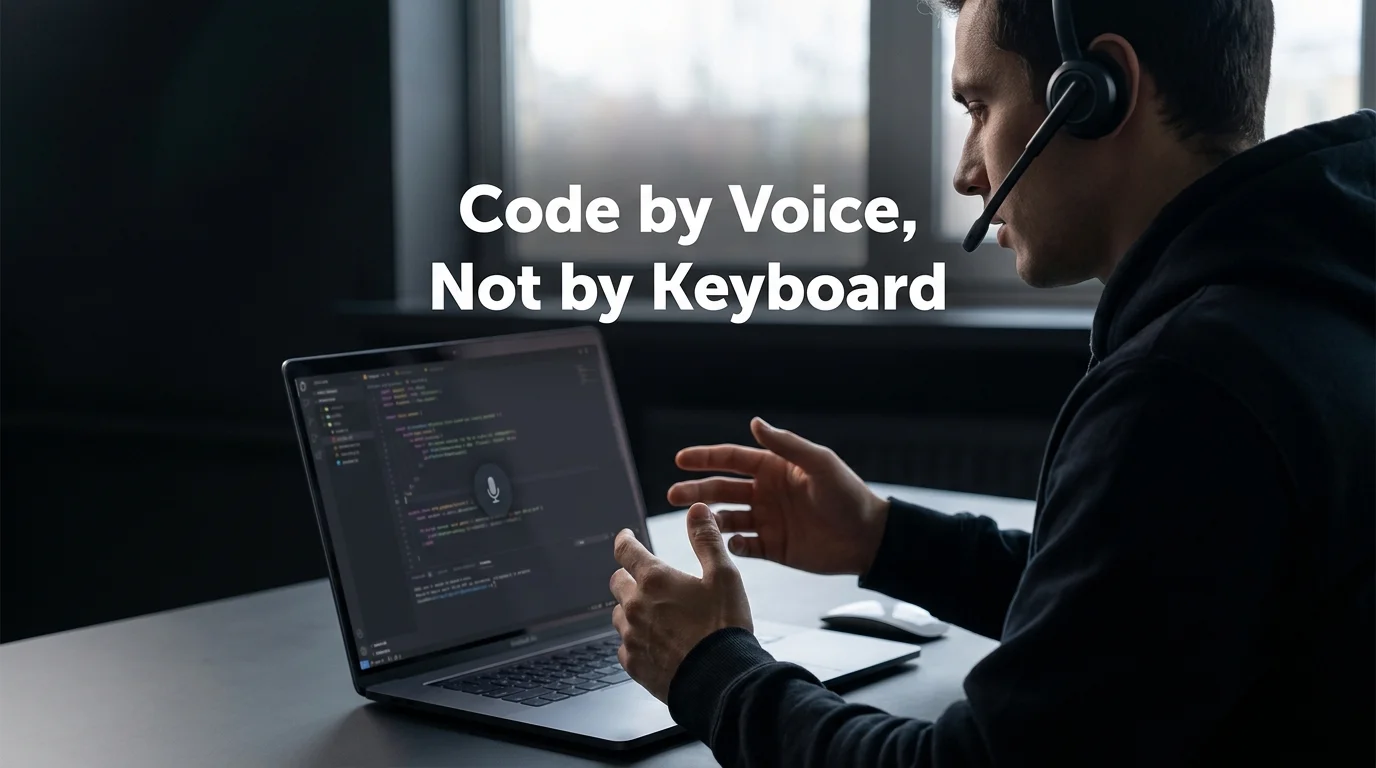
Coding by voice means writing, editing, and navigating source code by speaking instead of typing, using AI dictation software that converts spoken words into text, comments, and documentation inside your existing IDE. It's a different category from voice-controlled "command grammars," which require memorizing an exact spoken syntax for every bracket, indent, and operator before you can write a single line.
That older grammar-based approach — the kind tools like Talon Voice popularized — asks you to learn a new spoken language just to control an old one. Modern AI dictation skips that step. You speak the logic the way you'd explain it to a teammate, and the software handles transcription, formatting, and vocabulary.
This is really a specialized branch of a broader shift. If you want the wider picture of how voice replaces typing across every app on your device, not just code editors, see our guide on how to type with voice.
There's also a related but distinct trend worth naming: "vibe coding," where developers speak instructions to an AI assistant that writes the code for them, rather than dictating the code itself. Coding by voice, as covered here, is about you writing your own logic hands-free — the assistant transcribes, it doesn't author.
How Does Voice Coding Work in VS Code, JetBrains, and Other IDEs?
Voice coding in a modern AI dictation tool works at the operating-system level, not as an editor plugin — you hold a hotkey, speak, and text appears wherever your cursor sits, whether that's VS Code, JetBrains, Vim, or a terminal. No extension to install per editor, no configuration file to maintain per project.
That's a meaningful departure from the plugin-per-editor model. A voice programming tool built as a VS Code extension stops working the moment you switch to a different editor or SSH into a remote terminal. An OS-level tool doesn't care what's in focus.
For developers who also write documentation and README files, the same dictation engine handles prose formatting differently from code — a detail covered in depth in our breakdown of how voice typing actually works in Google Docs, which applies the same underlying principle to long-form writing.
Voice coding isn't limited to desktop, either. Reviewing a pull request or reading through error logs from a phone is becoming a real use case for mobile dictation for developers, particularly for quick comments and fixes between meetings.
Can You Code Faster by Voice Than Typing?
Yes, for a specific category of work — experienced developers writing function bodies, loop logic, and algorithm implementation can speak faster than they type. The gain shrinks or disappears for tightly structured, symbol-heavy work like CSS selectors or JSX markup.
The math is straightforward. An experienced developer types around 60–80 words per minute; the same developer speaks at 130–150 words per minute. Voice coding doesn't close that gap entirely — corrections and re-dictation eat into it — but for verbose logic (nested conditionals, long parameter lists, repetitive boilerplate) the net speed advantage holds up.
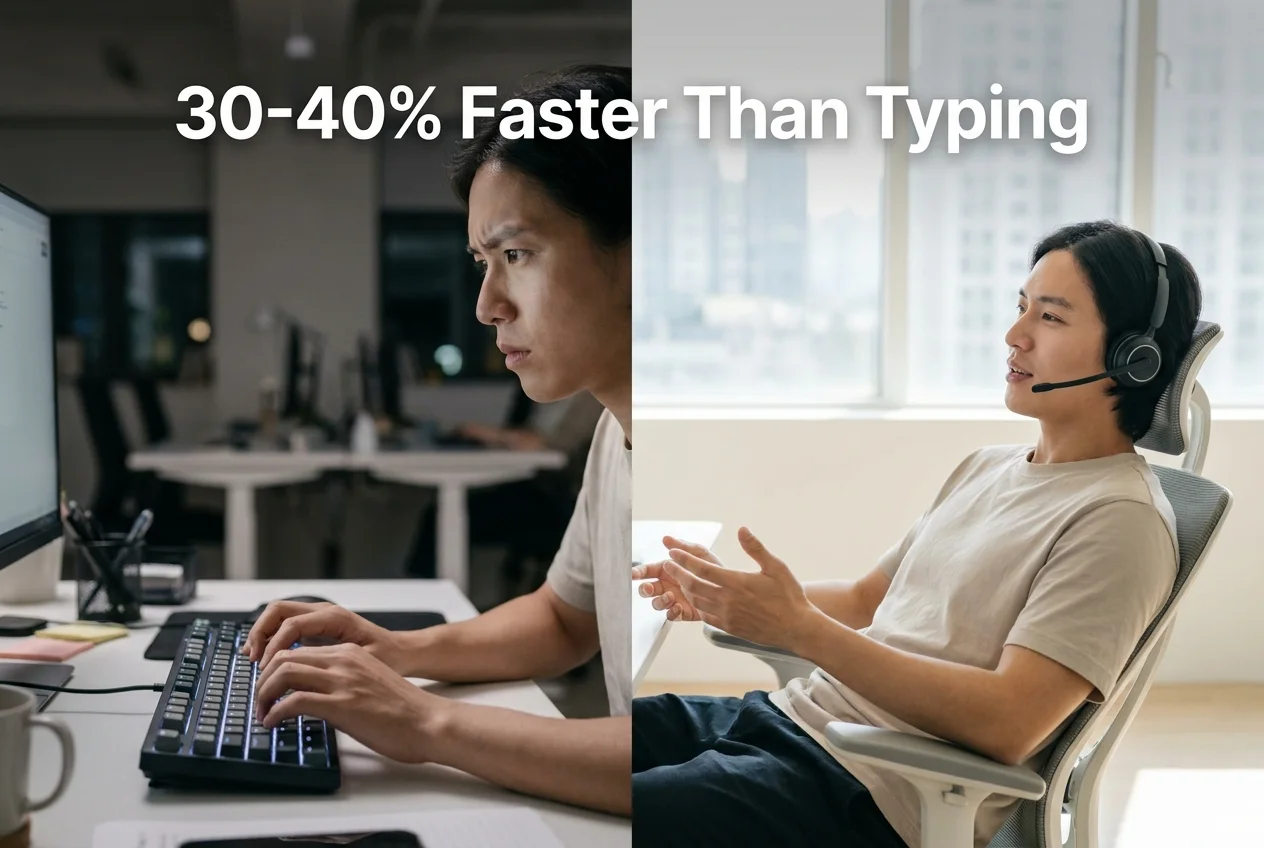 Non-UI logic sees the biggest speed gain; declarative markup barely moves the needle.
Worth knowing: The speed advantage isn't about typing letters faster — it's about skipping the mental translation step between "what I want this function to do" and "which keys I need to press."
Which Voice Coding Tools Should Developers Consider?
Developers researching hands-free coding options run into two very different categories: AI dictation tools that transcribe natural speech, and command-grammar tools that require learning a fixed spoken vocabulary for syntax. The table below compares the main options across both.
| Tool | Approach | Editor Setup | Custom Vocabulary | Price |
|---|---|---|---|---|
| BossAI | AI dictation, natural speech, OS-level input | None — works in any IDE immediately | Custom dictionary, persists across sessions | $9.99/mo, free tier (500 words/day, no weekly cap) |
| WisprFlow | AI dictation + Command Mode for reformatting selected text | None | Yes | $15/month |
| Superwhisper | AI dictation, local or cloud models, custom modes | Minimal — mode configuration required | Yes, via custom modes | ~$8/month |
| Typeless | AI dictation, cloud-only, LLM-based formatting | None | Yes | $30/month, 6-minute session cap |
| Talon Voice | Command grammar, spoken syntax rules | Editor scripts/plugins per IDE | Custom grammar file per project | Free (core) |
The command-grammar tools trade a steeper learning curve for tighter control over symbol-level input. The AI dictation tools, including BossAI, trade a little of that precision for a setup that works the moment you turn on your microphone — no grammar file to write before your first line of code.
Which Programming Languages and Spoken Languages Work Best With Voice Dictation?
Backend logic in languages like Python, Go, and JavaScript dictates more naturally than declarative, symbol-dense formats like HTML, CSS, or YAML, because spoken sentences map more directly onto function bodies and conditionals than onto nested markup tags. Frontend styling and configuration files remain faster to type than to speak.
There's a second, less obvious dimension here: spoken language, not just programming language. BossAI supports dictation in multiple spoken languages, which matters for polyglot engineering teams — a developer in Berlin can dictate a code comment in German while variable names and function calls stay in English, without switching input methods or apps.
That combination — voice input in your native language, code output in the language your team standardizes on — is a real workflow for distributed teams, not a hypothetical one. Non-native English speakers on a team benefit twice: once from AI-corrected phrasing in their comments, and again from not having to think in a second language while typing logic.
Is Voice Coding Accurate Enough for Production Code?
Accuracy in production code depends almost entirely on vocabulary, not on the speech engine itself — generic dictation tools stumble on camelCase, API_KEY, and framework-specific terms because they were never taught those words exist. A custom dictionary closes that gap by teaching the tool your codebase's actual vocabulary.
BossAI's custom dictionary is built for exactly this. Add terms like useState, async/await, Redux, or your own internal class names once, and they persist across every future session — the tool stops guessing and starts recognizing.
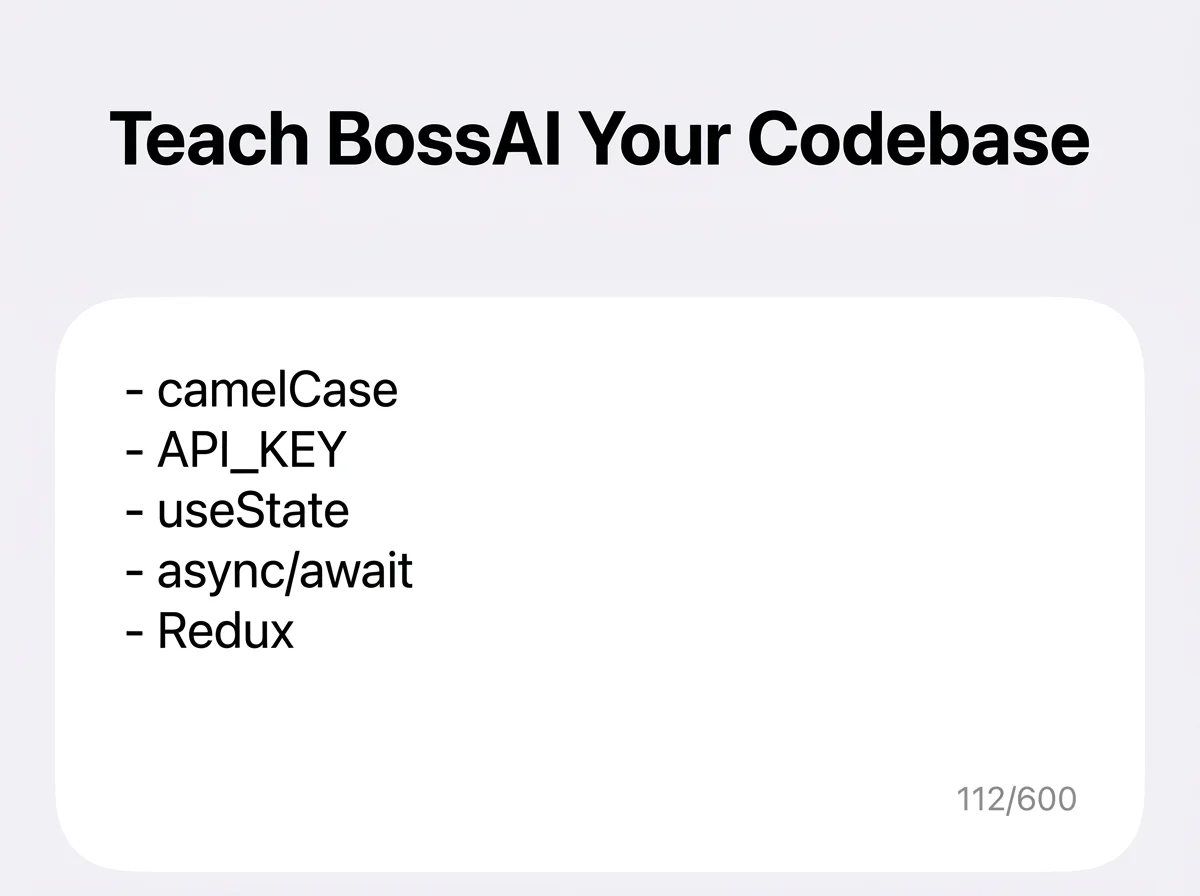 Terms added once apply to every future dictation, cutting repeat corrections.
Reality check: No dictation tool gets a brand-new, unfamiliar term right on the first try. The difference between tools is whether that correction has to happen every single time or only once.
Complex, deeply nested algorithms are the hardest case for any voice input method — long chains of parentheses and multi-level conditionals are genuinely easier to type than to narrate cleanly. The practical pattern most developers land on: dictate the logic in plain language first, then clean up structure and punctuation by hand, rather than trying to speak every bracket aloud.
How Do You Set Up Coding by Voice on macOS, Windows, iOS, and Android?
Setting up voice coding is quick across platforms: install the app, grant microphone permission, enable the hotkey (Fn on Mac, a configurable shortcut on Windows), and add your first custom dictionary terms before you start dictating. No IDE-specific plugin required on any platform.
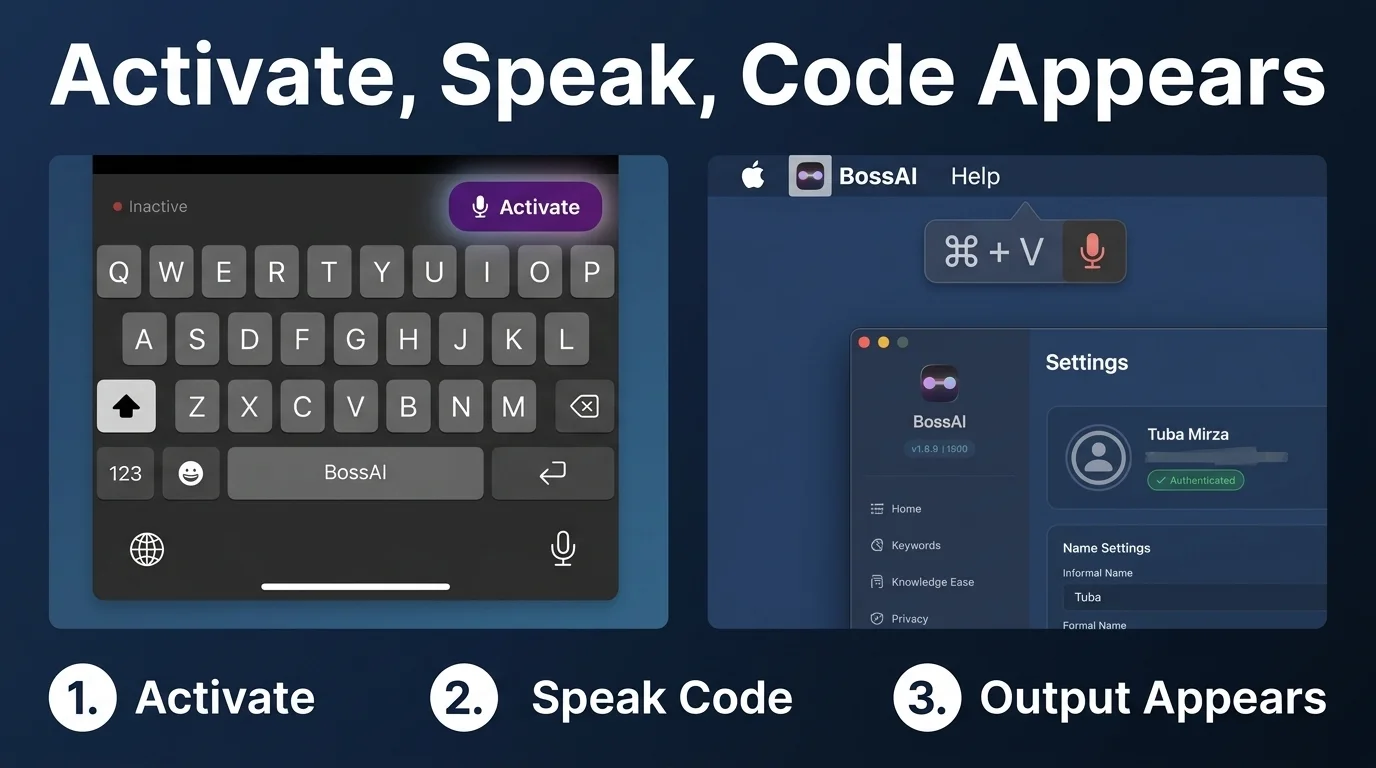 Activate → speak → the output appears wherever your cursor is, on any platform.
On macOS, BossAI runs as a menu bar app — hold the hotkey, dictate, release, and the text lands in your editor. Windows works the same way from the system tray. For a deeper walkthrough of dictation setup specifically on Windows, see our guide to voice to text on Windows 10 and 11.
On iOS, BossAI replaces your default keyboard, which matters more than it sounds like it would — dictating a quick code comment or Slack message about a bug from your phone uses the exact same vocabulary and custom dictionary as your desktop setup. No separate configuration to maintain.
Can Voice Coding Help Developers With RSI or Carpal Tunnel?
Yes — voice coding is one of the few workflows built specifically for zero-keyboard use, transcribing speech, removing filler words, and correcting grammar automatically, so a developer with RSI or carpal tunnel can write functions, comments, and documentation without touching a key. This isn't a niche accommodation; it's a full replacement input method.
Accessibility in development work often gets treated as an afterthought bolted onto existing tools. Voice coding flips that: it's a primary workflow for some developers, not a fallback. A programmer managing a wrist injury can keep shipping code at close to full speed by narrating logic instead of typing it, then reviewing the output visually before committing.
- Function bodies and loop logic dictate cleanly with minimal hand involvement
- Custom dictionary reduces the number of manual corrections needed per session
- Works across the same IDEs and terminals a developer already uses — no new tool to learn
Get Started with BossAI
If reading code syntax off your screen and reciting variable names sounds more natural than it looks on paper, the fastest way to find out is to try it on your own codebase. BossAI's custom dictionary and cross-platform support mean the same setup follows you from your Mac to your Windows machine to quick fixes from your phone.
Not ready to try it yet? Get Our AI Productivity Guide — free tips on working faster with AI.
FAQ
What is BossAI, and how is it different from a typing plugin?
BossAI is an AI voice keyboard for iPhone and Android, and a voice-to-text app for Mac and Windows, that replaces typing with real-time speech transcription. Unlike a typing plugin scoped to one editor, it works at the system level in any app — including every IDE — and adds Boss Mode, which reads on-screen context to draft replies without copy-pasting.
Can voice coding help with RSI or carpal tunnel?
Yes. Voice coding is built for zero-keyboard use — you dictate everything, and the software handles transcription, filler-word removal, and formatting automatically. Developers managing RSI, carpal tunnel, or wrist injuries use it to write code, comments, and documentation entirely hands-free, without typing at any step.
Do I need to memorize special voice commands to code by voice?
No, not with an AI dictation tool like BossAI. You speak naturally, the way you'd describe the logic to a colleague, rather than reciting a fixed spoken syntax for every symbol. Command-grammar tools like Talon Voice require memorizing exact phrases; AI dictation tools don't.
Which IDEs does voice coding work in?
Any of them. Because AI dictation tools operate at the operating-system level rather than as editor plugins, the same setup works in VS Code, JetBrains IDEs, Vim, Sublime Text, or a terminal window without separate configuration for each one.
Is voice coding accurate enough for production code, or just prototyping?
It's accurate enough for production work once a custom dictionary is populated with your project's technical terms — variable names, framework keywords, and internal jargon. Deeply nested algorithms with heavy symbol use are still easier to type than dictate cleanly.
Does voice coding work for bilingual or non-English-speaking developers?
Yes. BossAI supports dictation in multiple spoken languages, so a developer can dictate comments or documentation in their native language while code and function names stay in the language the team standardizes on, without switching apps or input methods.