

AI Powered Keyboard: Smart Voice & Intelligent Typing
AI Powered Keyboard: Transform Your Typing with Smart Voice and Intelligent Predictions
Typing still accounts for most of how we communicate at work. Yet the average person types at 40 words per minute while thinking at 150 words per minute. That gap costs hours every day. AI powered keyboards close it by learning how you write, predicting what you'll say next, and turning your voice into polished text instantly.
Unlike traditional keyboards that only correct obvious typos, an AI powered keyboard adapts to your vocabulary, understands context, and offers intelligent suggestions before you finish typing. Add voice input powered by AI, and you get a keyboard that can reduce typing time by up to 40% while improving accuracy.
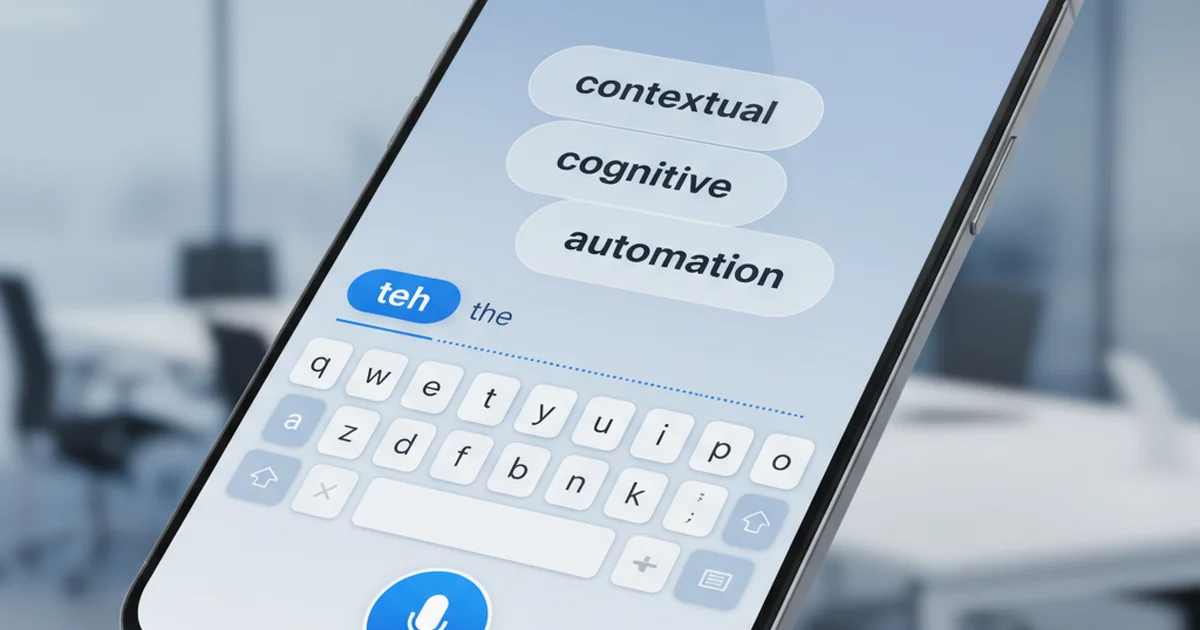
This guide covers what makes AI powered keyboards different, how they learn your writing style, which apps lead the market, and how features like screen awareness take productivity beyond simple prediction. If you're looking for an AI keyboard app that combines voice, intelligence, and speed, this is where to start.
What Is an AI Powered Keyboard?
An AI powered keyboard is a digital keyboard that uses machine learning and natural language processing to predict, correct, and enhance text input in real time. Unlike standard keyboards that rely on static autocorrect dictionaries, AI keyboards learn from your typing patterns, adapt to your vocabulary, and provide contextually relevant suggestions based on what you're writing and where you're writing it.
These keyboards use neural language models to analyze billions of text patterns. When you type "I'm heading to the," the AI doesn't just guess the next word—it considers your location history, time of day, recent conversations, and common phrases you use. The result is predictions that feel intuitive rather than generic.
AI powered keyboards also integrate voice-to-text capabilities powered by the same AI models. This means you can type with voice and the keyboard will not only transcribe your words but also remove filler words like "um" and "uh," fix grammar, and format text appropriately for the app you're using.
The key difference from traditional keyboards: AI keyboards improve continuously. The more you use them, the better they understand your writing style, technical vocabulary, and communication preferences.
How AI Powered Keyboards Learn Your Writing Style
AI powered keyboards build a personalized language model by analyzing every word you type. This process happens locally on your device using machine learning algorithms that detect patterns in your word choice, sentence structure, and contextual usage.
When you consistently type "mtg" instead of "meeting" in work chats, the AI recognizes this abbreviation and begins suggesting it. When you frequently end customer emails with "Looking forward to hearing from you," the keyboard learns to predict that exact phrase when you start typing "Looking."
Context awareness separates advanced AI keyboards from basic predictive text. The keyboard knows that "Hey" is appropriate for iMessage but "Hello" fits better in Gmail. It understands that technical terms like "API endpoint" belong in Slack conversations with your engineering team but not in texts to friends.
Custom dictionary expansion happens automatically. If you mention "Kubernetes" or "PostgreSQL" repeatedly, the AI keyboard adds these to your personal vocabulary and stops trying to autocorrect them. Some keyboards let you manually add names, brand terms, and jargon to accelerate this learning.
The adaptation extends to syntax and tone. If you tend to write short, direct sentences, the AI won't suggest long, formal phrases. If you use exclamation points frequently, it will predict them in appropriate contexts. This personalization creates a typing experience that feels like the keyboard anticipates your thoughts.
Key Features of AI Powered Keyboards
AI powered keyboards share several core capabilities that distinguish them from standard keyboards. Understanding these features helps you evaluate which keyboard fits your workflow.
Predictive Text and Next-Word Suggestions
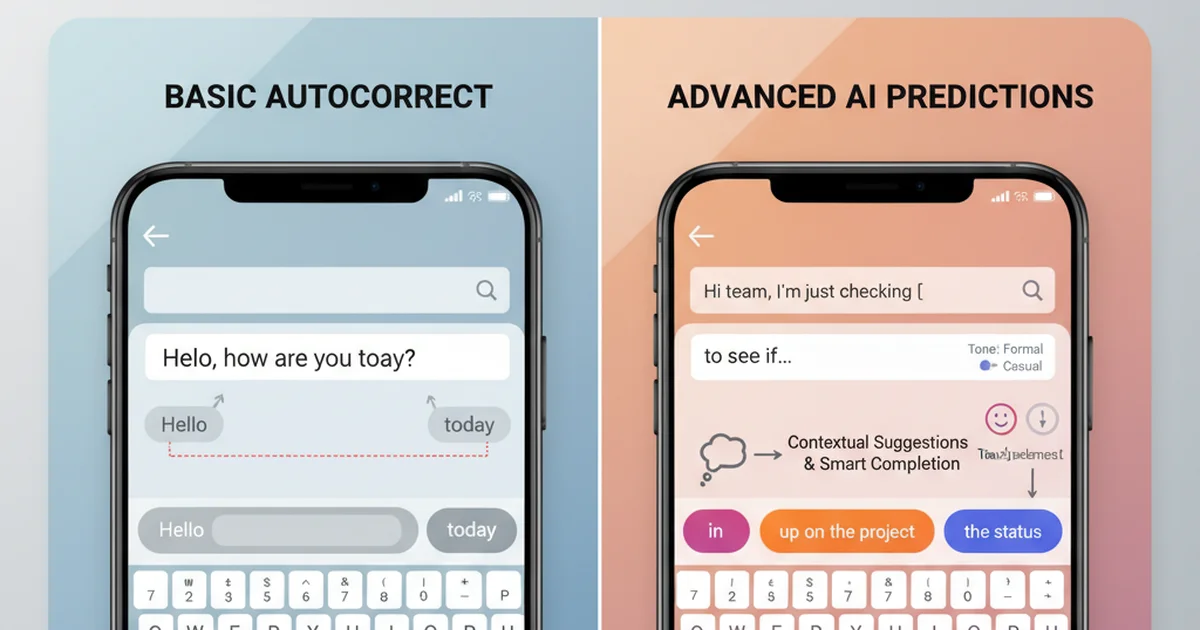
The foundation of any AI keyboard is intelligent prediction. As you type, the keyboard suggests full words and phrases based on context. Unlike older T9 systems that offered generic predictions, AI keyboards consider what you're writing, who you're writing to, and what you typically say in similar situations.
Predictions appear in real time above the keyboard. A single tap inserts the suggestion, saving keystrokes and reducing errors. Advanced systems predict entire phrases—if you type "Can we," the keyboard might suggest "reschedule for next week" if you've recently discussed scheduling.
Smart Autocorrect and Grammar Fixes
AI autocorrect goes beyond fixing "teh" to "the." It catches contextual errors like "your" vs. "you're," adjusts tense consistency, and fixes punctuation. When you type "im going to the store," the keyboard corrects it to "I'm going to the store" automatically, handling capitalization, apostrophes, and spacing.
Grammar checking happens silently. The AI identifies incomplete sentences, misplaced modifiers, and subject-verb disagreements without interrupting your flow. Corrections apply as you type, not after you finish.
Voice Typing Integration
Modern AI keyboards include built-in voice input that transcribes speech in real time while applying the same AI enhancements that improve typed text. You speak naturally, and the keyboard removes filler words, adds punctuation, and formats output for readability.
Voice typing becomes especially powerful on mobile devices where typing is slower. Instead of tapping out a long email on a phone screen, you dictate it in seconds. The AI handles capitalization, paragraph breaks, and context-specific formatting without manual editing.
Tone Adjustment and Rewrite Capabilities
Some AI keyboards let you rewrite text in different tones with a single tap. You draft a casual message, then tap "Professional" to transform it into formal business language. Or you write a neutral response and tap "Empathetic" to add warmth.
This feature saves time when switching between communication contexts. The same keyboard that helps you text friends can instantly adjust to draft client emails without rewriting from scratch.
Multi-Language Support
AI keyboards support dozens of languages and can switch between them mid-sentence. Multilingual users can type in English, switch to Spanish, and return to English without changing keyboard settings. The AI recognizes each language and applies appropriate predictions and corrections.
This works for both typing and voice input. You can dictate in one language and type in another within the same message.
Clips and Snippets
Advanced AI keyboards include clip managers that store frequently used text—email signatures, addresses, standard replies, meeting links. These clips are accessible directly from the keyboard, eliminating the need to copy-paste from notes apps or remember long strings.
For professionals who send similar messages repeatedly, clips turn multi-paragraph responses into single taps. This feature alone can save dozens of keystrokes per day.
Feature Comparison: Top AI Keyboards
| Feature | SwiftKey | Gboard | Grammarly | Wordtune | BossAI |
|---|---|---|---|---|---|
| Predictive Text | ✓ | ✓ | ✓ | ✓ | ✓ |
| Voice Typing | ✓ | ✓ | Limited | Limited | ✓ |
| Tone Rewrite | Limited | ✗ | ✓ | ✓ | ✓ |
| Grammar Correction | ✓ | ✓ | ✓ | ✓ | ✓ |
| Custom Dictionary | ✓ | ✓ | ✓ | ✓ | ✓ |
| Clips/Snippets | ✗ | ✗ | ✗ | ✗ | ✓ |
| Screen Awareness | ✗ | ✗ | ✗ | ✗ | ✓ |
| Offline Mode | ✓ | ✓ | ✗ | ✗ | ✗ |
Best AI Powered Keyboard Apps in 2026
The AI keyboard market offers several strong options for different needs.
Microsoft SwiftKey AI leads with 500+ million installs and exceptional multilingual support across 300+ languages. It excels at prediction accuracy and integrates Microsoft Copilot for AI responses. Best for multilingual typing and Android users.
Gboard (Google) dominates through Android pre-installation. Strong predictive text, Google voice recognition, built-in search, and real-time translation. Reliable but lacks advanced AI rewriting. Best for Google ecosystem users.
Grammarly Keyboard focuses on writing quality—grammar correction, word choice improvement, and tone adjustment. Strong for professional communication but limited voice typing. Premium features require subscription. Best for grammar-focused professionals.
Wordtune Keyboard specializes in rewriting with multiple tone options (formal, casual, shorter, longer). Excellent for non-native English speakers wanting natural phrasing. Best for tone refinement and rephrasing.
BossAI combines dictation, screen awareness, and contextual generation. Unique Boss Mode reads on-screen content to generate contextual replies—say "Boss, reply to this email professionally" and it reads the email, drafts a response, and inserts it without copy-pasting. Includes one-tap rewrite (Professional, Casual, Witty, Persuasive, Empathetic, Bold) and clips for frequently used text. Available on iOS, macOS, and Windows. Best for professionals managing heavy communication who value speed.
AI Powered Keyboards Across Platforms
AI keyboard availability and capabilities vary significantly by platform due to operating system restrictions and API limitations.
iOS AI Keyboards
iOS allows third-party keyboards but restricts certain capabilities for privacy and security. AI keyboards on iPhone can access typed text to provide predictions and corrections, but voice input must use Apple's dictation API unless the keyboard uses its own speech recognition.
Popular iOS AI keyboards include SwiftKey, Gboard, Grammarly, and BossAI. Installation requires enabling the keyboard in Settings → General → Keyboard → Keyboards → Add New Keyboard, then granting full access for AI features to function.
iOS keyboards face limitations on system-wide access. They can't read screen content outside the text field unless using Apple's screen sharing APIs, which require explicit user permission. BossAI uses ReplayKit to enable screen-aware features on iOS while respecting privacy boundaries.
Android AI Keyboards
Android offers more flexibility for keyboard developers. Third-party keyboards can access system APIs, offer extensive customization, and integrate deeply with Android features. This makes Android the primary platform for advanced AI keyboard features.
SwiftKey and Gboard dominate Android market share. Both keyboards offer superior prediction accuracy on Android compared to iOS versions because they can access more system data and user patterns.
Android keyboards support features like floating keyboards, split layouts, and custom themes more easily than iOS. Users who prioritize keyboard customization generally prefer Android.
Windows and Mac AI Keyboard Apps
Desktop AI keyboards work differently from mobile keyboards. Rather than replacing the system keyboard, they run as background applications that activate via hotkey.
On macOS, apps like BossAI and other voice to text apps for Mac operate through the menu bar. Users hold a hotkey (typically Fn or Option) to activate dictation. The app captures speech, processes it with AI, and inserts formatted text wherever the cursor is located.
Windows equivalents run in the system tray with similar hotkey activation. These apps work universally across all applications without requiring special integration.
Desktop AI keyboards excel at long-form dictation for documents, emails, and code comments. The larger screens and more powerful processors enable more sophisticated AI processing and better accuracy for technical vocabulary.
Cross-Platform Options
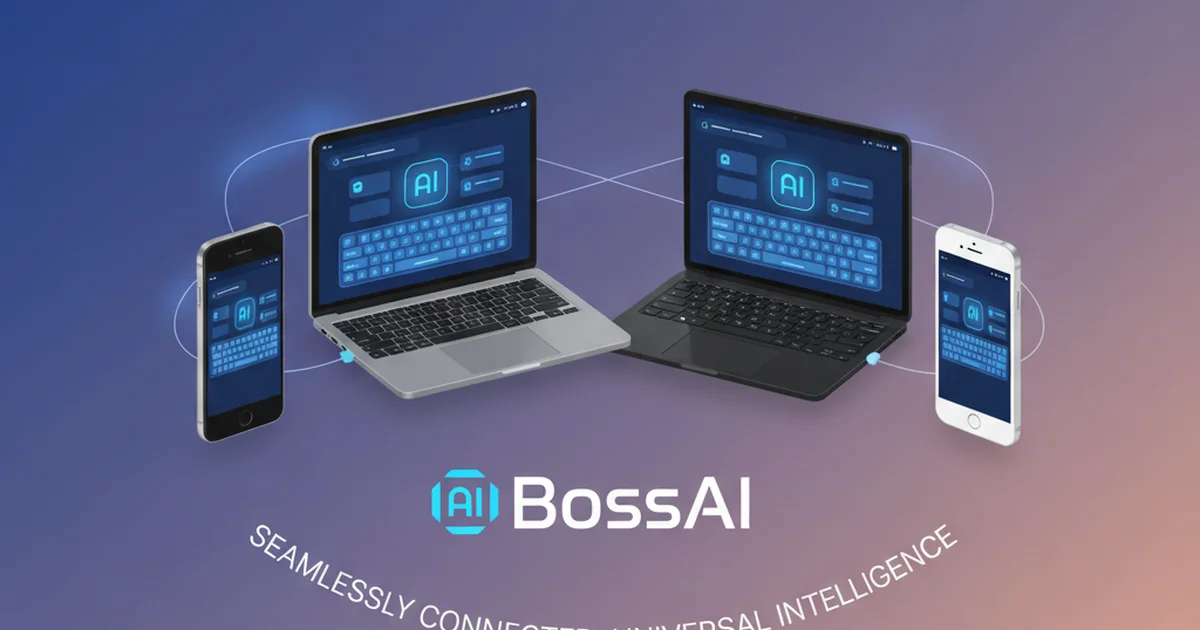
Several AI keyboards work across multiple platforms, syncing custom dictionaries, clips, and settings. BossAI, SwiftKey, and Grammarly all offer multi-platform versions, though feature parity varies.
Cross-platform keyboards benefit users who switch between devices throughout the day. Your iPhone learns "PostgreSQL" as a custom word, and your Mac keyboard already knows it. Your clips sync automatically, so the email signature saved on desktop appears on mobile.
How AI Powered Keyboards Boost Productivity
AI powered keyboards reduce typing time by 30-40% through accurate predictions and voice input. When the keyboard predicts entire phrases, you tap once instead of typing 8-10 characters. Dictation jumps input speed from 40 to 120-150 words per minute.
For professionals sending 50-100 messages daily, this saves 30-60 minutes. AI autocorrect catches errors before sending, reducing typos by 60-70% and preventing costly clarifications in professional contexts.
Rewrite features eliminate manual tone adjustment—write naturally, tap a button to formalize. Screen-aware keyboards reduce app switching: instead of copying content to ChatGPT for replies, dictate "reply professionally" and let the keyboard handle everything.
Real-world impact: Email professionals save 45-60 minutes daily dictating replies. Content creators cut drafting time in half. Customer support teams handle 30-40% more tickets using clips and voice input.
Screen-Aware AI Keyboards: The Next Evolution
Most AI keyboards predict what you'll type next. Screen-aware AI keyboards understand what you're looking at and generate contextually relevant responses based on that content.
This capability represents a fundamental shift. Traditional keyboards are reactive—they respond to what you type. Screen-aware keyboards are proactive—they understand the full communication context and generate appropriate text without you explaining the situation.
How Screen Context Works
Screen-aware keyboards use computer vision APIs to capture what's displayed on screen. When you activate a screen-aware command, the keyboard takes a snapshot of the current view, sends it to a vision-enabled language model, and generates a response based on both your verbal instruction and the visual context.
For example, you receive an email asking if Friday delivery is possible. Instead of reading the email, thinking of a response, and typing it out, you tap the reply field and say "Boss, confirm Friday delivery and suggest a follow-up call." The AI reads the email, understands the context, and writes: "Friday delivery works perfectly for us. Would you be available for a brief call next week to discuss next steps?"
This works for email replies, Slack responses, social media comments, document edits, and any situation where context matters.
Why This Matters for Productivity
Screen awareness eliminates the most time-consuming part of communication: context transfer. You don't explain what you're replying to. You don't copy-paste content for the AI to read. You don't switch apps. The keyboard sees what you see and acts accordingly.
This saves 5-15 seconds per message. For users handling 50+ messages daily, that's 4-12 minutes saved—time that previously went to copying, pasting, and explaining context to AI tools.
BossAI pioneered this approach with Boss Mode, which combines screen reading, voice commands, and contextual generation in a single keyboard. No other AI keyboard currently offers comparable screen-aware capabilities.
Get Started with BossAI
If you want an AI powered keyboard that combines intelligent predictions, voice typing, and screen-aware context, BossAI delivers all three. It removes filler words from dictation automatically, rewrites text with one-tap tone adjustment, and reads your screen to generate replies without copy-pasting.
The free tier includes 500 words of AI-enhanced dictation daily, one Boss Mode command per day, and access to clips for frequently used text. Pro unlocks unlimited usage, all rewrite tones, and full custom dictionary support.
Frequently Asked Questions About AI Powered Keyboards
What is an AI keyboard?
An AI keyboard is a digital keyboard application that uses artificial intelligence and machine learning to predict text, correct errors, and enhance typing efficiency. Unlike traditional keyboards with static autocorrect dictionaries, AI keyboards learn from user behavior, adapt to writing style, and provide contextually relevant suggestions based on what is being written and where.
What is the best AI keyboard?
The best AI keyboard depends on use case. Microsoft SwiftKey excels at multilingual prediction, Gboard offers strong Google ecosystem integration, Grammarly focuses on grammar and clarity, Wordtune specializes in rewriting, and BossAI provides screen-aware contextual generation and voice typing with filler word removal. Professionals who handle heavy communication loads typically benefit most from screen-aware keyboards like BossAI.
What is the smartest AI keyboard?
The smartest AI keyboard is one that combines multiple intelligence capabilities: learning user vocabulary, understanding context, integrating voice input, and reading screen content to generate appropriate responses. BossAI's Boss Mode represents the current state-of-the-art in AI keyboard intelligence by combining vision-based screen reading with natural language generation to produce contextually aware text without user prompting.
Is there a ChatGPT keyboard?
There is no official ChatGPT keyboard, but several AI keyboards integrate GPT models for text generation and rewriting. BossAI uses advanced language models similar to ChatGPT for its Boss Mode and rewrite features. These keyboards provide ChatGPT-like capabilities directly within the typing interface, eliminating the need to switch to a separate AI chat application.
How do AI keyboards protect privacy?
Reputable AI keyboards process voice and text data in real time and discard it immediately after processing. BossAI does not store voice recordings or typed text on servers. Screen captures used for Boss Mode are processed and deleted within seconds. Users should review privacy policies for any AI keyboard and avoid keyboards that store typing data permanently or sell user data to third parties.
Can AI keyboards work offline?
Some AI keyboards offer offline modes with reduced functionality. SwiftKey and Gboard can provide basic predictions offline using on-device models. However, advanced features like AI-enhanced voice typing, tone rewriting, and screen-aware generation require internet connectivity because they use cloud-based language models. Offline capabilities typically include basic autocorrect and learned predictions but not real-time AI processing.
Do AI keyboards replace traditional keyboards?
AI keyboards do not replace traditional keyboards physically—they enhance the software layer of text input. On mobile devices, AI keyboards serve as alternative keyboard apps that users enable in system settings. On desktop, they function as companion applications activated via hotkey. Users can switch between AI keyboards and default system keyboards at any time. The AI provides assistance but does not prevent manual typing when preferred.
Getting Started with AI Powered Keyboards
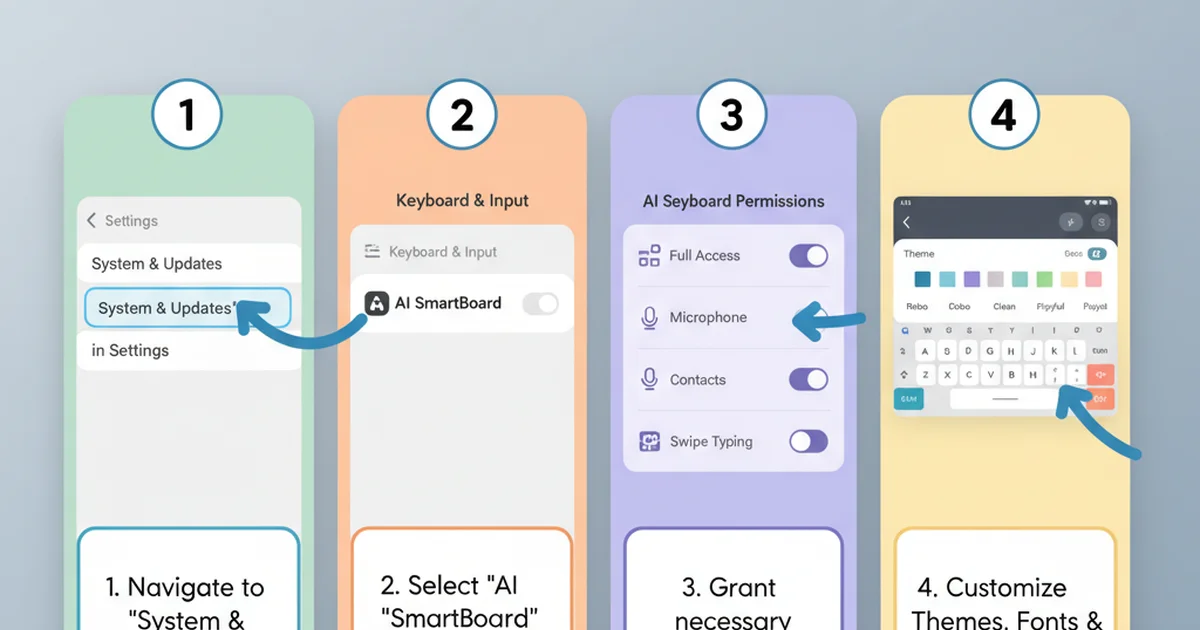
Setting up an AI keyboard takes less than two minutes.
How to Enable an AI Keyboard on iPhone
Download from App Store, then navigate to Settings → General → Keyboard → Keyboards → Add New Keyboard. Select your AI keyboard and enable Full Access for AI features. Switch keyboards while typing by tapping the globe icon.
How to Enable an AI Keyboard on Android
Download from Google Play Store. Follow the setup wizard and enable the keyboard as an input method. Set it as default from the input method picker. Grant permissions for voice input and personalization.
How to Set Up an AI Keyboard on PC and Mac
Download the installer and run it. On macOS, grant accessibility permissions in System Preferences → Security & Privacy. On Windows, permissions are handled automatically. Set your activation hotkey and test by pressing it in any text field.
Training Your AI Keyboard
Use it consistently for 7-10 days (1,000+ words) to help it learn your vocabulary and style. Add names and technical terms to the custom dictionary to prevent autocorrect errors. Correct mispredictions when they occur to teach the AI. Save frequently used text as clips for instant access.
AI powered keyboards represent the most significant improvement in text input since touchscreens. Whether you prioritize multilingual support, grammar correction, voice input, or screen-aware generation, there's an AI keyboard designed for your workflow.