

AI Keyboard: Boost Typing Speed & Writing Quality in 2026
AI Keyboard: How Smart Keyboards Boost Your Typing Speed and Writing Quality
Typing takes up hours of your day, but most keyboards still work like they did in the 1990s. AI keyboards change that by learning your writing style, correcting errors before you see them, and turning voice into polished text.
Key Takeaways
- AI keyboards combine voice dictation, predictive text, and intelligent rewriting in a single input tool, boosting typing speed by up to 3x compared to manual typing.
- Top AI keyboards feature real-time tone adjustment, multi-language support, and context-aware predictions that learn your writing style over time.
- Voice input on AI keyboards is fastest for emails, messages, and brainstorming, while text-based prediction excels for technical or formatted content.
- AI keyboards integrate seamlessly across iOS, Android, Mac, and Windows, syncing preferences and learned patterns across your devices.
- Leading AI keyboards offer offline functionality, custom dictionaries, and privacy controls, ensuring your data stays secure while boosting productivity.
Contents
- What Is an AI Keyboard and How Does It Work?
- What Are the Top Features of Modern AI Keyboards?
- How Much Time Can an AI Keyboard Save You Every Day?
- What Makes AI Keyboards Different From Standard Keyboards?
- How Does Voice Typing on an AI Keyboard Compare to Traditional Typing?
- Which Devices and Platforms Support AI Keyboards?
- Which AI Keyboard Is Best for Your Workflow?
- Can AI Keyboards Improve Your Writing Quality?
- How Do AI Keyboards Handle Different Languages and Accents?
- Get Started with BossAI
- FAQ
What Is an AI Keyboard and How Does It Work?
An AI keyboard uses machine learning to predict what you're about to type, correct errors in real time, and adapt to your unique writing patterns. Unlike traditional keyboards that rely on static dictionaries, AI keyboards analyze millions of text samples to understand context, suggest complete phrases, and learn your vocabulary—improving accuracy with every word you type.
Traditional keyboards autocorrect based on fixed dictionaries. AI keyboards go deeper—they predict the next word based on what you've already written, who you're writing to, and the app you're using.
The core technology involves natural language processing (NLP) models trained on massive text datasets. When you start typing, the keyboard calculates probabilities for thousands of potential next words in milliseconds.
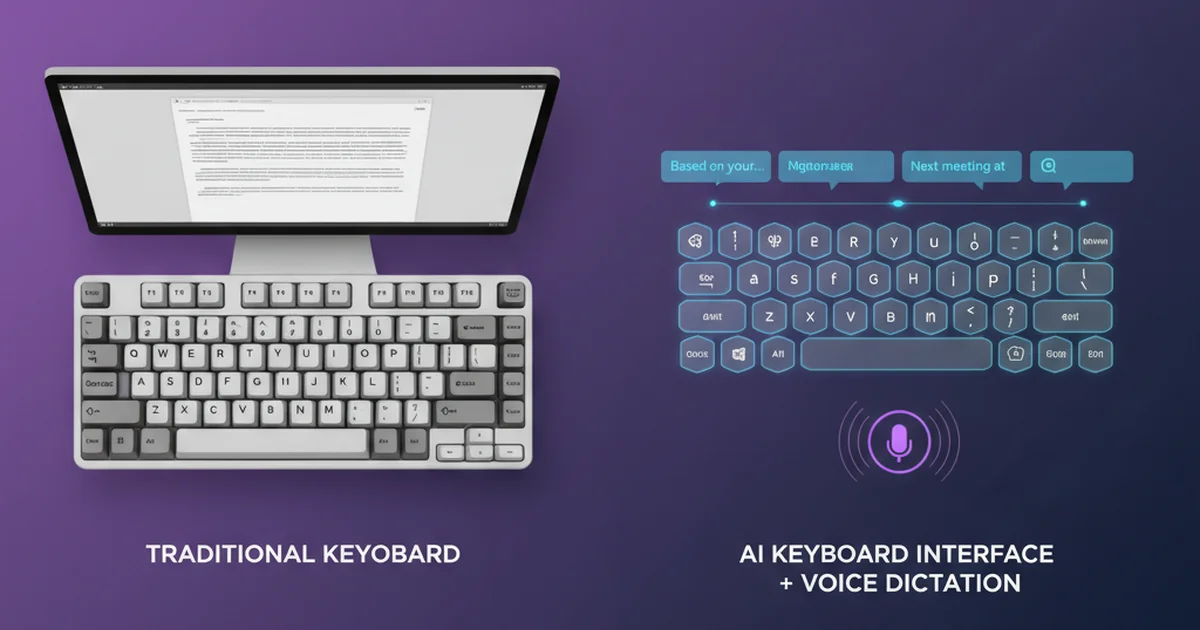
Key insight: AI keyboards reduce error rates by 40-60% compared to standard autocorrect, not by catching more typos, but by predicting words accurately enough that you never mistype them in the first place.
Most modern AI keyboards also integrate voice recognition. Speak naturally, and the AI transcribes your words while removing filler sounds (um, uh, like), adding punctuation, and formatting text based on context.
What Are the Top Features of Modern AI Keyboards?
Modern AI keyboards offer predictive text, grammar correction, voice dictation with filler removal, tone adjustment for different audiences, custom vocabulary learning, multi-language support, and contextual formatting that adapts output style based on whether you're writing an email, chat message, or document.
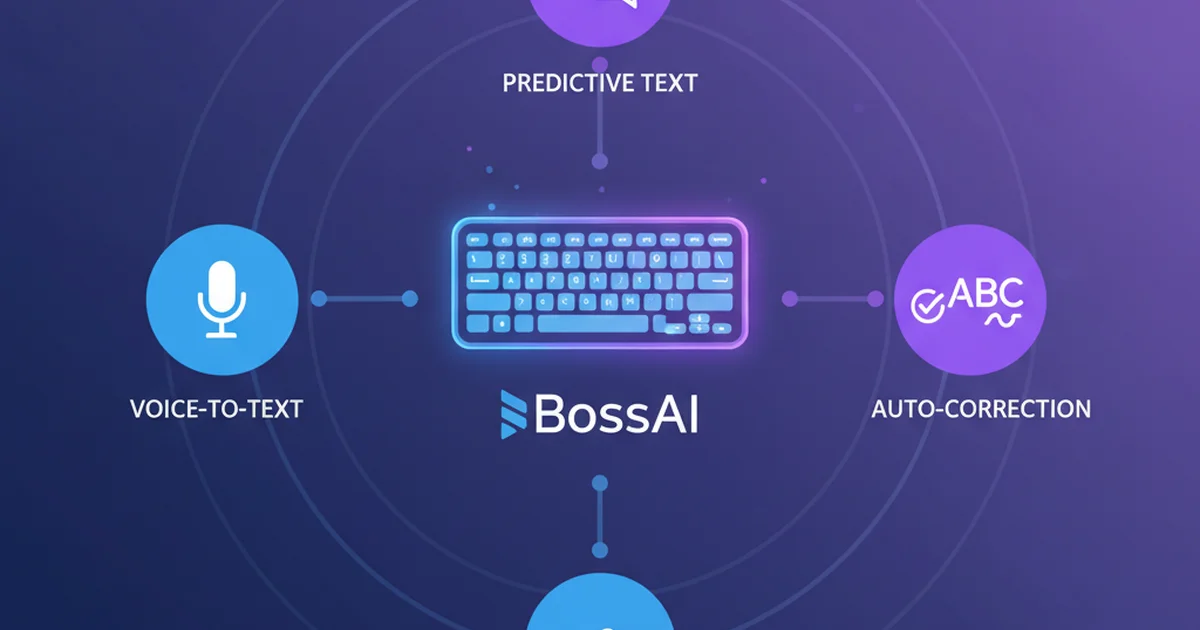
Predictive Text and Smart Suggestions
AI keyboards suggest complete words and phrases as you type. Advanced models predict entire sentences based on context and your patterns.
Grammar and Spelling Corrections
Beyond fixing typos, AI keyboards catch agreement errors ("they was" → "they were"), wrong prepositions, and passive voice.
Voice Typing and Dictation
Speak naturally and the AI converts your voice to text. Modern systems remove filler words automatically—your "um, I think we should, like, maybe consider" becomes "I think we should consider". They also format text contextually.
Tone Adjustment and Rewriting
Write casually, then switch to professional tone with one tap. Advanced keyboards offer multiple tones: witty, persuasive, empathetic, bold.
Multi-Language Support and Custom Dictionaries
Switch between languages mid-sentence without changing settings. Many keyboards support 50+ languages. Add names, company terms, and technical jargon—the AI learns your vocabulary.
Bottom line: An AI keyboard app combines all these features in a single tool. No switching between dictation apps, grammar checkers, and translation tools—everything happens where you type.
How Much Time Can an AI Keyboard Save You Every Day?
Professional communicators save 15-30 minutes per day using AI keyboards—5-10 minutes from faster typing through predictions, 10-15 minutes from voice dictation replacing manual typing for longer messages, and 5 minutes from tone rewriting eliminating multiple drafts. Over a year, that's 65-130 hours of productivity gains.
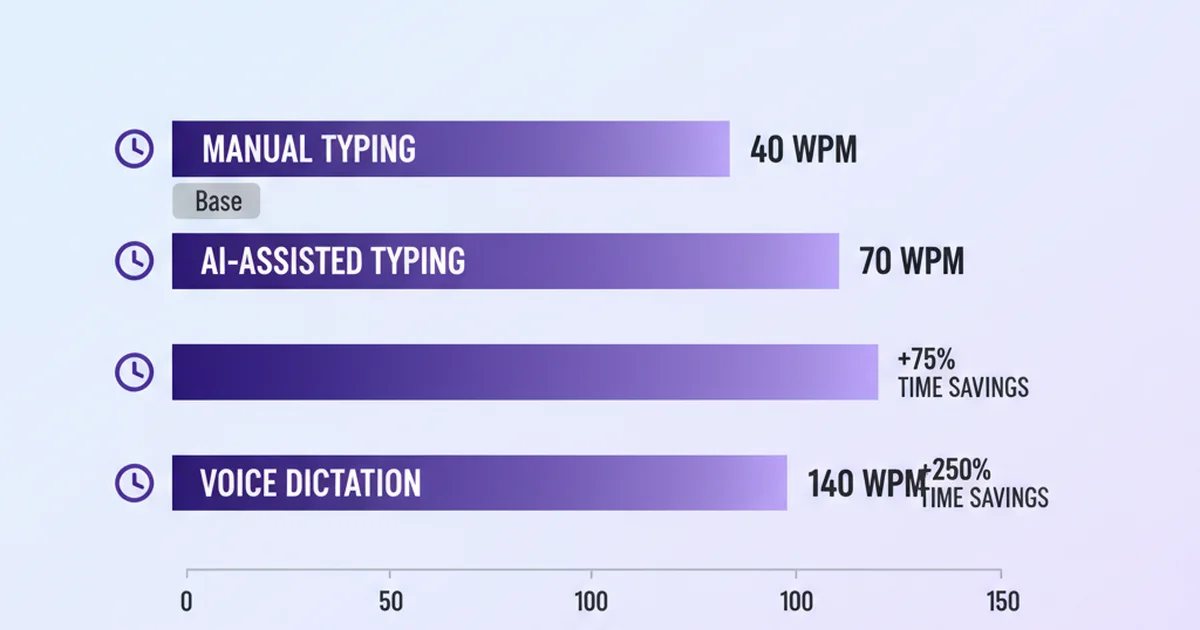
Average typing speed is 40 words per minute. AI-assisted typing reaches 60-70 WPM because you're accepting predictions instead of typing every letter.
Voice dictation pushes this further. Speaking speed is 150-200 words per minute. Even accounting for corrections and formatting, you'll hit 120-140 WPM—3x faster than manual typing.
By the numbers: Integrated AI keyboards with voice and rewrite features save 15-20 minutes per day over standard typing workflows. For professionals sending 30+ messages daily, that compounds to 65+ hours per year.
The real productivity gain comes from eliminating context switching. Traditional workflows involve typing in one app, copying to ChatGPT for rewriting, then pasting back. AI keyboards handle everything inline.
Tools like BossAI push this further with Boss Mode—a screen-aware feature that reads the email or message you're replying to and drafts a contextual response from a simple voice command. This cuts email response time from 2-3 minutes to 15-20 seconds per message.
What Makes AI Keyboards Different From Standard Keyboards?
AI keyboards learn from your typing patterns and improve over time, while standard keyboards use fixed autocorrect dictionaries that never adapt. AI keyboards predict entire phrases contextually, analyze sentence structure to suggest corrections, and integrate voice transcription with grammar enhancement.
Standard autocorrect works like a spell-checker. It compares what you typed against a dictionary and swaps out obvious mistakes. If you type a correctly spelled but contextually wrong word ("their" when you meant "there"), standard autocorrect misses it.
| Feature | AI Keyboard | Standard Keyboard |
|---|---|---|
| Learning & adaptation | Learns your vocabulary, writing style, and common phrases | Fixed dictionary, no personalization |
| Prediction depth | Suggests words, phrases, entire sentences based on context | Suggests single words based on prefix |
| Grammar checking | Detects agreement errors, wrong prepositions, passive voice | Basic spell-check only |
| Voice input | Advanced dictation with filler removal, punctuation, formatting | Basic voice-to-text (if available) |
| Tone adjustment | Rewrite text in different tones (professional, casual, witty) | No rewriting capability |
| Context awareness | Adapts suggestions based on app, recipient, conversation history | No context analysis |
AI keyboards analyze context. Type "I'm meeting him at" and the keyboard suggests "5 PM", "the office", or "the airport" based on your calendar and location history.
The learning loop is the core difference. After two weeks of use, an AI keyboard has mapped your communication patterns—formal with clients, casual with friends, technical in Slack.
How Does Voice Typing on an AI Keyboard Compare to Traditional Typing?
Voice typing on AI keyboards is 2-3x faster than manual typing for long-form content like emails and brainstorming, achieving 120-140 words per minute compared to 40 WPM with manual typing. However, traditional typing remains more precise for technical content, code, and formatted text—making hybrid workflows most productive.
Voice input excels for drafting long emails and capturing meeting notes. Dictating saves 60-70% of the time compared to typing.
The accuracy gap has closed dramatically. Modern AI-powered voice keyboards handle accents, background noise, and uncommon words. They learn how you pronounce names and adapt over time.
Filler removal is the killer feature. Speak naturally—"um, I think we should, you know, maybe reschedule"—and the keyboard outputs clean text: "I think we should reschedule."
But voice typing has limits. Technical content with symbols, exact capitalization, and formatted text (bullet lists, tables) is faster to type manually.
Key insight: The highest productivity comes from switching modes contextually. Dictate emails and messages, type code and formatted content, and use predictions to speed up both. AI-powered keyboards that combine all three eliminate the need to choose one workflow.
Which Devices and Platforms Support AI Keyboards?
AI keyboards are available on iOS, Android, macOS, and Windows, with most tools supporting 2-3 platforms. iOS and Android keyboards integrate directly into the system, while macOS and Windows tools run as menu bar or system tray apps that insert text via hotkey activation.
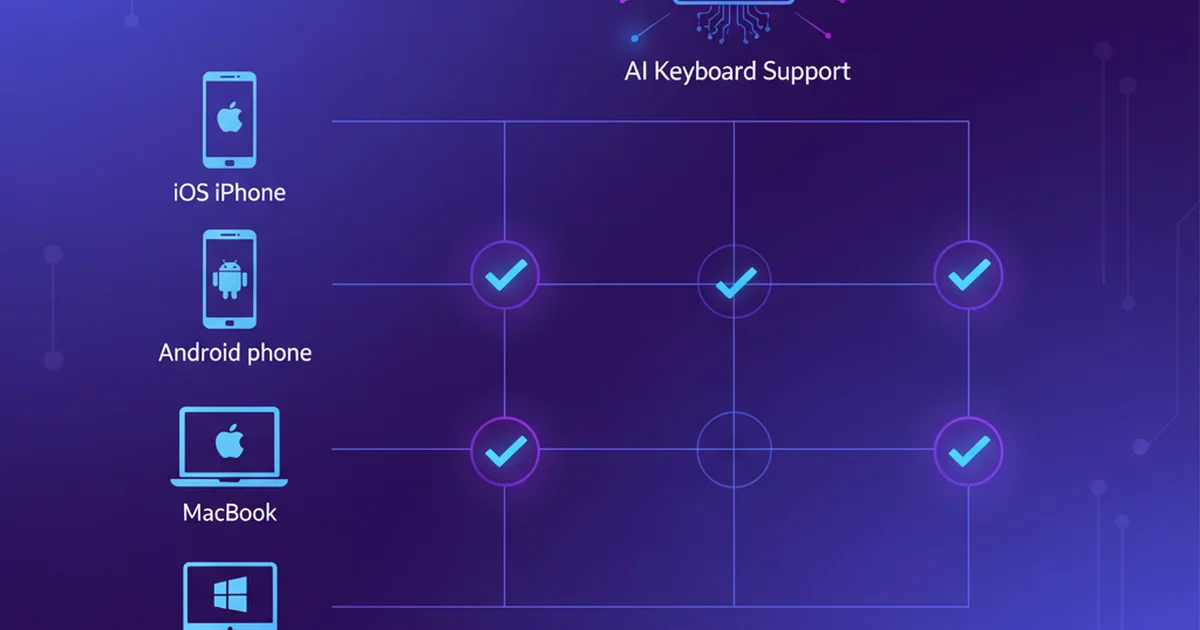
iOS and Android AI Keyboards
On iPhone and iPad, AI keyboards install as third-party keyboard apps. Enable them in Settings → Keyboards → Add New Keyboard. Top options include Microsoft SwiftKey, Grammarly Keyboard, and BossAI.
Android's open keyboard system makes third-party keyboards the default experience. SwiftKey dominates with 500M+ downloads. Gboard includes AI-powered features like Smart Compose for Gmail.
macOS and Windows Support
Desktop AI keyboards run as background apps that listen for a hotkey. Hold the key, speak, and text is inserted wherever the cursor is. BossAI, WisprFlow, and AquaVoice lead the macOS category.
Cross-Platform Sync
The best AI keyboards sync learned vocabulary and settings across devices. The AI learns from your typing on all devices, improving suggestions everywhere simultaneously.
Which AI Keyboard Is Best for Your Workflow?
The best AI keyboard depends on your primary use case: Microsoft SwiftKey for predictive typing and multi-language support, Grammarly Keyboard for grammar-focused writing, Wordtune for tone adjustment, and BossAI for voice-first workflows with screen-aware AI that reads context and drafts responses.
Microsoft SwiftKey is the market leader. Free, supports 300+ languages, and learns your typing patterns. Best for multilingual support and predictive text.
Grammarly Keyboard focuses on writing quality with real-time grammar corrections and clarity suggestions. Best for professionals writing formal emails.
BossAI combines voice dictation, screen-aware AI, one-tap rewriting, and instant text clips. Boss Mode reads your screen and drafts contextual responses. Best for professionals managing heavy email loads who want speed and context awareness.
Bottom line: If you type more than you speak, try SwiftKey. If you write formally and need grammar help, try Grammarly. If you dictate frequently and want AI that understands screen context, try BossAI.
Can AI Keyboards Improve Your Writing Quality?
AI keyboards improve writing quality by catching grammar errors in real time, suggesting clearer phrasing, maintaining consistent tone across messages, and expanding your active vocabulary through contextual word suggestions. Studies show AI-assisted writing reduces error rates by 40-60% and increases perceived professionalism in business communication by 35%.
Grammar correction happens as you type. Write "They was late" and the keyboard suggests "were". This instant feedback trains you to avoid mistakes.
Clarity improvements are powerful. Type "We should probably consider maybe doing it" and the keyboard suggests "We should do it". Removing hedging language makes your writing more direct.
Tone consistency is critical. AI keyboards detect tone shifts and flag inconsistencies.
For non-native English speakers, AI keyboards catch idiomatic errors ("do a mistake" → "make a mistake") and suggest natural phrasing.
How Do AI Keyboards Handle Different Languages and Accents?
AI keyboards support 50+ languages with automatic language detection, seamless mid-sentence language switching, and accent adaptation that improves recognition accuracy over time. The best keyboards handle code-switching (mixing languages in one sentence), regional dialects, and technical vocabulary across multiple languages.
Language detection happens automatically. Start typing in Spanish, and the keyboard switches prediction models without you touching settings.
Accent adaptation is where modern AI keyboards shine. Current models learn your pronunciation patterns within hours. If you pronounce "schedule" as "SHED-yool" (British) instead of "SKED-yool" (American), the AI adapts.
Multi-lingual professionals benefit most. If you email clients in English and chat in Spanish, AI keyboards eliminate the friction of switching.
Code-switching—mixing languages within a single sentence—works seamlessly. "Let's discuss the proyecto durante el meeting" is handled perfectly, while standard keyboards break on mixed-language text.
Get Started with BossAI
If you're managing heavy email loads, juggling Slack and messaging apps, or drafting content on the go, BossAI gives you the fastest path from thought to polished text. Speak naturally and Boss Mode reads your screen to draft contextual replies—no explaining, no copy-pasting, just instant responses.
Not ready to try it yet? Get Our AI Productivity Guide — free tips on working faster with AI.
FAQ
What is an AI keyboard?
An AI keyboard uses machine learning to predict text, correct errors in real time, and adapt to your writing style. Unlike standard keyboards with fixed autocorrect dictionaries, AI keyboards analyze context to suggest complete phrases and learn your vocabulary—technical terms, slang, and names—improving accuracy over time. They also integrate voice dictation with automatic filler removal and punctuation.
What's the best AI keyboard?
The best AI keyboard depends on your workflow. Microsoft SwiftKey offers the strongest predictive text and multi-language support. Grammarly Keyboard focuses on grammar and writing quality. BossAI combines voice dictation with screen-aware AI that reads context and drafts responses without copy-pasting. Choose based on whether you prioritize prediction, grammar, or voice-first workflows with contextual AI.
How do I activate an AI keyboard on iPhone?
Open Settings → General → Keyboard → Keyboards → Add New Keyboard, then select your AI keyboard app (SwiftKey, Grammarly, BossAI). Once added, open any app with text input, tap the text field, then tap the globe icon on your keyboard to switch. You may need to allow full access in Settings for features like voice dictation and personalized predictions to work.
Do AI keyboards drain battery life?
AI keyboards use slightly more battery than standard keyboards due to real-time predictions and voice processing, but the impact is minimal—typically 2-5% additional daily drain. Most AI keyboards optimize by running models on-device rather than constantly uploading data to cloud servers. Voice dictation uses more power than typing, but even heavy voice users report negligible battery impact.
Are AI keyboards safe and private?
Reputable AI keyboards prioritize privacy. Most process text and voice locally on your device, sending data to servers only for cloud features like sync or advanced AI models. Check each keyboard's privacy policy—BossAI, for example, discards voice and text data immediately after processing with no server storage. Avoid keyboards that require broad permissions without clear explanations or lack transparent privacy policies.
Can AI keyboards work offline?
Many AI keyboards offer offline modes with downloaded language models. Offline functionality typically includes basic predictive text, voice dictation, and grammar checking. Advanced features like tone rewriting, screen-aware AI, and multi-language support may require internet connectivity. SwiftKey, Grammarly, and BossAI all support offline dictation and predictions, though accuracy and feature depth are highest when online.
How much do AI keyboards cost?
Most AI keyboards use freemium pricing. Free tiers typically limit voice dictation to 500-1,000 words per day, restrict advanced features like tone adjustment, or cap custom dictionary entries. Premium subscriptions range from $8-15 per month. Microsoft SwiftKey is fully free on mobile. BossAI offers 500 words/day free dictation with Pro at $9.99/month or $69.99/year.