
Otter AI Alternatives: Best Tools in 2026 | BossAI
Otter AI Alternatives: 8 Best Tools for Transcription and Voice Dictation (2026)
Otter's price hike pushed a lot of users into searching for otter AI alternatives they didn't expect to need. What they discover is that the voice AI market has split into two completely different tool categories — and most roundups mix them without explaining which is which.
 The market for Otter alternatives splits into meeting notetaker bots and real-time dictation keyboards — choosing the wrong category wastes time.
Key Takeaways
- Otter AI is a meeting transcription service — it records and summarizes calls. Most people searching for alternatives actually need a real-time voice dictation keyboard, a different tool for a different job.
- BossAI's free tier gives you 500 words/day with a daily reset (no weekly cap) and runs on iOS, Android, macOS, and Windows.
- Boss Mode — BossAI's screen-reading feature — reads whatever is on your display and writes contextual replies hands-free. No other dictation tool can do this.
- WisprFlow, Superwhisper, Willow Voice, and AquaVoice each have different strengths; the right pick depends on whether you need transcription, cross-platform support, or offline functionality.
- Pricing ranges from $0/month (free tiers with limits) to $15/month for dictation keyboards; BossAI at $9.99/month balances cost and feature depth.
Contents
- What Is Otter AI and Why Do People Look for Alternatives?
- What Are the Best Otter AI Alternatives in 2026?
- How Does BossAI Compare to Otter AI?
- Which Alternative Offers the Most Generous Free Tier?
- What Makes BossAI the Best Otter Alternative?
- Which Otter Alternative Works Best for Mac and Windows?
- How Much Do Otter AI Alternatives Cost?
- Is There an Otter AI Alternative with Screen-Aware Reply Features?
- FAQ
What Is Otter AI and Why Do People Look for Alternatives?
Otter AI is a meeting transcription and notetaking service — not a voice dictation keyboard. It joins your Zoom, Google Meet, or Teams call as a bot, records the audio, and produces a transcript plus AI summary when the meeting ends. The free plan covers 300 minutes of transcription per month; paid plans start at $16.99/month.
People leave Otter for a few distinct reasons. Pricing has crept up, the free tier caps out for anyone in multiple meetings daily, and some users realize they were looking for something different all along: they want to dictate emails and messages in real time, not transcribe meetings after the fact.
That last group is searching in the wrong category. Real-time voice dictation is a different product from batch transcription.
The alternatives split accordingly:
- Meeting transcription tools (Fireflies, Fathom, Notta, Fellow) — join meetings, record and summarize. Direct Otter replacements.
- Real-time voice dictation keyboards (BossAI, WisprFlow, Superwhisper, Willow) — replace typing across every app on your device.
Most roundups list both without separating them. This guide does.
What Are the Best Otter AI Alternatives in 2026?
The best Otter AI alternatives depend entirely on why you were using Otter. Meeting transcription users should look at Fireflies, Fathom, Notta, or Fellow. Users who want to type less by speaking — across emails, chats, and documents — need a real-time dictation keyboard like BossAI, WisprFlow, Superwhisper, or Willow Voice.
For a broader view of the AI dictation landscape, our guide to the best dictation AI in 2026 covers the full category with use-case framing.
Here's how all 8 compare across the dimensions that matter most:
| Tool | Type | Free Tier | Monthly Price | Platforms | Screen Awareness |
|---|---|---|---|---|---|
| BossAI | Dictation keyboard | 500 words/day | $9.99 | iOS, Android, macOS, Windows | ✅ Boss Mode |
| WisprFlow | Dictation keyboard | 2,000 words/week | $15 | macOS, Windows | ❌ |
| Superwhisper | Dictation keyboard | Unlimited (local) | ~$8 | macOS, Windows, iOS | ❌ |
| Willow Voice | Dictation keyboard | 2,000 words/week | $15 | macOS, Windows, iOS | ❌ |
| Fireflies.ai | Meeting transcription | Limited | $18/month | Browser + integrations | ❌ |
| Fathom | Meeting transcription | Unlimited (Zoom only) | $19/month | Zoom, Meet, Teams | ❌ |
| Notta | Meeting transcription | 120 min/month | $14.99/month | Browser + mobile | ❌ |
| Fellow | Meeting transcription | Limited | $9/month | Zoom, Meet, Teams, Slack | ❌ |
For Meeting Transcription: 4 Direct Otter Replacements
Fireflies.ai — The most feature-complete Otter replacement. Joins meetings, transcribes in real time, and generates action items with integrations for Slack, Salesforce, and HubSpot. Paid plans start at $18/month.
Fathom — The strongest free tier in the category: unlimited transcription for personal Zoom use at no cost. Paid features and team collaboration are firmly paywalled at $19/month.
Notta — Covers live meeting transcription and audio file upload transcription. Supports 104 languages; free tier caps at 120 minutes per month.
Fellow — Best for teams that used Otter mainly for meeting agendas and follow-up tasks. Integrates with task management tools; transcription quality is solid and the collaboration layer is where it differentiates.
For Real-Time Voice Dictation: 4 Otter Alternatives
 Real-time dictation keyboards process your voice as you speak — turning words into polished text across every app without recording a meeting.
BossAI — AI-enhanced dictation keyboard for iOS, Android, macOS, and Windows. Delivers polished, filler-free text in ~300ms. Unique features: Boss Mode (reads your screen, writes contextual replies without copy-pasting), Clips (instant snippets from the keyboard UI), and one-tap Rewrite across six tones.
WisprFlow — The market leader with $81M raised and strong desktop accuracy on macOS and Windows. Primary limitations: no Android, limited iOS keyboard, 2,000-word weekly cap on free, and $15/month at the high end of the category.
For similar tools in WisprFlow's tier, see our breakdown of apps like WisprFlow.
Superwhisper — The offline-first option. Local model processing on Apple Silicon means full dictation with no internet and no subscription at the basic tier. Cloud mode unlocks higher accuracy and LLM-based text formatting, though the configuration has a learning curve.
Willow Voice — YC-backed, fast-growing, used by enterprise teams at Uber and Heidi Health. Strong custom vocabulary and per-app writing style memory; no Android, and the iOS keyboard adds noticeable screen height above native keyboard size. Read our full Willow Voice review for a complete feature breakdown.
How Does BossAI Compare to Otter AI?
BossAI and Otter AI solve different problems. Otter records meetings and produces summaries after the call ends — it runs as a separate transcription service. BossAI is a live keyboard that converts your voice to polished text in every app, on every device, in real time.
The gap shows up in daily use. With Otter, you finish a meeting, open the app, wait for the summary, then act on it. With BossAI, you hold a hotkey on Mac or tap the mic in the iOS keyboard, speak your reply, and it appears — corrected and clean — in the active text field before you'd have typed the greeting.
Reality check: If you transcribed meetings with Otter, BossAI won't replace that. If you thought Otter would help you type less across everyday apps — that was a use-case mismatch from the start.
For a head-to-head across voice keyboard alternatives specifically, the BossAI alternatives comparison covers the dictation keyboard category in full.
Which Alternative Offers the Most Generous Free Tier?
BossAI's free tier gives you 500 words per day with a daily reset — the cap refreshes every morning rather than locking you out for the week. WisprFlow and Willow Voice cap free users at 2,000 words per week, while AquaVoice limits free use to 1,000 words total — effectively a one-time trial. Superwhisper offers unlimited local transcription at no cost, though AI text enhancement requires a paid plan.
| Tool | Free Tier | Reset Schedule |
|---|---|---|
| BossAI | 500 words/day | Daily |
| WisprFlow | 2,000 words/week | Weekly |
| Willow Voice | 2,000 words/week | Weekly |
| Superwhisper | Unlimited (local model only) | N/A |
| AquaVoice | 1,000 words total | None — trial only |
| Typeless | 4,000 words/week | Weekly |
| Otter AI | 300 min/month | Monthly |
| Fathom | Unlimited (Zoom, personal) | N/A |
Worth knowing: The daily reset changes the dynamic compared to weekly caps. BossAI's 500 words every morning covers a typical email, a few Slack replies, and a short document. Weekly caps feel generous until you drain them by midweek — then you wait.
 BossAI's daily reset means free users never face a week-long lockout after heavy use — the 500-word cap refreshes every 24 hours.
What Makes BossAI the Best Otter Alternative?
BossAI targets the gap that Otter and every meeting notetaker alternative leave open: the user who wants to type less across their whole device, not just get better meeting summaries.
Three concrete advantages separate it from every other dictation keyboard in the comparison:
1. Free tier with no weekly penalty. The 500 words/day daily reset means consistent availability regardless of yesterday's usage. WisprFlow and Willow's 2,000-word weekly cap runs out for heavy users by Wednesday.
2. Full cross-platform coverage including Android. BossAI ships on iOS, Android, macOS, and Windows — the only AI dictation keyboard on all four. WisprFlow and Willow skip Android; AquaVoice skips iOS entirely.
3. Boss Mode — the only screen-reading dictation tool. No competitor reads your screen. Speak a command, BossAI captures the current display frame, reads the email or Slack thread on screen, and generates a contextual response in the active text field.
Pro tip: BossAI's free tier includes one full Boss Mode use per day. After that, results appear blurred — you see that a response exists but can't read it until you upgrade. One attempt on your most complex daily task is enough to evaluate whether the feature changes your workflow.
BossAI's paid plan is $9.99/month (or $5.83/month annually) — below WisprFlow and Willow at $15/month — with a 7-day full Pro trial and a $149.99 lifetime option.
Which Otter Alternative Works Best for Mac and Windows?
For Mac and Windows users who want real-time voice dictation, WisprFlow and BossAI are the two strongest options. WisprFlow has a polished native desktop experience; BossAI adds Boss Mode screen awareness, Clips, and one-tap Rewrite at a lower price, with iOS and Android coverage when you leave the desk.
| Tool | macOS | Windows | iOS | Android |
|---|---|---|---|---|
| BossAI | ✅ | ✅ | ✅ | ✅ |
| WisprFlow | ✅ | ✅ | Limited | ❌ |
| Willow Voice | ✅ | ✅ | ✅ | ❌ |
| Superwhisper | ✅ | ✅ | ✅ | ❌ |
| AquaVoice | ✅ | ✅ | ❌ | ❌ |
| Typeless | ✅ | ✅ | ✅ | ✅ |
Superwhisper is worth testing on Mac for offline-first workflows — the Option+Space activation is fast and local models on Apple Silicon perform well. The mode configuration requires upfront investment but rewards the setup time.
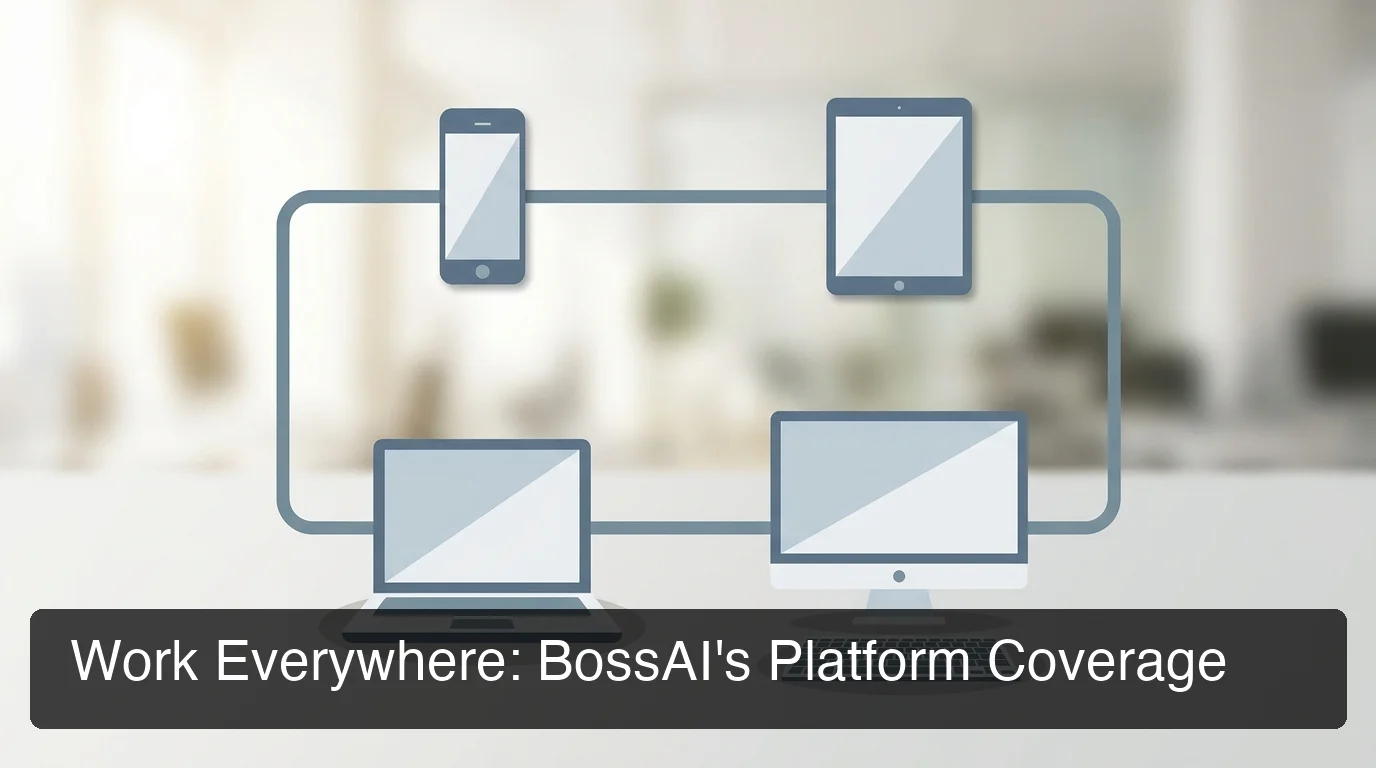 BossAI is the only AI dictation keyboard shipping on all four major platforms — iOS, Android, macOS, and Windows.
How Much Do Otter AI Alternatives Cost?
Pricing in the AI voice tool market clusters in two ranges: $8–$15/month for dictation keyboards, $9–$19/month for meeting transcription tools. Typeless is the outlier at $30/month monthly (though $12/month annually).
| Tool | Monthly | Annual (per month) | Lifetime | Free Tier |
|---|---|---|---|---|
| BossAI | $9.99 | $5.83 ($69.99/yr) | $149.99 | 500 words/day |
| WisprFlow | $15 | $12 | — | 2,000 words/week |
| Willow Voice | $15 | $12 | — | 2,000 words/week |
| Superwhisper | ~$8 | ~$7 | ~$849 | Unlimited (local) |
| AquaVoice | $8 | $8 | — | 1,000 words total |
| Typeless | $30 | $12 | — | 4,000 words/week |
| Fireflies.ai | $18 | $14.99 | — | Limited |
| Otter AI | $16.99 | $8.33 | — | 300 min/month |
BossAI's $149.99 lifetime option breaks even at roughly 15 months versus the monthly plan. WisprFlow has no lifetime option, and Superwhisper's reportedly jumped from $249 to ~$849 — making BossAI's one-time pricing notably more predictable.
Is There an Otter AI Alternative with Screen-Aware Reply Features?
Yes — BossAI is the only dictation tool with real-time screen awareness, called Boss Mode. Speak a command like "Boss, reply to this email and ask for a follow-up call" and BossAI reads the active screen, understands the context, and writes a response directly into the text field. No copy-pasting, no explaining what's on screen.
WisprFlow offers "Command Mode," which reformats text you've already selected — useful for editing, but it doesn't read the email you're replying to. Superwhisper, Willow, AquaVoice, and Typeless have no screen-reading functionality at all.
The practical difference: to reply to an email with WisprFlow, you'd copy the email text, add it as context in a voice command, then dictate your reply. With BossAI, you speak one instruction and the reply appears. Four steps become one.
Try BossAI Free
Otter handles meeting transcription well — Fireflies and Fathom are solid direct replacements if that's what you need. But if you want to type less across your entire device, BossAI is built for exactly that: real-time voice dictation on iOS, Android, macOS, and Windows, with Boss Mode screen awareness no other tool offers.
Seven-day full Pro trial. No credit card required.
FAQ
Can ChatGPT replace Otter AI?
ChatGPT cannot replace Otter for meeting transcription — it doesn't join calls, record audio, or generate automated meeting summaries. You could paste a transcript into ChatGPT for summarization, but you'd still need a separate recording tool first. For real-time voice dictation, ChatGPT requires manual copy-pasting between apps, unlike keyboard-native tools like BossAI that insert text directly wherever you're typing.
Which free AI is best for transcription?
For meeting transcription, Fathom offers unlimited free transcription for personal Zoom use — the strongest free option in the category. For real-time voice dictation, BossAI's free tier gives 500 words per day with a daily reset across iOS, Android, macOS, and Windows, with full AI enhancement. Superwhisper offers unlimited local transcription free on Apple Silicon, though AI text formatting requires a paid upgrade.
Is there a free version of Otter AI?
Otter AI has a free plan that includes 300 minutes of transcription per month, capped at 30-minute sessions, with up to three audio files uploadable. AI-generated summaries and action items require a paid plan. For users in daily meetings, 300 minutes covers roughly five one-hour calls per month before hitting the limit.
Is Otter or Fathom better?
Fathom has a more generous free tier — unlimited personal Zoom transcription versus Otter's 300 minutes per month. Otter integrates with more meeting platforms and offers more export formats, making it better suited for teams needing broad compatibility.
For individual users on Zoom, Fathom delivers better free-tier value. For teams needing cross-platform meeting coverage and CRM integration, Otter's paid tiers cover more ground.
What is BossAI?
BossAI is an AI voice keyboard that works natively on iOS, Android, macOS, and Windows. You speak naturally, and it transcribes in real time, strips filler words, corrects grammar, and delivers polished text in roughly 300 milliseconds. It includes Boss Mode — which reads whatever is on your display and writes contextual replies into the active text field — plus one-tap Rewrite across six tones and a Clips tray for instant snippet insertion.
What makes BossAI different from other Otter alternatives?
Three capabilities separate BossAI from every dictation keyboard in this category: Boss Mode reads your screen in real time and generates contextual replies without any copy-pasting — no other dictation tool does this. Clips stores frequently used text for one-tap insertion directly from the keyboard.
The visual Rewrite panel shifts your text between Professional, Casual, Witty, Persuasive, Empathetic, or Bold in a single tap. WisprFlow, Willow Voice, AquaVoice, and Superwhisper offer none of these three features.