
Multilingual Voice Typing: 40+ Languages (2026) | BossAI
Multilingual Voice Typing: Complete Guide to Dictating in 40+ Languages (2026)
If you've ever switched between languages mid-conversation, you know how clunky most voice typing tools are. BossAI supports 40+ languages — including regional dialects most tools skip entirely — and delivers AI-enhanced output, not just raw transcription.
Key Takeaways
- BossAI supports 40+ languages including regional dialects like Arabic UAE, Cantonese, and Telugu — far beyond competitors limited to 2–20 languages
- Multilingual voice typing lets global teams dictate in their native language across every app without switching tools or copy-pasting
- AI-enhanced dictation goes beyond raw transcription: filler words removed, grammar fixed, punctuation added automatically in any language
- Switching languages in BossAI takes a single tap — no app restart, no settings menu required
- BossAI's free tier includes 1 language slot; Pro unlocks all 40+ languages with no word-cap restrictions
Contents
- What Is Multilingual Voice Typing and How Does It Work?
- What Languages Does BossAI Support for Voice Typing?
- How Accurate Is Multilingual Voice Typing Across Different Languages?
- Can You Switch Between Languages While Voice Typing?
- How Does Multilingual Voice Typing Improve Productivity?
- Why Should Global Teams Use Multilingual Voice Typing?
- Why Choose BossAI for Multilingual Voice Typing?
- Frequently Asked Questions
What Is Multilingual Voice Typing and How Does It Work?
Multilingual voice typing is speech-to-text technology that recognizes and transcribes speech in multiple languages — letting users dictate in their native language across any app without switching tools. Modern AI-enhanced systems go further: removing filler words, fixing grammar, and formatting output automatically in each supported language.
Basic voice typing converts speech to raw text. That's the standard you get with Google Docs Voice Typing or Apple's built-in dictation — the output sounds exactly like someone talking, complete with "um," "uh," and mid-sentence false starts.
AI-enhanced multilingual dictation is a different category. BossAI transcribes your speech and simultaneously cleans it: removes fillers, adds punctuation, corrects grammar, and formats for the context you're in — whether that's an email in Hindi, a Slack message in Spanish, or a document in Japanese.
If you're new to voice dictation entirely, the complete guide to typing with voice covers foundational concepts across all platforms and devices.
 BossAI brings AI-enhanced voice dictation to 40+ languages — across every app, no switching required.
Key insight: The gap between raw transcription and AI-enhanced multilingual dictation is enormous — one gives you a rough draft; the other gives you polished, send-ready text.
What Languages Does BossAI Support for Voice Typing?
BossAI supports 40+ languages spanning major global languages, Asian scripts, Middle Eastern dialects, South Asian languages, and European variants. Unlike tools limited to top-10 languages, BossAI includes regional variants — Arabic UAE, Cantonese, Bengali, Telugu, Urdu — making it viable for multinational companies and diaspora communities.
Asian Languages
| Language | Variant / Dialect |
|---|---|
| Chinese | Simplified, Traditional, Cantonese |
| Japanese | — |
| Korean | — |
| Hindi | — |
| Bengali | — |
| Telugu | — |
| Tamil | — |
| Urdu | — |
| Vietnamese | — |
| Thai | — |
| Indonesian | — |
| Malay | — |
Middle Eastern Languages
| Language | Variant / Dialect |
|---|---|
| Arabic | UAE, Saudi Arabia, Egypt |
| Persian (Farsi) | — |
| Hebrew | — |
| Turkish | — |
European Languages
| Language | Notes |
|---|---|
| English | US, UK, Australia, India |
| Spanish | Spain, Latin America |
| French | France, Canada |
| German | — |
| Portuguese | Brazil, Portugal |
| Italian | — |
| Dutch | — |
| Polish | — |
| Russian | — |
| Ukrainian | — |
| Swedish | — |
| Norwegian | — |
| Danish | — |
| Finnish | — |
| Greek | — |
| Romanian | — |
| Czech | — |
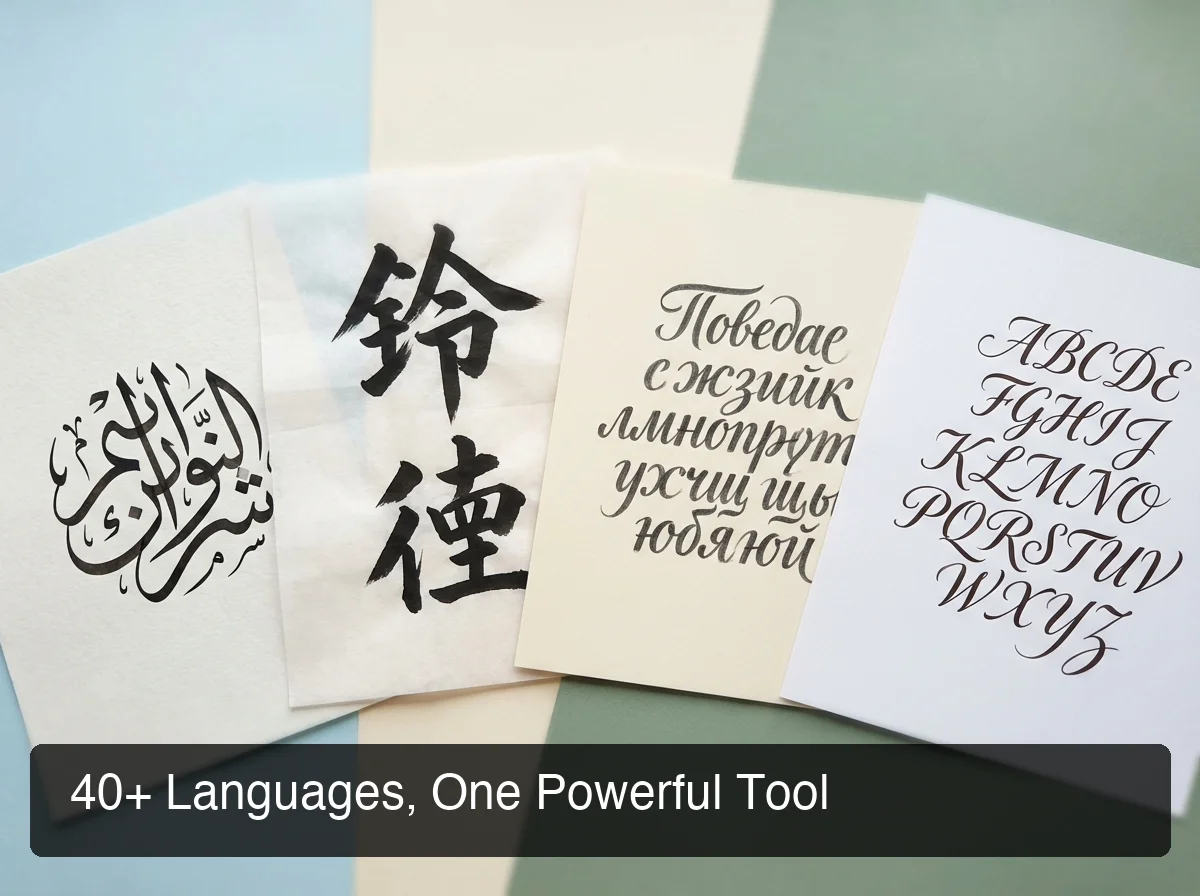 40+ languages — including regional variants most competitors skip entirely.
For a deeper look at how BossAI handles one specific language in depth, see our Spanish dictation guide — the same precision and AI enhancement applies across all supported languages.
By the numbers: Microsoft Dictate supports ~20 languages. Google Docs Voice Typing handles one language at a time and requires a settings change to switch. BossAI supports 40+ with instant in-app switching — no settings detour.
How Accurate Is Multilingual Voice Typing Across Different Languages?
Voice typing accuracy depends on three factors: the underlying speech recognition model, language training data availability, and pronunciation clarity. BossAI uses Deepgram for transcription — a model that performs well on accented speech — paired with AI post-processing that catches and corrects transcription errors automatically.
English, Spanish, French, and Mandarin Chinese consistently achieve the highest accuracy across all voice typing systems — they have the most model training data. Languages like Telugu, Bengali, and Arabic dialects have improved significantly as AI models have expanded their training corpora, but still benefit most from clear pronunciation and low background noise.
Voice Typing Accuracy by Language Tier
| Tier | Languages | Typical Accuracy |
|---|---|---|
| Tier 1 — Highest | English, Spanish, French, German, Mandarin | 95–98% |
| Tier 2 — Strong | Japanese, Korean, Portuguese, Italian, Hindi | 90–95% |
| Tier 3 — Improving | Arabic dialects, Bengali, Telugu, Urdu, Vietnamese | 85–92% |
BossAI's AI post-processing layer differentiates it from raw transcription tools. Even if the speech model misses a word, the grammar correction layer often infers the correct term from sentence context.
For a detailed look at how AI models improve dictation accuracy across languages, see our AI voice typing guide.
Key insight: BossAI's post-processing layer acts as a second pass — catching transcription gaps that raw models miss. This is especially valuable for accented speakers and language learners.
Can You Switch Between Languages While Voice Typing?
Yes. BossAI allows instant language switching with a single tap — no app restart, no navigating to settings menus. On iOS, the language selector is directly in the keyboard interface. On Mac and Windows, language preference is set once and persists across all apps until changed.
This matters most for multilingual speakers who code-switch — moving fluidly between languages in the same workday. A product manager in Dubai might draft an English email, then send a quick Arabic WhatsApp message, then write Portuguese notes for the Brazil office.
How Language Switching Works in BossAI
- iOS: Tap the language icon in the keyboard toolbar. Select your language. Start dictating immediately — no restart.
- Mac / Windows: Open BossAI preferences → Language → select your active language. The change applies to all future dictation until you change it again.
- Auto-detect: When enabled, BossAI attempts to detect the language you're speaking and transcribe accordingly — useful for bilingual speakers who frequently mix languages.
Bottom line: Most competitors require closing and reopening an app, or switching system-level language settings, just to change dictation language. BossAI makes it a one-tap action inside the keyboard interface.
How Does Multilingual Voice Typing Improve Productivity?
Multilingual voice typing eliminates the cognitive load of translating thoughts into a second language just to type. When professionals can dictate in their native language, they compose faster, make fewer errors, and communicate with more nuance — even in cross-language work environments.
Research on bilingual workers shows that switching to a non-native language for written communication increases cognitive load by 20–30%, leading to shorter, less nuanced messages. Voice typing in your native language removes that friction entirely.
Where the Productivity Gains Stack Up
- Email composition: Dictating a 200-word email takes ~90 seconds vs. 3–4 minutes typing in a non-native language
- Meeting notes: Real-time voice capture in your language, formatted output ready to share
- Customer support: Agents responding in their native language produce higher-quality replies with less effort
- Technical documentation: Writers working in regional languages maintain dialect precision that typed text often loses
Non-native English speakers who work in English-dominated environments get a compounding benefit: dictate the thought in your first language, use BossAI's Rewrite feature to refine phrasing, then send.
Why Should Global Teams Use Multilingual Voice Typing?
Global teams using multilingual voice typing can communicate more fluidly across language barriers — team members contribute in their strongest language, improving clarity and reducing the kind of miscommunications that cost hours to untangle.
Remote work has made cross-language collaboration the norm. A 10-person team spread across India, Brazil, Germany, and the UAE is communicating across 4 native languages simultaneously, every day.
 Global teams can work in their strongest language while collaborating seamlessly across apps and time zones.
Use Cases for Global and Remote Teams
- Async communication: Team members record voice notes in their native language; recipients read polished transcriptions
- Customer localization: Support teams dictate in regional languages without switching tools or apps
- Multilingual documentation: Technical teams in different regions contribute to shared docs without losing linguistic precision
- Diaspora professionals: Users comfortable in a heritage language can work more naturally across professional tools
By the numbers: Companies with multilingual communication tools report 35% fewer miscommunication-related delays. When team members work in their dominant language, output quality improves — particularly for nuanced or technical communication.
BossAI is available on iOS, macOS, and Windows — one keyboard for every platform and all 40+ languages, regardless of each team member's device or OS.
Planning to use French voice typing? Our upcoming guide on French voice typing with BossAI will cover accuracy benchmarks, Québec vs. France variants, and tips for professional French dictation.
 BossAI handles multilingual voice typing across every app — without switching tools or losing screen context.
Why Choose BossAI for Multilingual Voice Typing?
BossAI is the only AI voice keyboard that combines 40+ language support with AI-enhanced dictation, screen-reading context awareness (Boss Mode), and native keyboard integration on iOS, macOS, and Windows. Competitors either limit language support, require web browsers, or focus on transcription rather than keyboard-native typing.
BossAI vs. Competitors: Multilingual Voice Typing
| Tool | Languages | AI Enhancement | Keyboard-Native | Platforms |
|---|---|---|---|---|
| BossAI | 40+ | Filler removal, grammar, formatting | iOS keyboard + desktop | iOS, Mac, Windows |
| Microsoft Dictate | ~20 | Raw transcription | Office only | Windows |
| Google Docs Voice Typing | 1 at a time | Raw transcription | Web only | Web |
| SpeechTexter | 70+ (web) | Raw transcription | Web only | Web |
| Otter.ai | ~30 | Transcription-focused | App required | Web / App |
| System dictation (iOS/Android) | OS defaults | Raw transcription | Native | iOS / Android |
The difference between BossAI and web-based tools like SpeechTexter is fundamental: BossAI works in every app on your device. You're not confined to a browser tab. Dictate directly into WhatsApp, Gmail, Notion, Slack, Word — any app — without copy-pasting.
Boss Mode: The Multilingual Feature No Competitor Has
BossAI's Boss Mode adds a layer no competitor offers in any language. Speak a command like "Boss, reply to this email in Hindi professionally" and BossAI reads your screen, understands the full context, and writes a contextual response — without you leaving the app or explaining what's on screen.
This screen-context awareness is unique to BossAI. WisprFlow, Microsoft Dictate, Otter.ai — none of them read your screen. They transcribe what you say; BossAI understands what you mean.
Get Started with BossAI
If you work across languages and need a voice typing tool that keeps up — including regional dialects, instant language switching, and AI-cleaned output — BossAI is the only keyboard-native option with 40+ language support.
Not ready to download yet? Get Our AI Productivity Guide — free tips on working faster with AI across every app.
Frequently Asked Questions
Is BossAI available in my language?
BossAI supports 40+ languages including English (US/UK/AU/IN), Spanish, French, German, Portuguese, Hindi, Bengali, Telugu, Urdu, Arabic (UAE, Saudi Arabia, Egypt), Chinese (Simplified, Traditional, Cantonese), Japanese, Korean, Italian, Dutch, Russian, and more. Regional variants for Arabic and Chinese are specifically included. Check the in-app language selector for the full list.
What is BossAI?
BossAI is an AI-powered voice keyboard for iOS, macOS, and Windows that replaces typing with voice dictation. It transcribes speech in real time, removes filler words automatically, rewrites text in different tones with one tap, and includes Boss Mode — a screen-reading feature that reads your screen to generate contextual replies without copy-pasting.
How do I switch languages in BossAI voice typing?
On iOS, tap the language icon directly in the BossAI keyboard toolbar and select your language — no app restart needed. On Mac and Windows, open BossAI preferences, navigate to Language, and select your active language. Changes apply immediately to all subsequent dictation sessions across every app.
Which languages have the best voice typing accuracy?
English, Spanish, French, German, and Mandarin Chinese consistently achieve the highest accuracy (95–98%) across voice typing tools due to larger training datasets. Japanese, Korean, and Portuguese perform at 90–95%. Languages like Arabic dialects, Bengali, Telugu, and Urdu are improving rapidly, typically achieving 85–92% accuracy with clear pronunciation in quiet environments.
Can I use multilingual voice typing for business?
BossAI's multilingual voice typing works across all business apps — email, Slack, Teams, Notion, Word, and more — without copy-pasting or app switching. Teams across multiple countries can each dictate in their native language using the same tool, and BossAI Pro unlocks all 40+ languages with no word-count restrictions.
Is BossAI free?
Yes. BossAI has a free tier with no weekly word cap — you can dictate as much as you want. The paid plan unlocks advanced features including unlimited Boss Mode screen reads, priority processing, and extended Clips storage. No credit card required to start.
Does multilingual voice typing work offline?
BossAI's multilingual voice typing requires an active internet connection — transcription and AI enhancement happen in real time via cloud processing. Offline dictation is not currently supported; for best results, use a stable Wi-Fi or cellular connection to ensure fast, accurate transcription in your target language.