
Dictation in Spanish: Complete Voice Typing Guide (2026)
Spanish voice dictation has crossed a turning point. Using dictation in Spanish is now as simple as pressing a hotkey — AI-powered tools transcribe your speech, fix grammar, and deliver polished text across every app on your device.
Key Takeaways
- Spanish voice dictation is now widely supported on Mac, Windows, iPhone, and Android, enabling hands-free typing in Spanish.
- AI-enhanced dictation tools add filler removal, grammar correction, and formatting on top of Spanish transcription, which native OS tools don't.
- Switching between Spanish and English dictation is seamless on multilingual AI apps, reducing friction for bilingual users.
- Voice dictation accelerates Spanish content creation — emails, messages, documents — reducing typing fatigue and improving workflow efficiency.
- AI dictation apps understand context, slang, and regional Spanish variants better than basic native dictation, delivering professional-quality output.
Contents
- What Is Dictation in Spanish?
- How Do I Set Up Spanish Voice Typing on My Mac or Windows PC?
- What Are the Best Apps for Spanish Voice Dictation?
- How Accurate Is AI Dictation in Spanish vs. English?
- Can I Use Spanish Dictation Across Multiple Apps and Platforms?
- Why Should Spanish Speakers Use Voice Dictation for Productivity?
- How Does Multilingual Dictation Support Speed Up Bilingual Workflows?
- Get Started with BossAI
- Frequently Asked Questions
What Is Dictation in Spanish?
Dictation in Spanish means using voice input to type in Spanish — speaking naturally while software transcribes your words in real time. Modern Spanish dictation tools go beyond basic speech-to-text: they handle filler word removal, punctuation, grammar correction, and regional accents, making voice dictation a production-ready writing tool for native speakers and learners alike.
 Spanish voice dictation in 2026 — AI-powered tools add filler removal, grammar correction, and formatting on top of Spanish transcription.
Spanish dictation works through automatic speech recognition (ASR) technology trained on Spanish-language audio datasets. Early systems struggled with accented speech and regional vocabulary. Today's AI-powered tools — trained on billions of multilingual samples — handle Mexican, Castilian, Colombian, and other Spanish variants with near-native precision.
There are two kinds: native OS dictation (built into macOS, Windows, iOS, and Android — free, good for casual use) and AI-enhanced dictation apps (third-party tools that add grammar correction, filler removal, custom vocabulary, and seamless multilingual switching). The right choice depends on how much you dictate and what quality you need.
How Do I Set Up Spanish Voice Typing on My Mac or Windows PC?
Setting up Spanish voice dictation on Mac or Windows takes under five minutes. On Mac: System Settings → Keyboard → Dictation → add Spanish → press Fn twice to activate. On Windows 11: press Windows + H, click the Settings gear, select Español. Both support multiple Spanish regional variants including Latin American and Castilian Spanish.
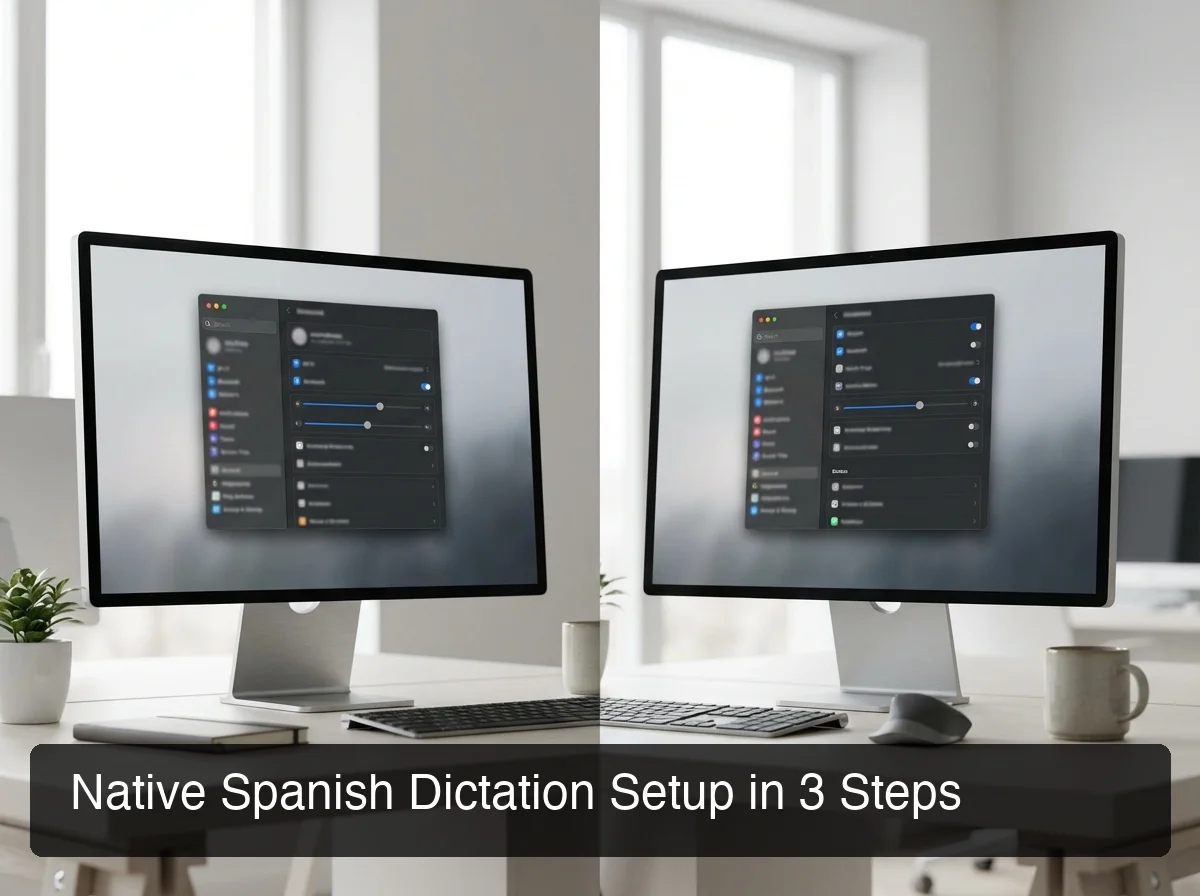 Native Spanish dictation setup on macOS and Windows — both platforms support multiple Spanish dialects with a few clicks.
How to Enable Spanish Dictation on Mac
- Open System Settings → Keyboard → Dictation
- Toggle Dictation: On
- Click the language dropdown → Add Language → select Español (Latinoamérica) or Español (España)
- Press Fn Fn (double-tap Function key) to activate dictation in any text field
- Speak naturally — add punctuation by saying "period," "comma," or "new paragraph"
For Mac users who dictate frequently, our guide to the best voice to text app for Mac covers third-party options that go significantly beyond Apple's built-in tool.
How to Enable Spanish Voice Typing on Windows 11
- Press Windows + H to open the voice typing toolbar
- Click the Settings (gear) icon
- Change Voice typing language to Español (España) or Español (Estados Unidos)
- Click the microphone icon to begin
- Say "stop listening" or press Win + H again to pause
How to Enable Spanish Dictation on iPhone
- Settings → General → Keyboard → Enable Dictation
- Go to Settings → General → Language & Region → add Spanish
- Tap the microphone icon on any iOS keyboard in any app
Pro tip: On iPhone, tap the globe icon on your keyboard to switch to Spanish dictation mid-session — without stopping transcription or reopening any settings.
What Are the Best Apps for Spanish Voice Dictation?
The best apps for Spanish voice dictation in 2026 are BossAI (AI-enhanced, multilingual, cross-platform), Google Docs Voice Typing (free, browser-based, good accuracy), and native OS dictation (built-in, zero setup, basic quality). AI-powered apps outperform native tools on regional accents, slang, and context-aware formatting by a significant margin.
 Top Spanish voice typing apps compared — AI-powered tools deliver significantly better accuracy for regional accents and polished professional output.
Comparison: Spanish Dictation Tools
| App | Spanish Support | AI Enhancement | Platforms | Price |
|---|---|---|---|---|
| BossAI | ✅ Multi-dialect | ✅ Filler removal, grammar, tone rewrite | iOS, Android, macOS, Windows | Free / $9.99/mo |
| Apple Dictation | ✅ Multiple variants | ❌ Basic transcription only | iOS, macOS | Free |
| Windows Voice Typing | ✅ Español (US/ES) | ❌ Basic transcription only | Windows | Free |
| Google Docs Voice Typing | ✅ Many Spanish dialects | ❌ Transcription only | Browser (Chrome) | Free |
| WisprFlow | ✅ Multi-language | ✅ Filler removal, grammar | macOS, Windows | $15/mo |
Why BossAI stands out for Spanish: BossAI uses advanced ASR infrastructure for transcription — combined with AI post-processing that removes filler words and fixes grammar directly in Spanish. The output is polished, ready-to-send text, not raw transcription requiring manual cleanup.
For a broader comparison of native and third-party dictation tools, see our roundup of Apple dictation alternatives — it covers a head-to-head of quality across price tiers.
Bottom line: Native dictation tools are free but treat Spanish as a secondary language. AI-enhanced tools like BossAI support Spanish dictation in every app, with filler removal, grammar correction, and contextual formatting applied.
Using BossAI for Spanish Dictation
BossAI's multilingual mode lets you dictate in Spanish across every app — email, WhatsApp, Google Docs, Slack, LinkedIn — without switching tools or copy-pasting output.
Boss Mode — BossAI's screen-reading feature — also works in Spanish. Speak "Boss, responde a este correo profesionalmente" (Boss, reply to this email professionally) and BossAI reads your screen and generates a contextual reply in Spanish. No app switching. No manual pasting.
For a deep comparison of AI dictation tools across all platforms, our complete guide to AI dictation apps covers the full landscape with side-by-side feature breakdowns.
How Accurate Is AI Dictation in Spanish vs. English?
Modern AI dictation tools handle Spanish well under normal conditions. The accuracy gap that existed five years ago has largely closed. Regional dialect recognition remains the main differentiator: tools trained on diverse Spanish corpora handle Mexican, Colombian, and Castilian variants far better than tools optimized only for US English.
Factors That Affect Spanish Dictation Accuracy
- Accent and dialect — Latin American, Castilian, and Caribbean dialects have distinct phonology. AI tools trained on broad datasets handle all three; basic OS tools may struggle with less common accents.
- Background noise — All dictation tools degrade in noisy environments. A quiet space adds 5–10% accuracy on borderline words.
- Specialized vocabulary — Medical, legal, and technical Spanish benefits from custom dictionary features. BossAI supports custom vocabulary in Spanish directly.
- Speaking pace — Spanish native speakers typically speak faster than English speakers (~7.82 syllables/second vs. ~6.19). Tools calibrated only for English cadence may drop words at natural Spanish speed.
Worth knowing: AI-powered Spanish dictation also removes filler words and fixes grammar automatically, which basic OS tools don't.
Can I Use Spanish Dictation Across Multiple Apps and Platforms?
Yes — modern dictation tools work across all apps on the same platform. Native OS dictation (macOS, Windows, iOS) works in any text field on that device. AI-powered keyboard apps like BossAI are system-level, meaning Spanish dictation works in Gmail, WhatsApp, Google Docs, Slack, and every other app — no per-app configuration required.
Cross-Platform Spanish Dictation Coverage
The challenge for bilingual users isn't accuracy — it's continuity. You might dictate in Spanish on your iPhone, switch to your Mac for a longer email, then jump to Windows for a work report.
Maintaining consistent dictation quality across devices requires either native platform tools (separate setup on each) or a cross-platform app. BossAI supports iOS, Android, macOS, and Windows, meaning your Spanish language settings, custom dictionary, and tone preferences carry over automatically. Set it once, use it everywhere.
Why Should Spanish Speakers Use Voice Dictation for Productivity?
Spanish speakers who switch to voice dictation report 40–60% faster text composition compared to typing, with fewer errors and lower cognitive load. For bilingual professionals managing Spanish and English communications simultaneously, voice dictation eliminates the mental overhead of code-switching between keyboards, language settings, and apps.
 Voice dictation in Spanish removes keyboard friction and lets professionals compose messages at the speed of thought.
The Productivity Case for Spanish Voice Dictation
The average professional handles 40–80 messages per day. Spanish-speaking professionals often manage communications in both Spanish and English — constantly switching mental gears, adjusting phrasing, and double-checking tone across two languages.
Voice dictation removes keyboard friction entirely. You speak the language you're thinking in, and the tool handles punctuation, capitalization, and grammar. For Spanish content — social media captions, email replies, documentation — the time savings compound quickly.
Spanish Voice Dictation for Language Learners
Dictation isn't just for native speakers. Language learners use voice transcription tools to:
- Practice pronunciation — speak into a dictation app and see if your words are transcribed correctly
- Build active vocabulary — dictating a journal entry forces you to recall and use words in context
- Reduce composition anxiety — speaking is faster than typing for intermediate learners still building keyboard fluency
- Improve natural cadence — if you're mispronouncing a word, the transcript shows the mismatch
Key insight: For language learners, a dictation tool that fails to transcribe a word correctly is actually useful feedback — it flags pronunciation gaps that a teacher might not catch in casual conversation.
How Does Multilingual Dictation Support Speed Up Bilingual Workflows?
Multilingual dictation lets users switch between Spanish and English (or other languages) within the same session — without stopping to change language settings. AI-powered tools with multilingual support detect the language being spoken and transcribe accordingly, cutting the context-switching cost for bilingual professionals from minutes to seconds.
Code-Switching With Voice Dictation
Many bilingual professionals naturally switch between Spanish and English mid-sentence. Basic native dictation tools require you to pause, change the language setting, and resume — breaking your flow. AI-enhanced multilingual tools handle this automatically.
In practice, this means:
- Drafting a Spanish email, then switching to English for a Slack message — no settings change
- Writing English documentation with Spanish product names — proper noun recognition handles both
- Replying to a mixed-language thread — BossAI's multilingual mode handles both language contexts in the same session
Spanish voice dictation works similarly in French and other Romance languages.
Key insight: The biggest productivity gain from multilingual dictation isn't raw transcription speed — it's eliminated friction. Every time you stop to change a language setting, you break concentration. Seamless code-switching is worth more than marginal accuracy improvements.
Get Started with BossAI
If you're ready to take your Spanish dictation to the next level, BossAI gives you AI-enhanced multilingual voice input across iOS, Android, macOS, and Windows — plus Boss Mode screen reading and one-tap tone rewriting in Spanish. Start with the free tier and experience the difference.
Frequently Asked Questions
What is dictation in Spanish called?
"Dictation" in Spanish is "dictado." In the context of voice technology, "Spanish voice dictation" or "dictado por voz" refers to using speech recognition to type in Spanish hands-free. Most modern dictation tools support Spanish natively, covering major dialects including Castilian, Latin American, and US Spanish variants.
How do I dictate in Spanish on a Mac?
On Mac, go to System Settings → Keyboard → Dictation, add Spanish as a language, then press Fn twice to activate in any app. You can switch between English and Spanish without restarting. For better accuracy and AI-enhanced output, apps like BossAI work system-wide with full Spanish support and multilingual switching built in.
Is Spanish dictation accurate enough for professional use?
Yes. Modern AI dictation tools transcribe Spanish well enough for professional email, messaging, and document creation. AI-enhanced tools like BossAI also remove filler words and correct grammar automatically, so the final output is polished and ready to send without manual editing.
What is the best free Spanish dictation tool?
The best free Spanish dictation options are macOS Dictation (for Mac), Windows Voice Typing (for PC), and Google Docs Voice Typing (browser-based, any device). BossAI's free tier also supports Spanish with AI enhancement and no weekly word cap — making it the strongest free option for users who dictate frequently.
Does BossAI support Spanish voice dictation?
Yes. BossAI supports Spanish voice dictation on iOS, Android, macOS, and Windows, with AI enhancement that removes filler words, corrects grammar, and formats text for the app you're in. Its multilingual mode also handles code-switching between Spanish and English without requiring any language setting changes mid-session.
Can I dictate in Spanish on iPhone?
Yes. iPhone supports Spanish dictation natively via the keyboard microphone button — enable it in Settings → General → Keyboard → Enable Dictation, then add Spanish under Language & Region. For higher accuracy and AI-enhanced output, BossAI works as a full iOS keyboard replacement, supporting Spanish dictation across all iPhone apps.
What is BossAI?
BossAI is an AI voice keyboard for iPhone and Android, and a voice-to-text app for Mac and Windows, that replaces typing with voice dictation. It transcribes speech in real time, removes filler words automatically, rewrites text in different tones with one tap, and includes Boss Mode — a screen-reading feature that reads your screen to generate contextual replies without copy-pasting.